You can easily export your reviews from your Ryviu account to a CSV file. This allows you to back up your reviews, analyze the data, or modify them.

Exporting your reviews is quick and easy. Follow these steps:
Log in to your Ryviu account and go to the Products section.
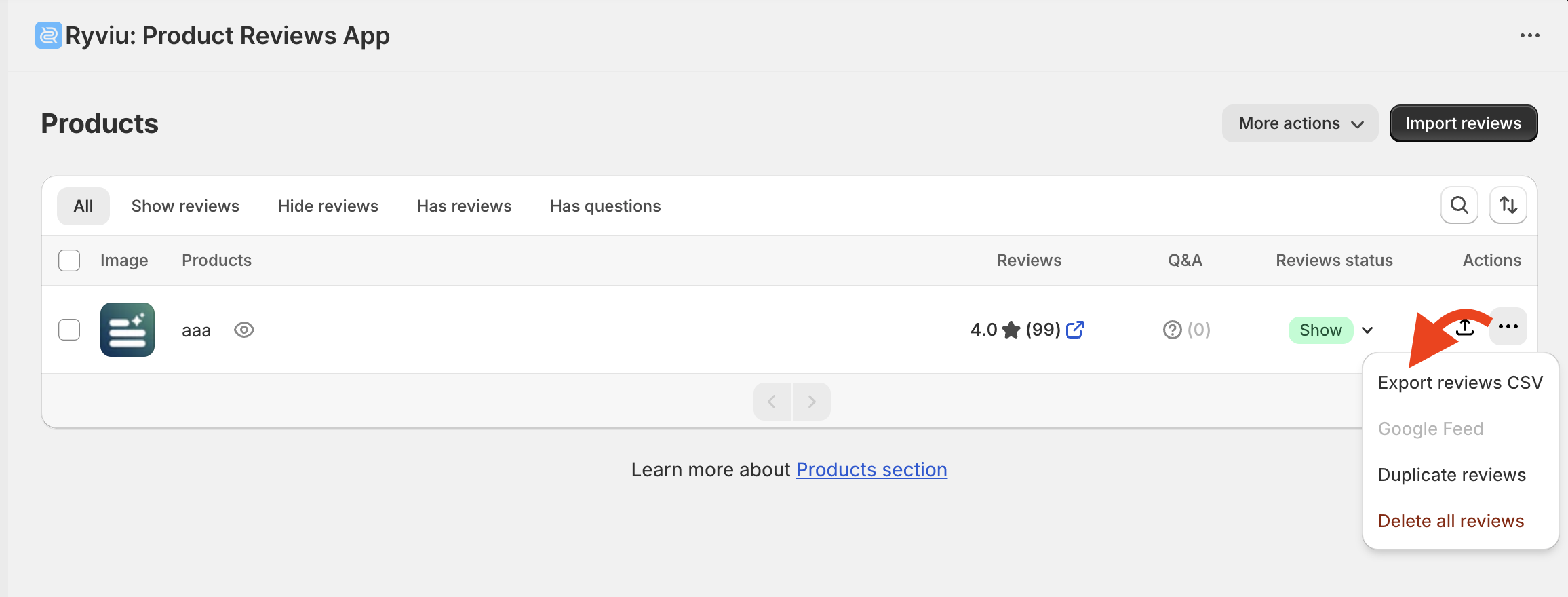
Single product: Click the three-dot icon next to the product and select Export reviews CSV.
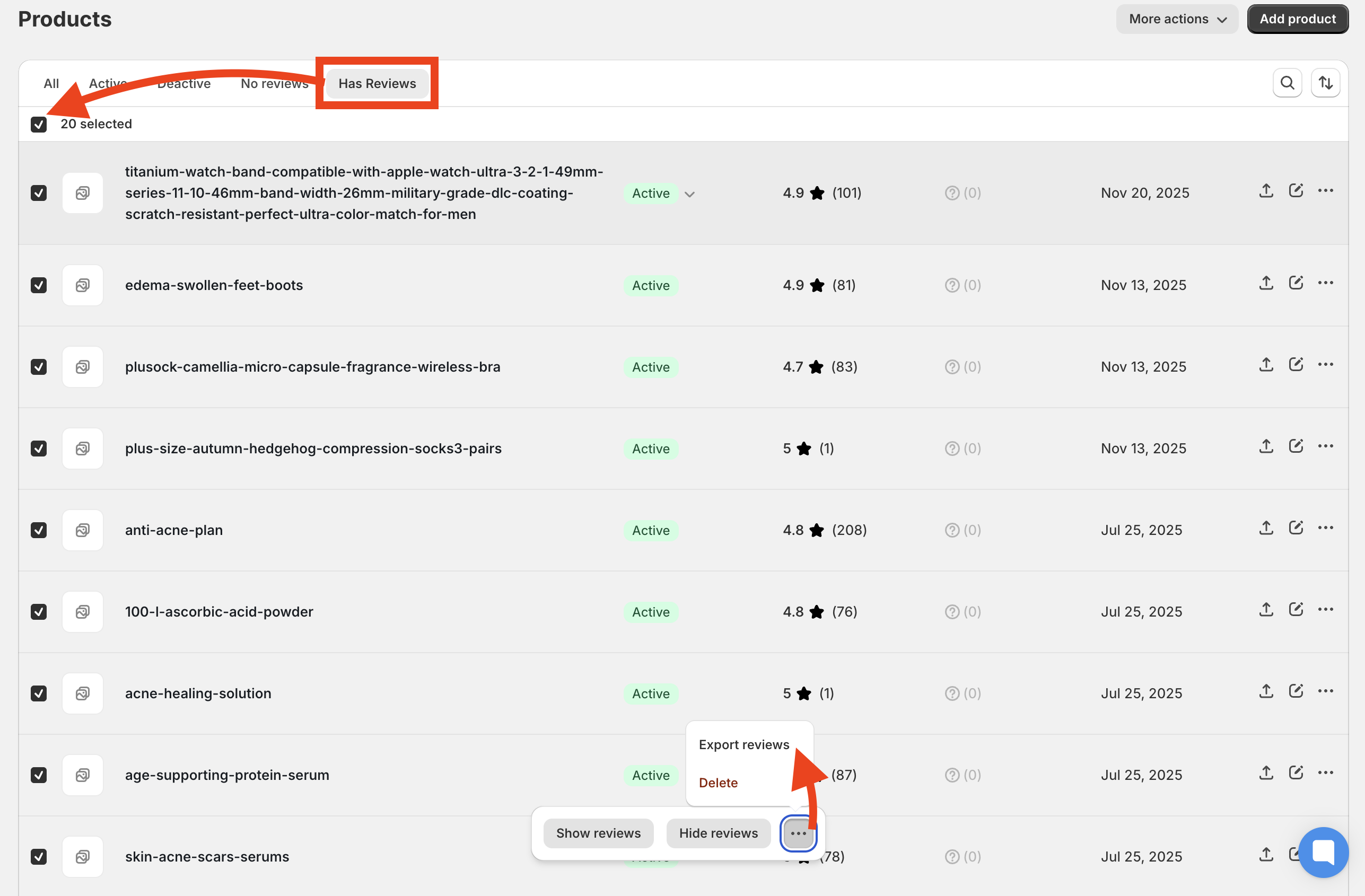
Multiple products: Filter by Has reviews, select up to 20 products, then choose Export reviews.
All reviews: click More actions button at the top right > Export all reviews. A download link will be sent to your email (this option is only available on Ryviu’s Unlimited plan).

Need help?
Get in touch with our support team through live chat or email at [email protected]. We're here to help!