You can install the Ryviu app for the Shopify vintage theme by following the instructions below.
Log in to your Shopify admin
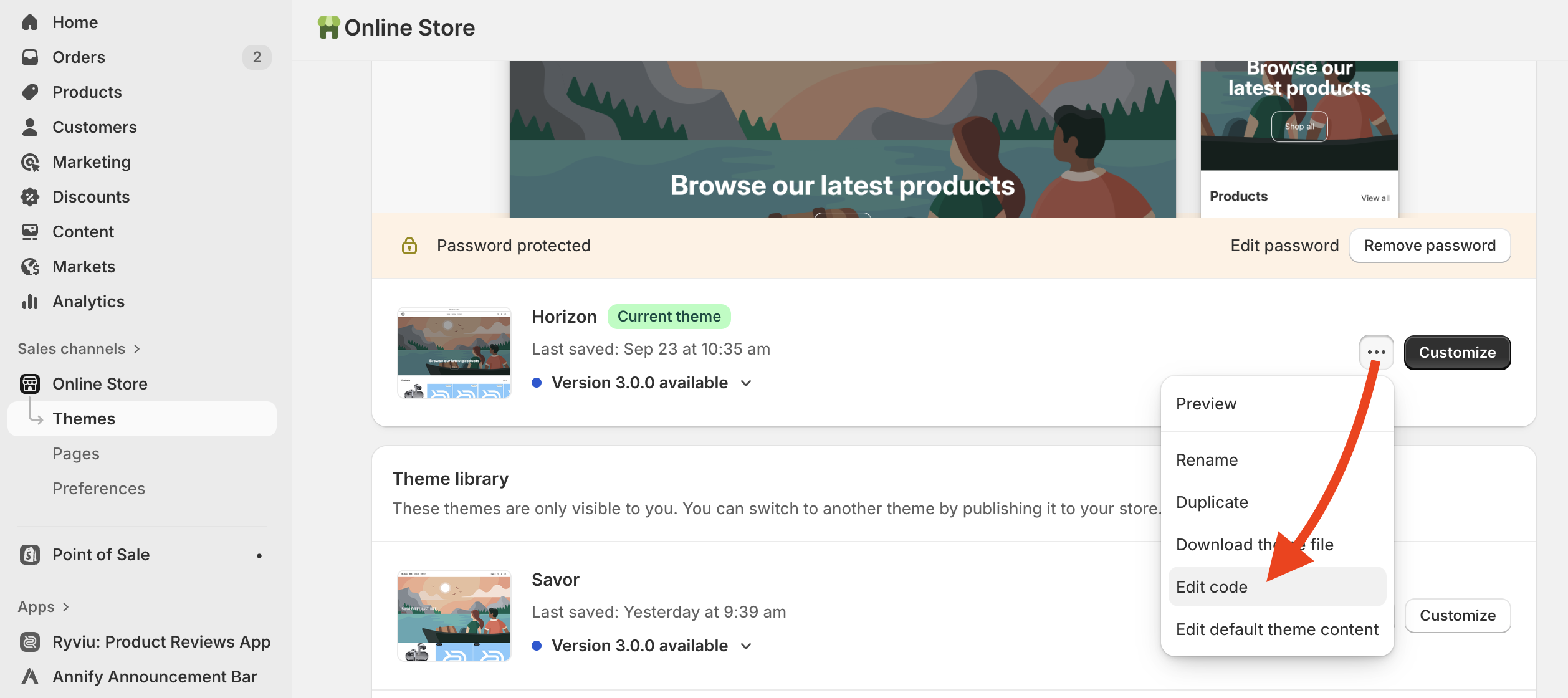
Go to Online store > Themes
Click "..." > Edit the code in the theme where you want to install Ryviu snippet codes.
Install the Ryviu product review widget on the product page.
Under Templates, find and open product.liquid file.
Add this code at the bottom of the file.
<div class="lt-block-reviews">
    <ryviu-widget handle="{{product.handle}}" product_id="{{product.id}}"     title_product="{{product.title}}" image_product="{{   product.featured_image.src | img_url: '100x' }}"></ryviu-widget>
</div>
If the above code does not work, please add this code.
<div class="r--ryviu-block"
     product-id="{{ product.id }}"
     shop="{{ shop.permanent_domain }}"
     handle="{{product.handle}}"
     title="{{product.title}}"
     image="{{ product.featured_image.src | image_url: width: 100 }}">
</div>
Save file.
Install the Star rating widget on the product page.
Find and open product-template.liquid file.
Find this line contains <h1 and {{ product.title }}. If you are unable to locate the line containing those codes in the product-template.liquid file, please attempt to find and open either product-info.liquid or product-meta.liquid file and search for the code.
Add this code below that line.
<div class="review-widget"><ryviu-widget-total reviews_data="{{product.metafields.ryviu.product_reviews_info | escape }}" product_id="{{product.id}}" handle="{{product.handle}}"></ryviu-widget-total></div>If the above code does not work, please use this code
<div class="ryviu-product-rating"
    total_section="true"
    reviews_data="{{ product.metafields.ryviu.product_reviews_info | escape }}"
    product_id="{{ product.id }}">
</div>
Save the file.
Get all the details in our tutorial video.
Need help?
Get in touch with our support team through live chat or email at [email protected]. We're here to help!