---
title: "Create a featured reviews page for Shopify store"
description: "This instruction will guide you on creating a separate featured reviews page for your Shopify store."
url: https://docs.ryviu.com/en/articles/110-create-a-featured-reviews-page-for-shopify-store
collection: "Install & Upgrade"
updated: 2026-07-10
language: en
---
# Create a featured reviews page for Shopify store
This instruction will guide you on creating a separate featured reviews page for your Shopify store.
Featured reviews are the most outstanding feedback on your online store. This article will guide you through creating a featured review page on your Shopify store.
> **Info:** This feature is available only for Ryviu premium plans.
### 👉 Step 1. Create a featured reviews page
1. Log in to your Shopify store admin
2. Navigate to **Online Store** > **Pages**
3. Click **Add page**
4. Add a title for your feature review page
5. Click "< >" icon to show HTML.
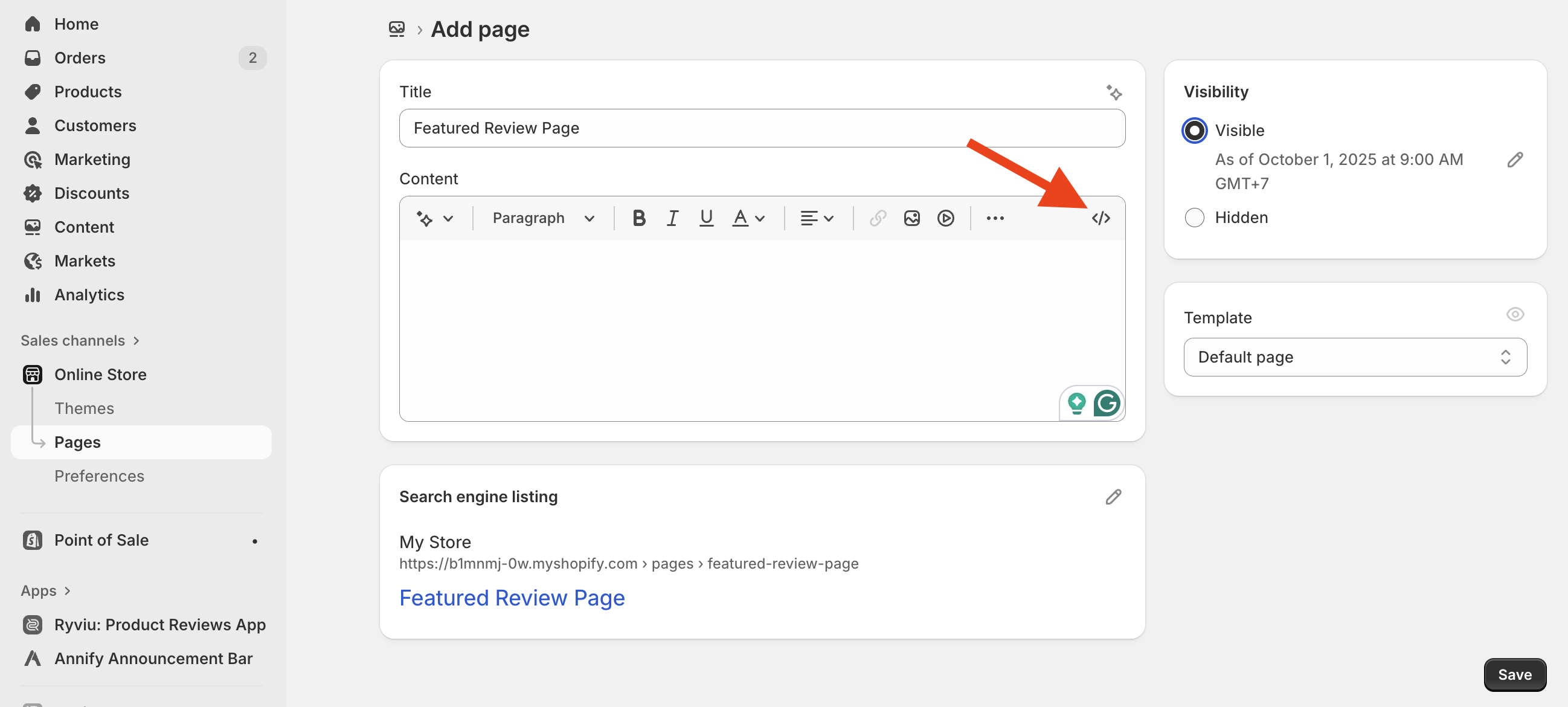
6. Add Ryviu's Featured Review snippet code.
Copy one of the featured review codes below, and paste it into the page
- Masonry featured reviews snippet code
```
```
[Demo page](https://ryviu-app.myshopify.com/pages/reviews-page)
- Carousel featured reviews snippet code
```
```
[Demo page](https://ryviu-app.myshopify.com/pages/reviews-carousel)
7. Click **Save** button
### 👉 Step 2. Select Featured reviews
1. Go to Shopify store admin
2. Click **Apps,** click Ryviu: Product Reviews App
3. Navigate to **Reviews** dashboard manager
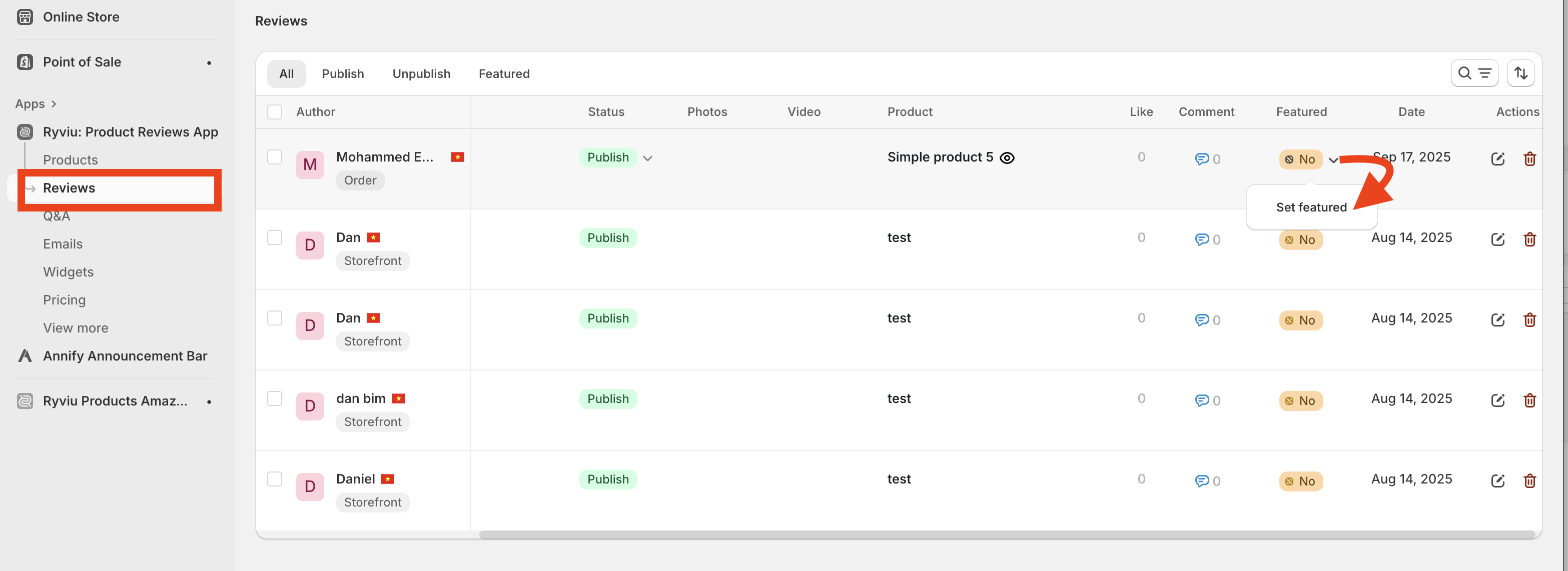
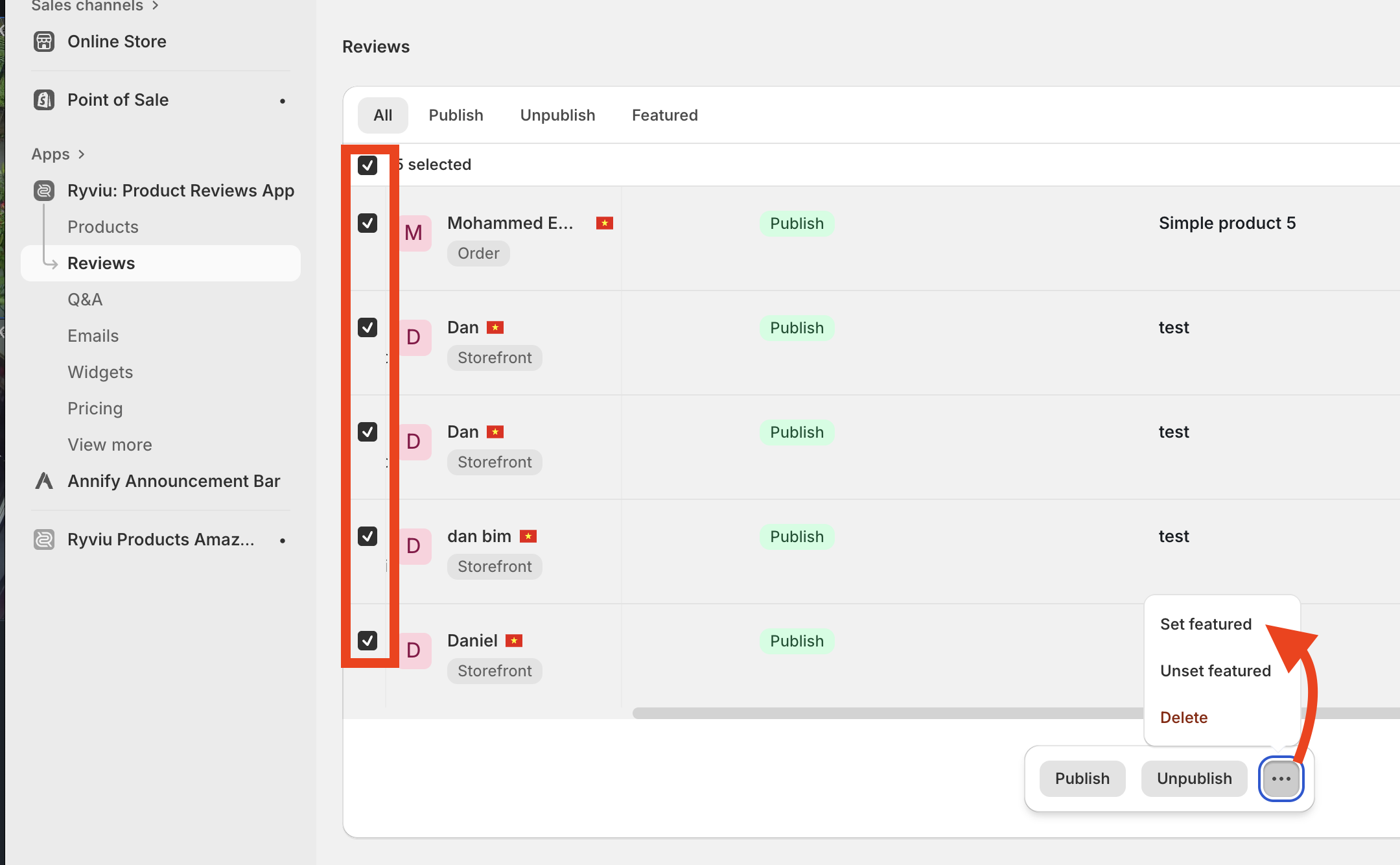
4. Mark reviews as featured reviews
- You'll be able to set one-by-one reviews as featured.
- Or set selected reviews as featured.
Watch this video for the details:
* * *
**Need help?**
Get in touch with our support team through [live chat](https://docs.ryviu.com/en/articles/101-support.md) or email at [info@ryviu.com](mailto:info@ryviu.com)**.** We're here to help!