

To access more premium features of Ryviu, you need to upgrade your Ryviu plan.

To upgrade your Ryviu account, choose a Shopify plan that suits your store's needs.
Please upgrade your Ryviu plan following these steps
👉 Step 1. Log in to your Ryviu account from Shopify store admin > Apps, and click on Ryviu: Product Reviews App
👉Step 2. Navigate to the Pricing menu, select a monthly or annual payment, and choose your preferred payment plan. You will save 25% if paid annually.
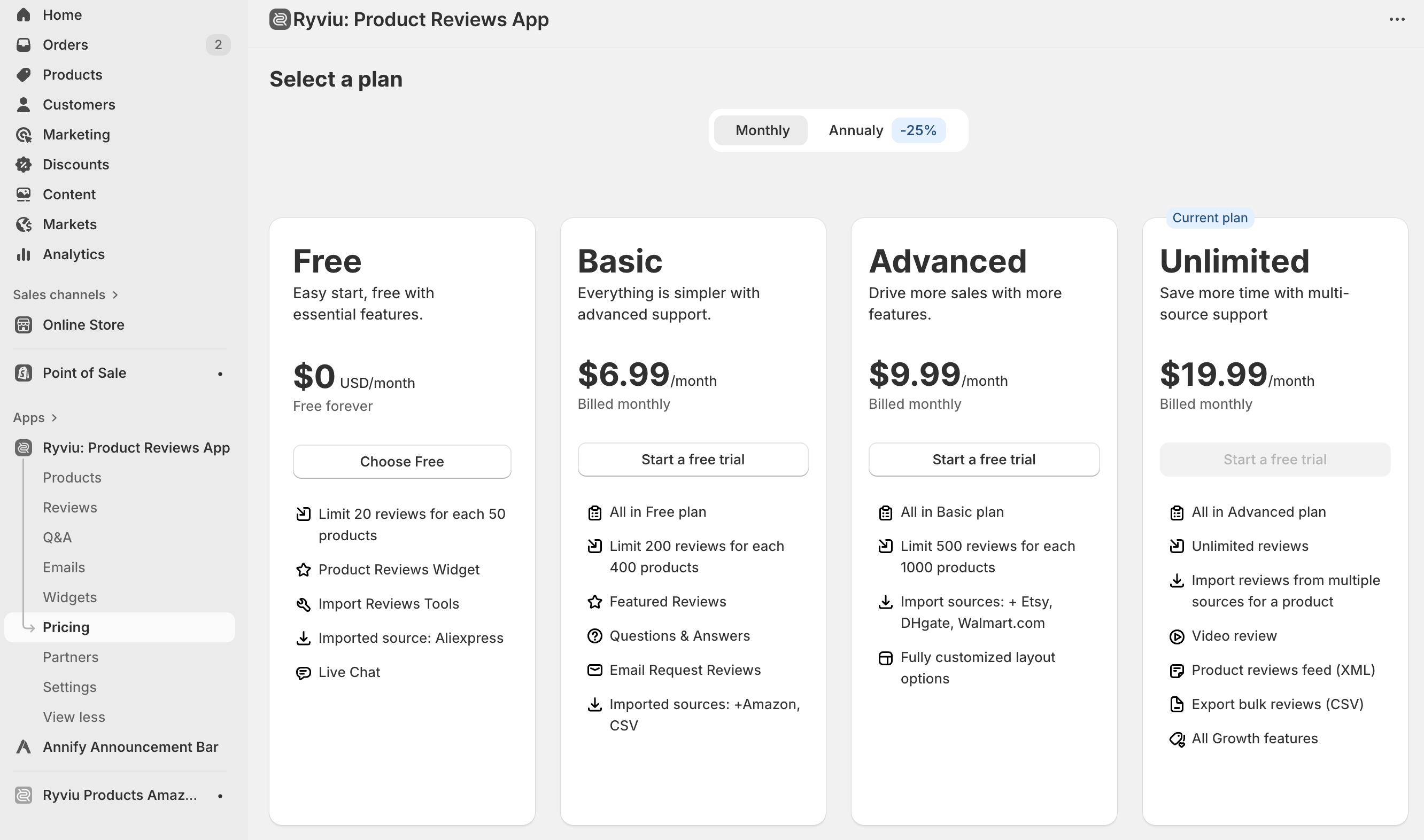
👉 Step 3. Click the Start a free trial button on the plan you want.
👉 Step 4. Confirm your plan again, enter the discount code if you have one, and click the Next button.
👉 Step 5. Select the payment method and click Approve to complete.
Need help?
Get in touch with our support team through live chat or email at [email protected]. We're here to help!