

To access the premium features of Ryviu on your WooCommerce store, you need to upgrade your Ryviu plan. To upgrade successfully, follow the steps below.

We accept PayPal only!
Log in to your Ryviu account.
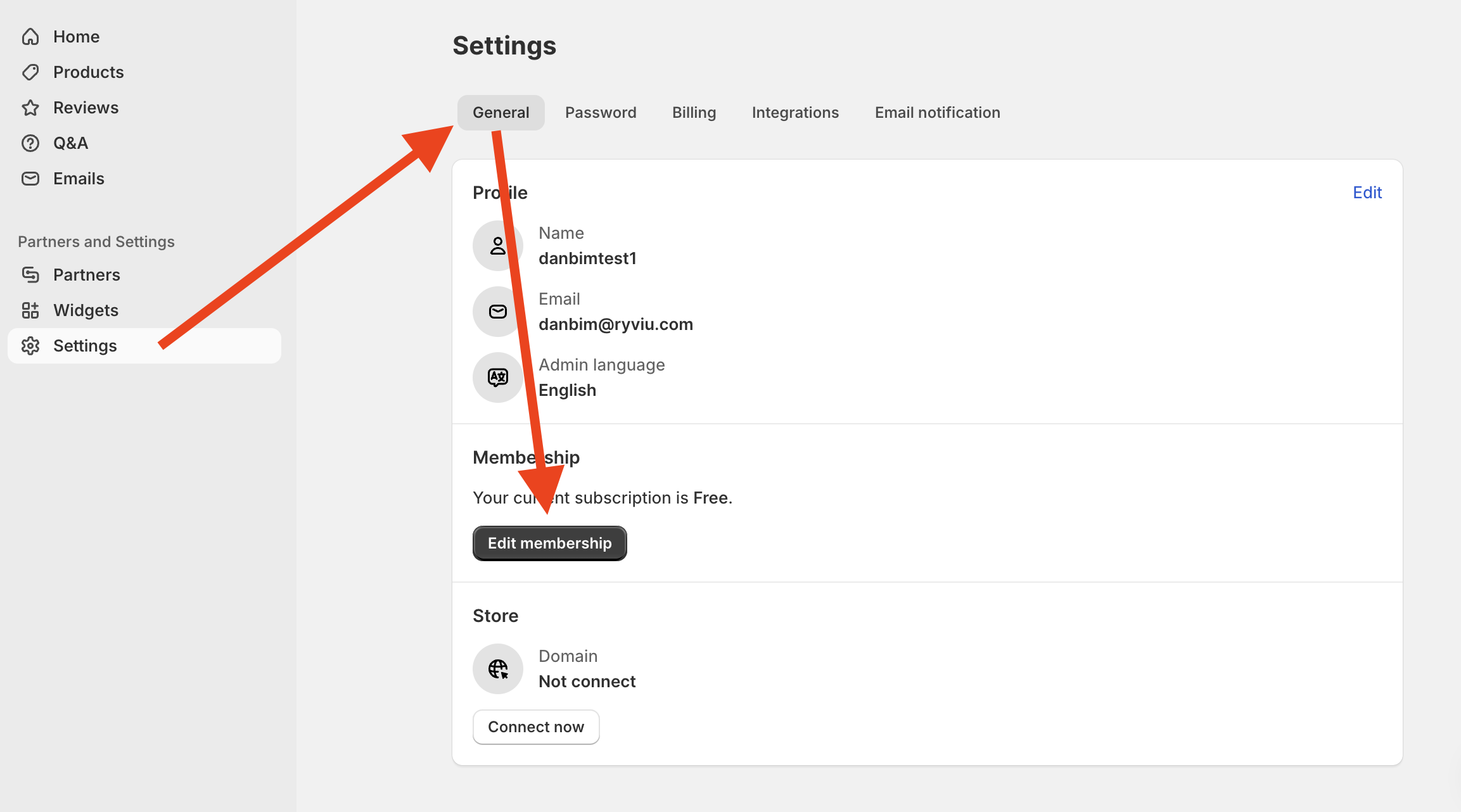
Go to Settings > General > Membership > click Edit membership.
Choose a membership. You would save 25% if you paid annually.
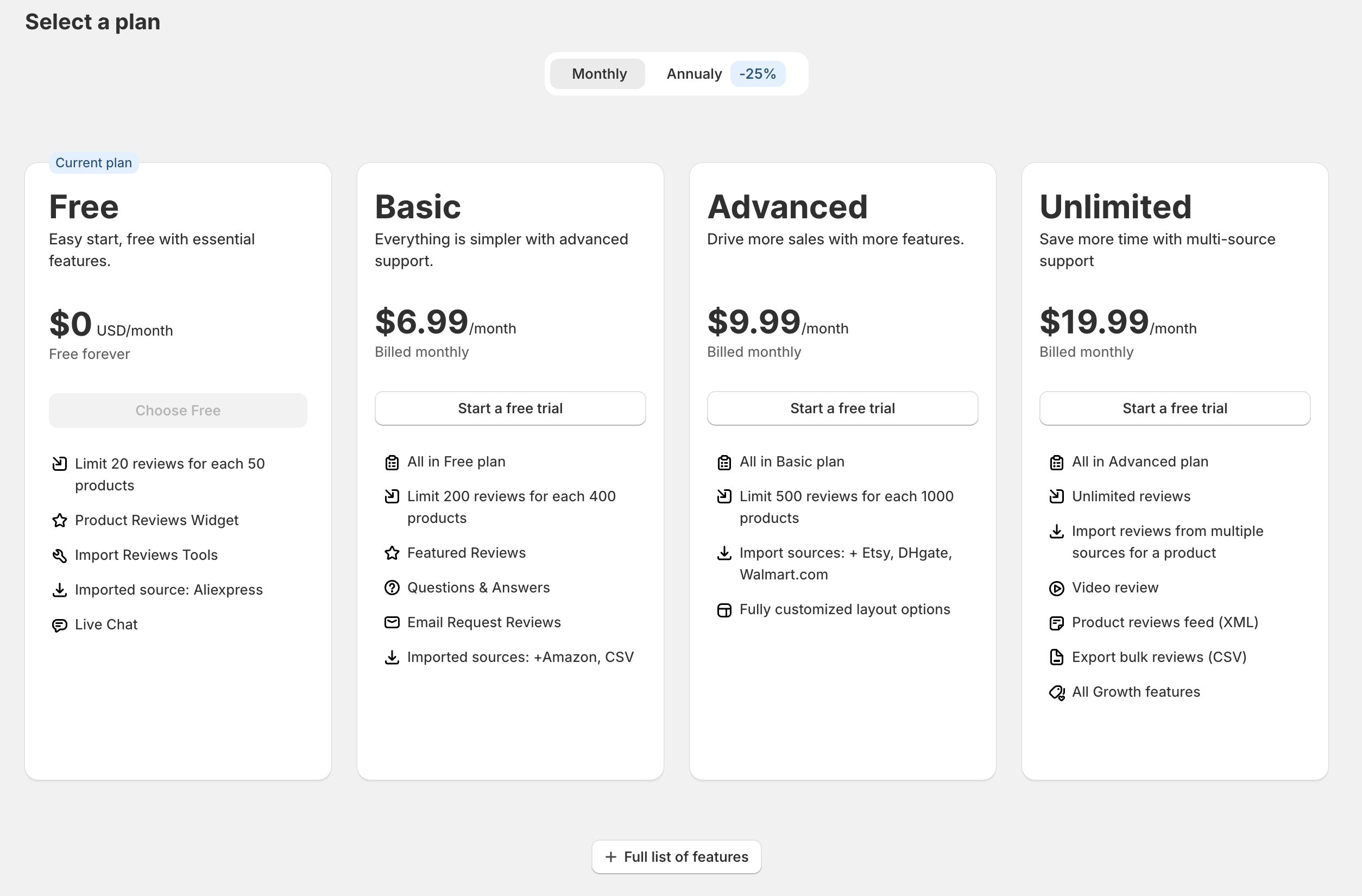
Click the Next button.
Log in to your PayPal account.
Click the Agree & Continue button to complete the payment.
Need help?
Get in touch with our support team through live chat or email at [email protected]. We're here to help!