If your store uses a page builder plugin for your product page template, please follow the instructions below to add the Ryviu snippet codes to your WordPress Page Builder so that reviews will display.
The shortcodes for Star rating on product page, Review box on product page, and Question and Answer work only on product page templates.
Log in to your Wordpress admin.
Go to Settings > Ryviu.
In Star rating on product page and Review box on product page, choose Custom Position.
Copy shortcodes
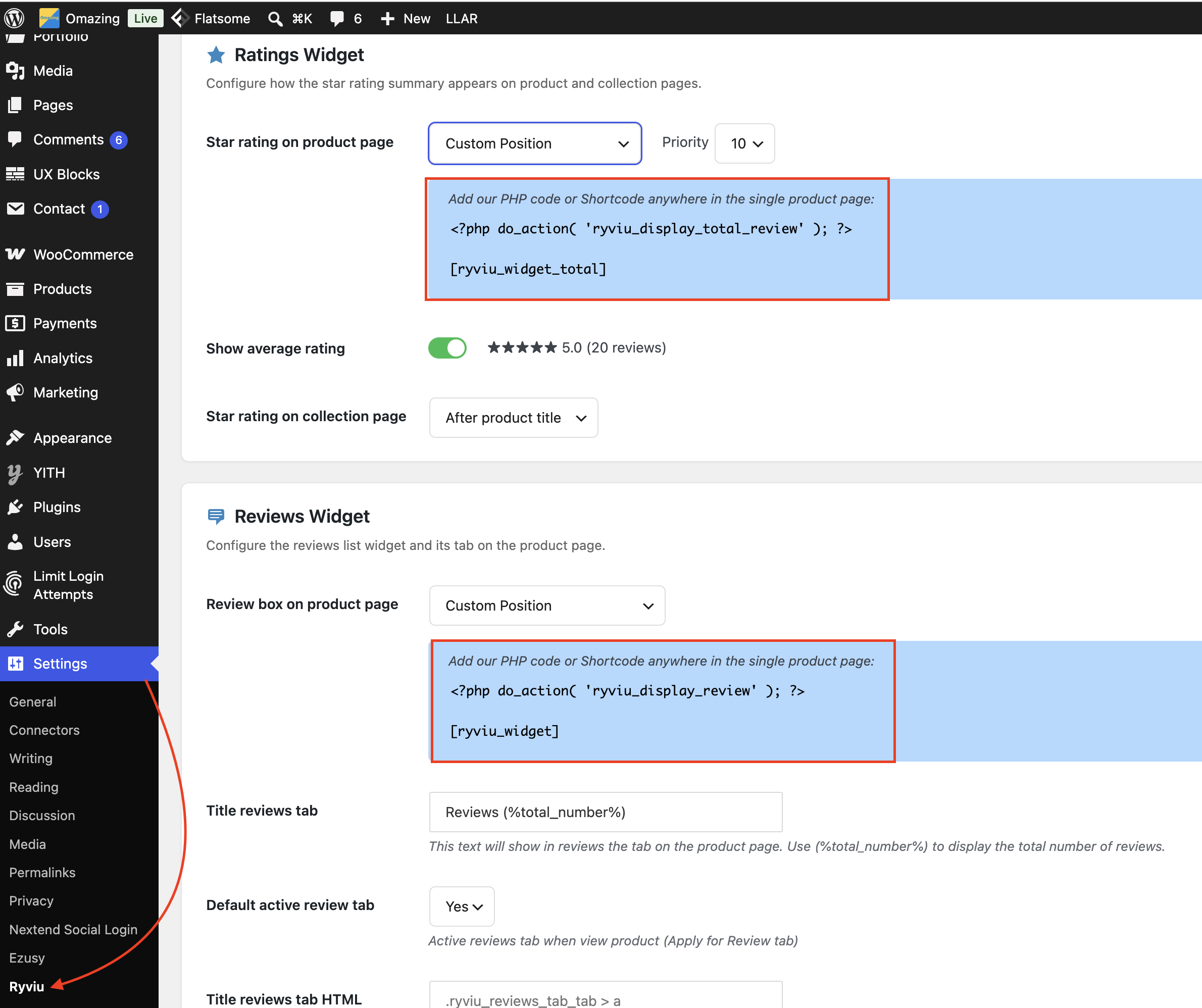
You can insert the copied shortcode into your WordPress page builder to display the reviews.
Go to the page builder product page template, add an HTML or Shortcode element.
Paste the shortcode into the element
Please rearrange the elements as necessary.
Save your template.
Need help?
Get in touch with our support team through live chat or email at [email protected]. We're here to help!

