Automated Review Requests help you collect customer feedback without lifting a finger. With Ryviu, you can send personalized emails after a purchase to encourage customers to leave photo and video reviews.

Ensure you have configured your Sender Email to improve email deliverability and avoid landing in spam.
From your Ryviu dashboard:
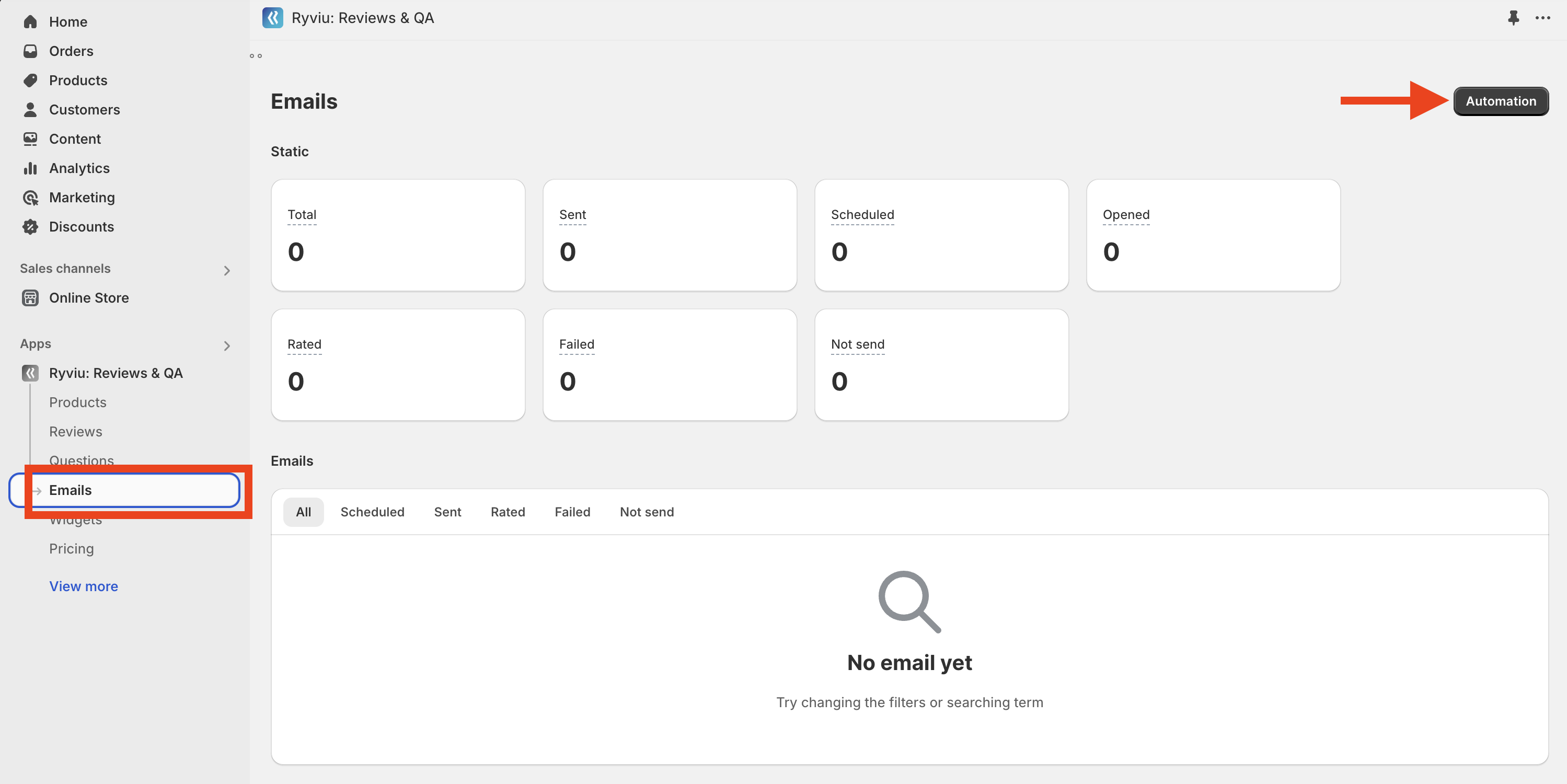
Navigate to Emails > Email notifications (version 1.0).
Or Reviews > Emails > Email notifications (version 2.0).
In Sender email:
Add your domain email under From email.
Add your domain in From domain.
Add your name in the From name.
Verify your domain by adding your domain to Domain Verification. Please add DNS records to your Domain settings.
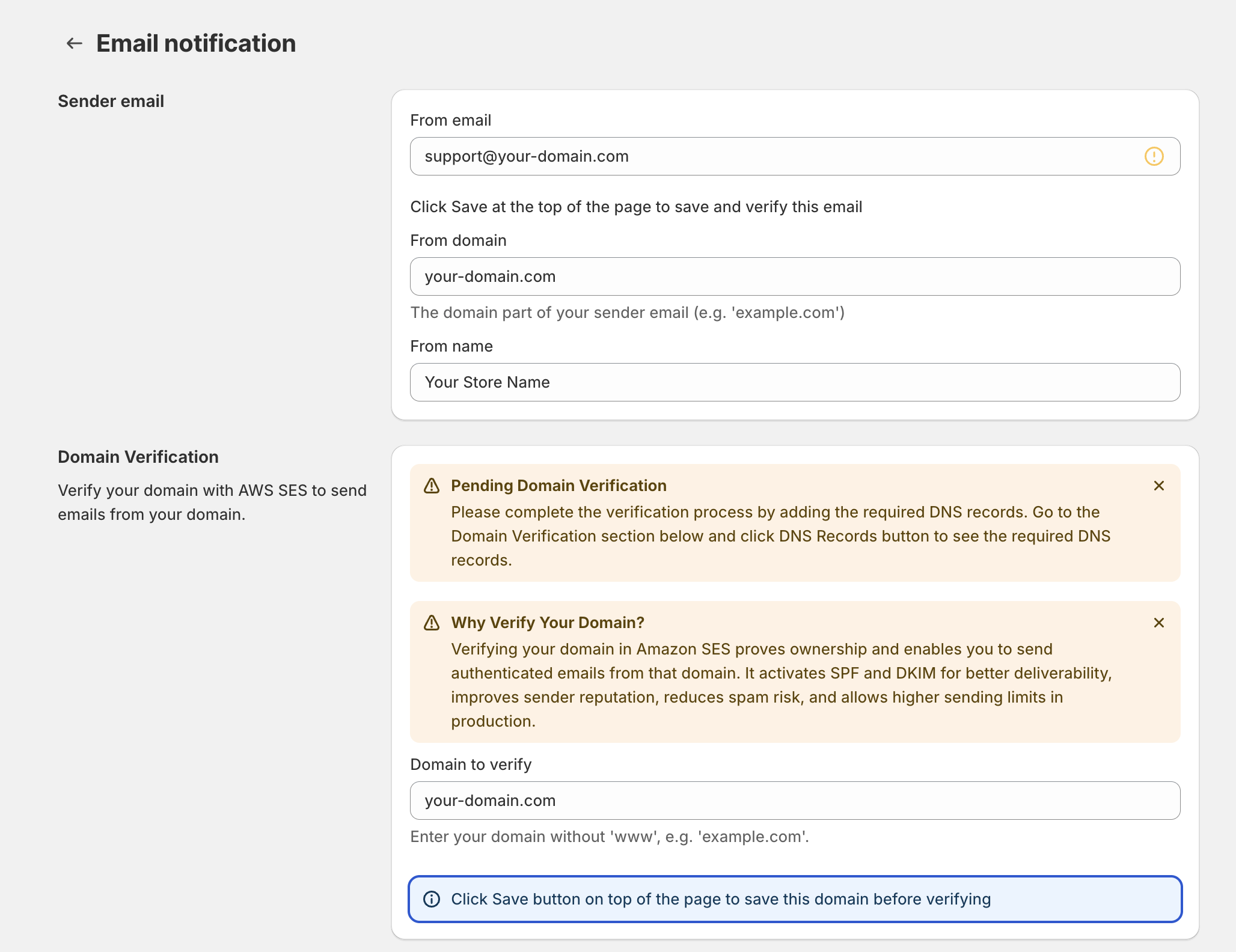
From your Ryviu dashboard
Go to Emails (version 1), or Reviews > Emails (version 2).
Click Automation.
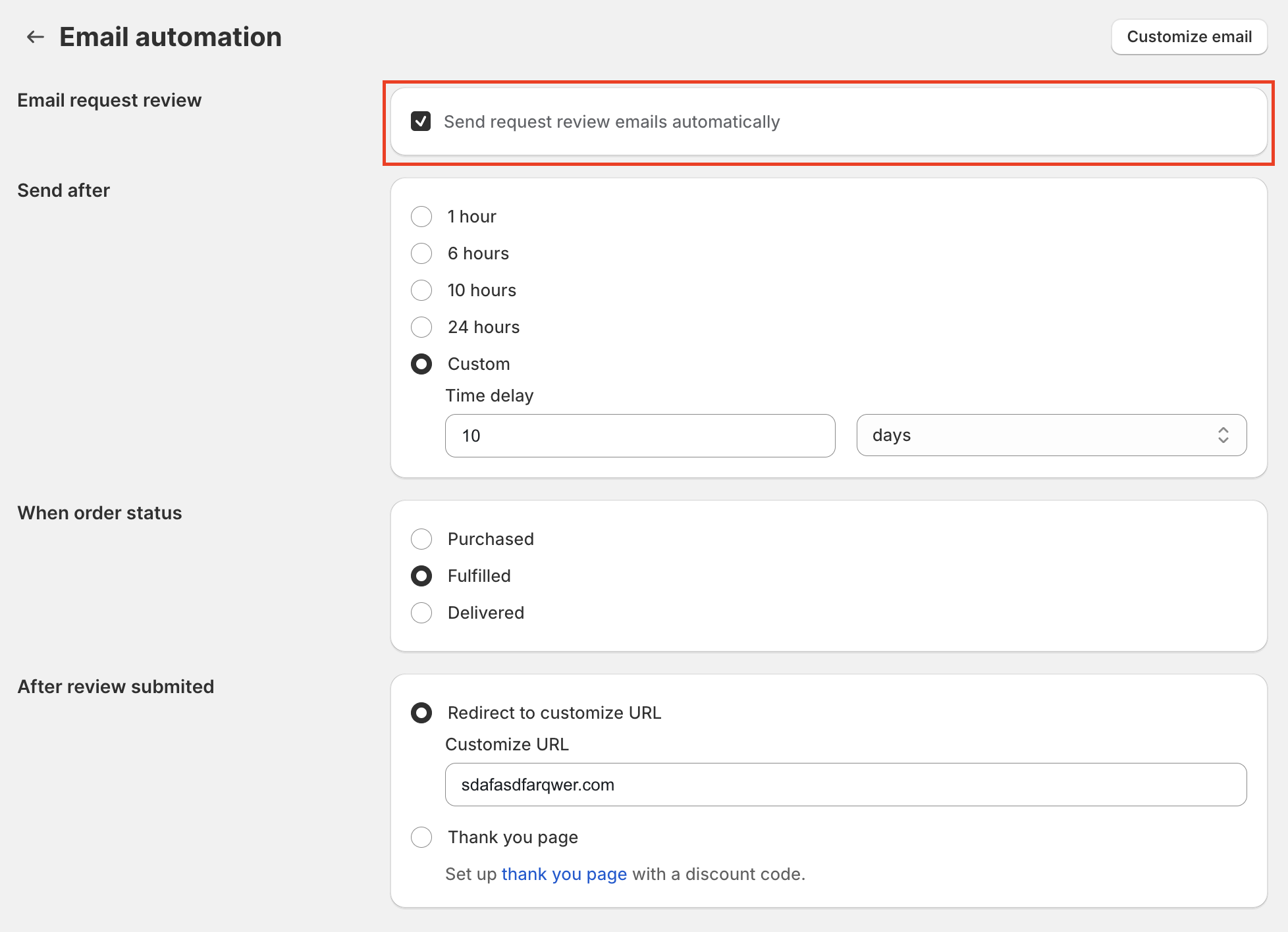
Precheck the option "Send request review emails automatically."
Customize the email template by clicking Customize email button.
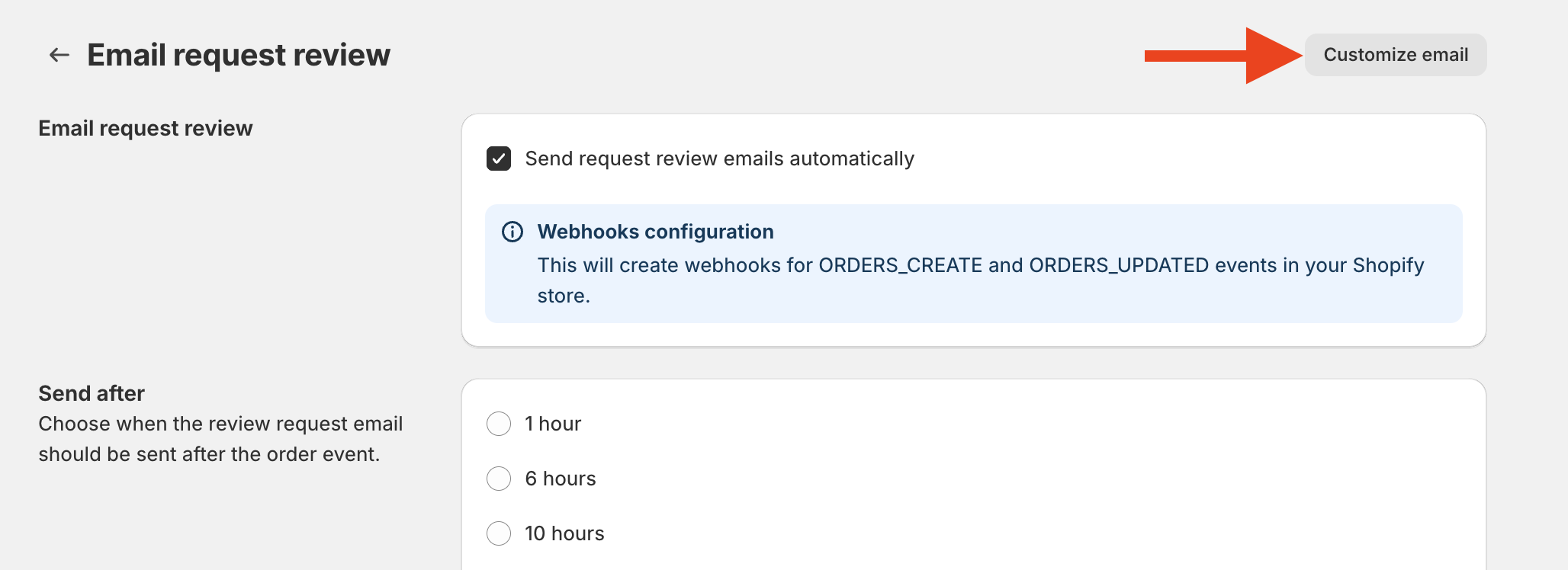
For Shopify
You can set your timing after the order status is "Purchased", "Fulfilled", or "Delivery".
For the "Delivery" status, Ryviu allows you to time-review request emails by product delivery. Delivery-based timing will enable you to reach your customers even when delivery times differ across orders.
You can use delivery-based timing on orders using Shopify's shipment status field.
For WooCommerce
You can set up your time after the order status is Processing or Complete.
You can set the timing for the action to occur on a specific day, hour, and minute.
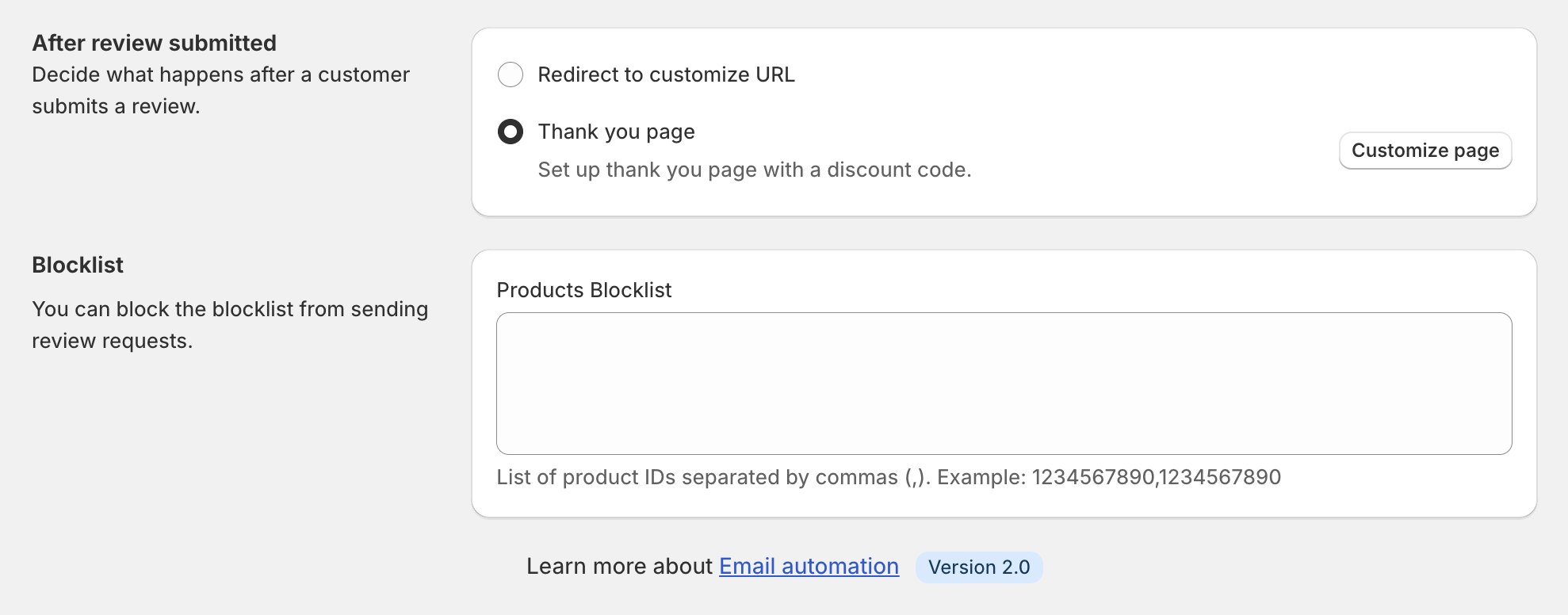
You can select "Redirect to customize the URL" so that customers are redirected to the URL you want after they submit reviews.
If you choose the "Thank you email" option, please click "Thank you email settings" to configure your thank-you email.
In Blocklist, you can add a product ID to exclude it from the request review email.
We recommend you use a page builder app to create a thank-you page for upselling. Here are some of our trusted partners:
Please find out how to set up email automation through our tutorial video.
Need help?
Get in touch with our support team through live chat or email at [email protected]. We're here to help!