Automated Review Requests help you collect customer feedback without lifting a finger. With Ryviu, you can send personalized emails after a purchase to encourage customers to leave photo and video reviews, boosting your store's social proof and conversion rates.

Ensure you have properly configured your Sender Email settings to improve deliverability and prevent your emails from landing in the spam folder.
From your Ryviu dashboard:
For Shopify: Navigate to Reviews > Emails > Email notifications.
For WooCommerce: Navigate to Emails > Email notifications.
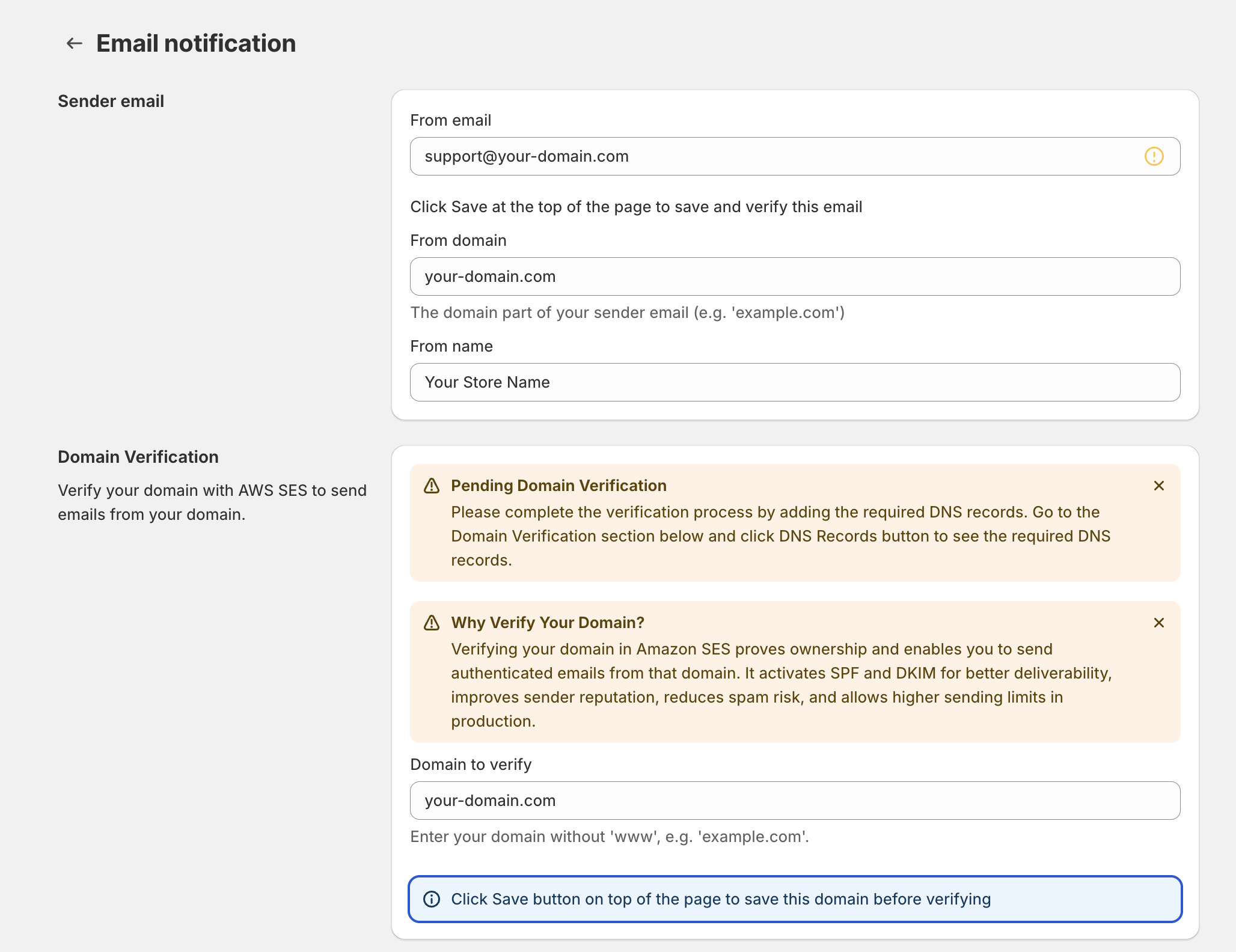
In the Sender email section:
Add your professional domain email under From email.
Add your store domain under From domain.
Add your brand or store name under From name.
Verify your domain by adding the required DNS records to your domain settings under Domain Verification.
Verify your domain by adding the required DNS records to your domain settings under Domain Verification (Shopify only)
Go back to your Ryviu dashboard:
For Shopify: Navigate to Reviews > Emails and click Email automation.
For WooCommerce: Navigate to Emails and click Automation.
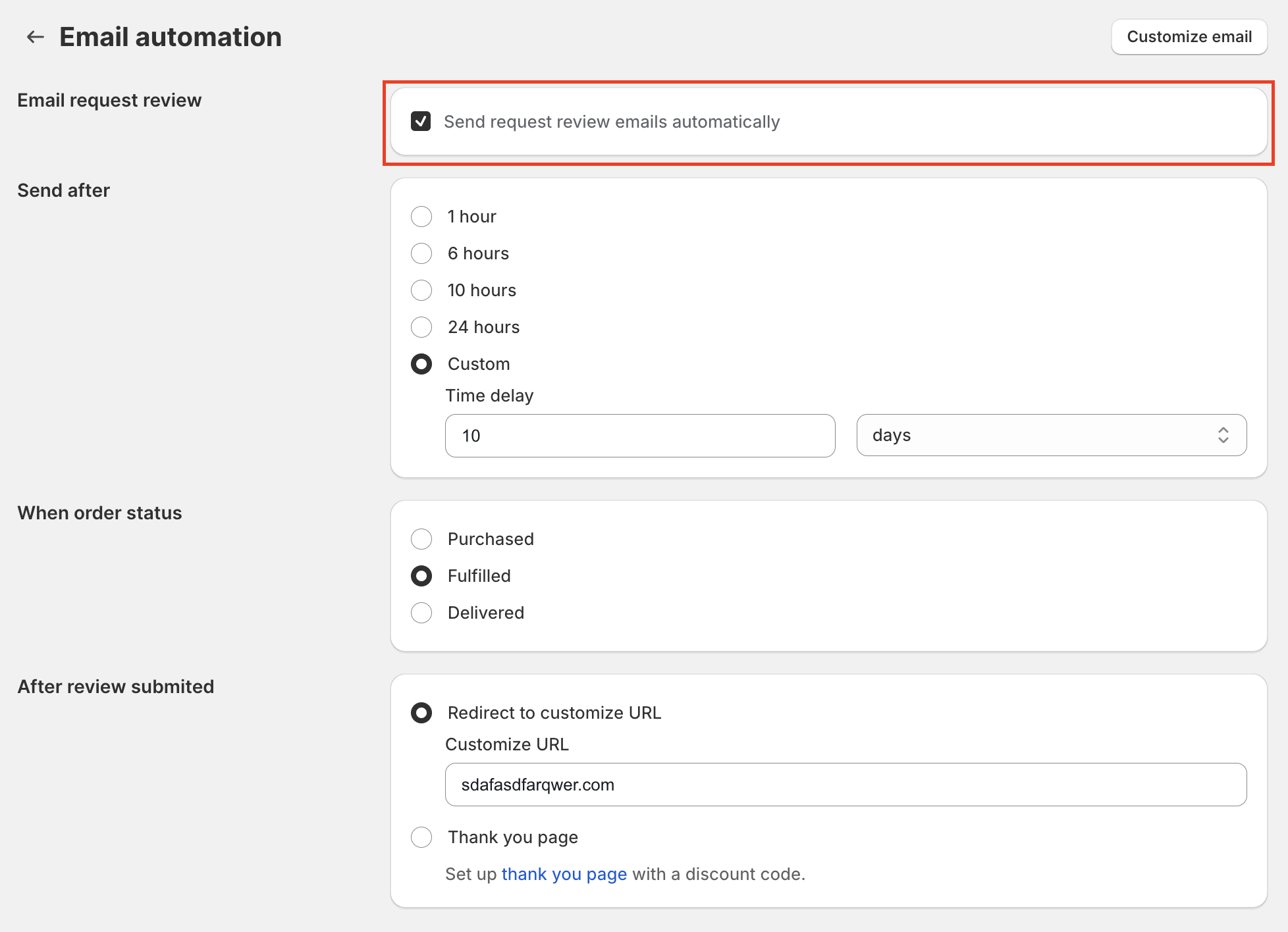
Pre-check the option: "Send request review emails automatically".
Click the Customize email button to tailor the email template to match your brand voice.
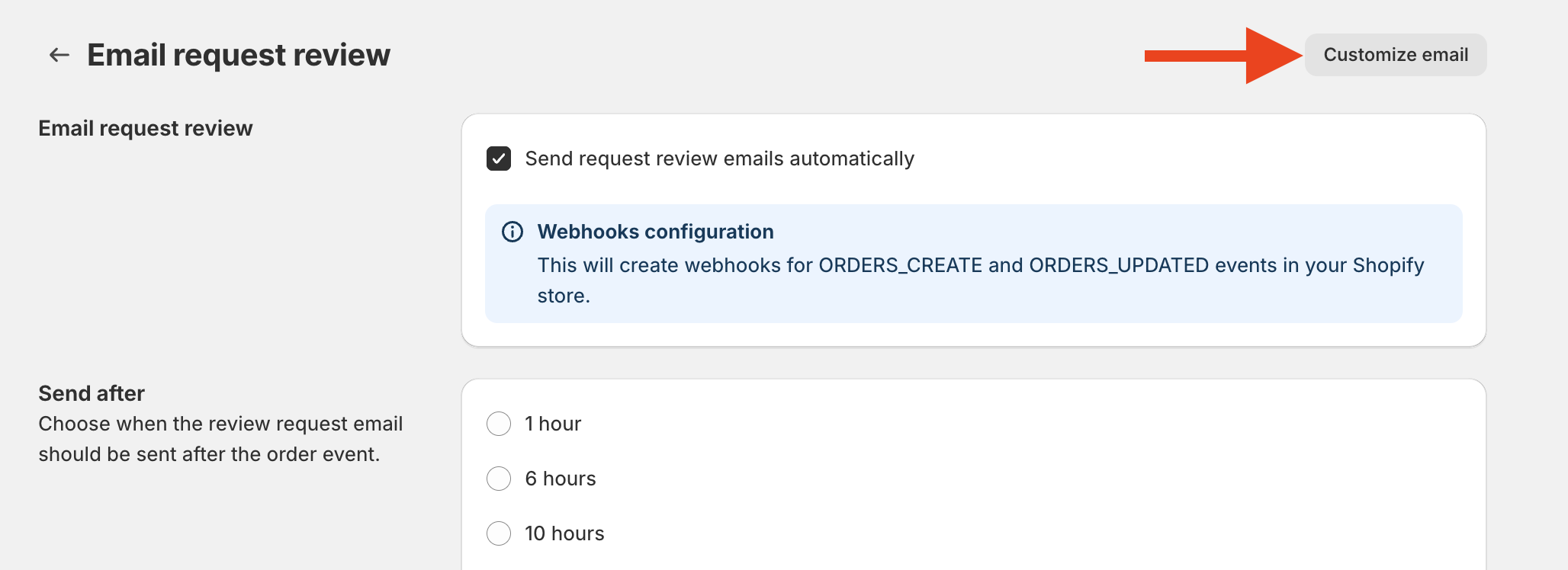
Choose when your review request emails should be triggered based on order milestones:
For Shopify: You can set the trigger when the order status is marked as Purchased, Fulfilled, or Delivery. Using Delivery-based timing allows you to accurately reach customers even when shipping durations vary across orders.
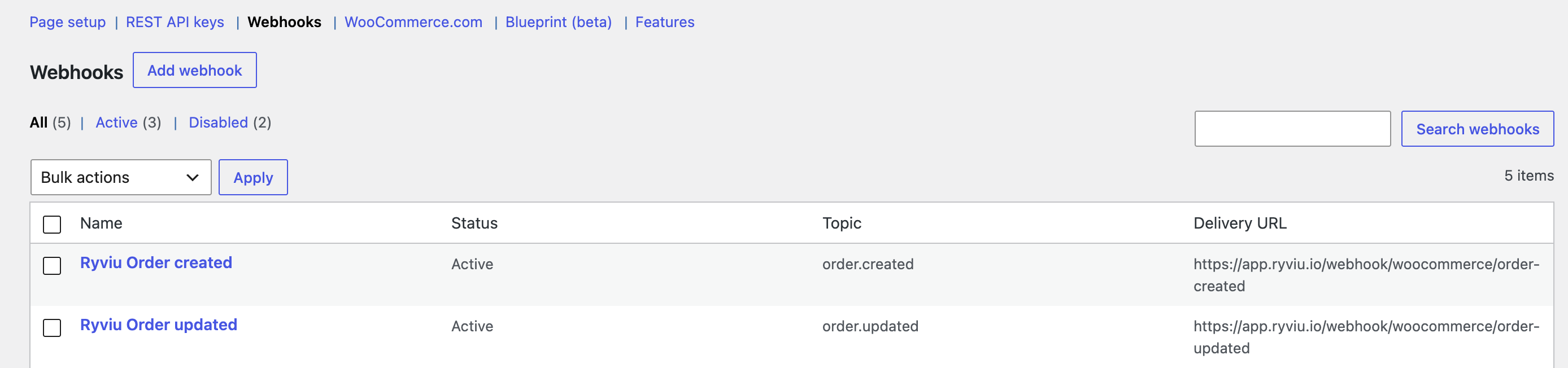
For WooCommerce: You can trigger emails after the order status becomes Processing or Complete. Ensure that "Ryviu Order created" and "Ryviu Order updated" are activated in WooCommerce > Advanced > Webhooks for this function to work.
Define the exact delay (days, hours, and minutes) before the email is sent out after reaching the selected order status.
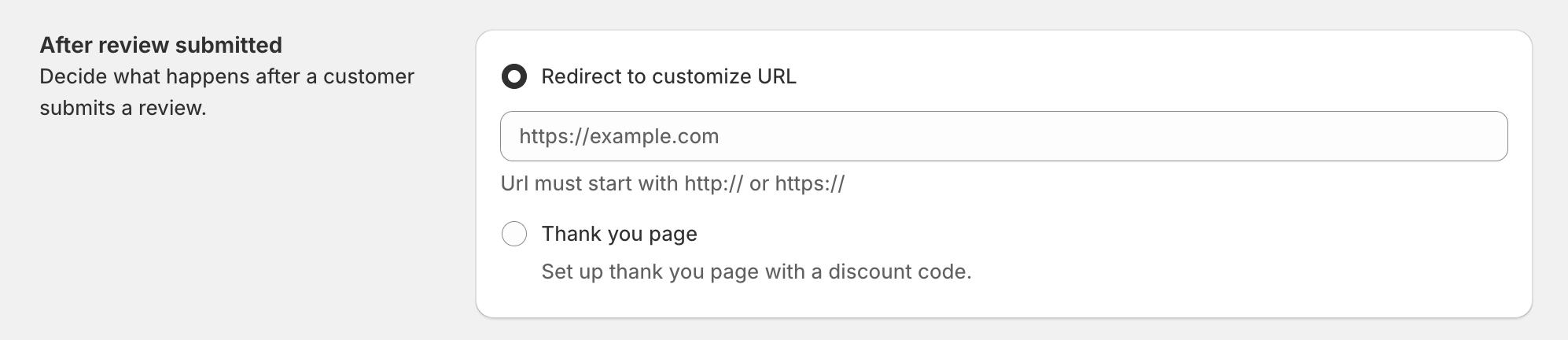
After review submitted: Decide what happens after a customer submits a review.
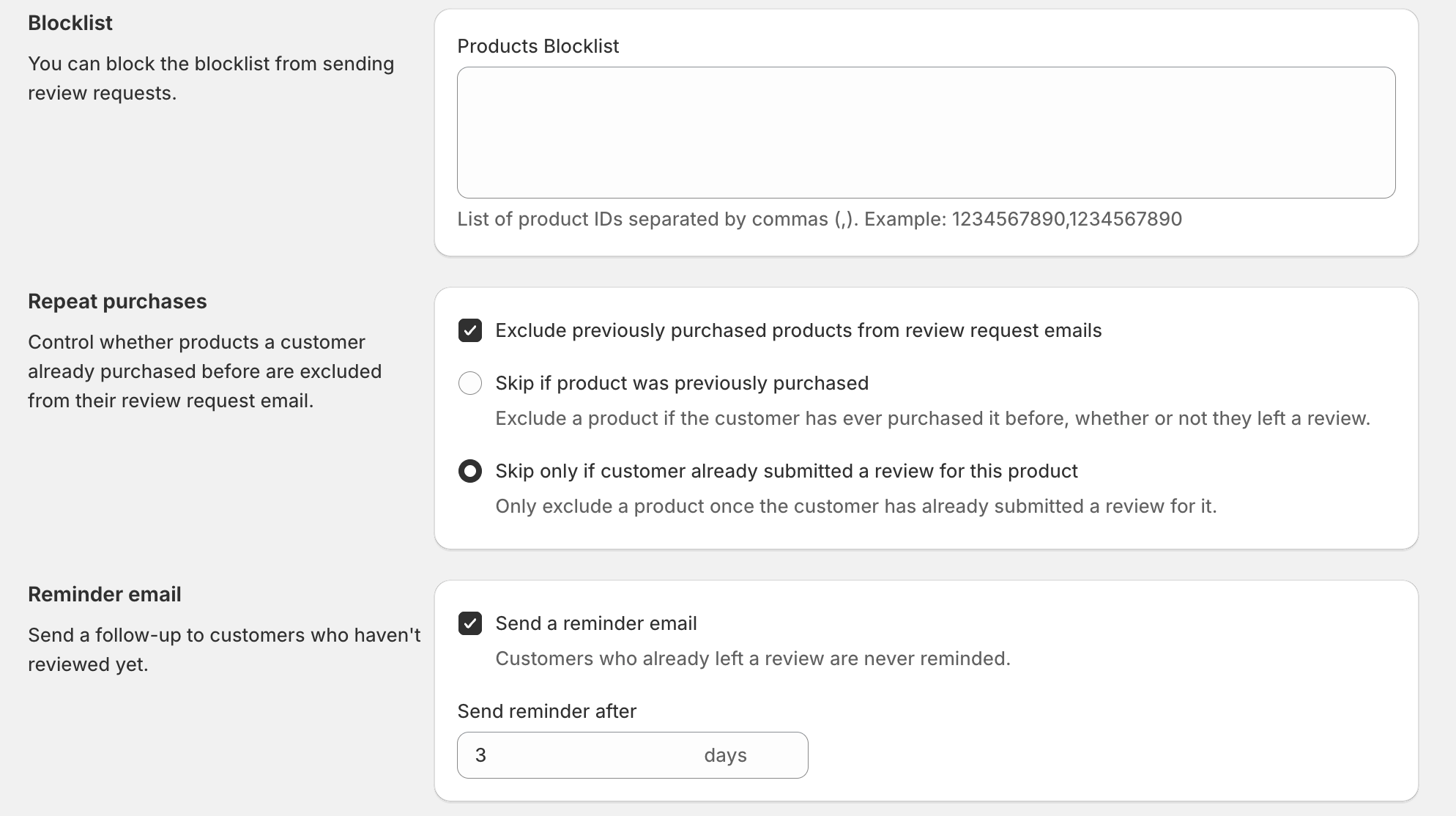
Blocklist: You can block the blocklist from sending review requests.
Repeat purchases: Control whether products a customer has already purchased before are excluded from their review request email.
Reminder email: Send a follow-up to customers who haven't reviewed yet.
Maximize your post-purchase funnel by linking a dedicated thank-you page created via page builders like:
Please find out how to set up email automation through our tutorial video.
Need help?
Get in touch with our support team through live chat or email at [email protected]. We're here to help!