The settings in this part work for importing reviews from Aliexpress, Amazon, Etsy, and Dhgate.
You can access import review settings from the Ryviu dashboard > Products

Click the Import reviews button > and click Import settings.
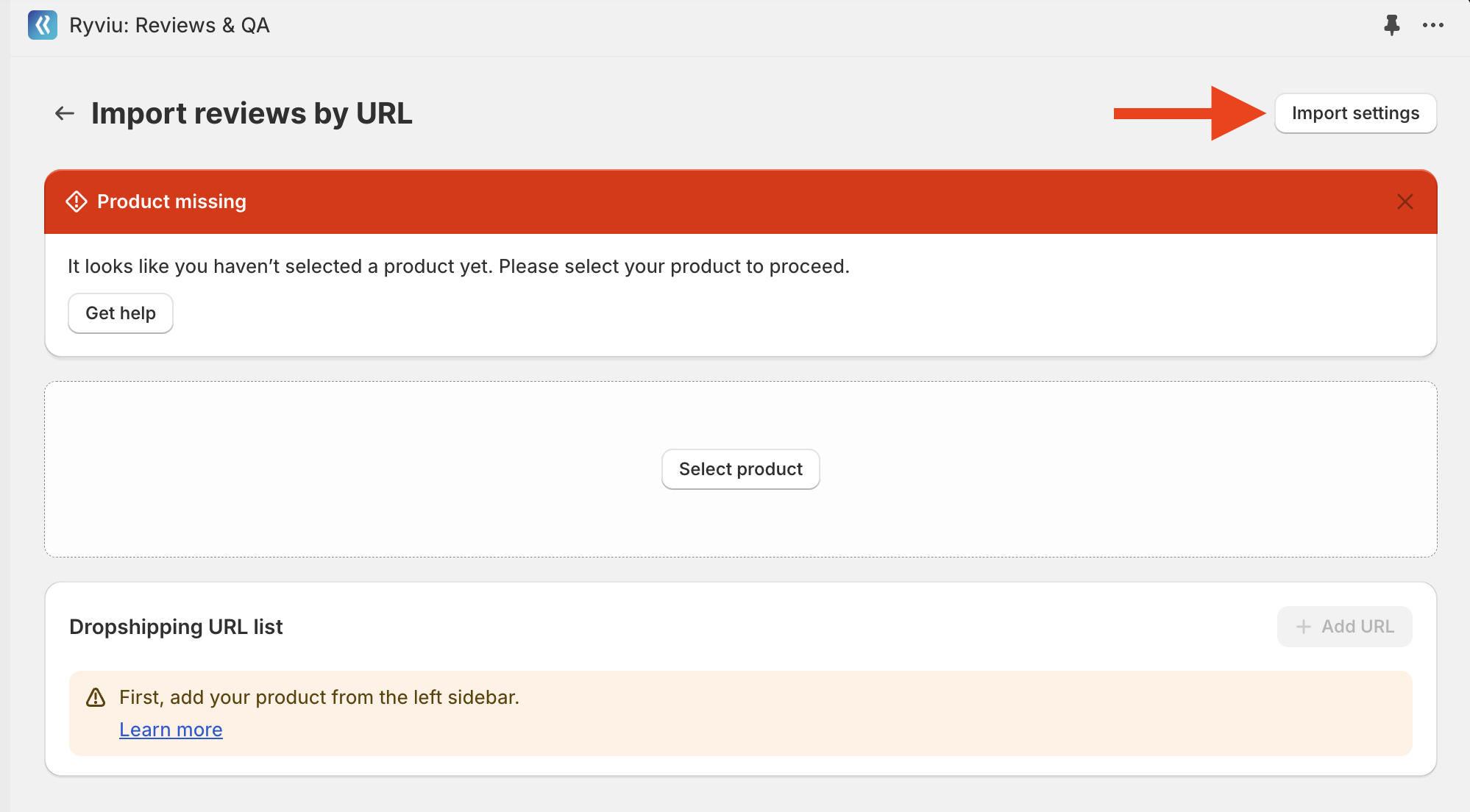
Please check the details of the settings in the instructions below.
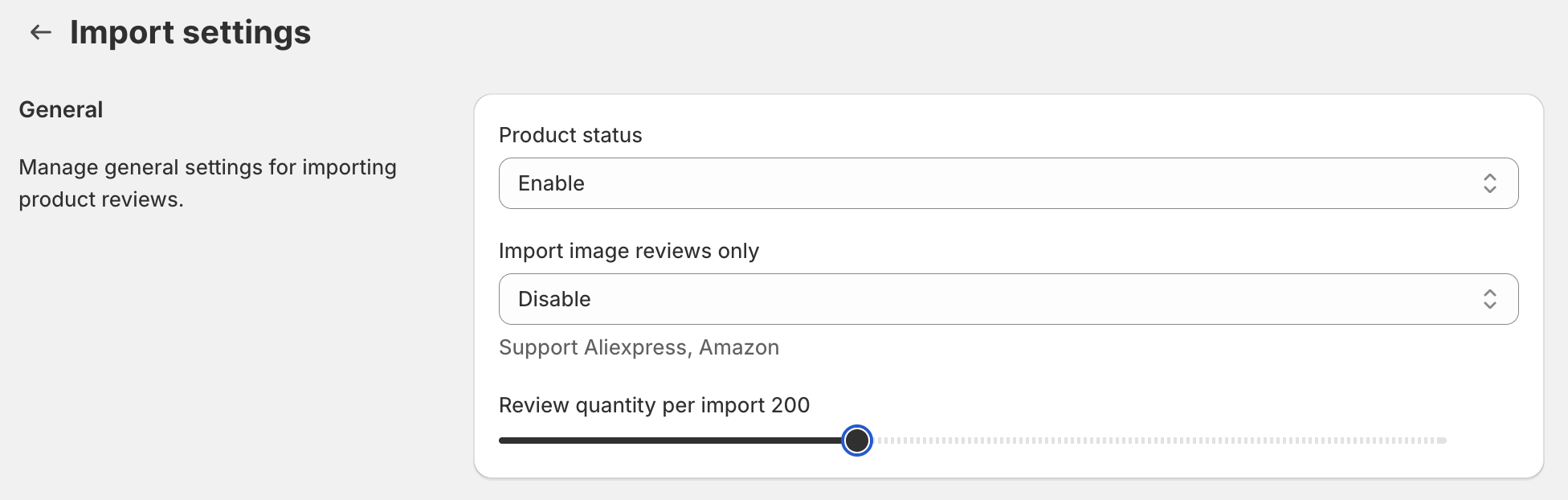
Product status: the status of the product after importing reviews.
Import image reviews only: Ryviu will get image reviews only if you enable this setting.
Review quantity per import: The default setting loads 20 reviews per import. However, with premium plans, you can change the number of reviews imported at each import. Please set the number of reviews before importing them.
Those options are only available in Ryviu paid plans.
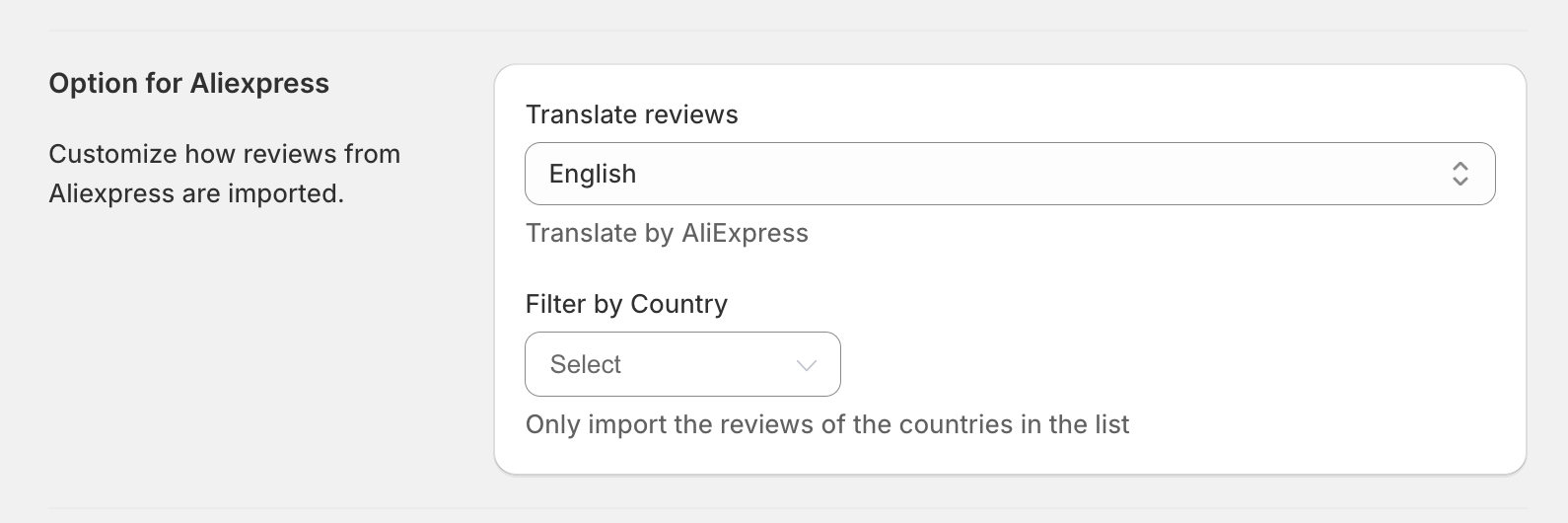
Translate reviews: Reviews will be in the language selected. Please note that this option relies on AliExpress's translation, so some words may not be translated properly.
If you select Default, the reviews will be imported correctly as on Aliexpress.
If you want to import reviews in English, please get them from Aliexpress, the global site.
Filter by Country: When importing reviews, you can choose different countries. Reviews will be translated into your preferred language if you select both countries and languages.
When you enable the option Import by ASIN, Ryviu will import reviews belonging to the ASIN you are active in the Amazon product URL only.
If that option is disabled, you can import reviews with the parent ASIN.

Set the time range for syncing the new review function. You can learn how to sync reviews in Sync new reviews article.

Need help?
Get in touch with our support team through live chat or email at [email protected]. We're here to help!