

You can manage all reviews efficiently in the Reviews Manager section of your Ryviu account. This dashboard includes:
Manage reviews
In the Static section, you can see three numbers as follows:
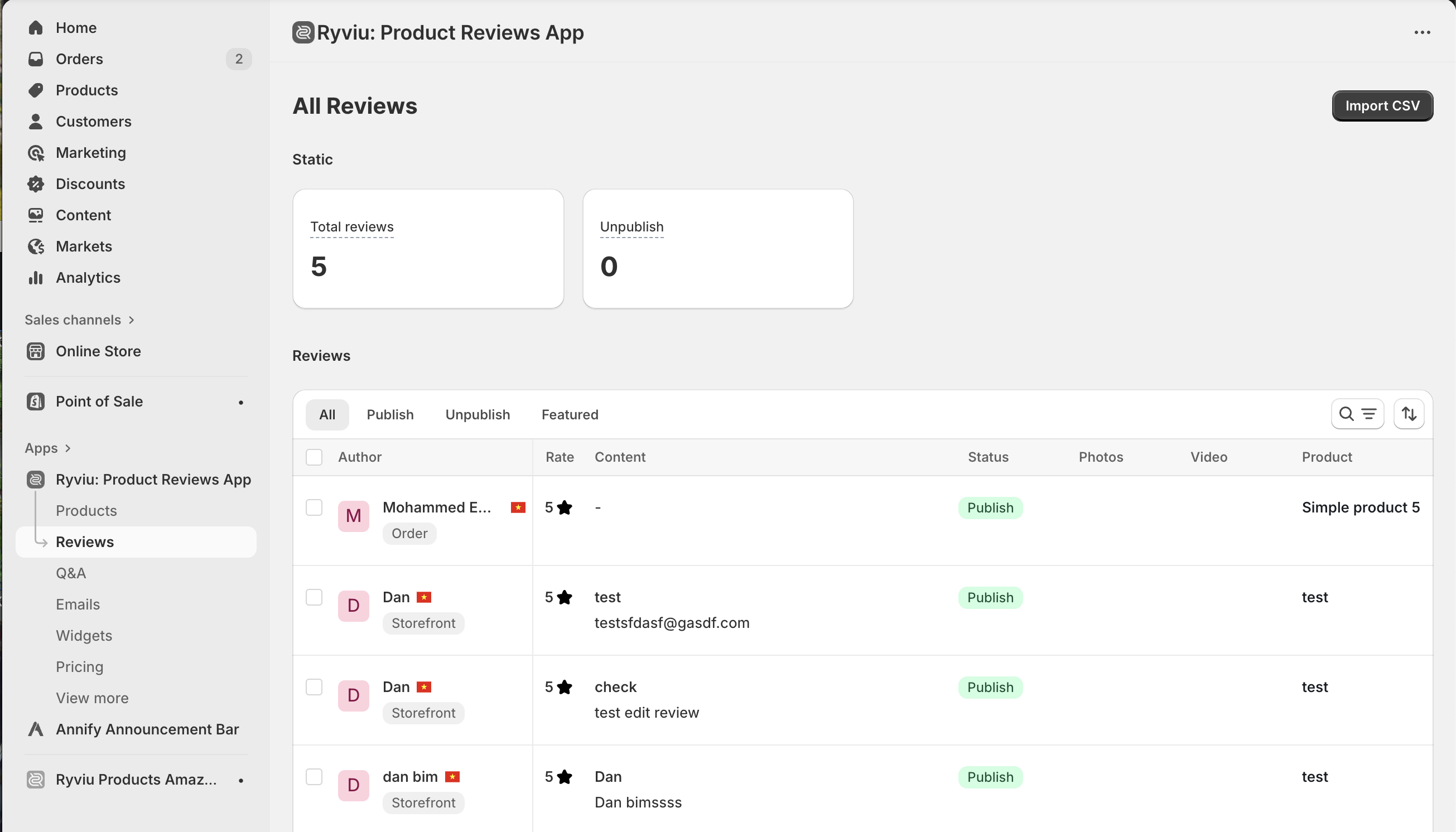
Total reviews: number of reviews.
Unpublish: number of unpublished reviews
Reviews section options
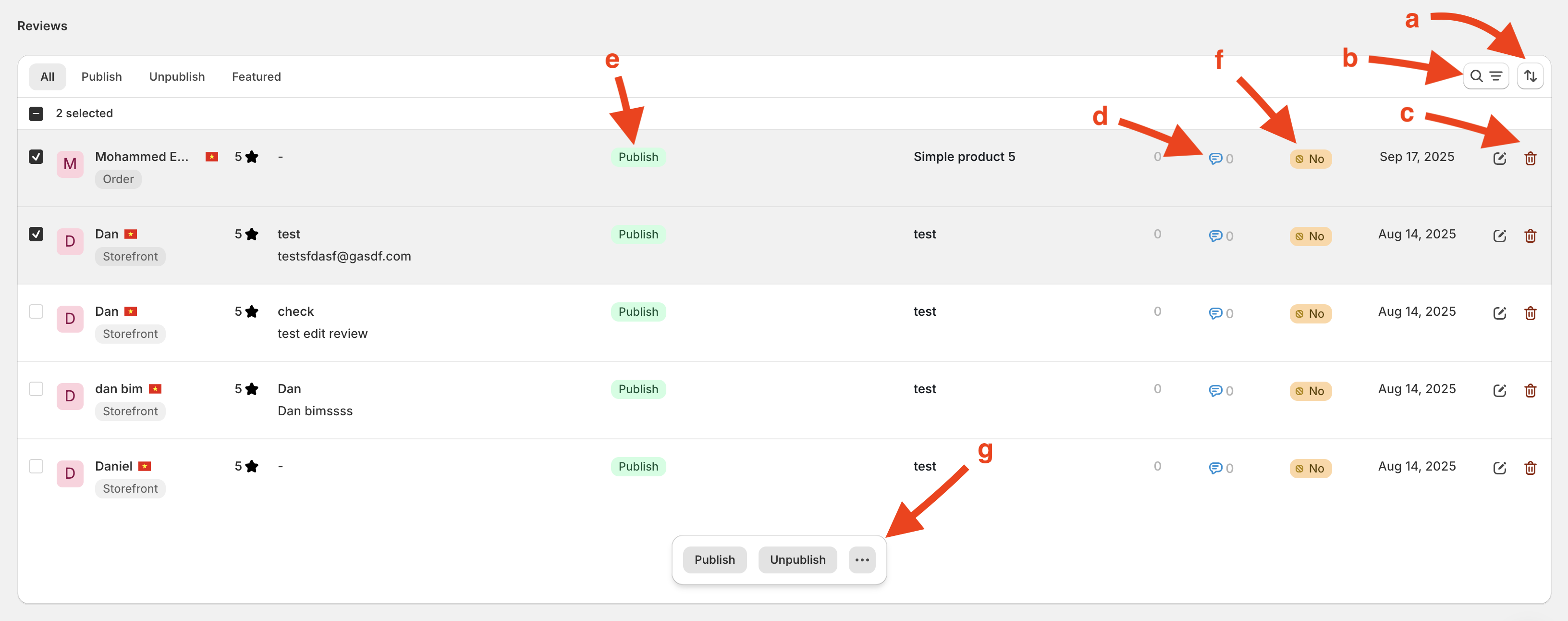
a: Filter review options.
b: Search and Sort by review options.
c: Remove review.
d: Reply to review.
e: Publish or unpublish reviews
f: set/unset featured.
g: Actions when reviews are selected
Import Reviews button
You can import reviews to your products via a CSV file by clicking Import CSV button at the top right.
For a detailed tutorial, let's learn how to import reviews via CSV file.
Need help?
Get in touch with our support team through live chat or email at [email protected]. We're here to help!