Ryviu's Featured Review feature enables you to showcase the most important and positive reviews on your homepage, drawing customer attention and fostering trust. Here is a detailed, easy-to-understand guide to installing this feature.

👉 Step 1. Log in to your Shopify store admin.
👉 Step 2. Open Online store > Themes
👉 Step 3. Click Edit theme for the current theme
👉 Step 4. Click Add section > Apps > select Featured Review on the Home page template.
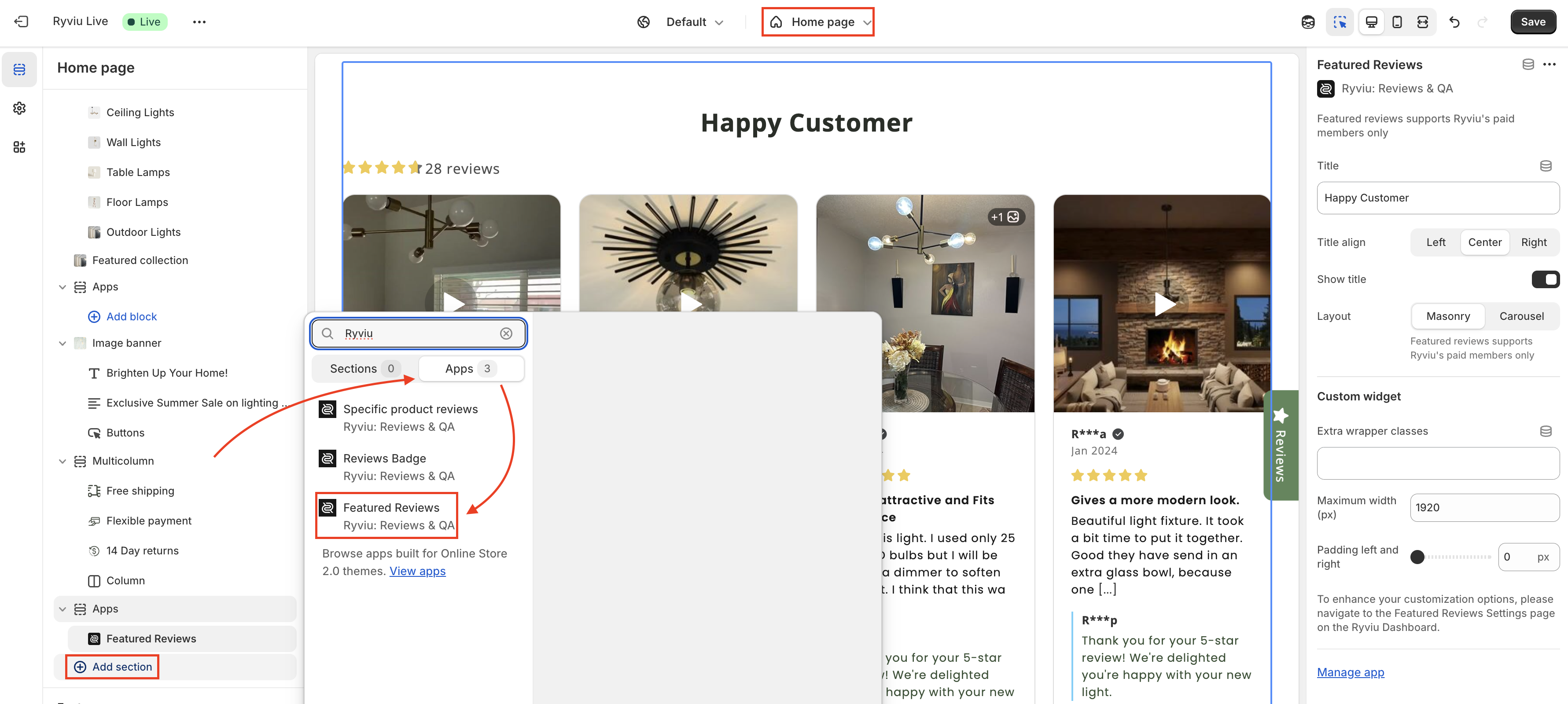
After the section is added, you can adjust the Featured Review settings.
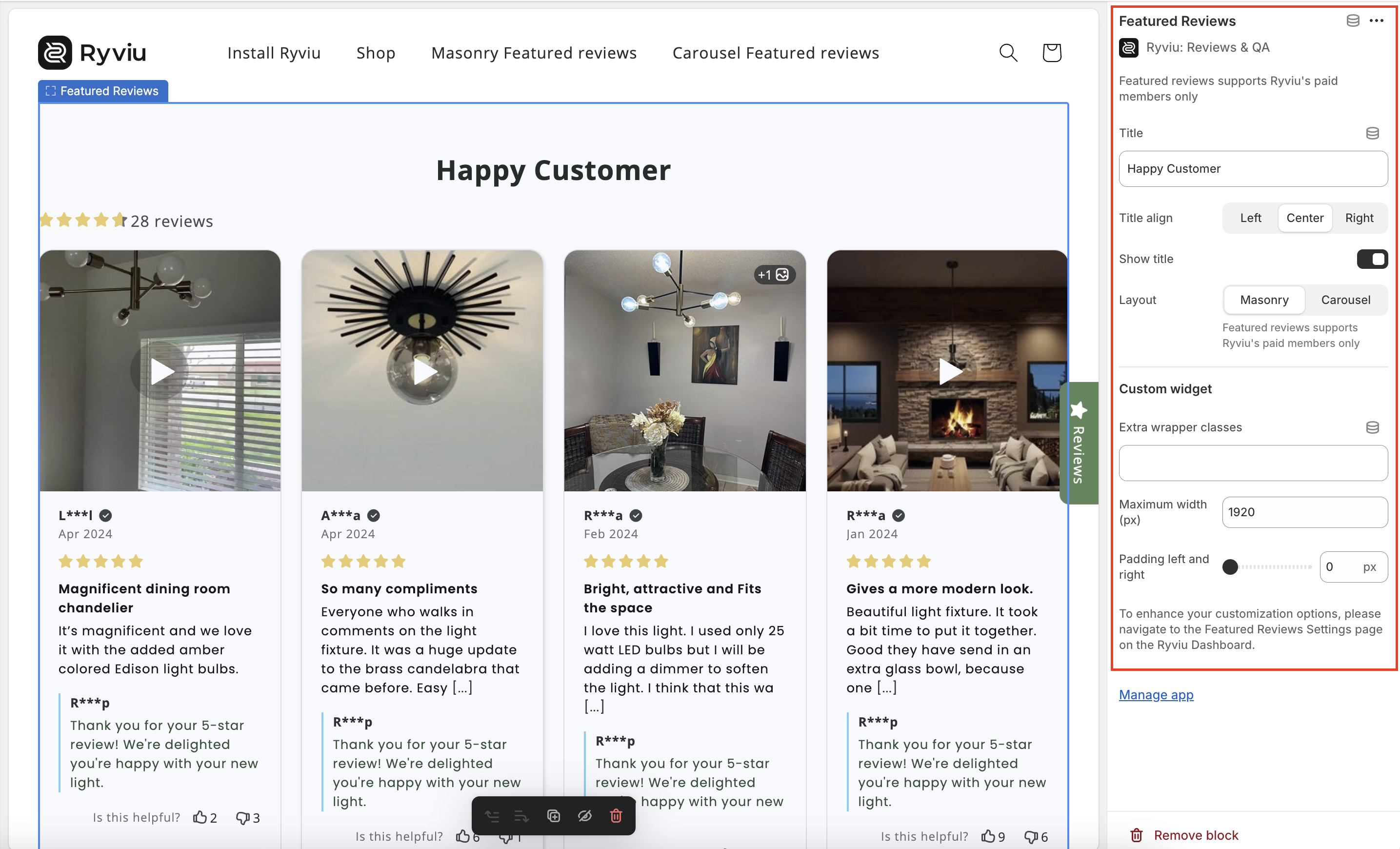
👉 Step 5. Click Save button.
👉 Step 6. Mark reviews as featured reviews in your Ryviu account to display.
Log in to your Ryviu account from store admin > Apps, click Ryviu: Reviews & QA
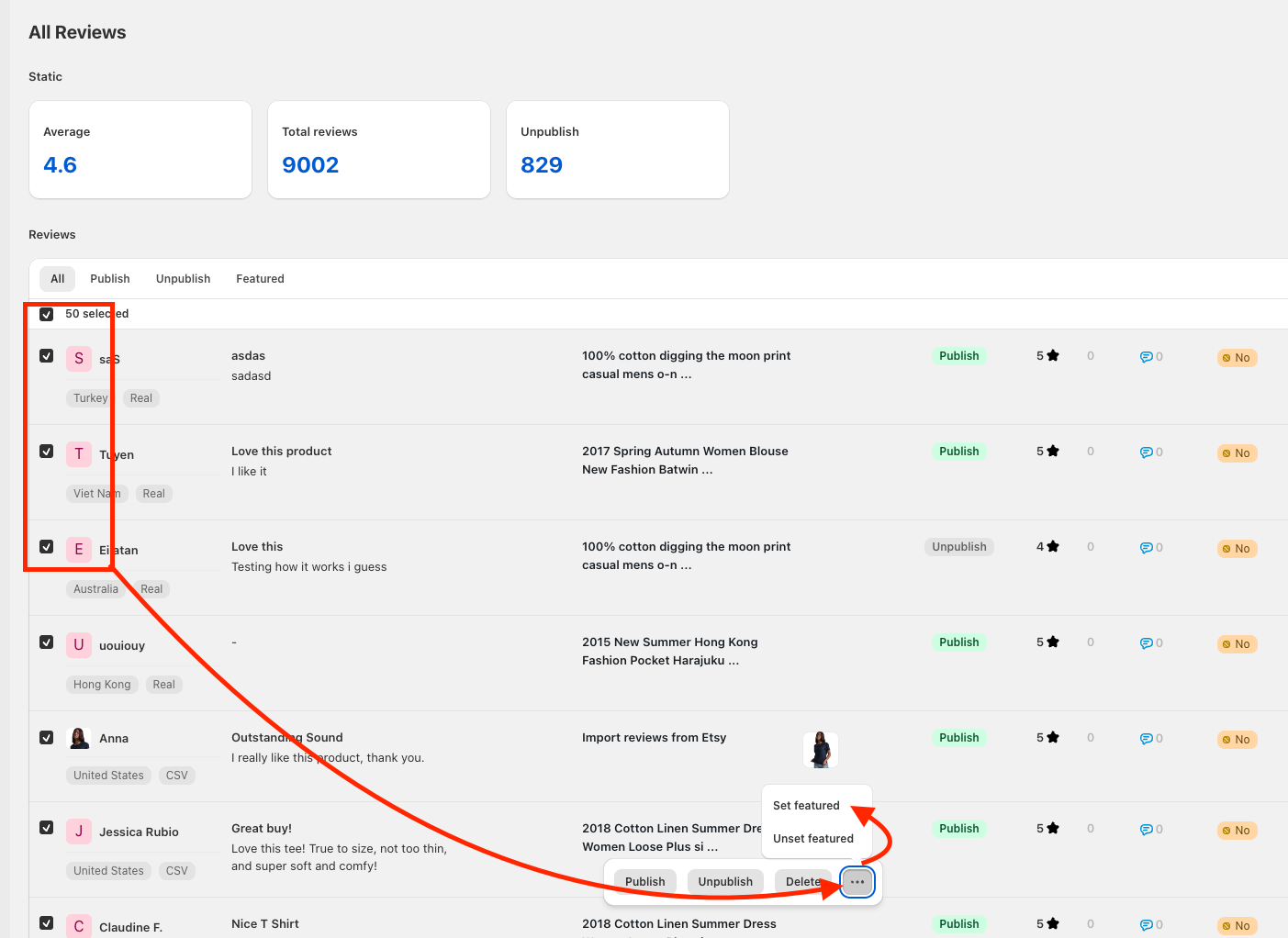
Open Reviews, mark reviews as featured reviews individually by selecting 'Set featured' for each review.

Or select many featured reviews at once.
Follow along with our tutorial video for instructions.
Need help?
Get in touch with our support team through live chat or email at [email protected]. We're here to help!