When editing product reviews, it is essential to maintain their authenticity and transparency. Any edits should not alter the original intent of the review.

Shopify strictly prohibits impersonation and any deceptive behavior. However, you're allowed to make minor edits that improve understanding without altering the review's meaning. Acceptable edits include:
Fixing typos or grammatical errors
Translating the review into another language
Adding relevant photos
Follow the steps below to edit reviews:
Log in to your Ryviu account and go to the Reviews section (or access product reviews via the Product section).
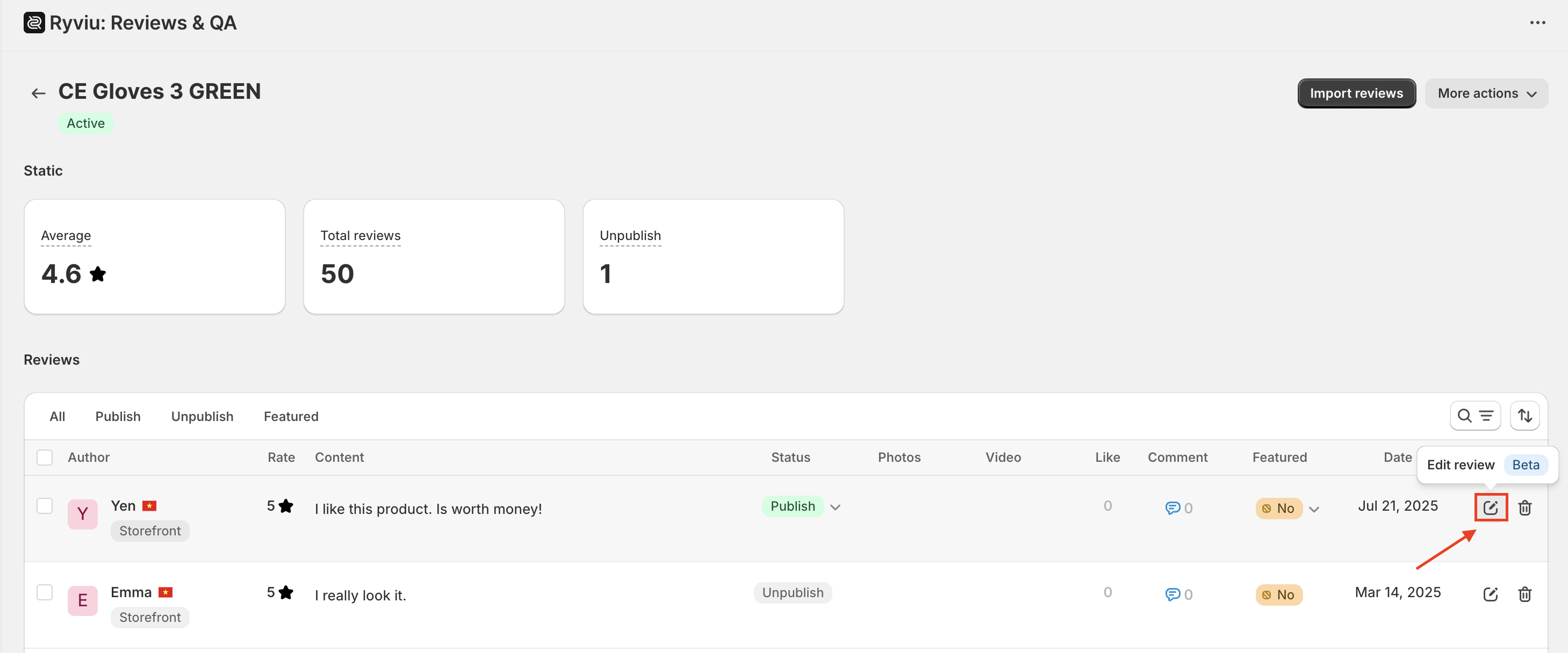
Hover over the review you want to edit and click the pencil icon.
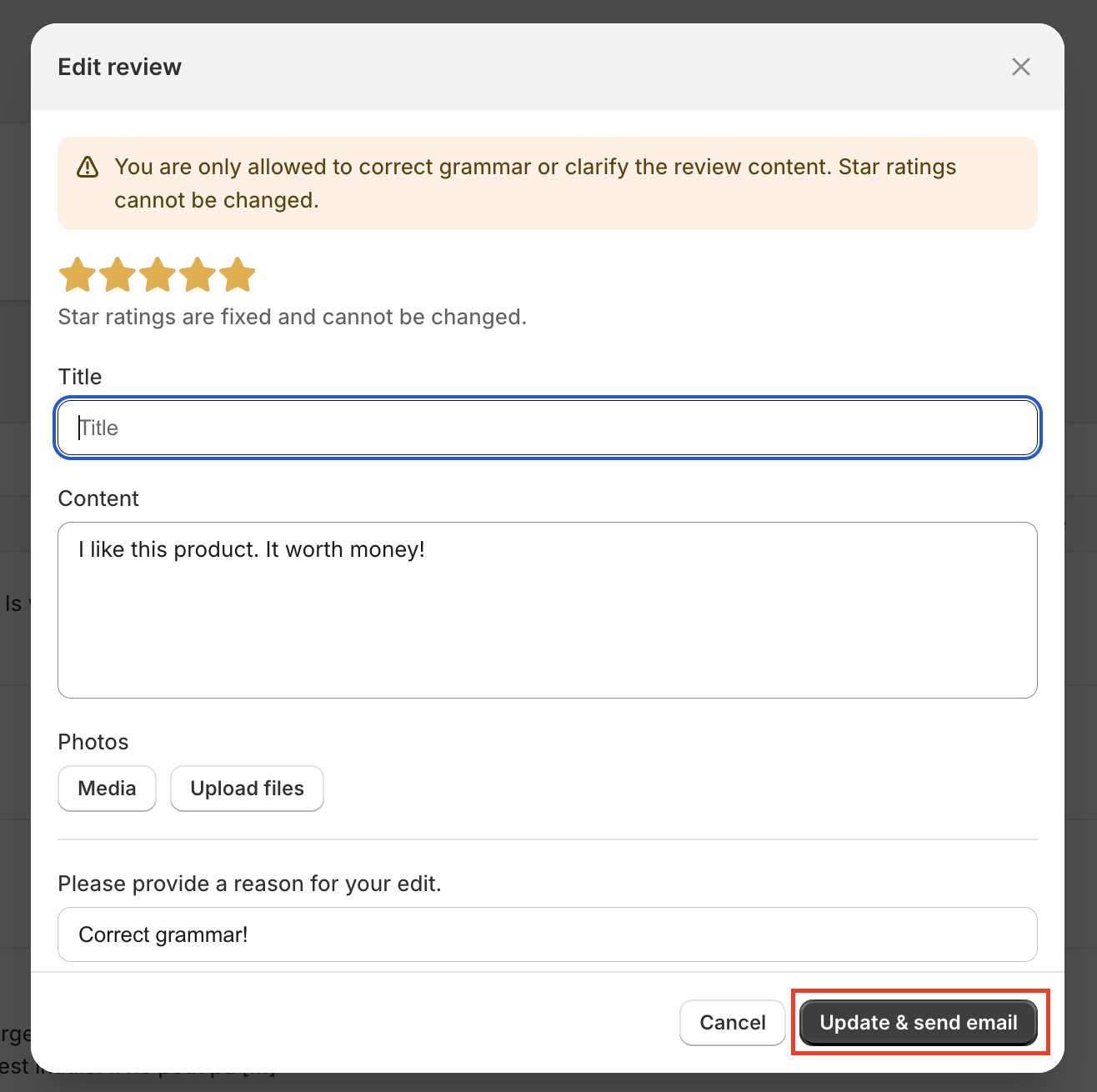
Edit as needed, then click Update & send email. The updated version goes live immediately on your store.
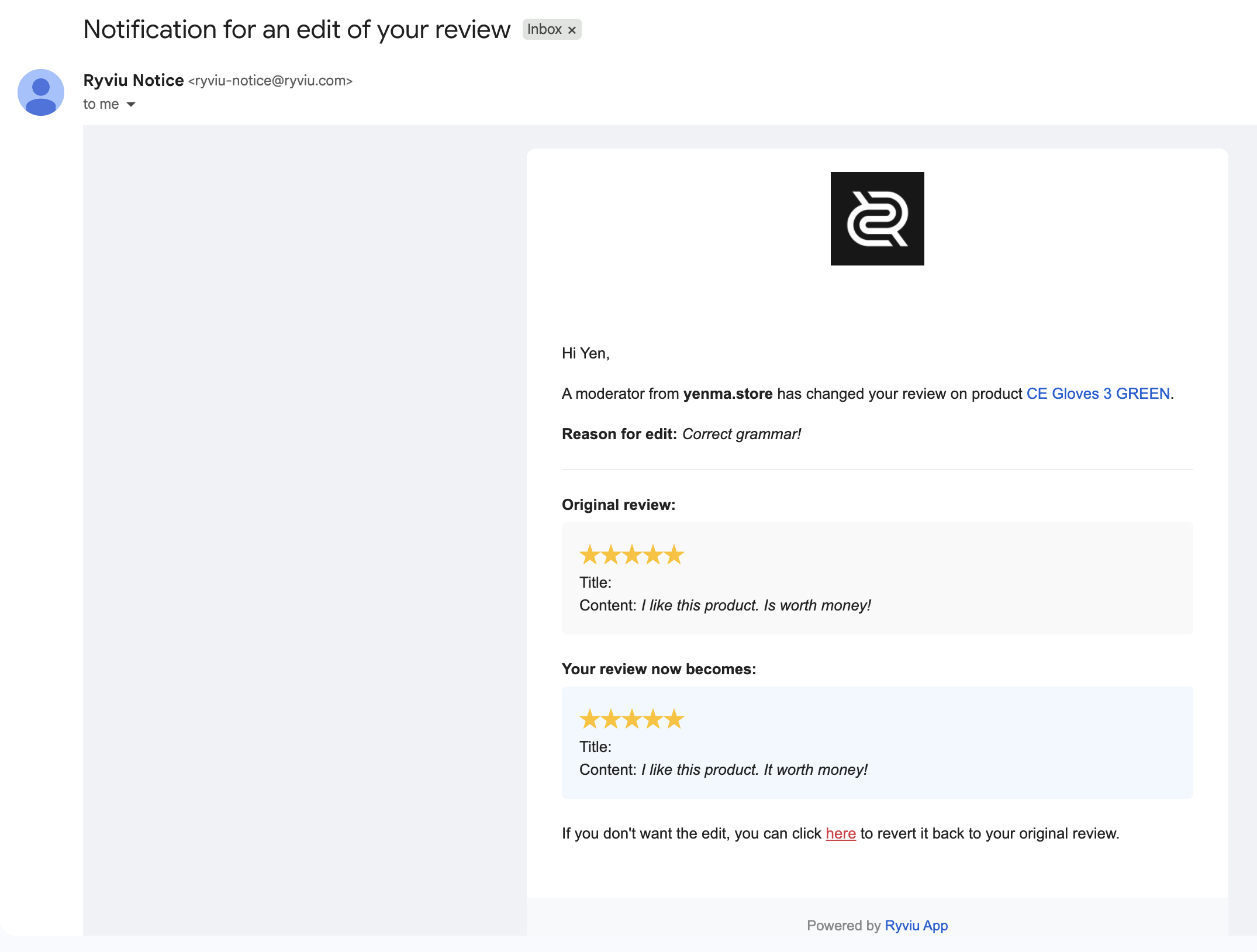
When you click the ‘Update & send email’ button, Ryviu will notify the reviewer by email, as shown in the photo below. The reviewer retains full control and can revert to the original version at any time after receiving the notification.
Need help?
Get in touch with our support team through live chat or email at [email protected]. We're here to help!