Ryviu is installed on your Shopify store.
Shopify Flow is installed and activated.
Your Shopify plan supports Shopify Flow.
The Ryviu trigger is activated whenever a new product review is submitted. You can use the review data, such as:
Author
Rating
Review content
Customer email
Images
Videos
Create a customized workflow after a review using the Ryviu flow trigger on Shopify Flow app. Follow the steps below to learn how.
From your Shopify store admin, open Apps, click Flow to open the app’s dashboard.
Click Create Workflow button, then click Select a trigger.
Choose Ryviu: Product Reviews App, and click the Ryviu flow trigger.
Hover over the Ryviu Flow trigger in the right panel, click the "+" icon, then select Condition.
In Conditions, click Add a variable, search, and choose “customer.id“.
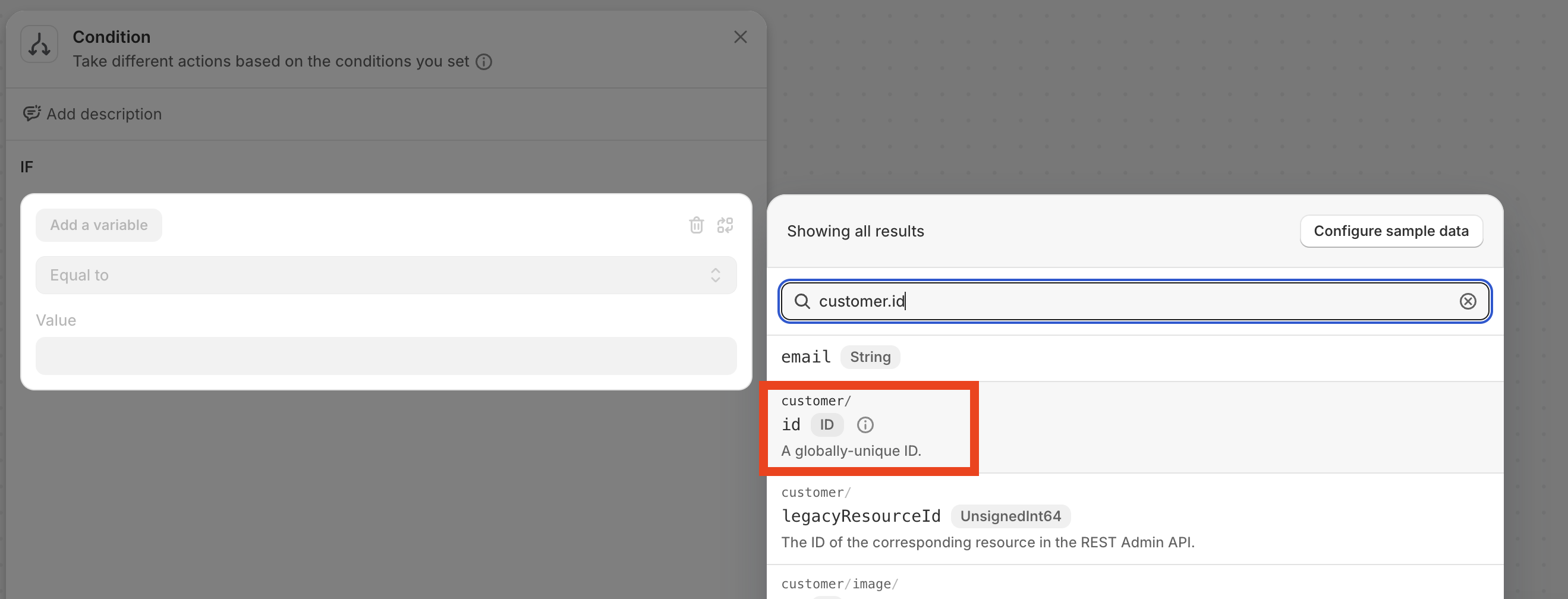
Set the value of customer.id is Not empty and exists.
Click Add criteria, click AND, and select email under Ryviu flow trigger, set it as Not empty and exists.
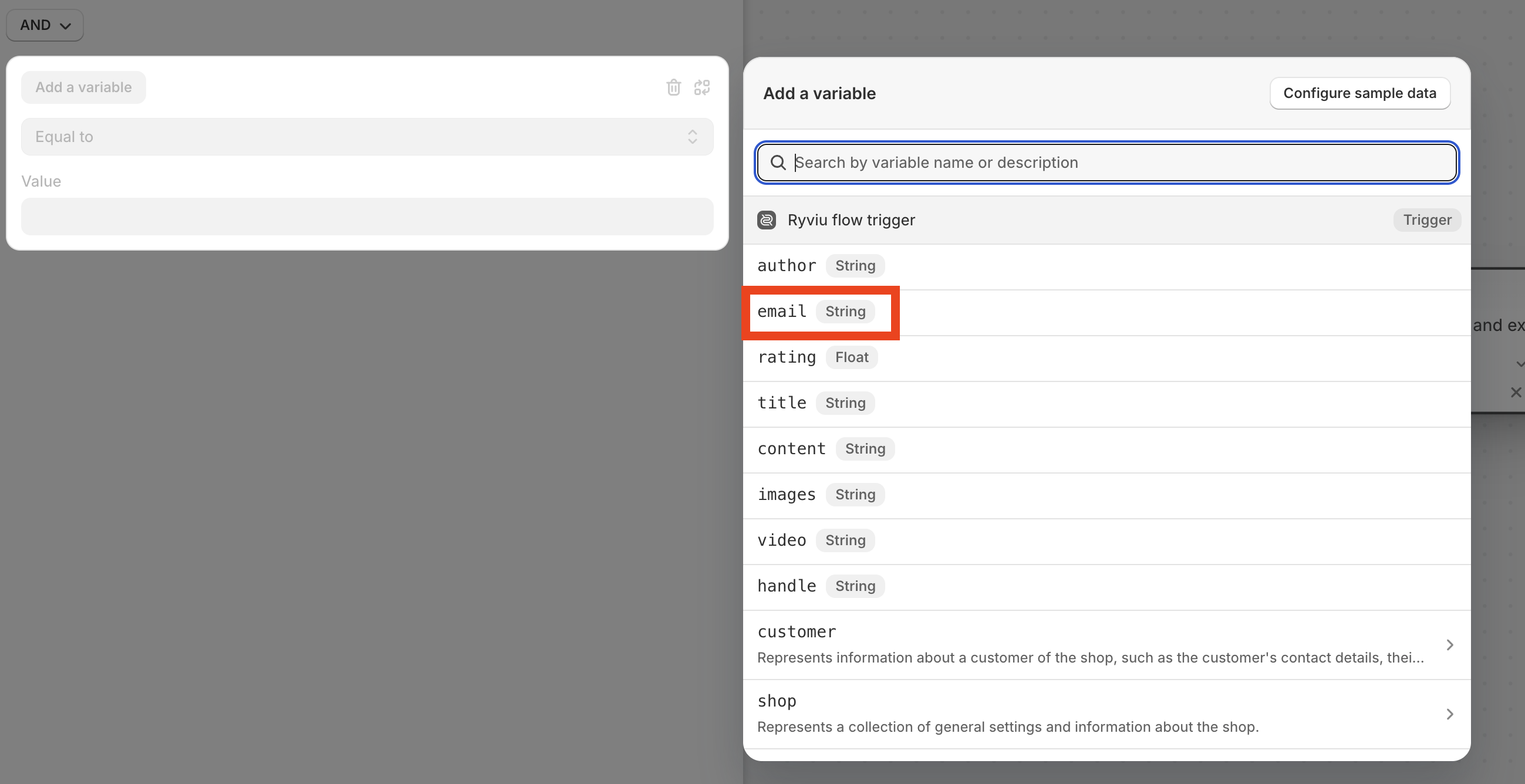
You can add other criteria, such as rating, image, or video.
After you are done with the setup conditions, hover over Conditons step on the right, click + next to True, select Actions and select action that you want for your workflow.
After you are done, click the Turn on workflow button.
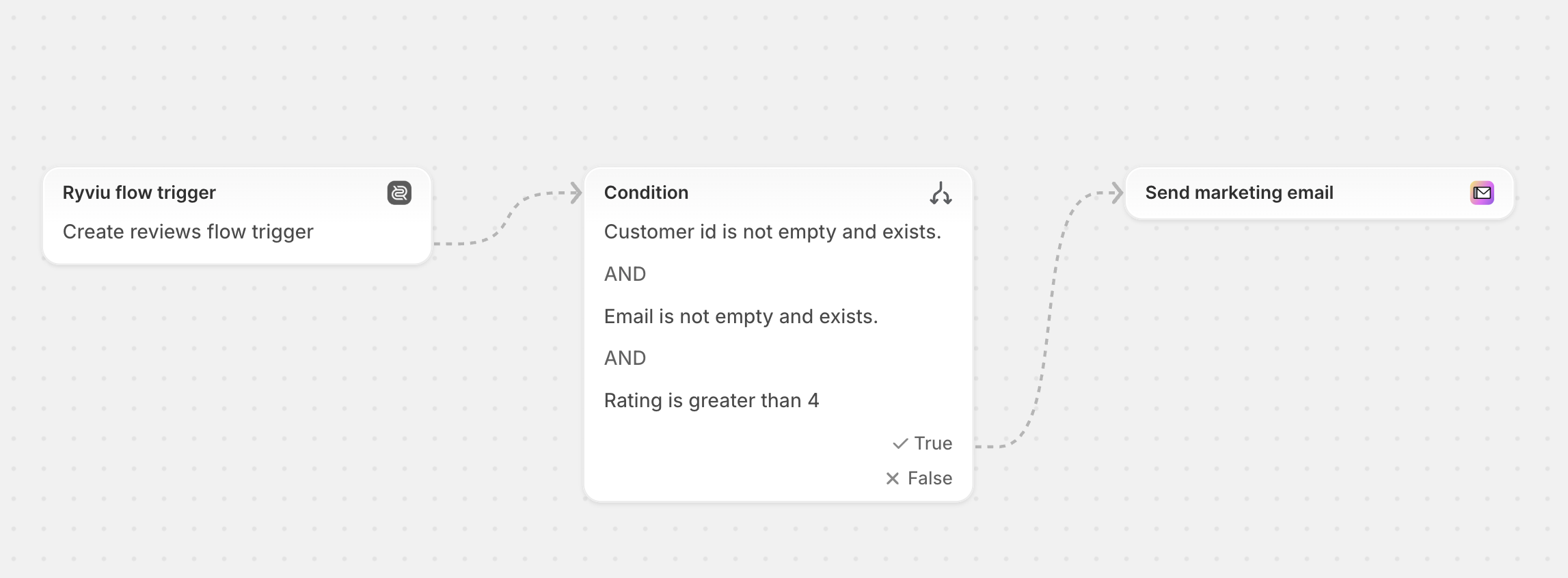
Here is an example workflow that sends a marketing email when a customer submits a review with a rating of 4 stars or higher.
Need help?
Get in touch with our support team through live chat or email at [email protected]. We're here to help!