Earn Programs let you define how customers earn points through actions in your store.
Use them to increase engagement, retention, and repeat purchases.
To set up a new earning rule:
Go to Loyalty in your Ryviu dashboard
Select Earn Programs
Click Create earn program
Choose a program type and configure its settings
Click Save to activate your program. You’ll see it in your dashboard, and it will be available for customers to start earning points.
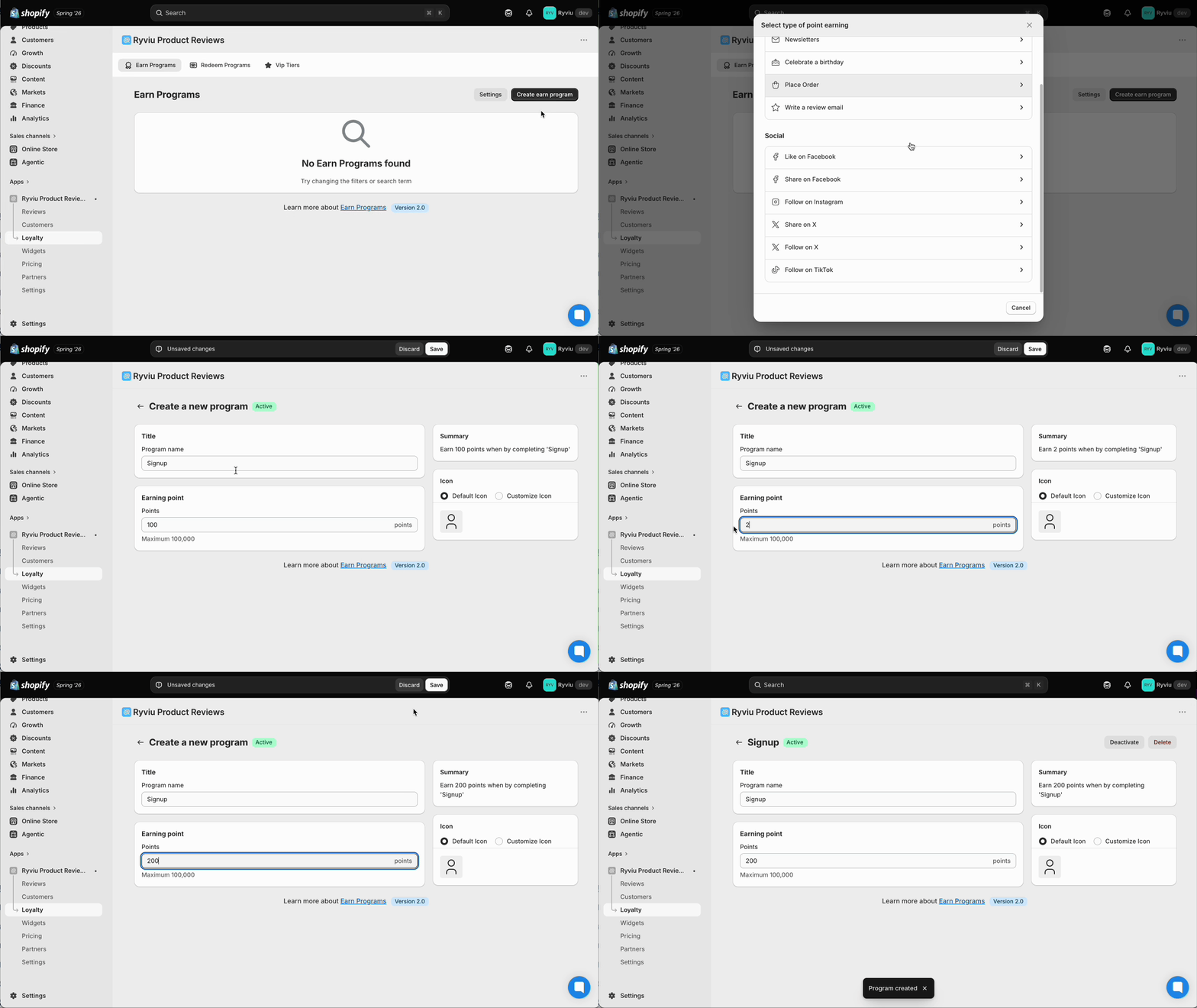
Ryviu provides multiple earning methods so you can reward customers across different touchpoints.
Reward customers for actions directly in your store.
Sign up: Customers earn points when they create an account.
Newsletters: Customers earn points for subscribing to your emails.
Celebrate a birthday: Customers can enter their birthday and receive points annually.
Place order: Reward customers for their purchases. You can configure earning logic Based on amount spent (e.g. 100 points per $10) or Based on order (fixed points per order).
Write a review email: Customers earn points when they submit a review through your review request email.
Encourage customers to interact with your brand on social platforms:
Like on Facebook: Customers earn points after liking your Facebook page.
Share on Facebook: Customers earn points when sharing your content.
Follow on Instagram: Customers earn points for following your Instagram account.
Share on X (Twitter): Customers earn points when sharing your link on X.
Follow on X (Twitter): Customers earn points when following your X account.
Follow on TikTok: Customers earn points for following your TikTok profile.
For each earn program, you can configure:
Program name (internal + display)
Points value (how many points customers earn)
Icon (default or custom upload)
Social link/username (for social programs)
Summary preview (auto-generated)
These settings help align the program with your branding and campaign goals.
Need help?
Get in touch with our support team through live chat or email at [email protected]. We're here to help!