Customers earn points through Earn Programs and redeem them for discounts at checkout — helping increase conversions and customer retention.
To create a new reward:
Go to Loyalty in your Ryviu dashboard
Select Redeem Programs
Click Add redeem
Choose a redeem type and configure its settings
Click Save to activate the reward. Once saved, the redeem program will appear in your dashboard and be available for customers to use.
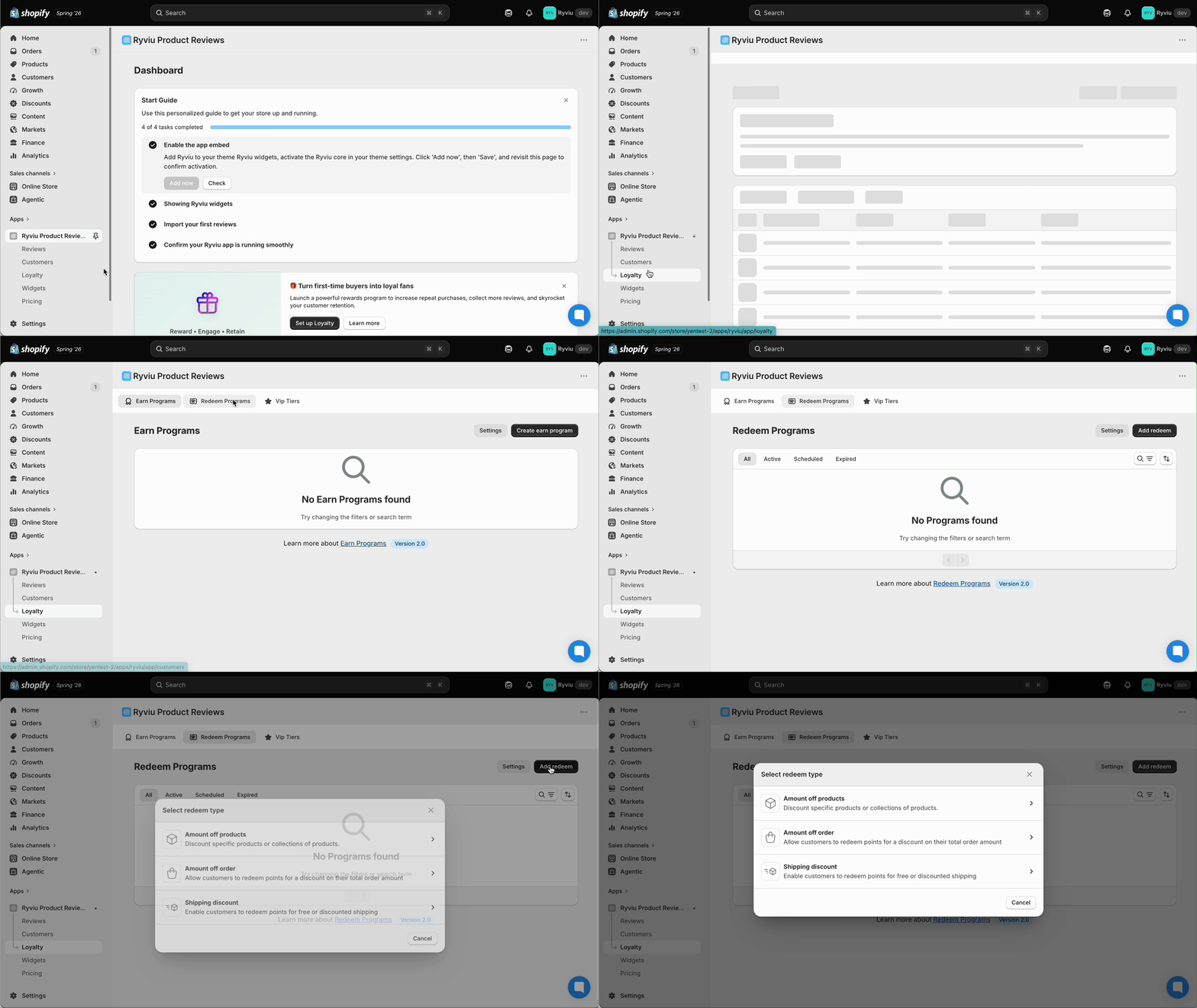
Ryviu supports three types of rewards:
Amount off products: Customers can redeem points for a discount on specific products or collections.
Order discount: Customers can redeem points for a discount on their entire order.
Shipping discount: Customers can redeem points to get free shipping on their order.
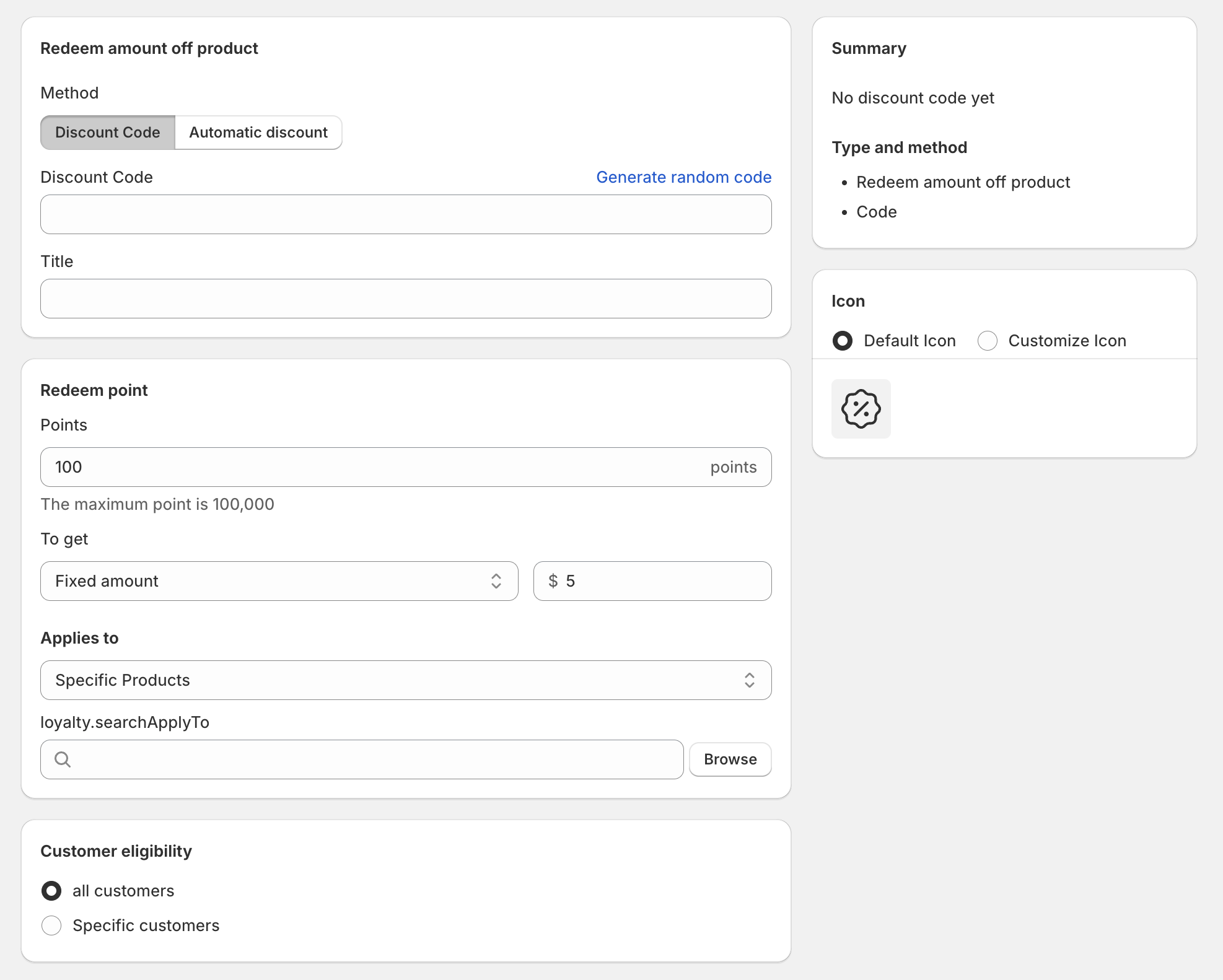
Each redeem program includes two methods: Discount code and Automatic discount.
Discount code
Customers enter a discount code at checkout to apply the reward.
Automatic discount
The discount is applied automatically at checkout—no code required.
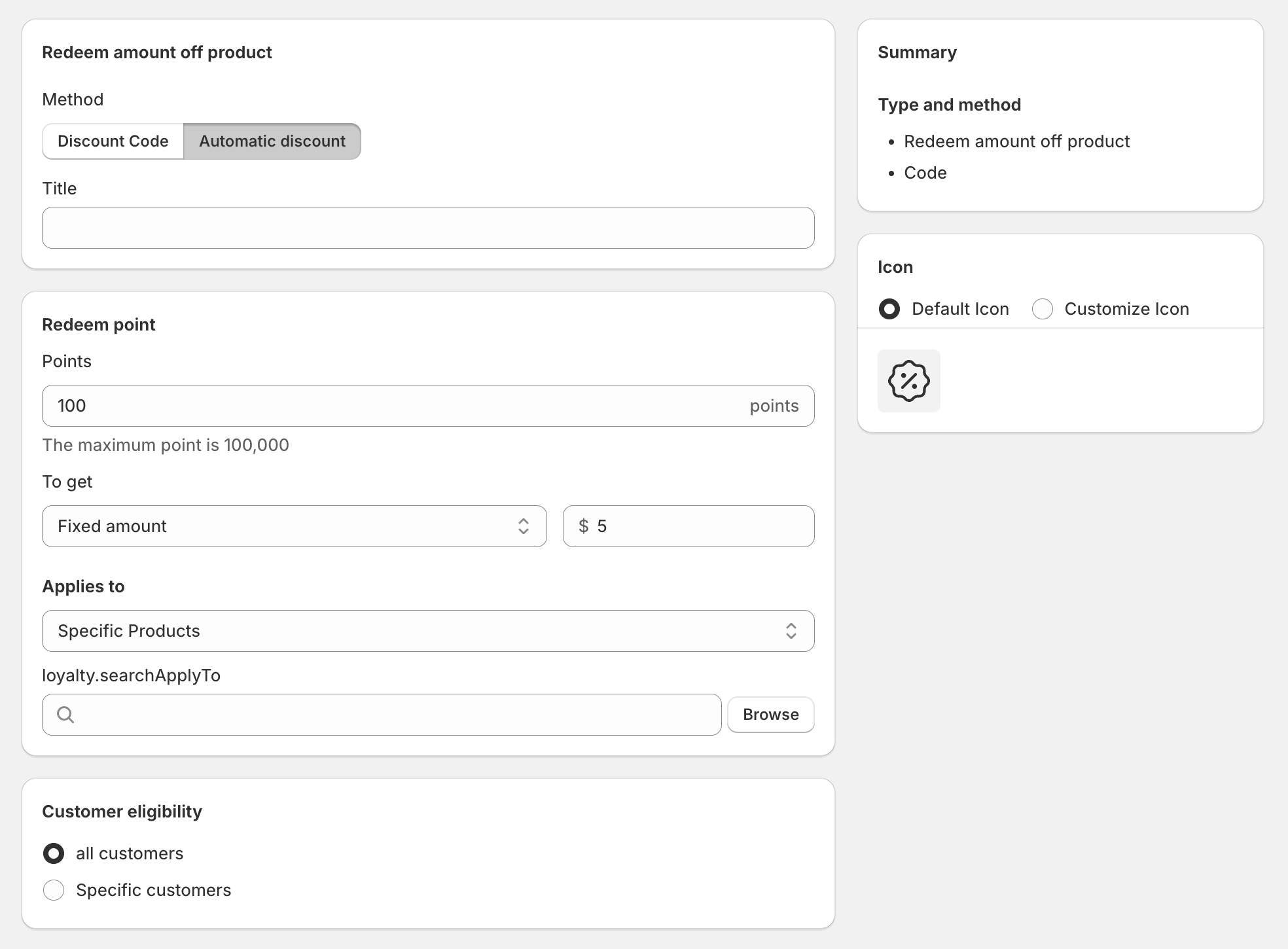
For both methods, you can configure:
Discount code: Enter a custom code or generate one automatically
Title: Set the name of the reward displayed to customers
Discount type: Choose between a fixed amount or a percentage
Applies to: Select specific products or collections (if applicable)
Customer eligibility: Make the reward available to all customers or specific customers
VIP tiers: Limit availability to all tiers or selected VIP tiers
Minimum requirements: Set conditions such as a minimum purchase amount or quantity
Discount combinations: Control whether this reward can be combined with other discounts
Active dates: Set the start date and optional end date for the reward
Need help?
Get in touch with our support team through live chat or email at [email protected]. We're here to help!