

By setting up VIP tiers, you can reward your most valuable customers with exclusive benefits—helping increase retention and encourage repeat purchases.
How to create a VIP Tier
To create a new VIP tier:
Go to Loyalty in your Ryviu dashboard
Select VIP Tiers
Click Create VIP tier, and configure the tier settings:
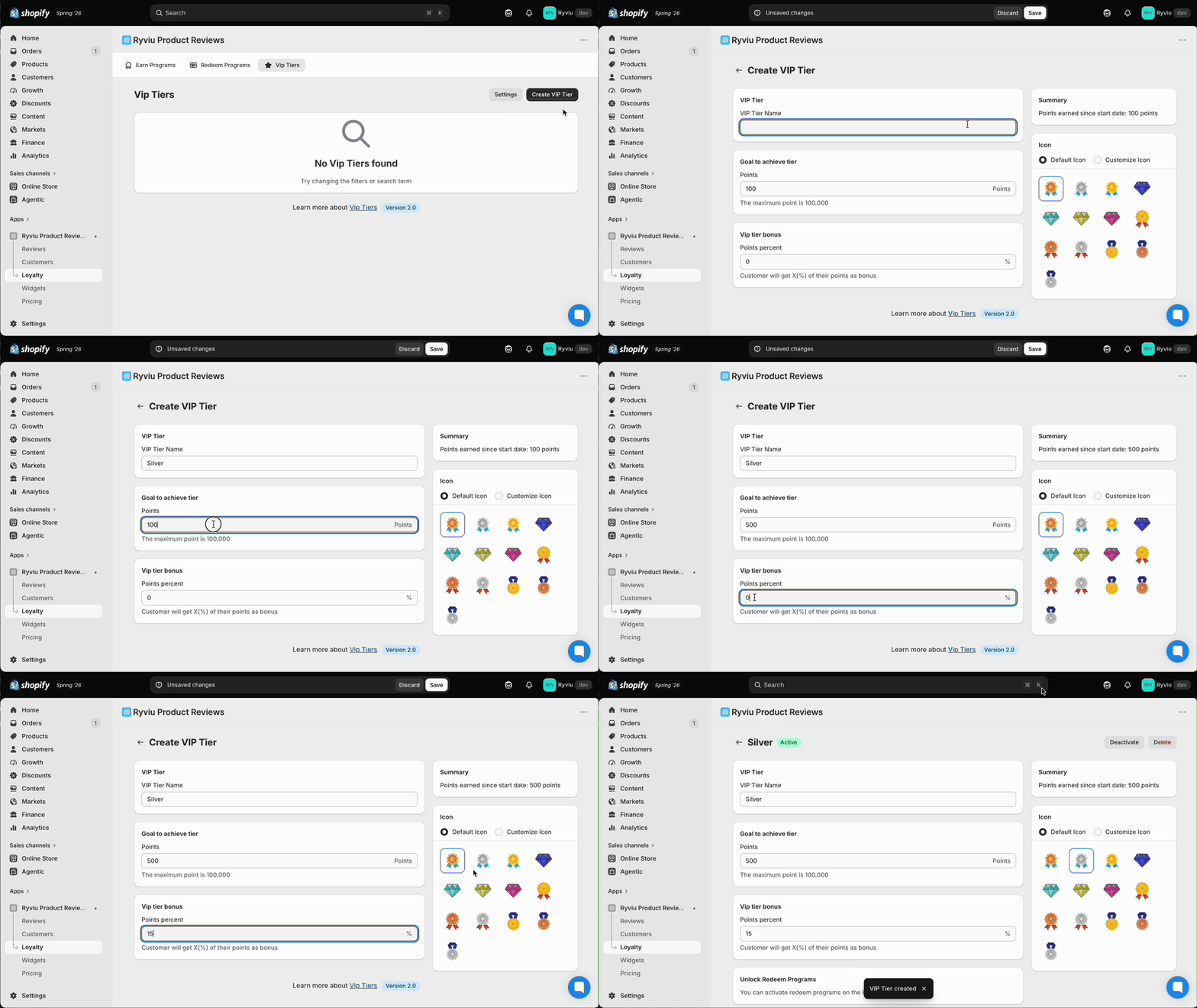
Tier name
Points required to reach this tier.
Points bonus (%) extra points customers earn in this tier
Icon default or custom
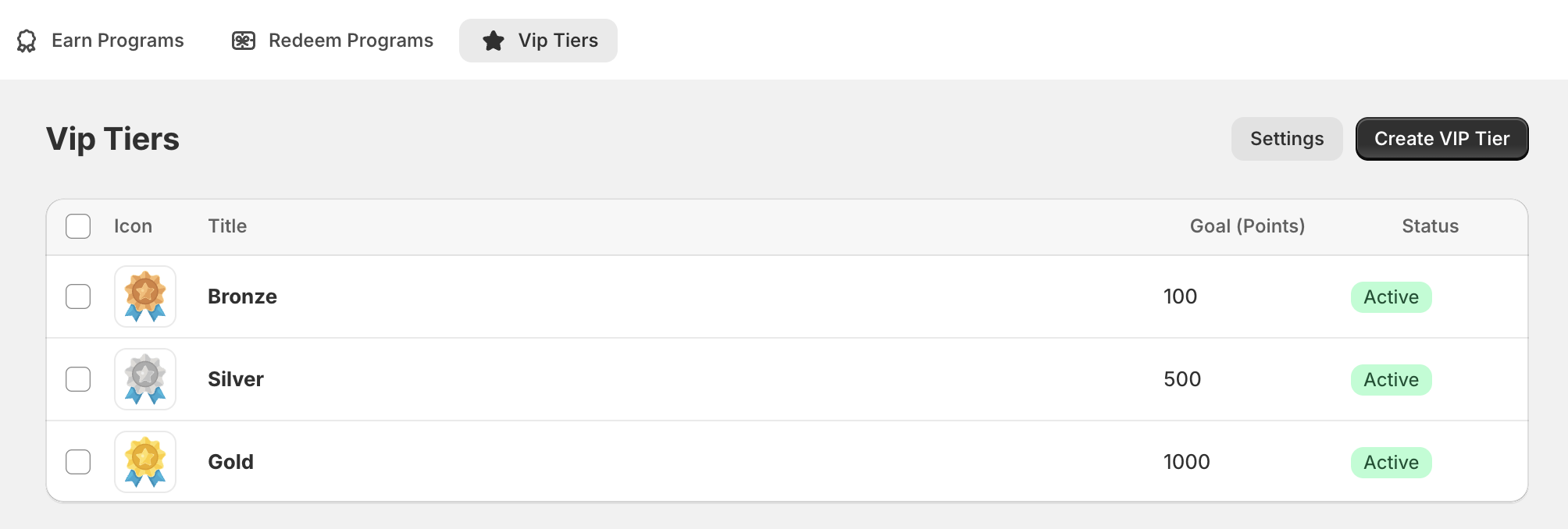
Click Save to create the tier. Once saved, the VIP tier will appear in your dashboard.
Need help?
Get in touch with our support team through live chat or email at [email protected]. We're here to help!