To ensure a smooth import process, please verify the following requirements:
Browser & Device: You must use the Google Chrome browser on a desktop/laptop computer. (Mobile devices and other browsers are not supported).
Ryviu Chrome Extension: Ensure you have installed and activated the Ryviu Chrome Extension.
Platform & Plan Limits:
Free Plan: Only supports importing reviews from AliExpress.
Amazon Imports: You must log into your personal Amazon account using the same Chrome browser profile connected to your Ryviu account. (Max: 100 reviews per product page).
Etsy Imports: Ensure the product page includes its own dedicated reviews tab. (Max: 100 reviews per import).
Shopee Imports: Supports up to 200 reviews per product.
Follow these steps to fetch reviews into your Shopify products:
Step 1: Access the Ryviu Dashboard
Log in to your Shopify Store Admin.
Navigate to Apps > click on Ryviu: Product Reviews.
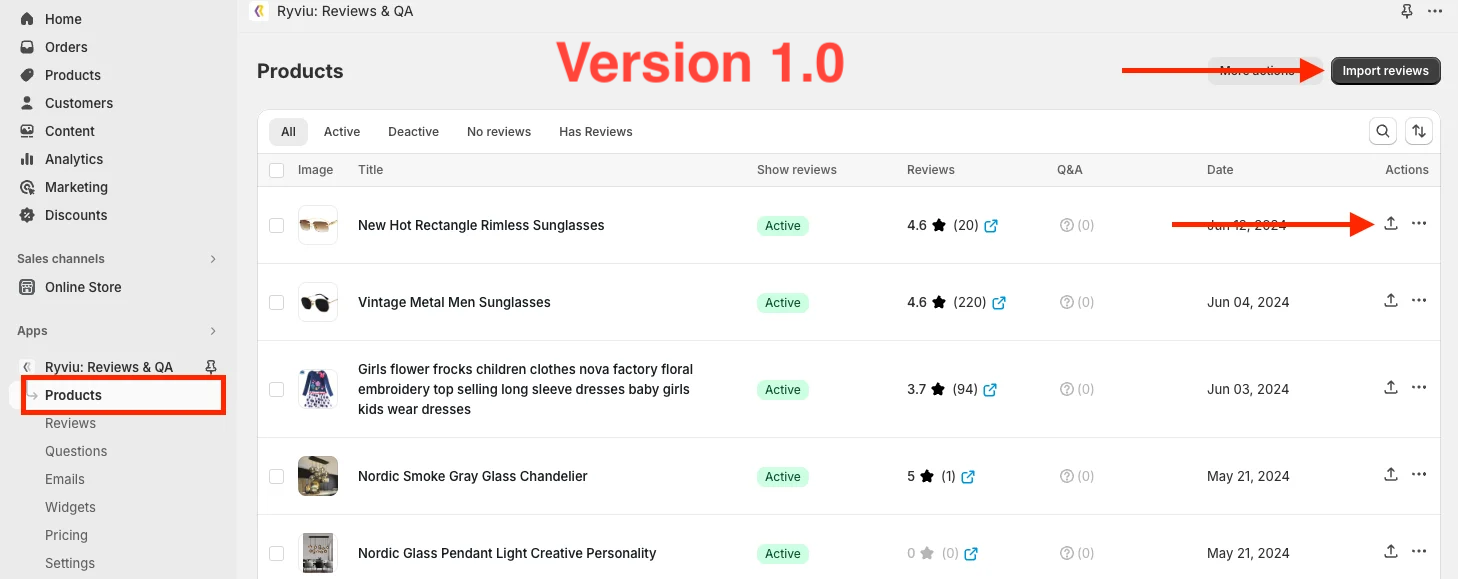
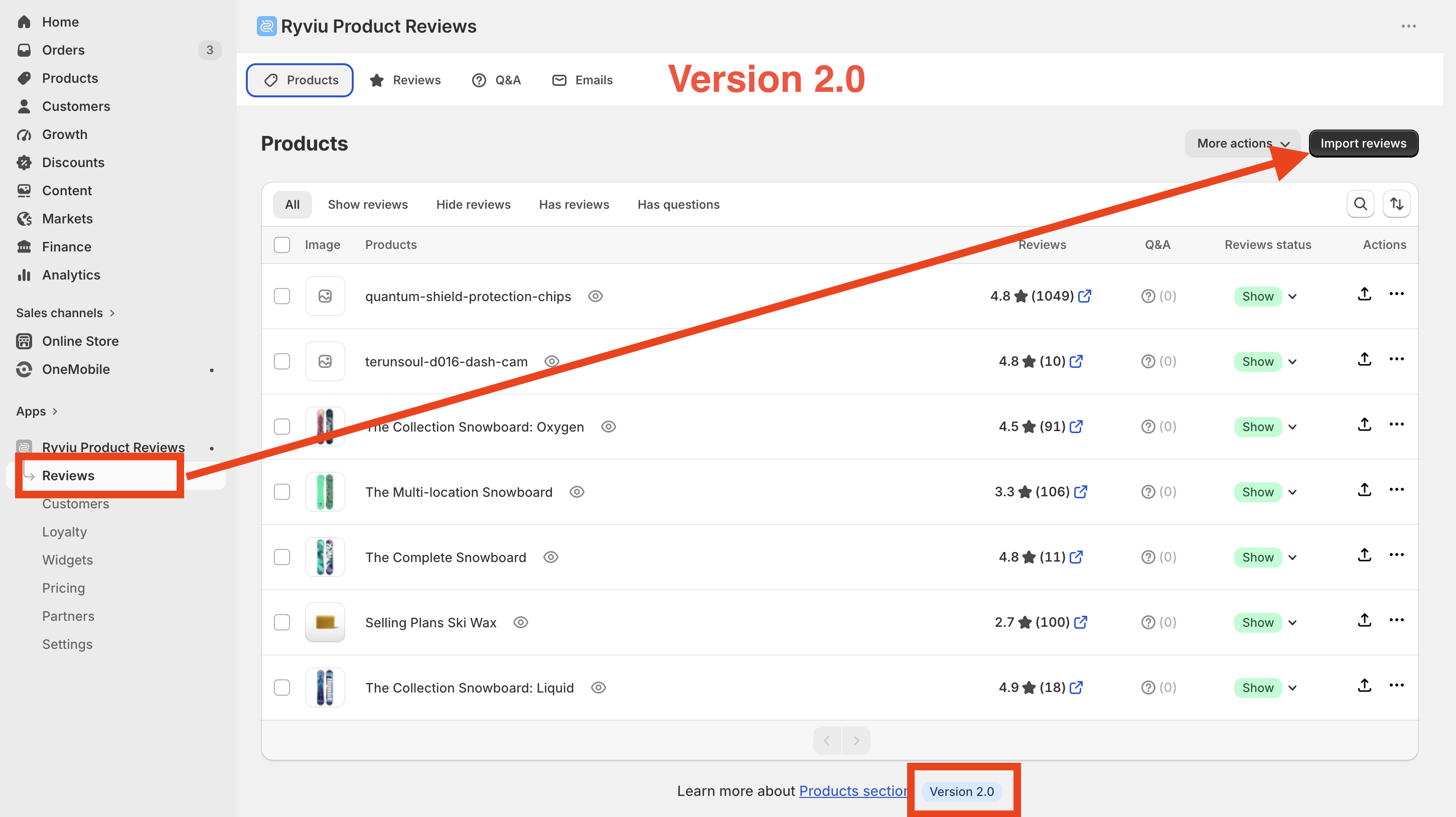
Go to the Products (version 1.0) or Reviews (version 2.0) on the left sidebar menu.
Step 2: Select Your Target Product
Click the Import Reviews button at the top-right corner.
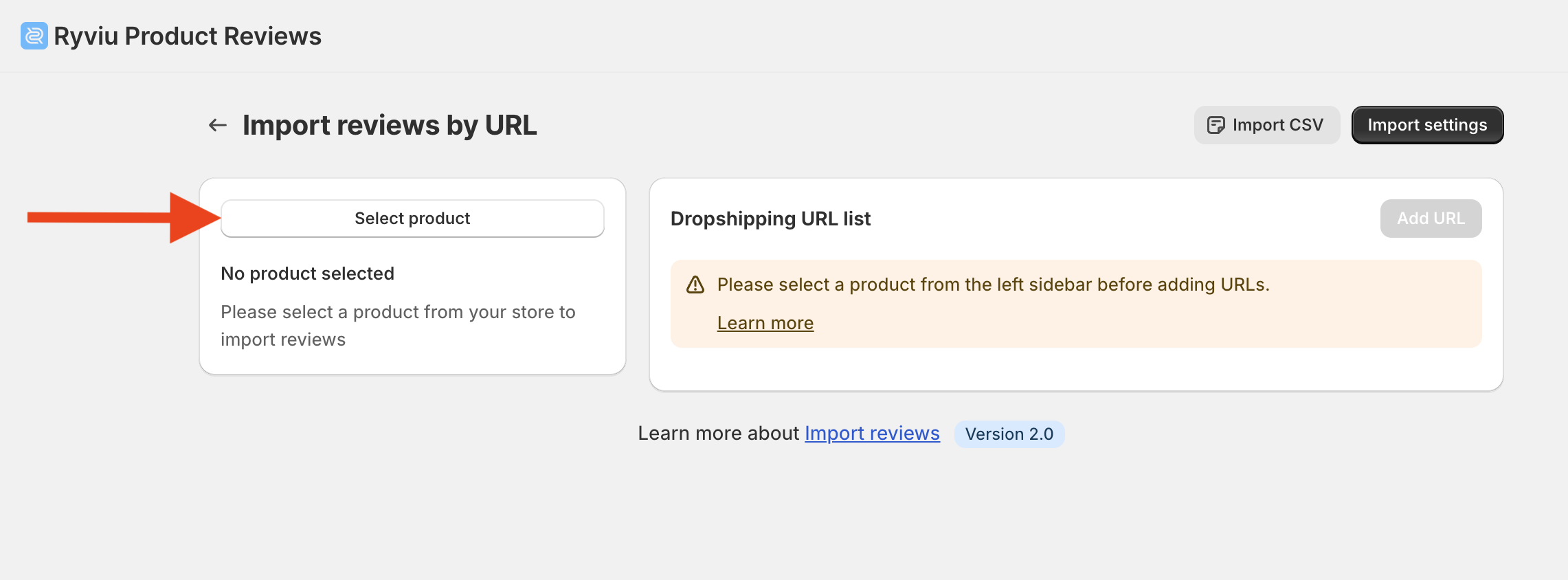
Click Select Product and search/choose the desired Shopify product.
Step 3: Configure Settings & Add Dropship URLs
(Optional) Click Import Settings in the top-right corner to customize filters (e.g., star ratings, country, language, or translate options) before importing.
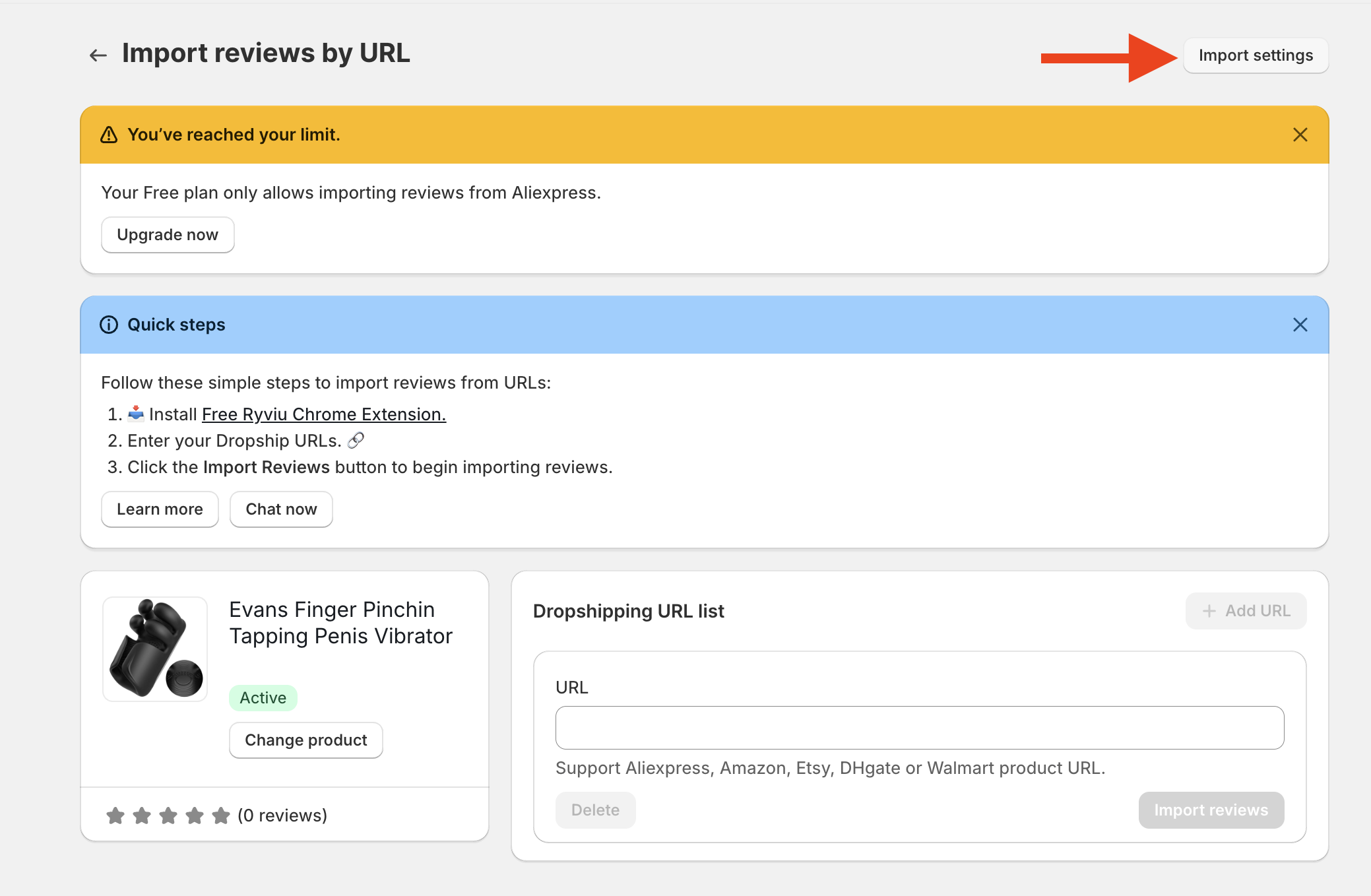
In the Dropshipping URL field, paste the product link from your source supplier (e.g., AliExpress, Amazon, Etsy, etc.).
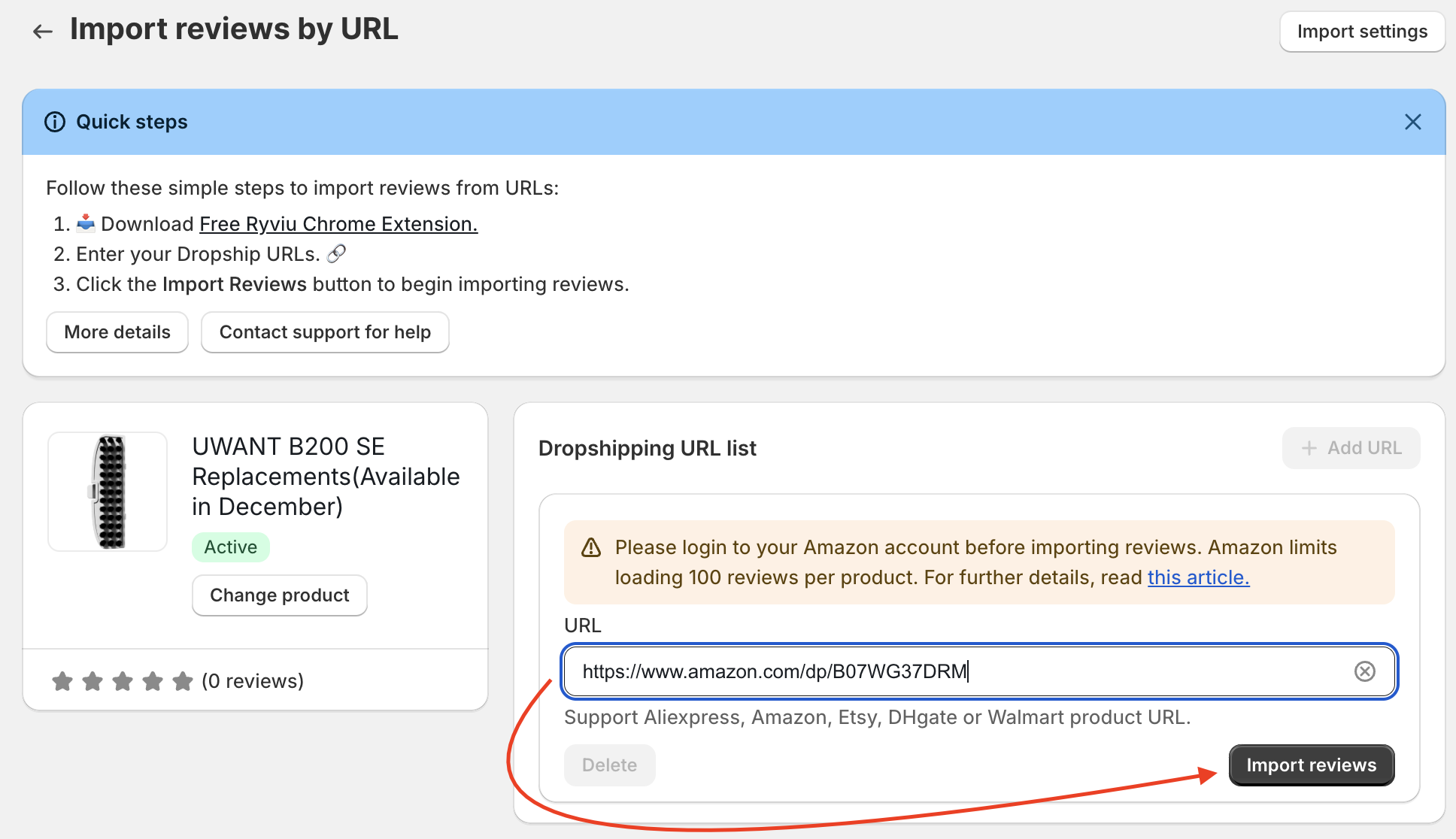
Click Import reviews button and wait for reviews be imported.
Need help?
Get in touch with our support team through live chat or email at [email protected]. We're here to help!