The Ryviu Snippet Widget helps you showcase your best customer reviews exactly where purchase decisions happen — for example, right below the Add to cart button.
Instead of making shoppers scroll through dozens of reviews, this widget delivers instant social proof at the most critical conversion point.
Check the demo siteWhen customers are about to buy, hesitation often comes from uncertainty.
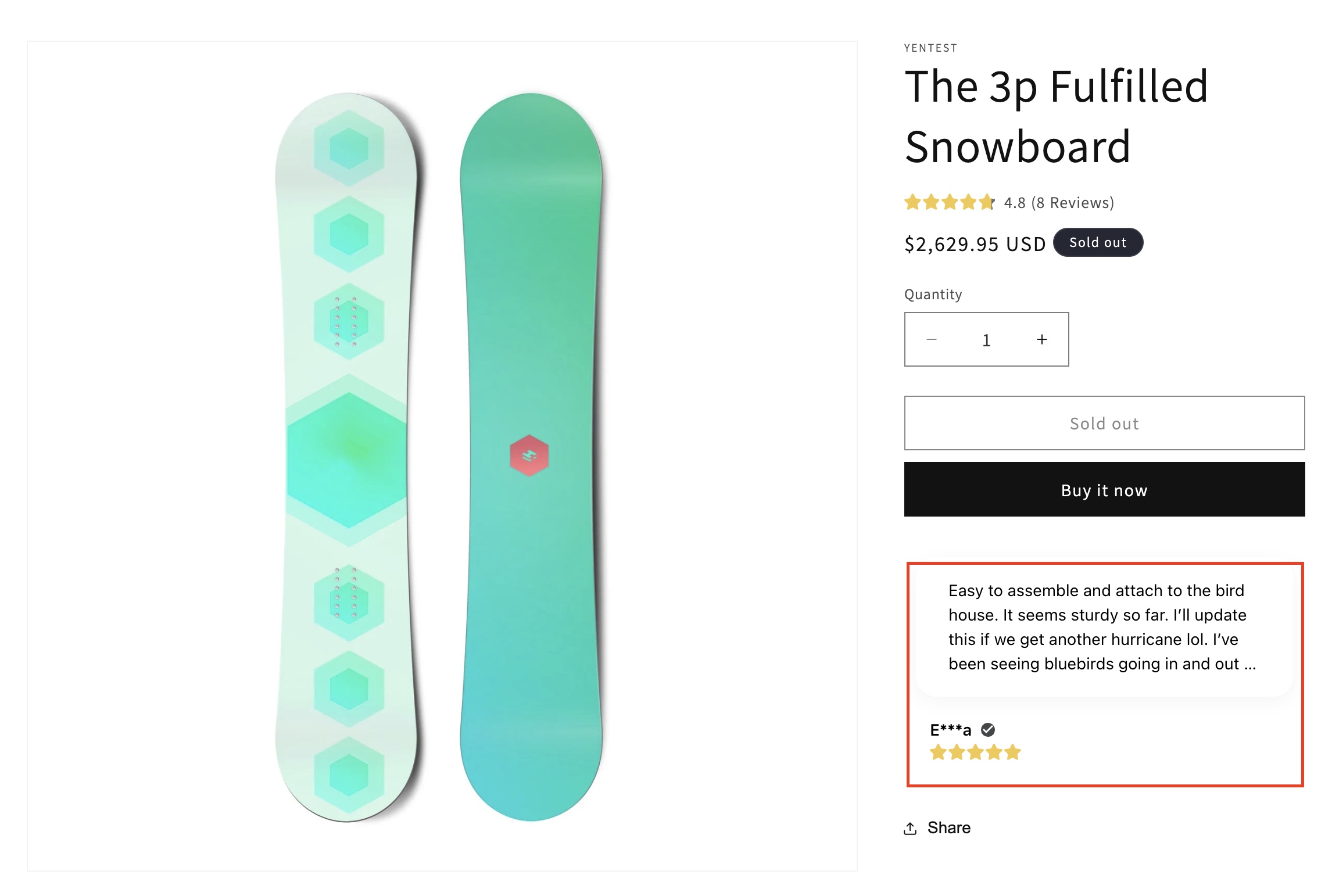
The Snippet Widget addresses this by highlighting real customer feedback in real time:
Build trust instantly: Show authentic 5-star reviews at the decision moment
Reduce friction: No need to scroll to the full review section
Increase conversions: Reinforce buying confidence with social proof
Keep users engaged: Dynamic sliding reviews attract attention
This is one of the highest-impact placements for reviews on any product page.
Please follow these steps to add the Ryviu Snippet widget:
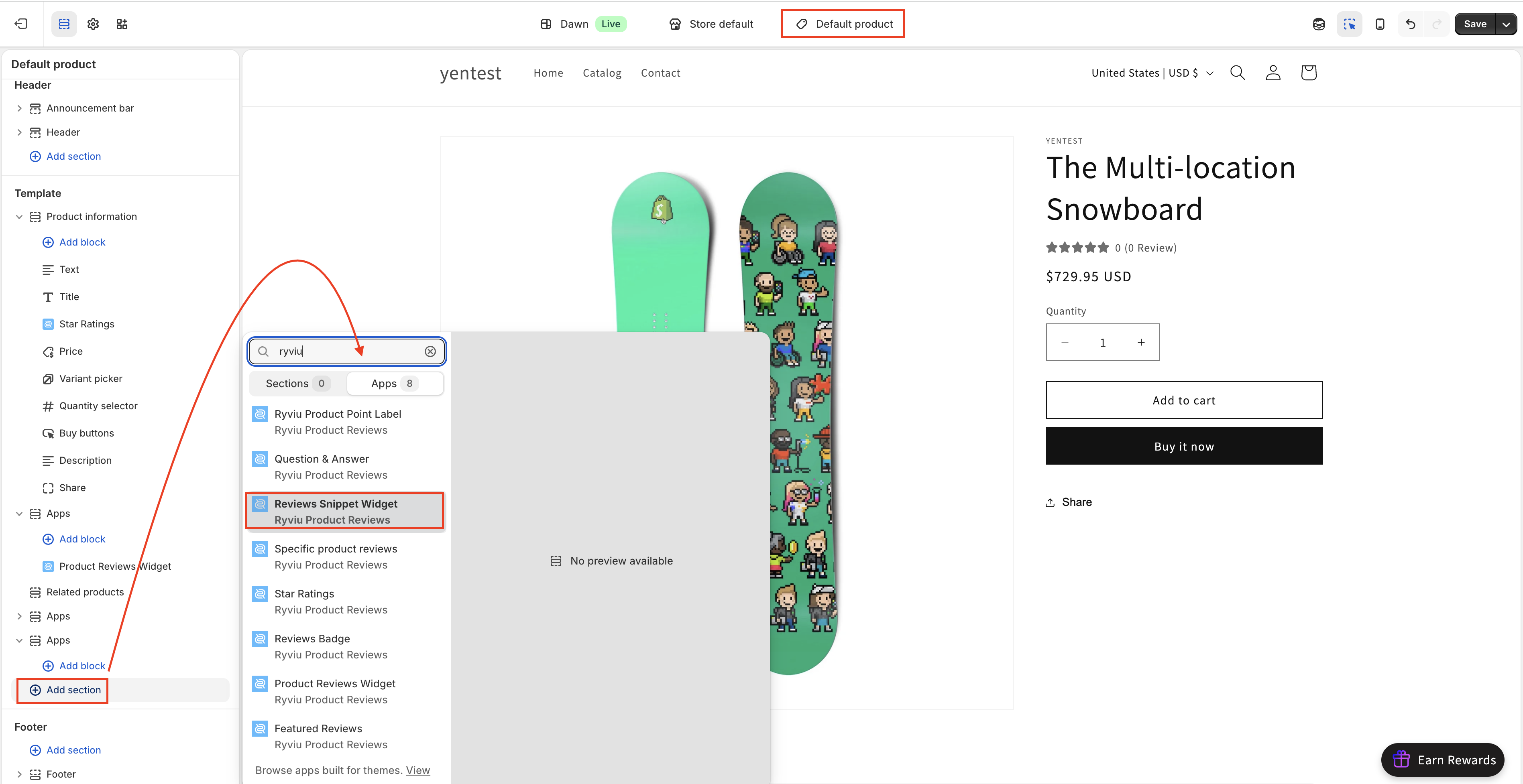
Go to Online Store > Themes
Click Edit theme on your current theme
From the top dropdown, select Products and choose a product template
Click Add section > Apps
Select Review Snippet Widget
(Optional) Drag the widget using the 6-dot icon (⋮⋮) to reposition it
Click Save
After adding the widget, you can customize it to match your store design:
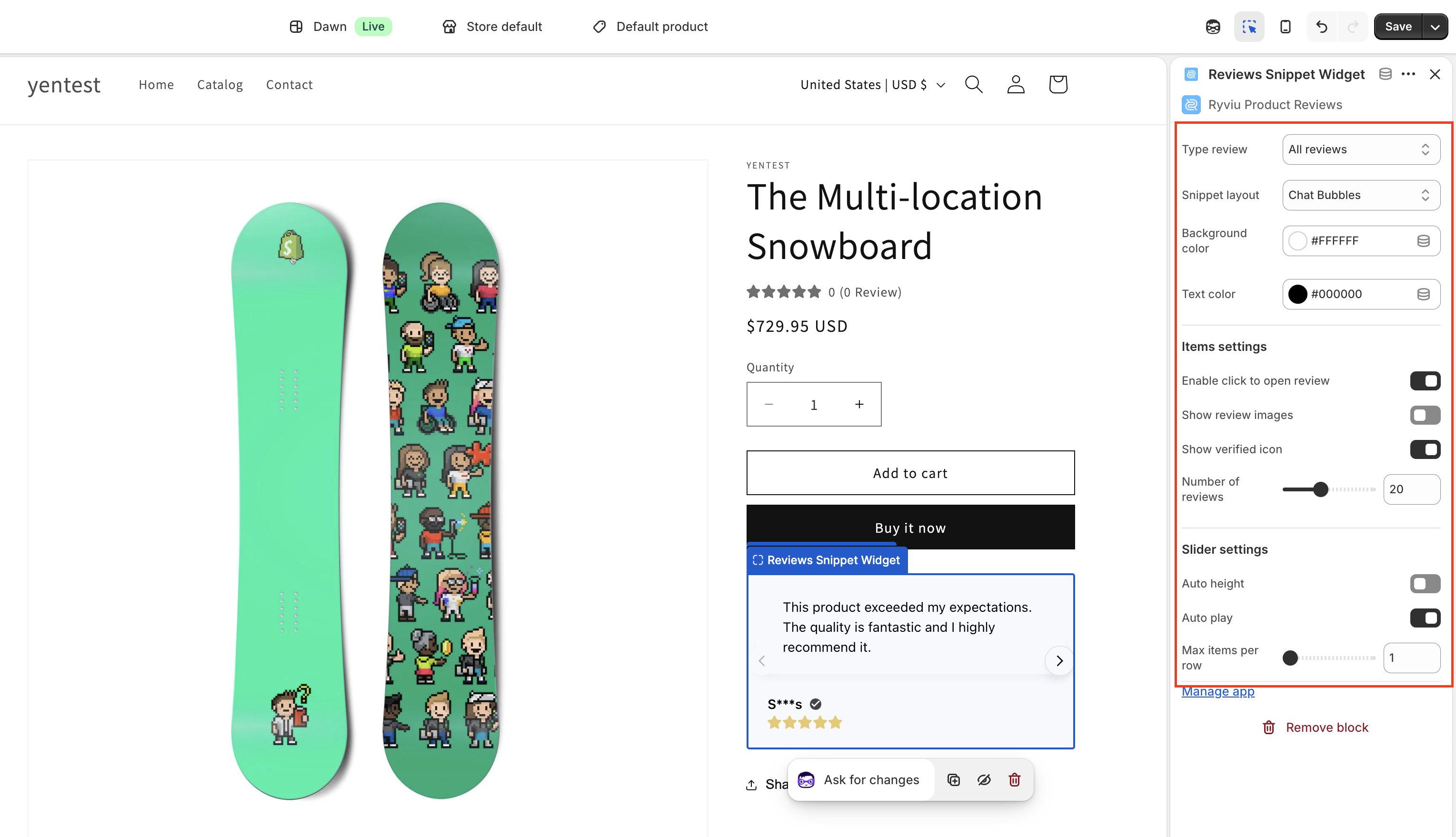
Review type
Choose which reviews to display:
All reviews
Featured reviews
Reviews with content
photo reviews
Snippet layout
Select one of the available layouts:
Premium testimonial
Social ticker
Chat bubbles
Background color
Customize the text and widget background color
You can enable or disable the following options:
Click to open review
Show image reviews
Show verified icon
Number of reviews to display
Configure how the slider behaves:
Auto height: When disabled, all review items will have equal height
Auto-play slider: Automatically rotate reviews
Items per row: Set how many reviews are displayed in one row
Need help?
Get in touch with our support team through live chat or email at [email protected]. We're here to help!