Discover the latest improvements in Ryviu 2.0 for faster widget customization and a better mobile review experience.
These updates are available across all review widgets.
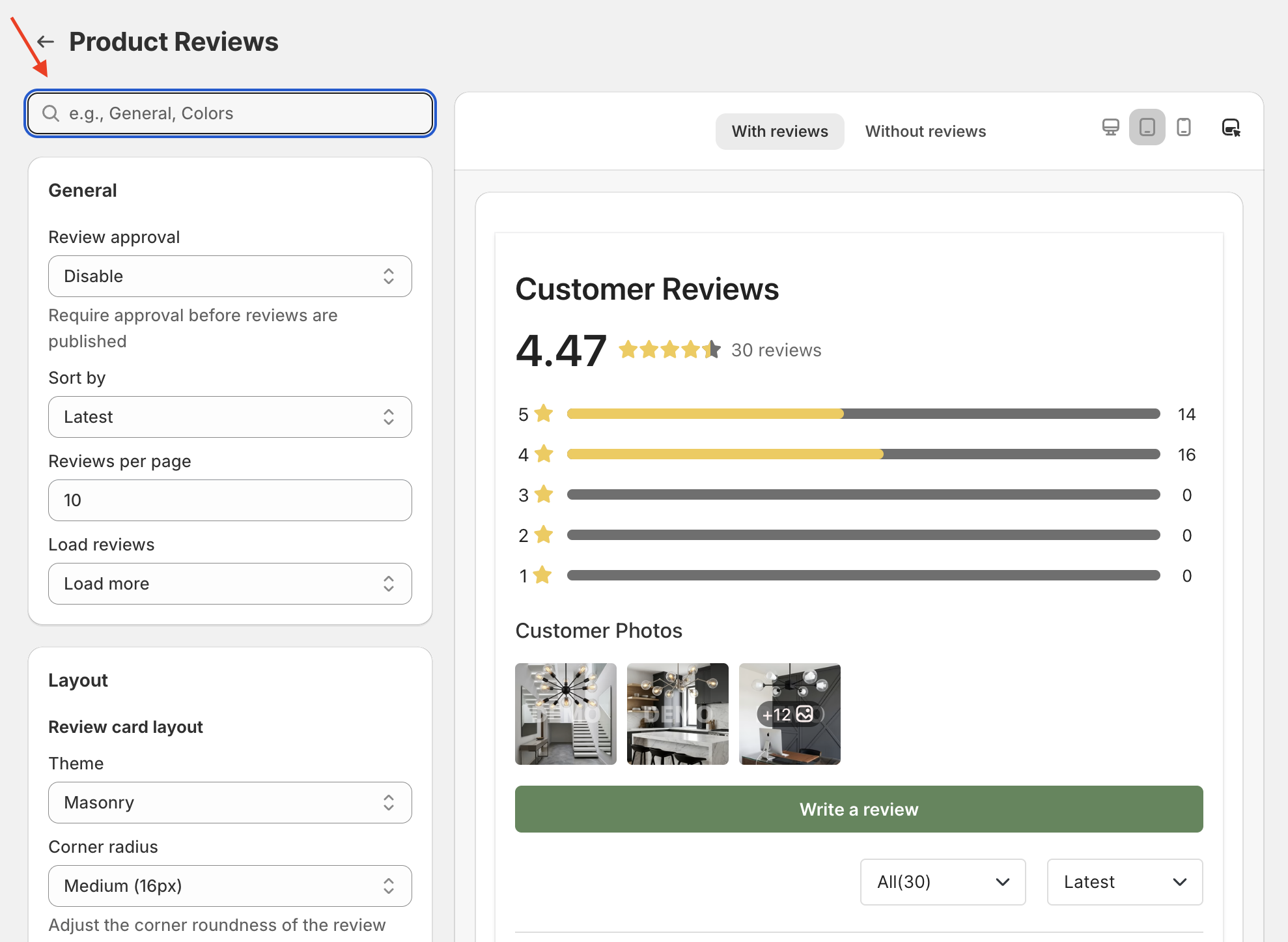
Find widget settings faster with the new Search option.
Enter keywords in the search field to quickly locate the setting you need, saving time when customizing review widgets.
Preview how your review widget looks across different devices, including:
Desktop
Tablet
Mobile
This makes it easier to fine-tune widget settings and ensure the best display experience across all screen sizes.
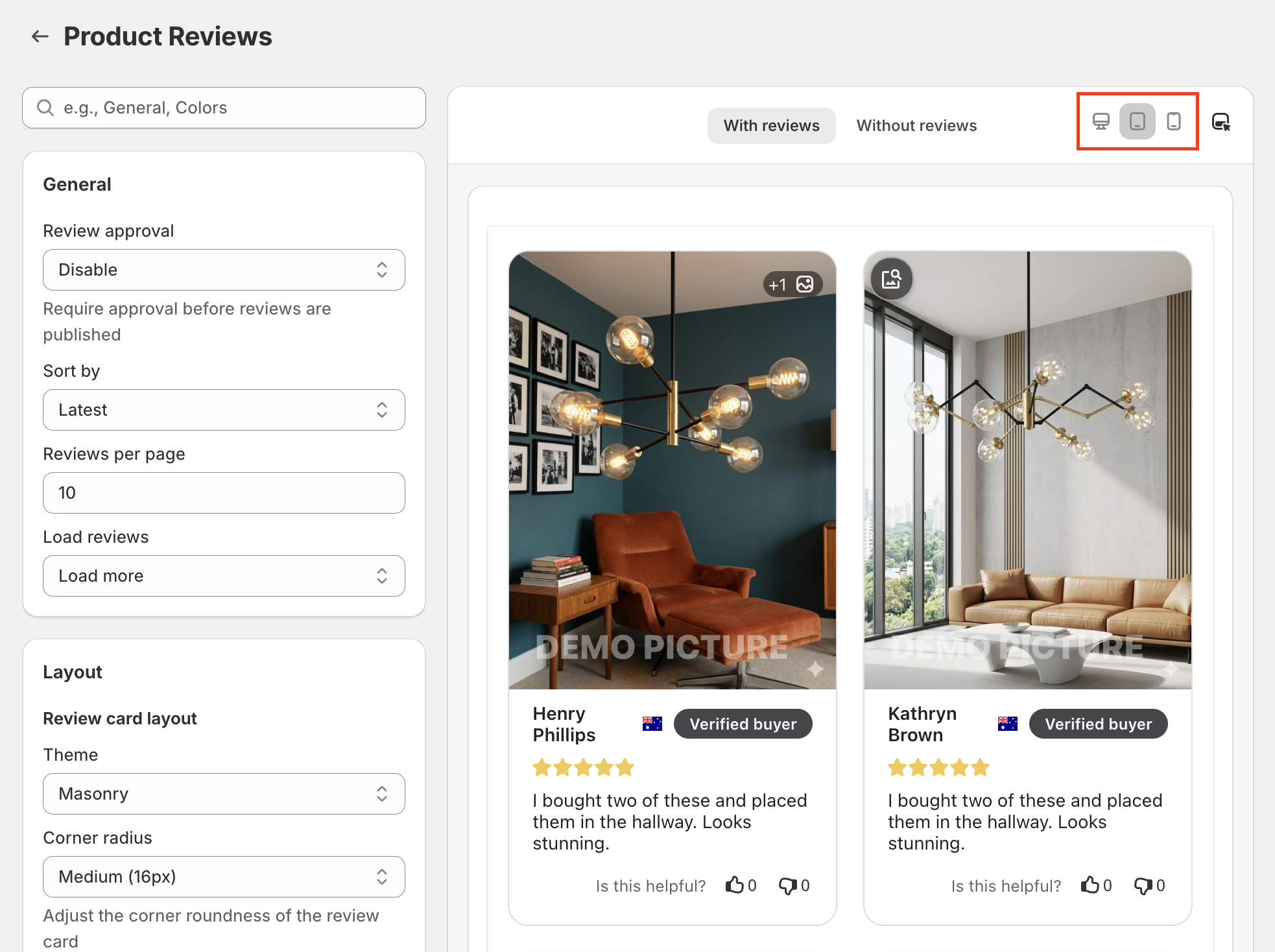

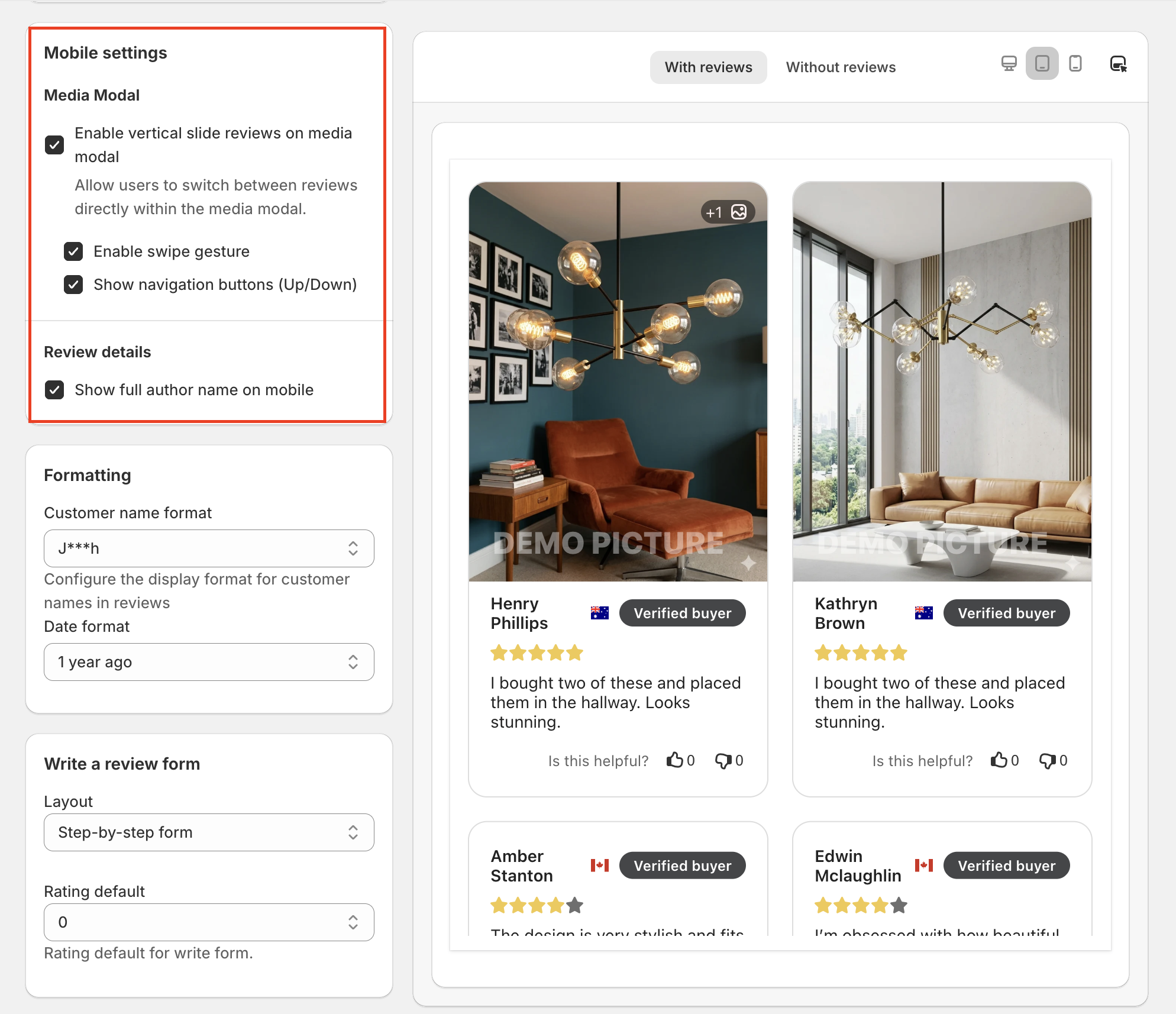
Image Display
We’ve improved the mobile media viewing experience for review images. Under Mobile Settings → Media Modal, you can enable:
Vertical slide reviews
Swipe gestures
Up/Down navigation buttons
This allows customers to browse review images more smoothly on mobile devices.
Customer Name
Choose whether to display the customer’s full name on mobile by enabling the Show full author name on mobile option.
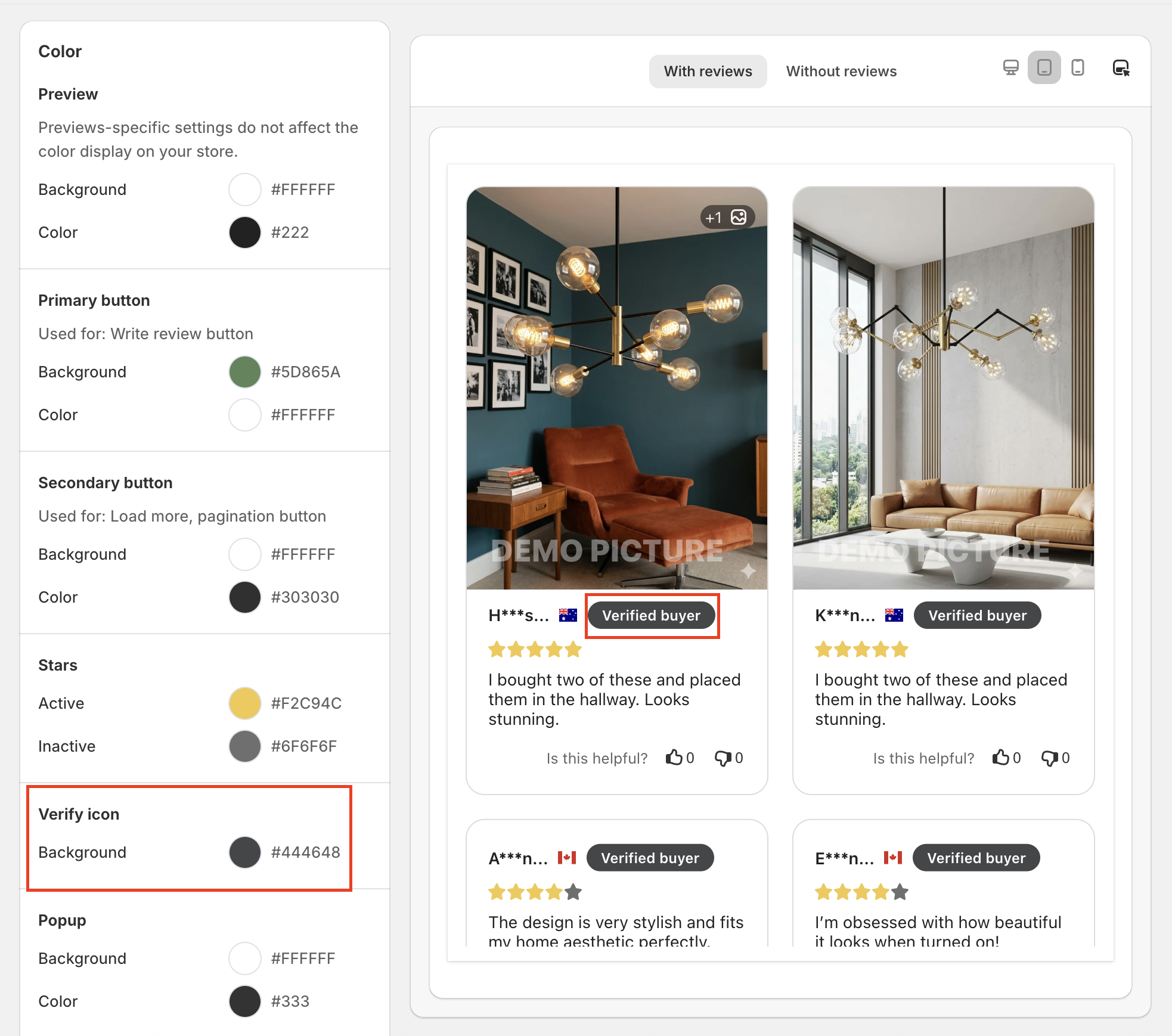
The “Verified buyer” text is available alongside the verified icon.
To enable this feature, turn on the Verified icon option in the Review details section and the Verified text option in the Review content display section.
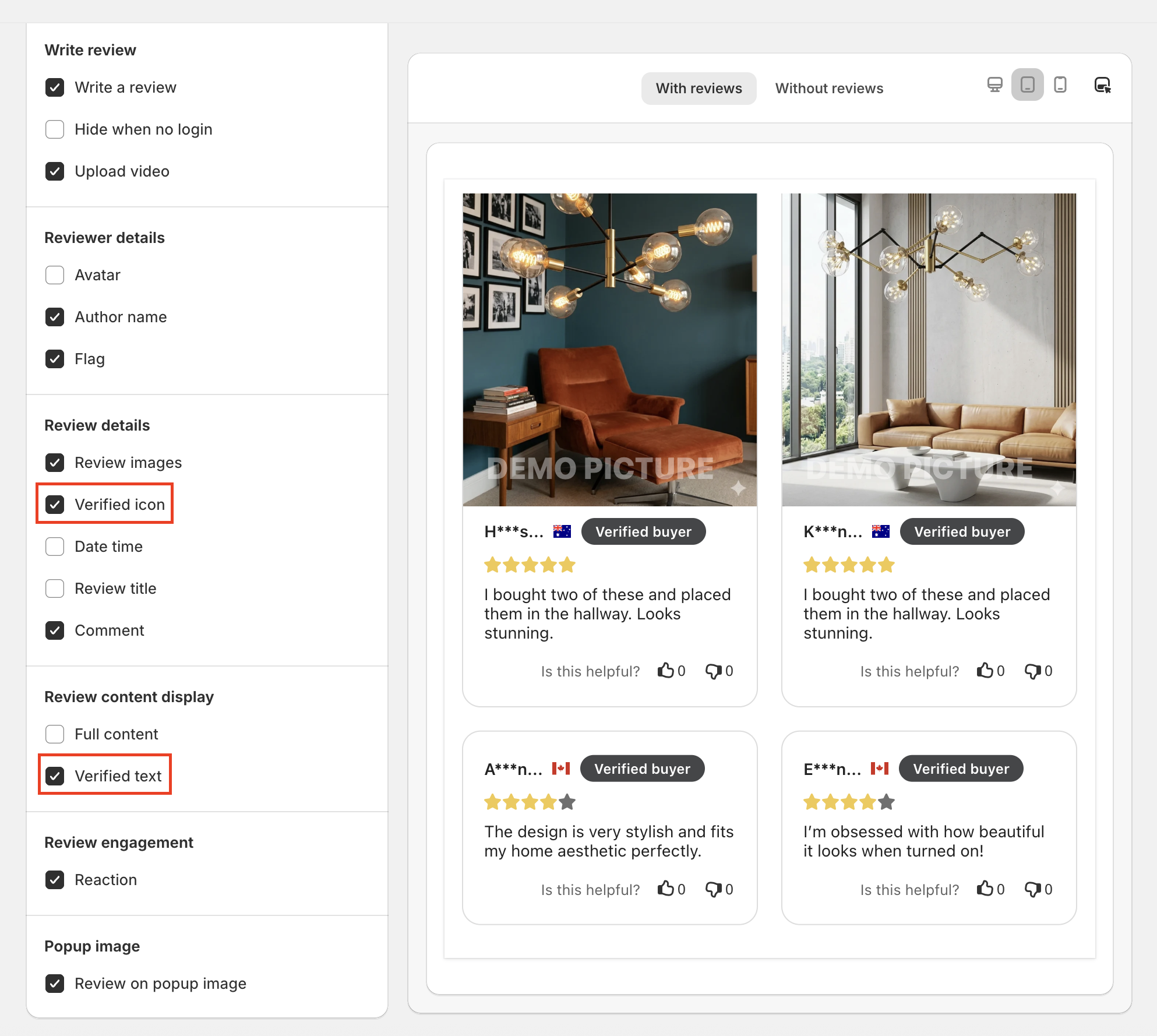
Additionally, customize the background color of the Verified buyer text in Color → Verify icon → Background.
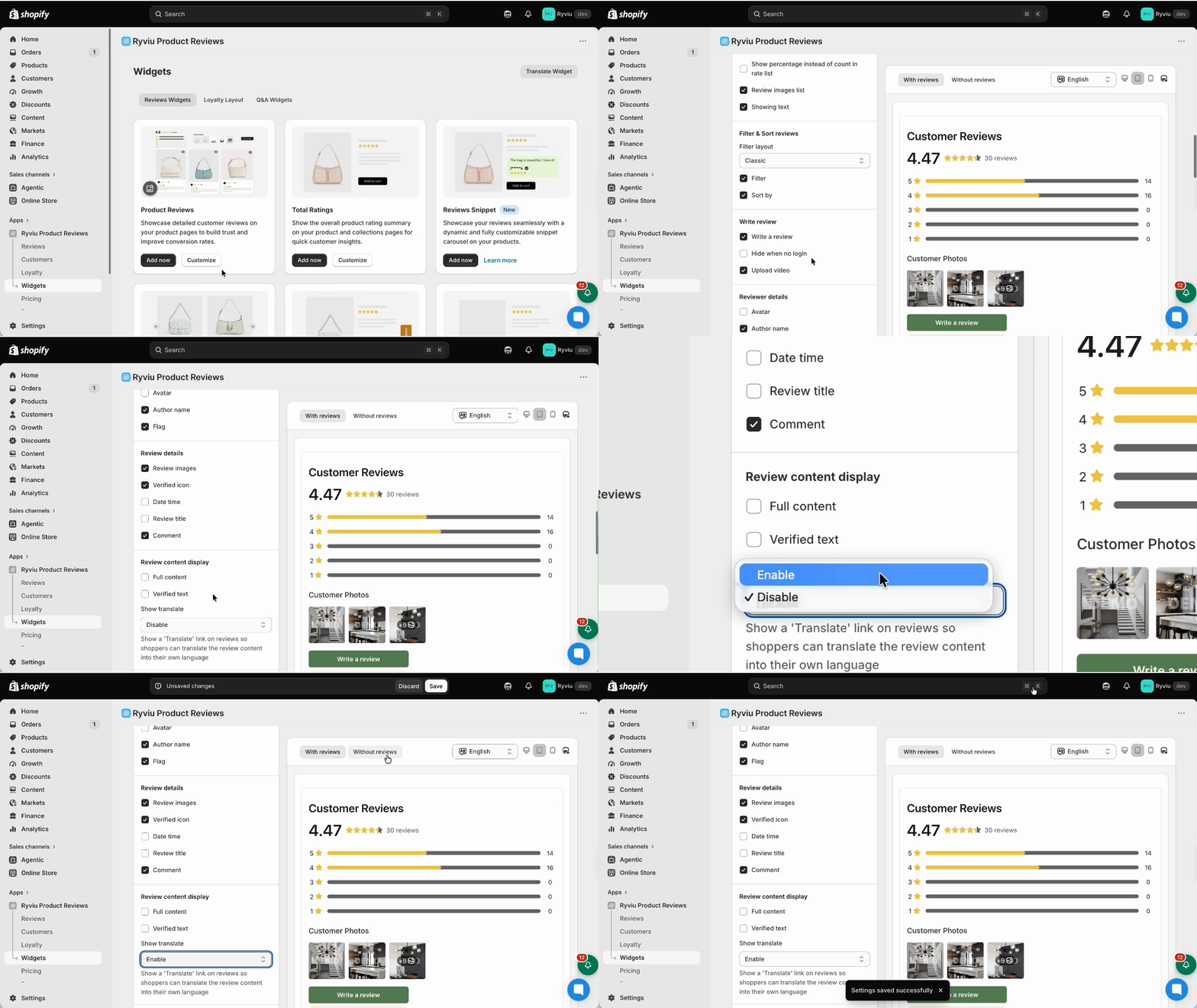
You can now allow customers to translate review content based on your store's language. This feature currently supports English, Chinese, German, French, and Portuguese.
Under the General tab, in the Review content display section, select Enable for the Show Translate option, and save the changes.
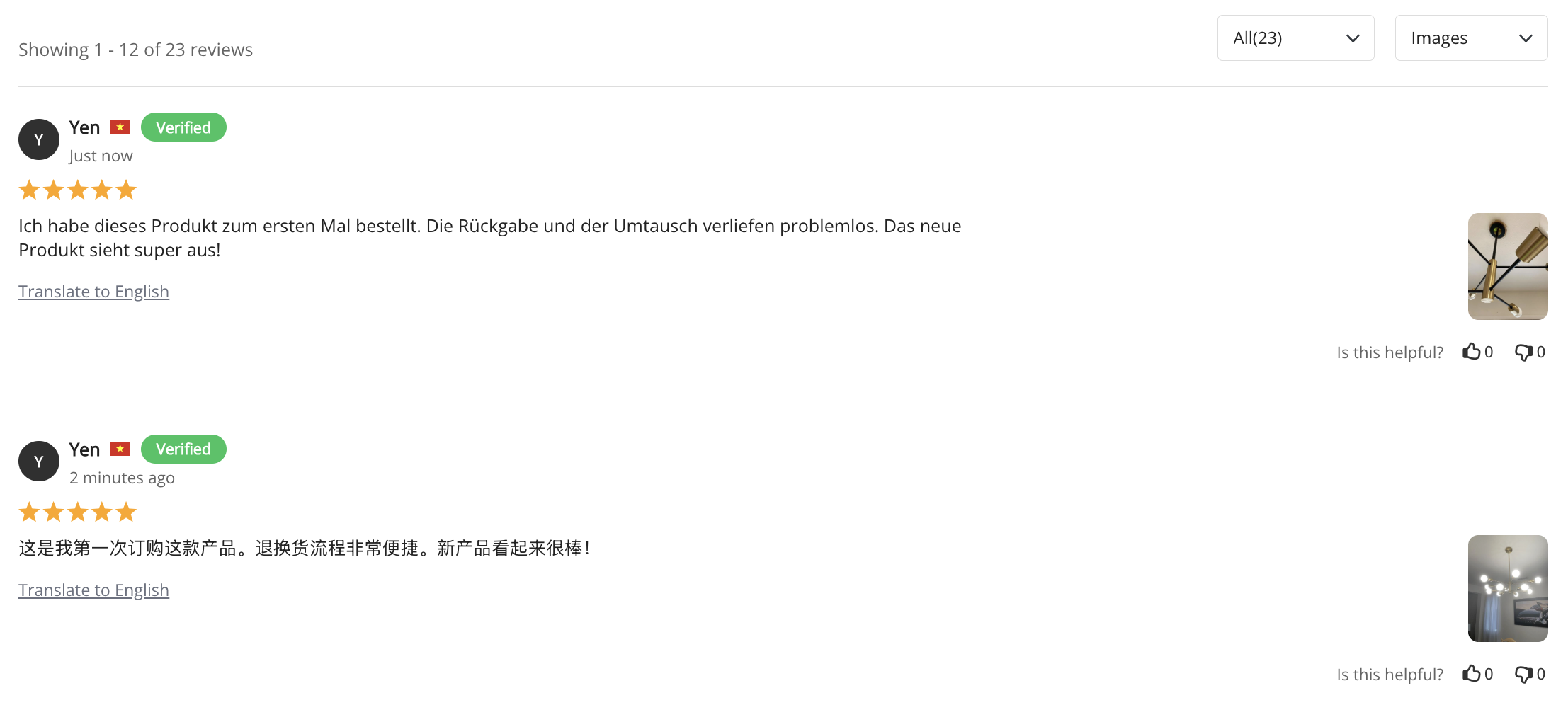
Visit your storefront and switch to another language to see the Translate option on reviews. It’s not an automatic translation option, so you need to click on the translation option of each review to see the changes.
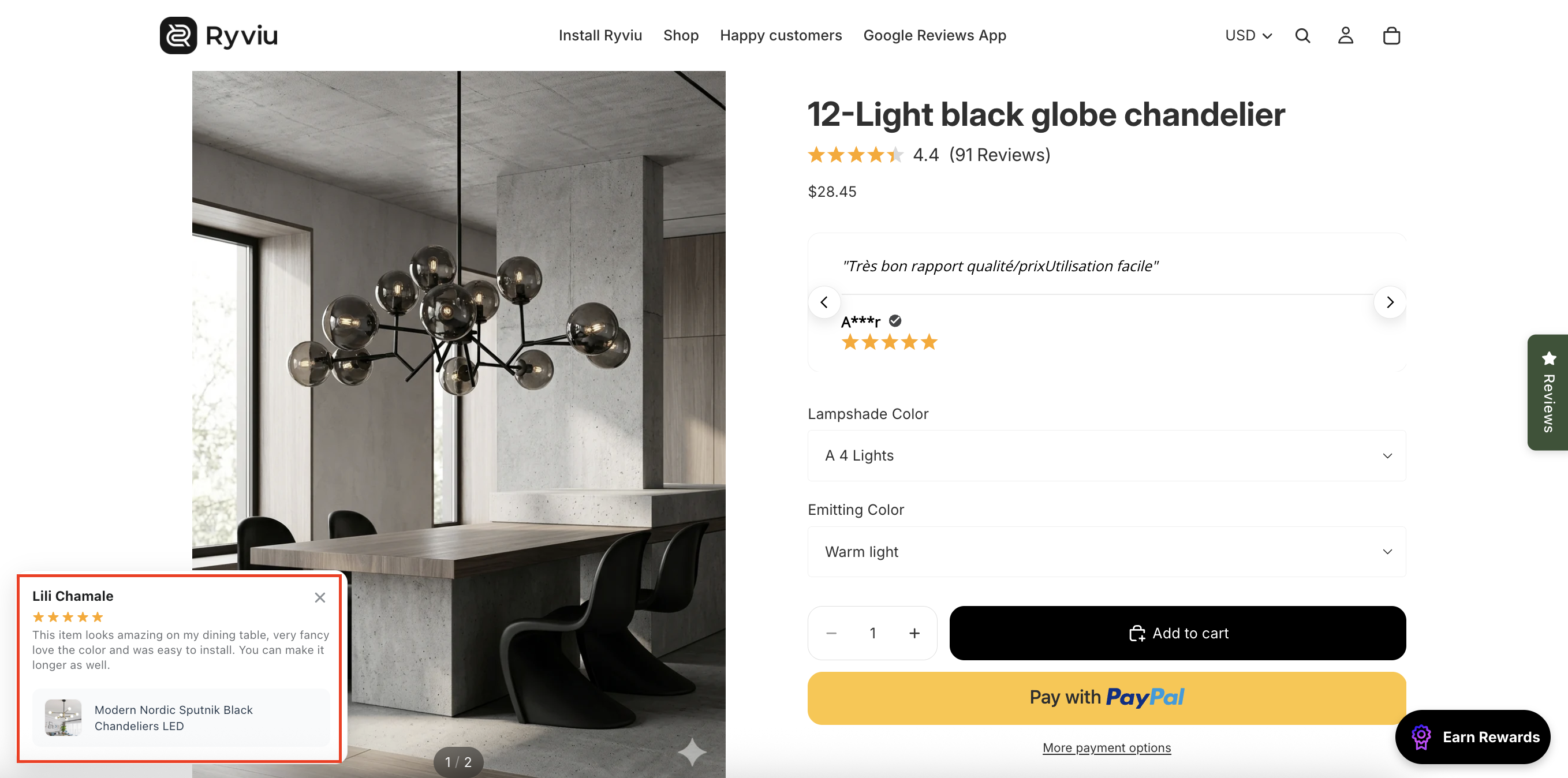
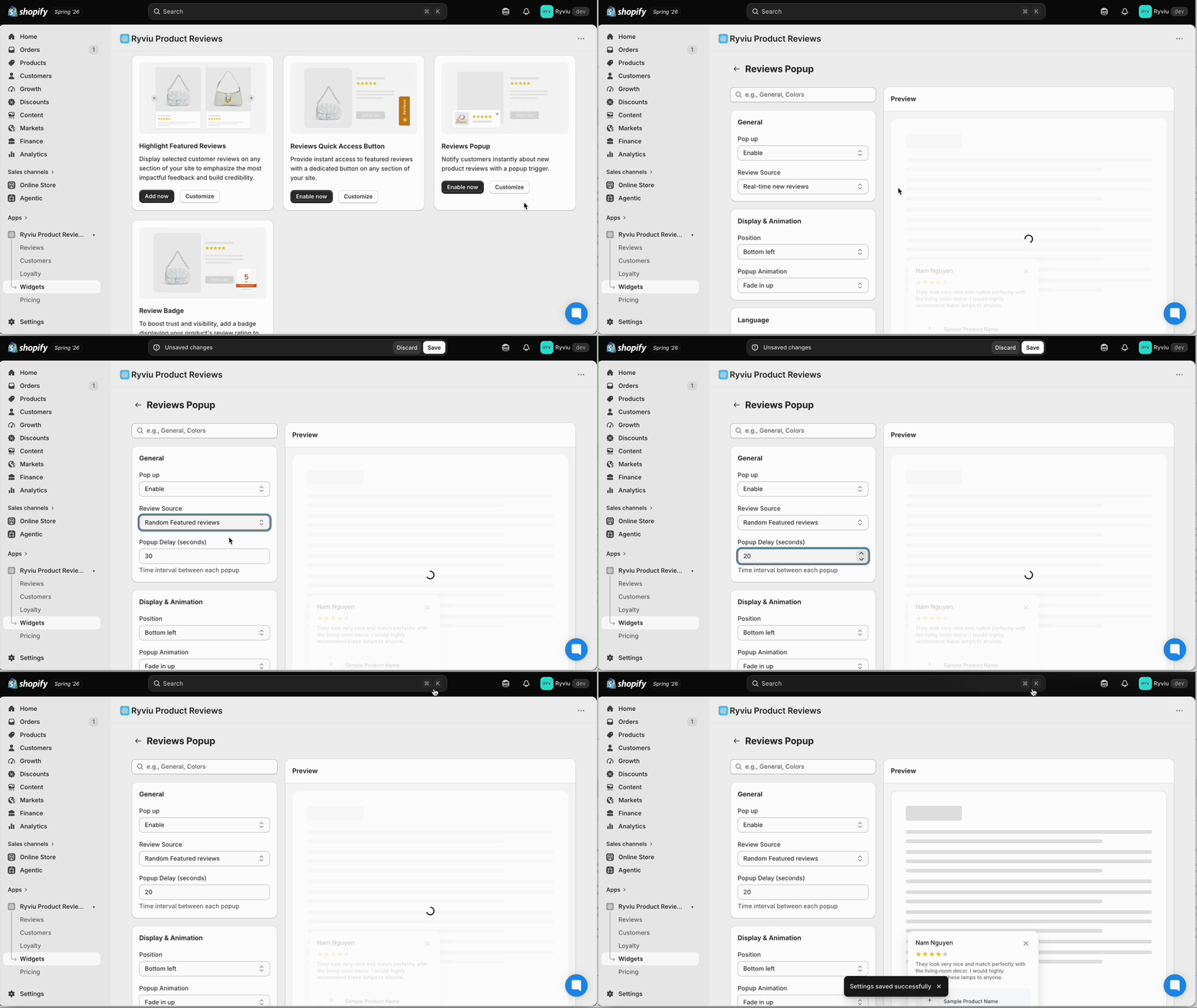
You can now display random featured reviews in the Reviews Pop-up widget.
Displaying different featured reviews keeps your pop-up content fresh and showcases a wider range of customer feedback.
How to Enable Random Reviews
To display random featured reviews in the Reviews Pop-up:
Step 1: In your Ryviu dashboard, go to Widgets.
Step 2: Under Product Reviews Widget, click Customize for Reviews Pop-up.
Step 3: In Review Source, select Random Featured Reviews, and set the delayed time for the pop-up.
Step 4: Click Save to apply the changes.
Need help?
Get in touch with our support team through live chat or email at [email protected]. We're here to help!