With Shoppable Video Reviews, you can highlight customer video reviews in an interactive carousel, allowing shoppers to watch real experiences and quickly navigate to the featured products.
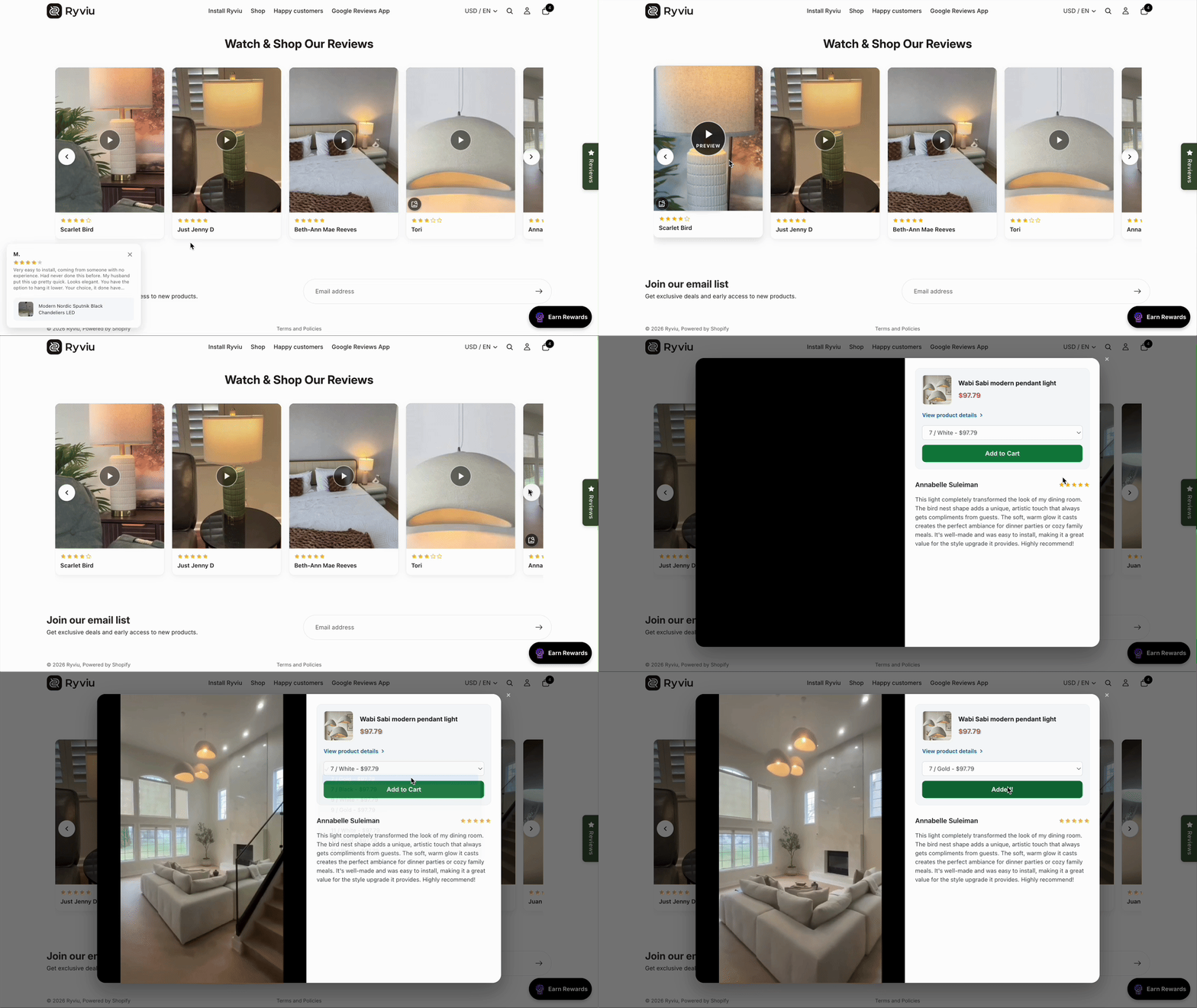
From your Ryviu admin, go to Reviews
In the Reviews page, click Shoppable Video Reviews
The page automatically displays all reviews that include videos. Select the video reviews you want to feature in the carousel.
Click Save.
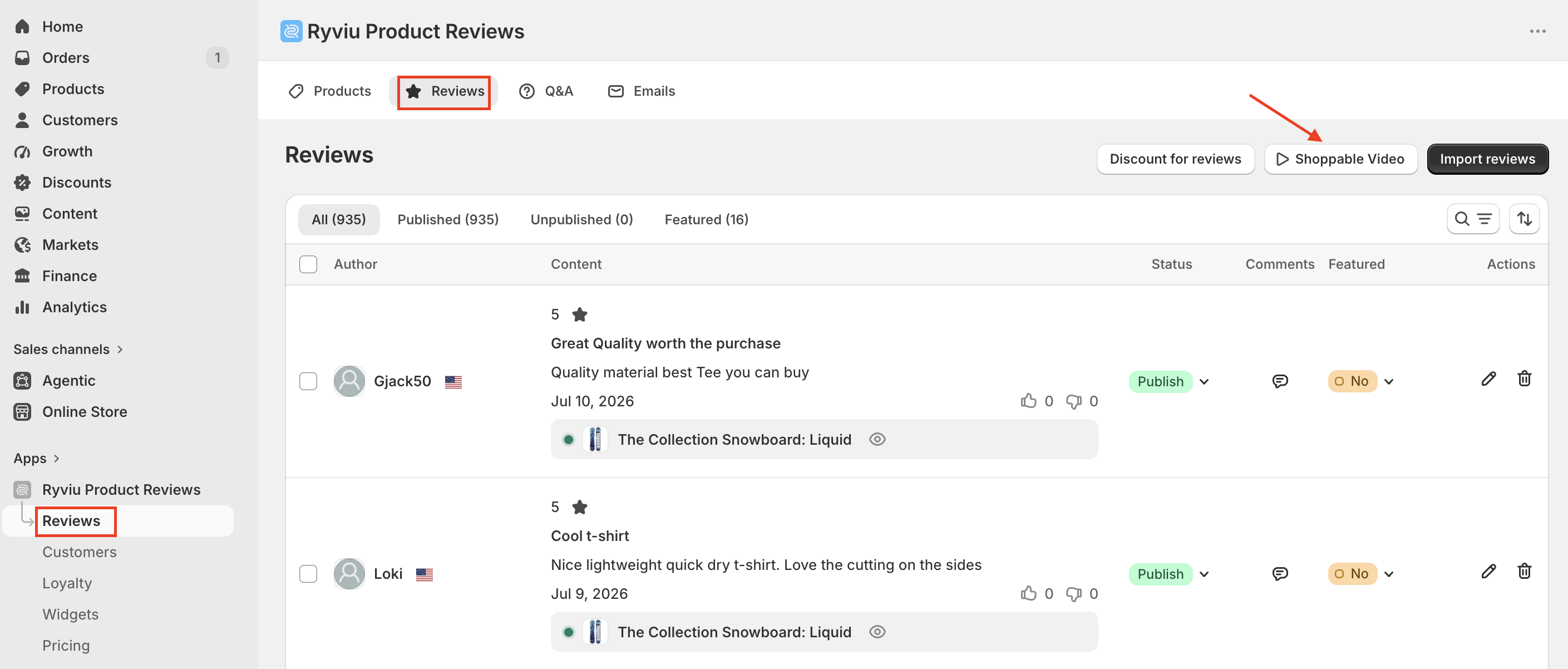
From your Shopify admin:
Go to Online Store > Themes
Click Edit theme for your current theme.
Open the page where you intend to display the widget.
Click Add section (or Add block) → Apps → Shoppable Video Reviews.
Optional: Drag the widget to your preferred position and save your theme.
Save the changes.
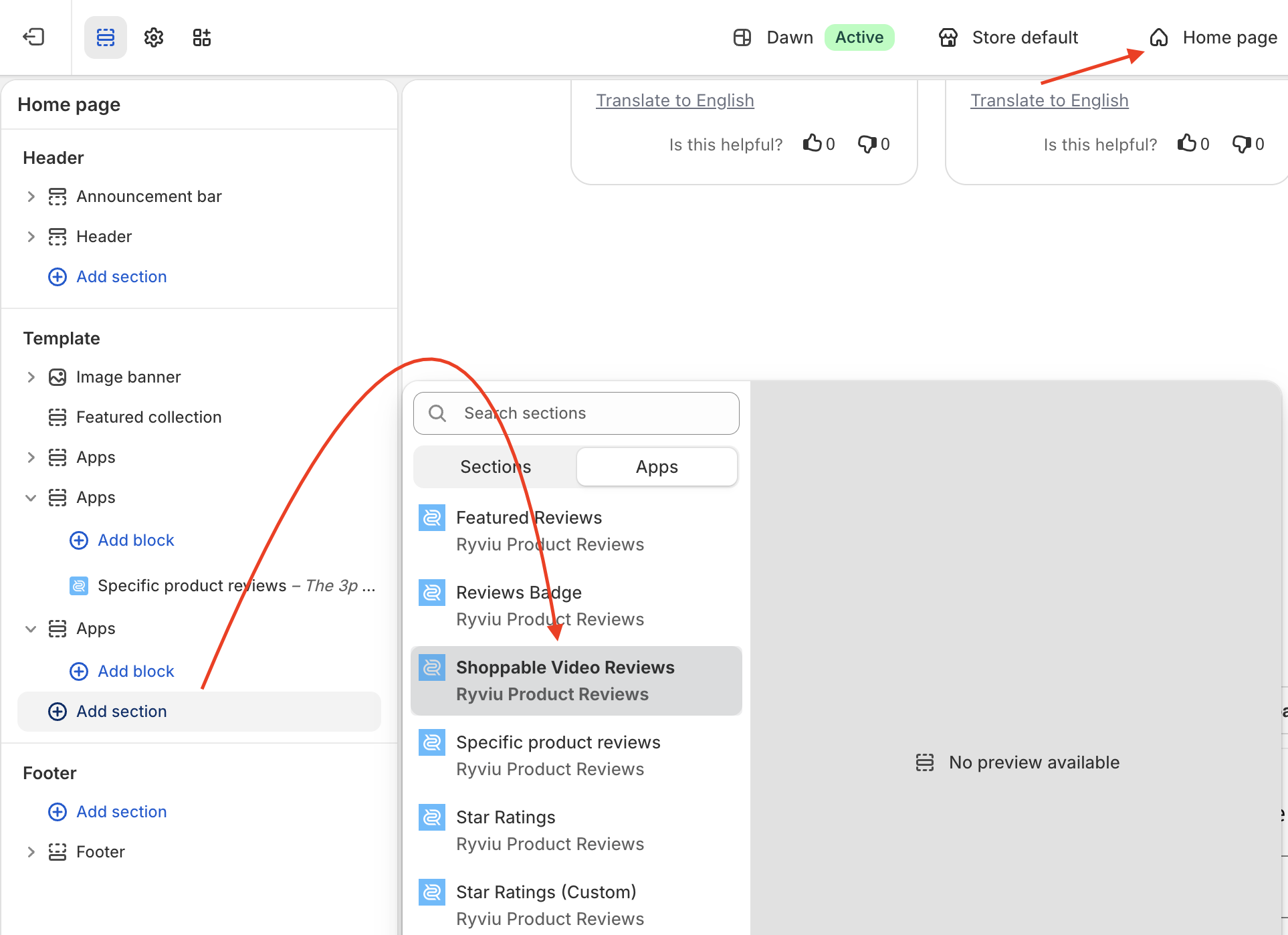
You can customize the widget directly in the Shopify Theme Editor.
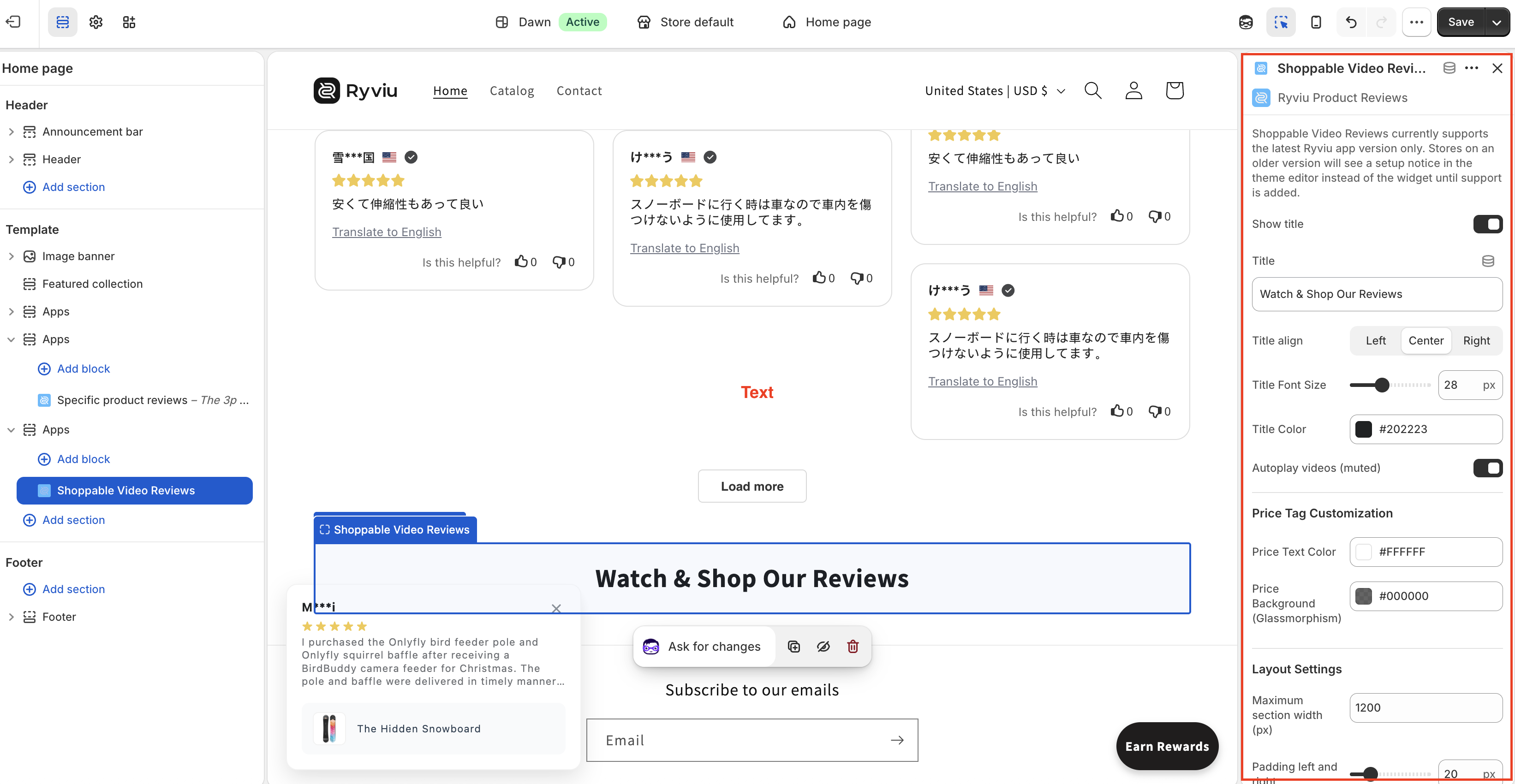
Title
Show or hide the title
Edit the title text
Change title alignment
Customize the title size and color
Video settings
Enable or disable autoplay preview (muted)
Price tag
Change the price text color
Change the price badge background color
Layout
Set the maximum section width
Adjust the left and right padding
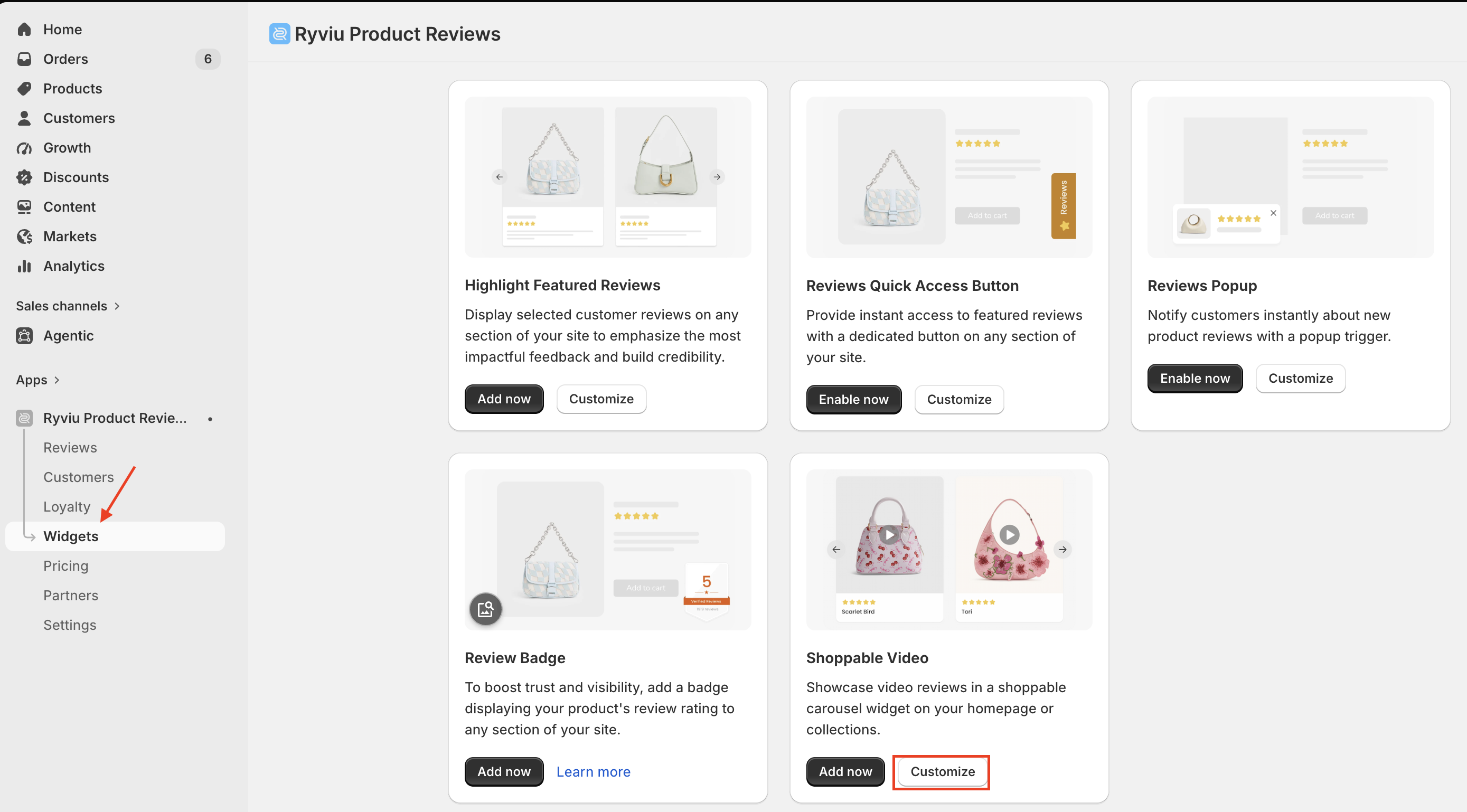
To customize the popup displayed when shoppers click a video review:
In your Ryviu dashboard, go to Widgets.
Open the Reviews widgets tab, click the Customize button of the Shoppable video.
Customize the modal appearance, including:
Modal background
Product info background
Price color
Add to Cart button background
Add to Cart button text color
Corner radius
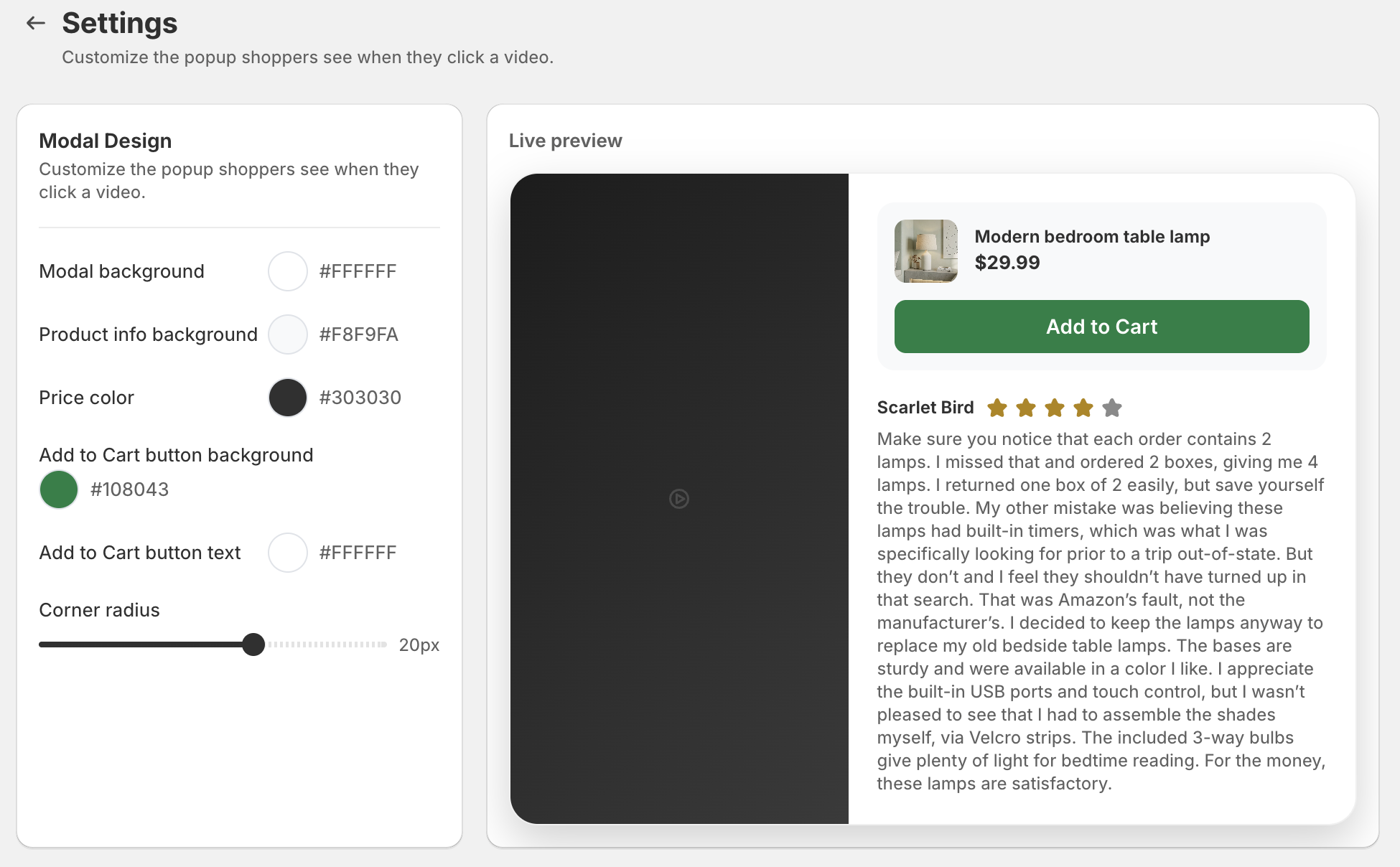
4. Click Save to apply your changes.
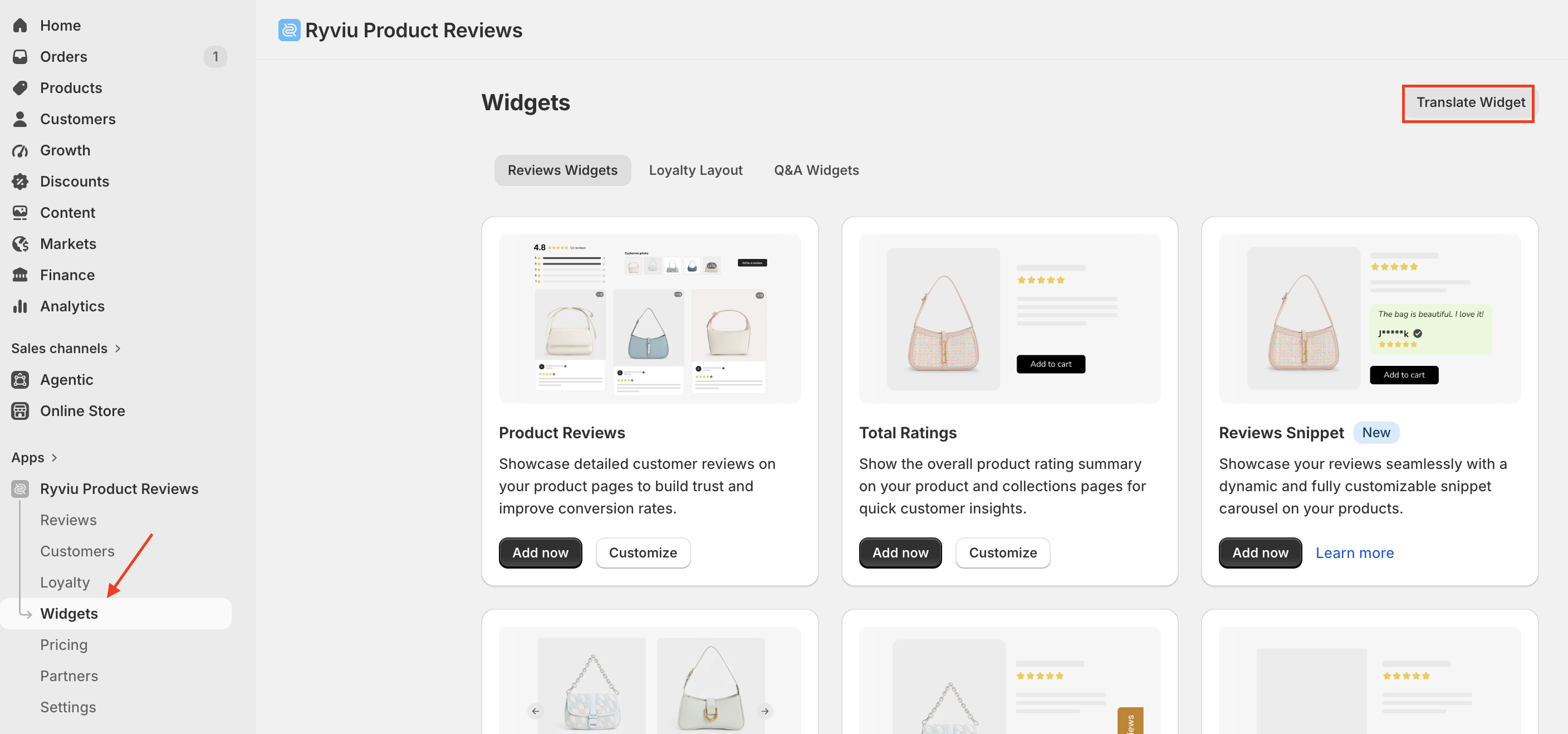
To translate widget labels, follow these steps:
1. In your Ryviu dashboard, go to Widgets > Translate Widgets.
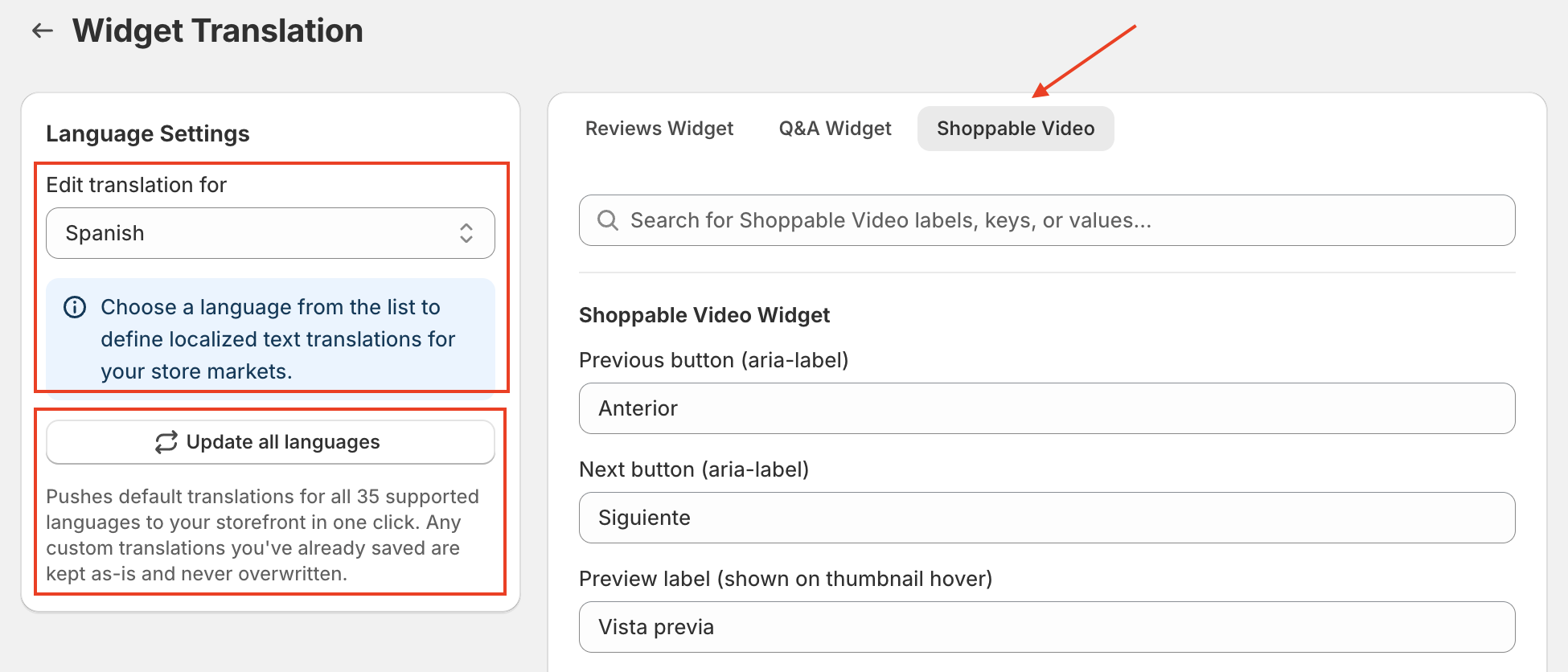
Select Shoppable video
Click Update all languages to automatically add the default translations for all 35 supported languages. Any custom translations you've already saved will not be overwritten.
Under Edit translation for, select the language you want to edit (the default language is English), then review and update the translation fields on the right as needed.
Save your changes.
Ryviu provides performance statistics to help you measure how your Shoppable Video Reviews are engaging customers and driving sales.
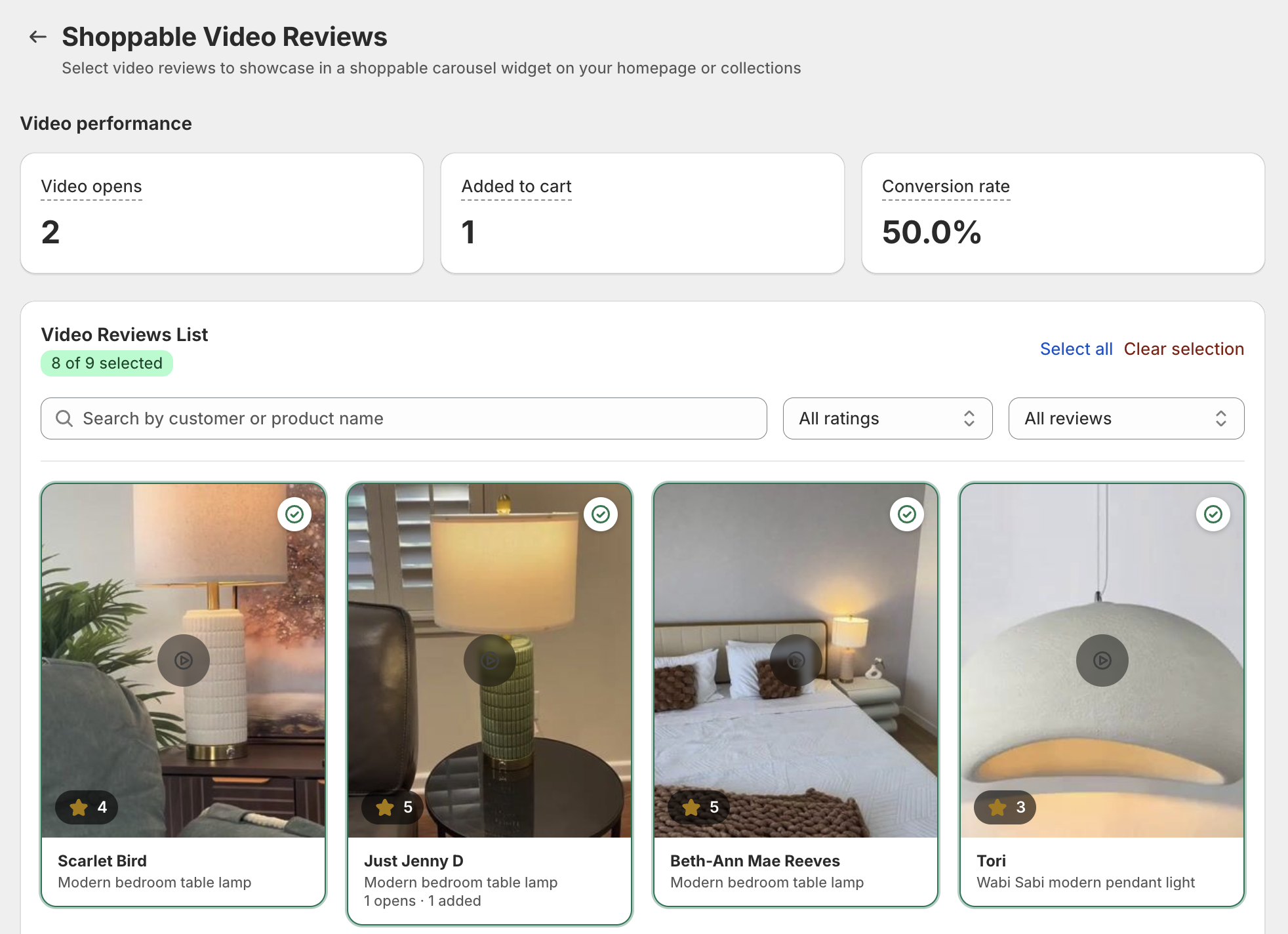
From Reviews→ Shoppable Video Reviews, you can view:
Video opens: the total number of times shoppers opened a video from the carousel.
Added to cart: the number of times customers added a product to their cart after interacting with a Shoppable Video.
Conversion rate: the percentage of video interactions that resulted in an add-to-cart action.
The dashboard also lets you:
View all selected video reviews.
Search videos by customer or product name.
Filter reviews by star rating.
Filter by selection status.
Quickly select or clear multiple videos.
These insights help you identify your best-performing video reviews and optimize which videos you feature on your storefront.
Watch this video to learn how to set up Shoppable Video Reviews, including selecting video reviews, adding the widget to your theme, and customizing its appearance.
Need help?
Get in touch with our support team through live chat or email at [email protected]. We're here to help!