Review Attributes help you collect feedback for specific aspects of a product (such as Quality, Fit, or Delivery Speed) in addition to the overall star rating.
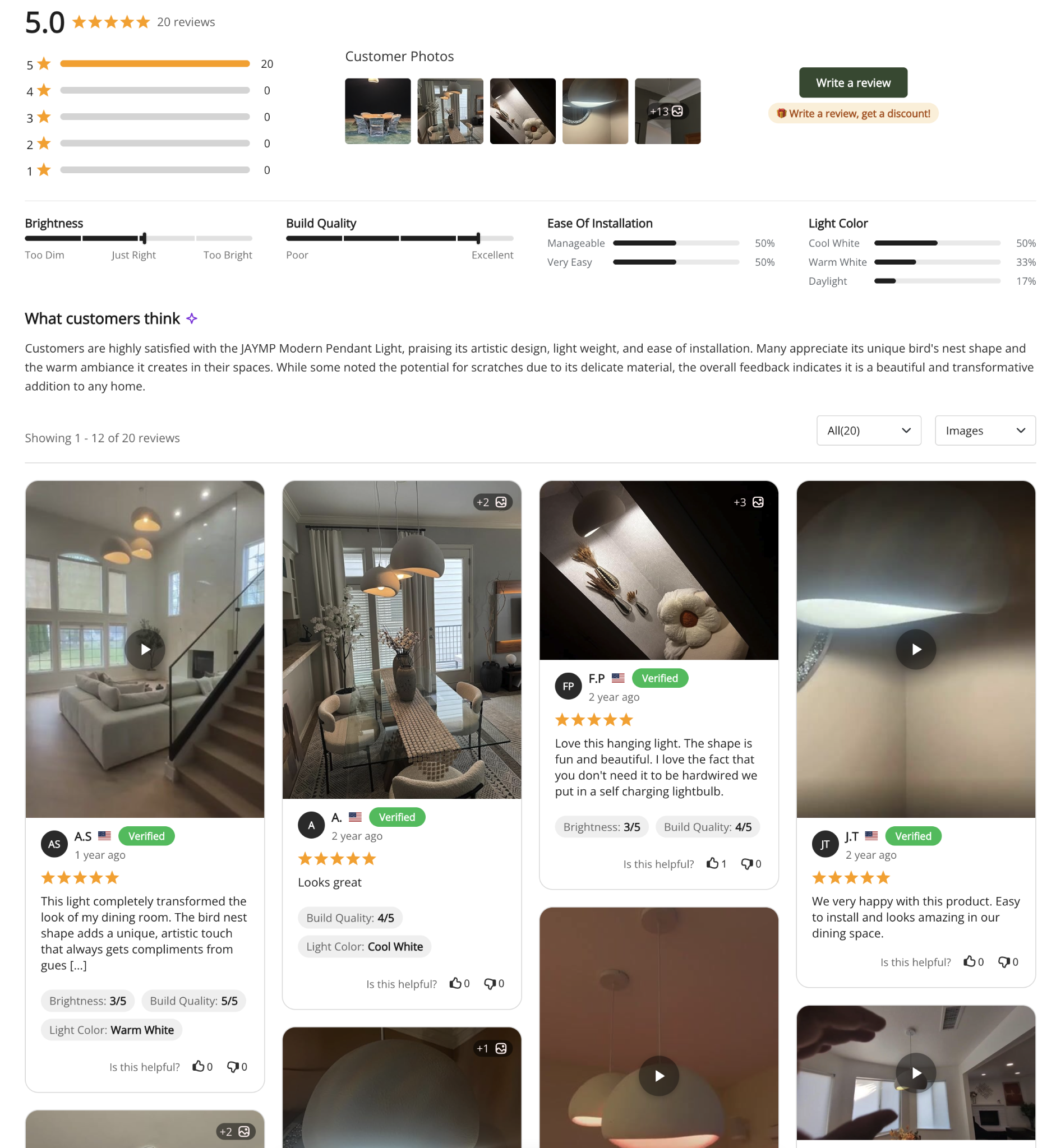
Follow the steps below to display the review attributes on your store frontend.
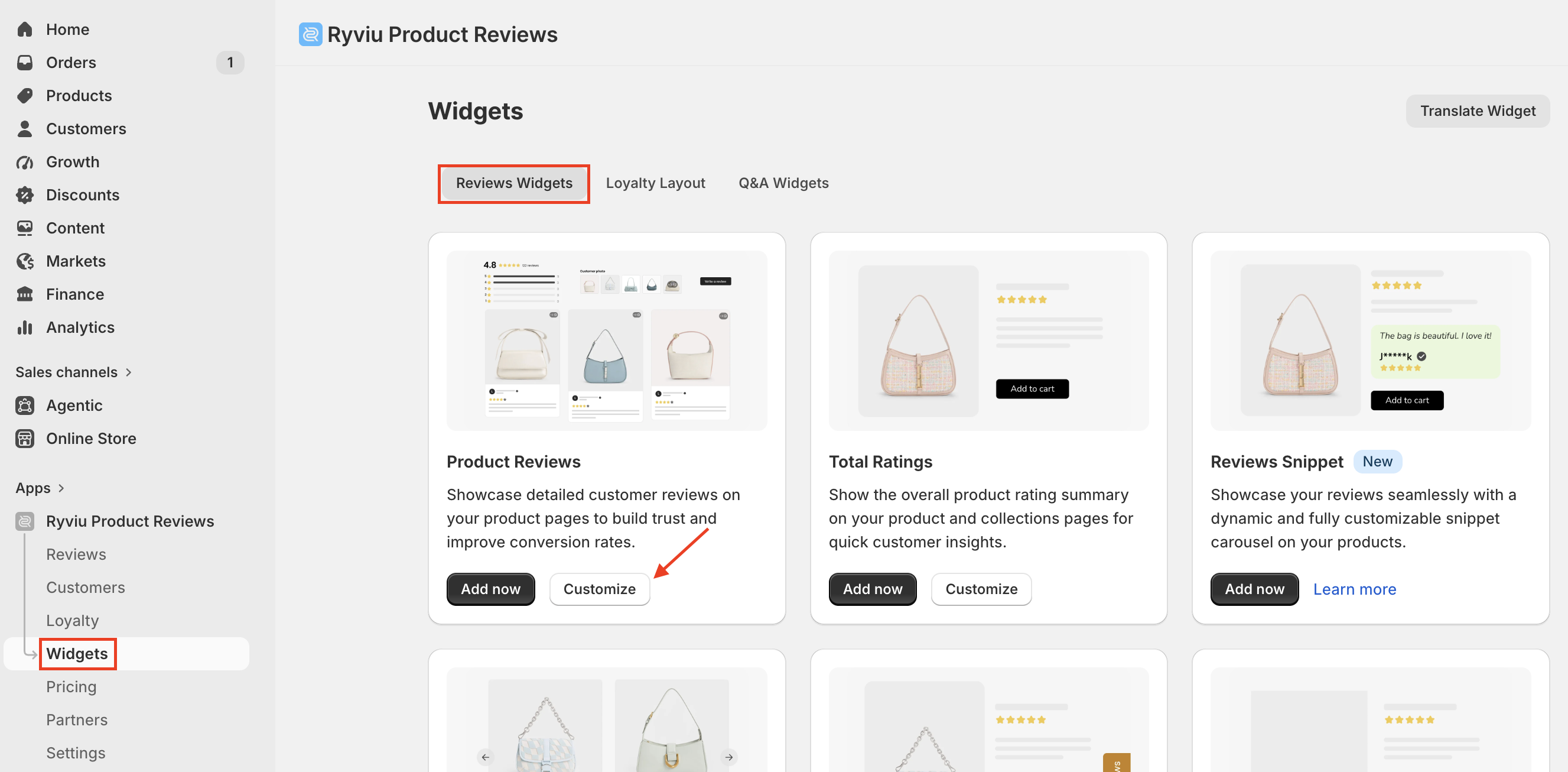
Go to Widgets, then select the Reviews widgets.
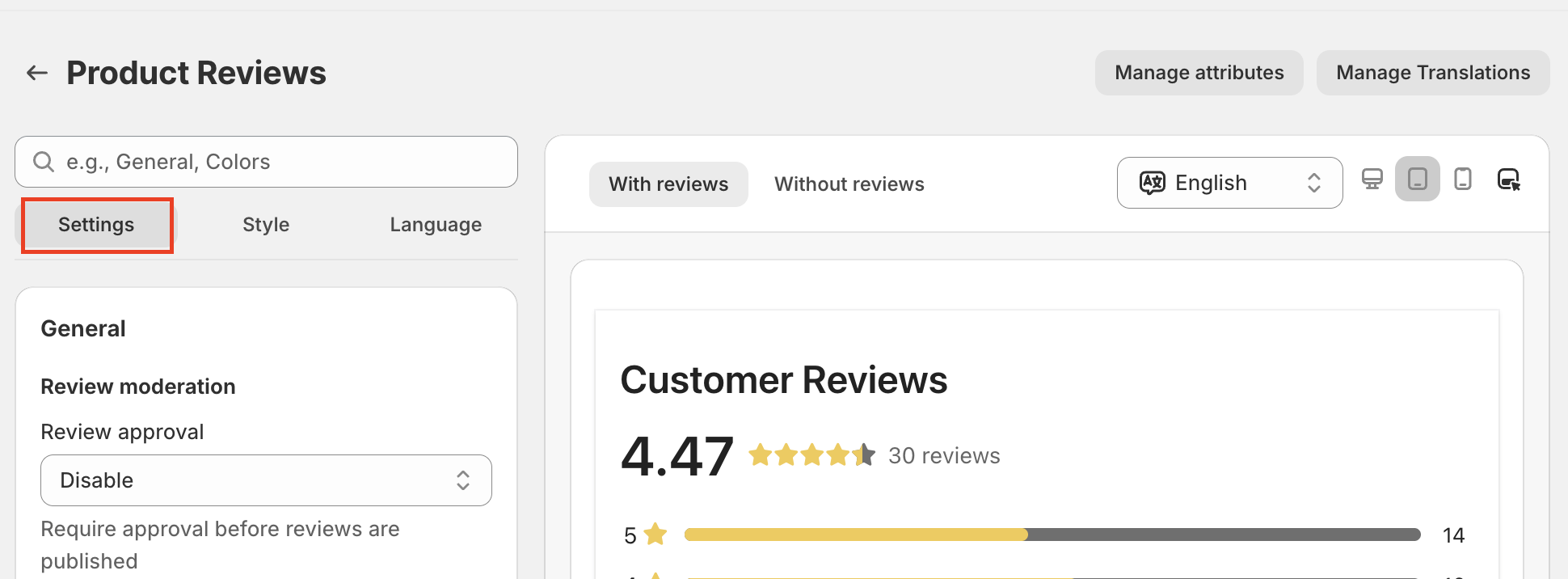
Open the Settings tab.
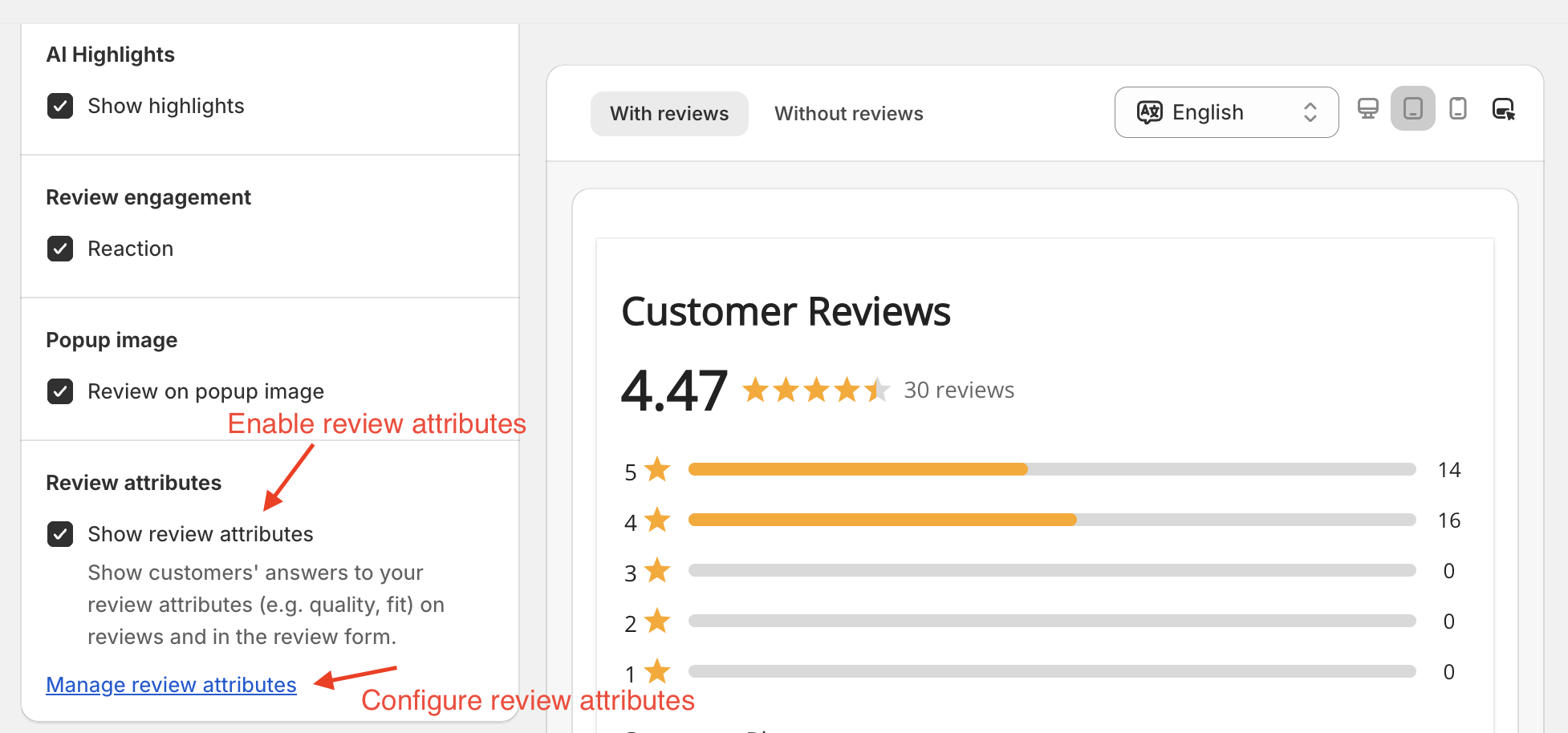
In Sections → Review attributes, enable Show review attributes.
Click Save.
When enabled, Review Attributes are displayed in the product review widget, review popup, review request emails, and the review forms on the order status and customer account pages.
You can configure the review attributes by following these instructions.
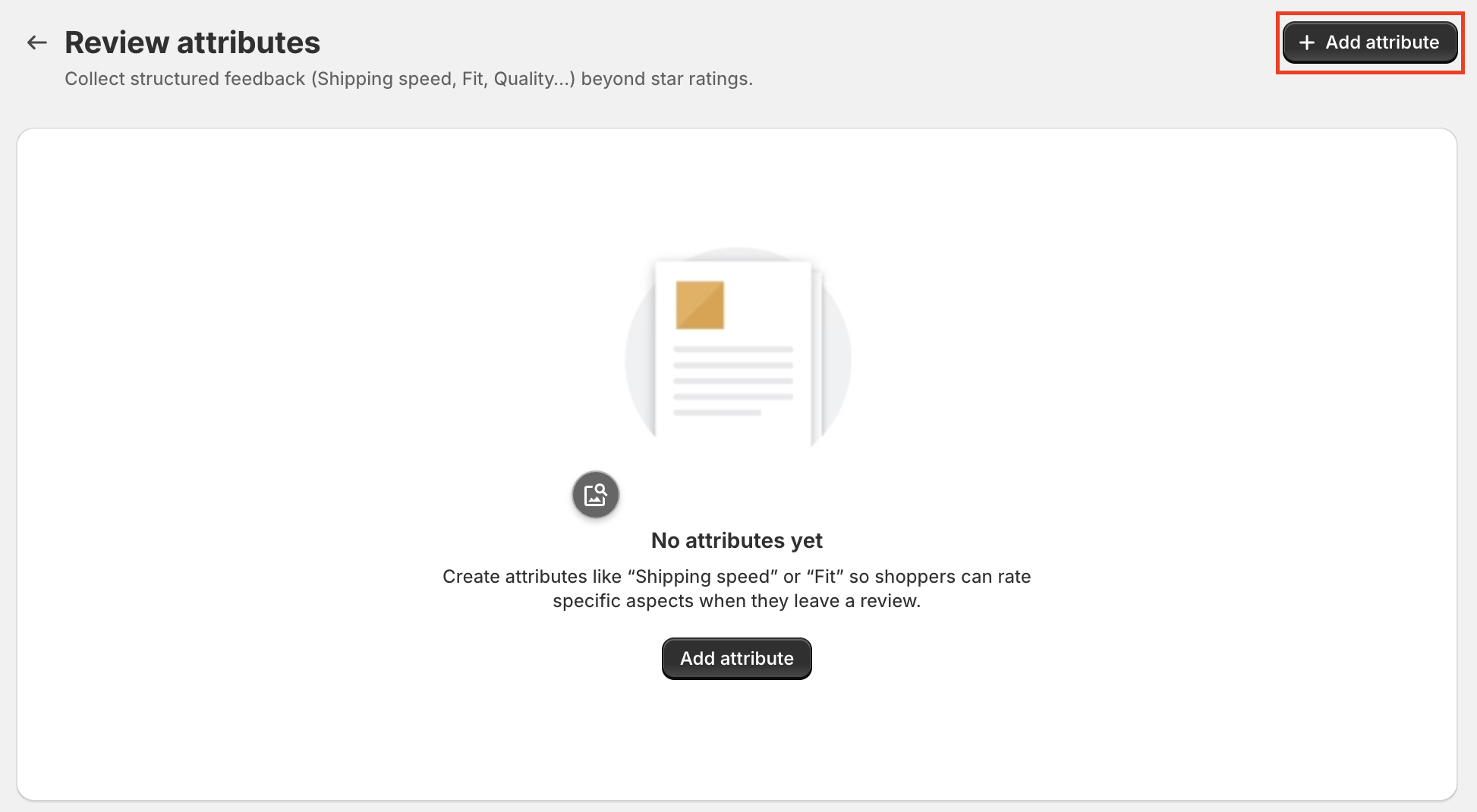
Click Manage review attributes after enabling them.
Click Add attribute.
Configure the review attributes.
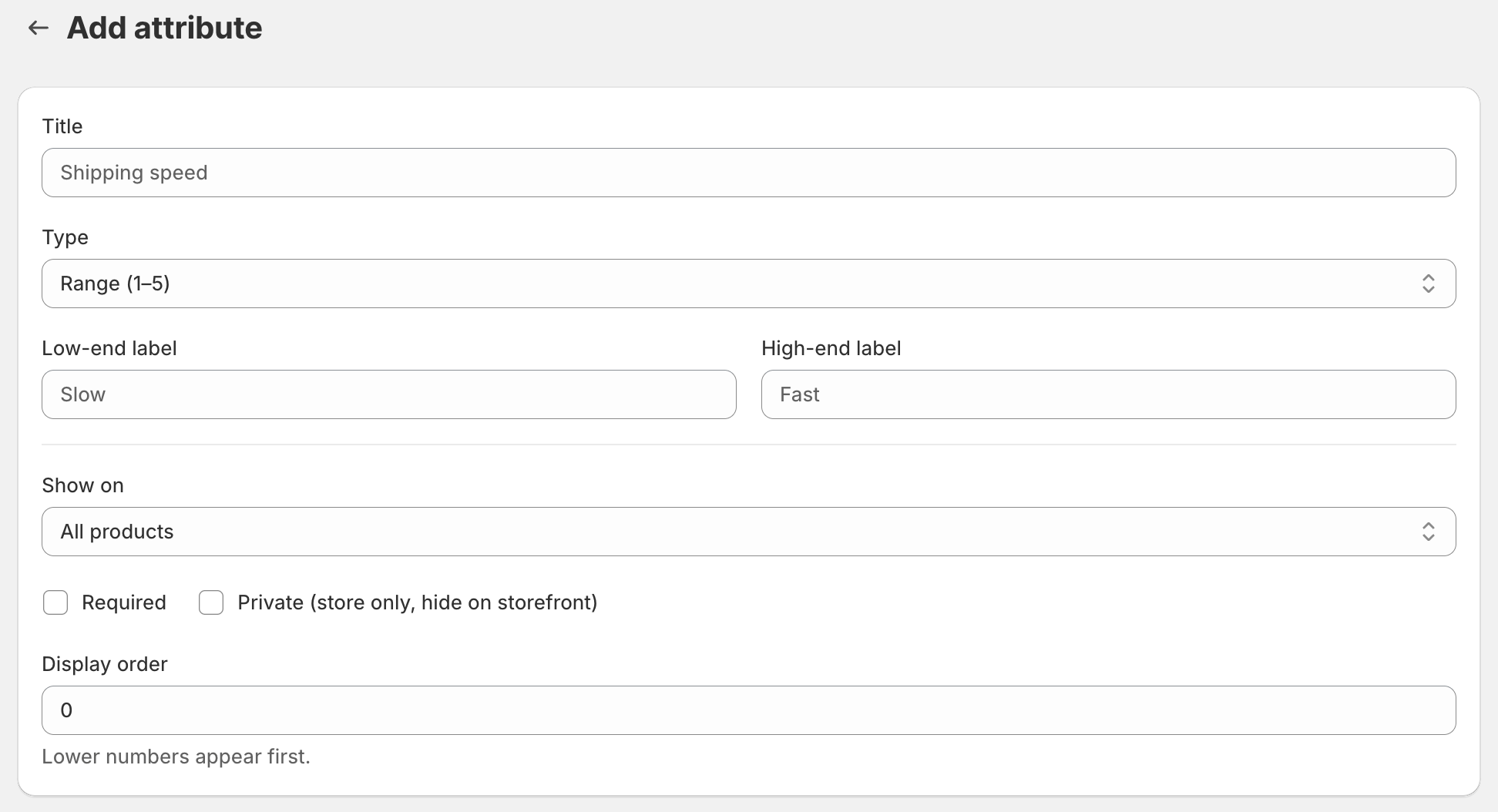
You can add:
Title: Attribute name shown to customers.
Type: Single choice, Multiple choice, Range (1–5), or Centered range (1–5).
Required: Make the field mandatory for customers.
Private: Hide the attribute from the storefront.
Show on: Apply to all products or selected products.
Display order: Lower numbers appear first.
For Single choice and Multiple choice, add Options with:
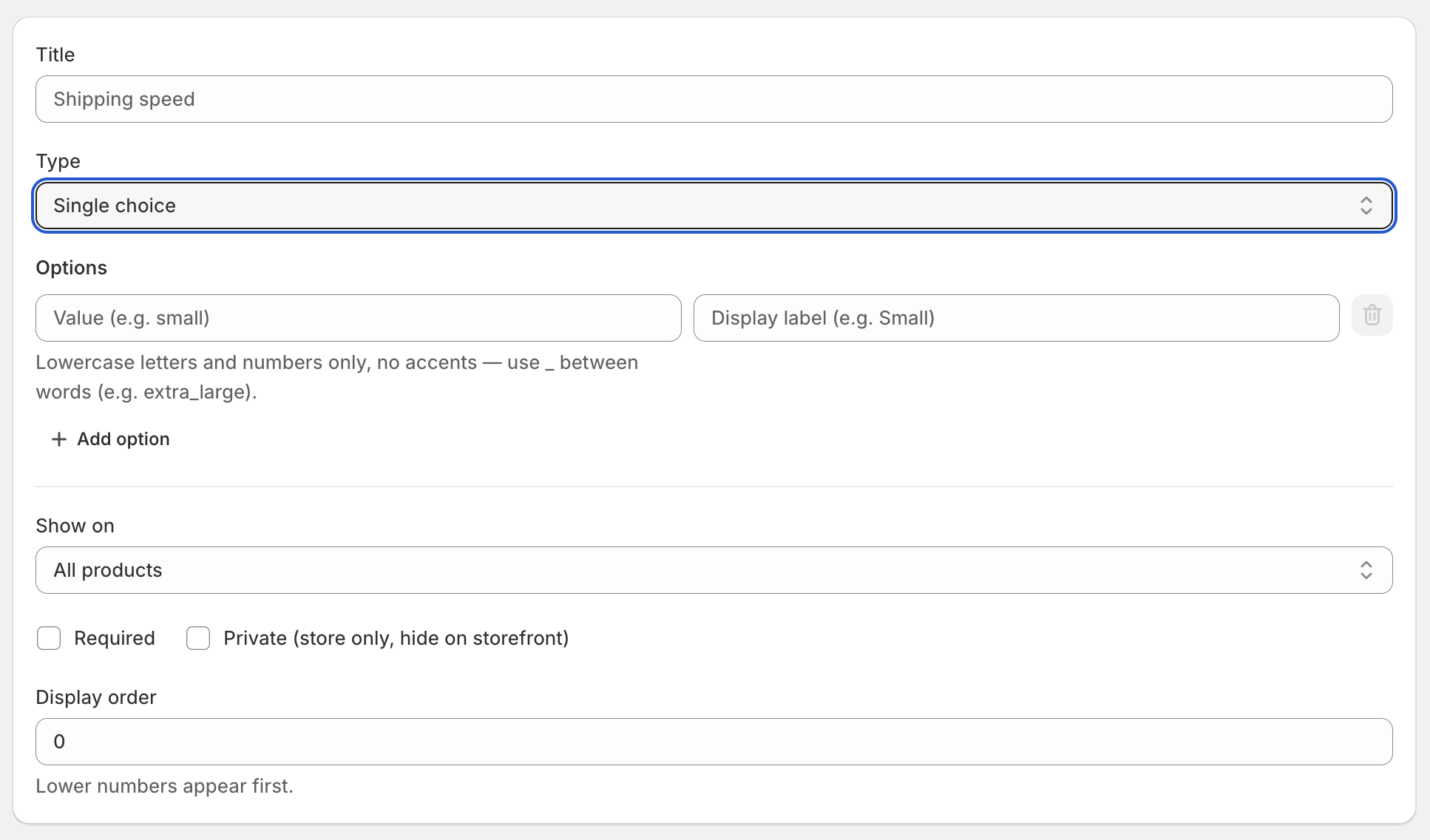
Label: Text shown to customers.
Value: Automatically generated in lowercase with underscores (for example: extra_large).
Click Save to apply your changes.
From the Review Attributes list page, you can:
Edit an attribute
Delete a single attribute
Delete selected attributes in bulk
Deleting a Review Attribute permanently removes all answers associated with it.
Need help?
Get in touch with our support team through live chat or email at [email protected]. We're here to help!