The Facebook Reviews Widget allows you to connect a Facebook Page to Ryviu, sync its reviews, and display them on your Shopify storefront.
View demo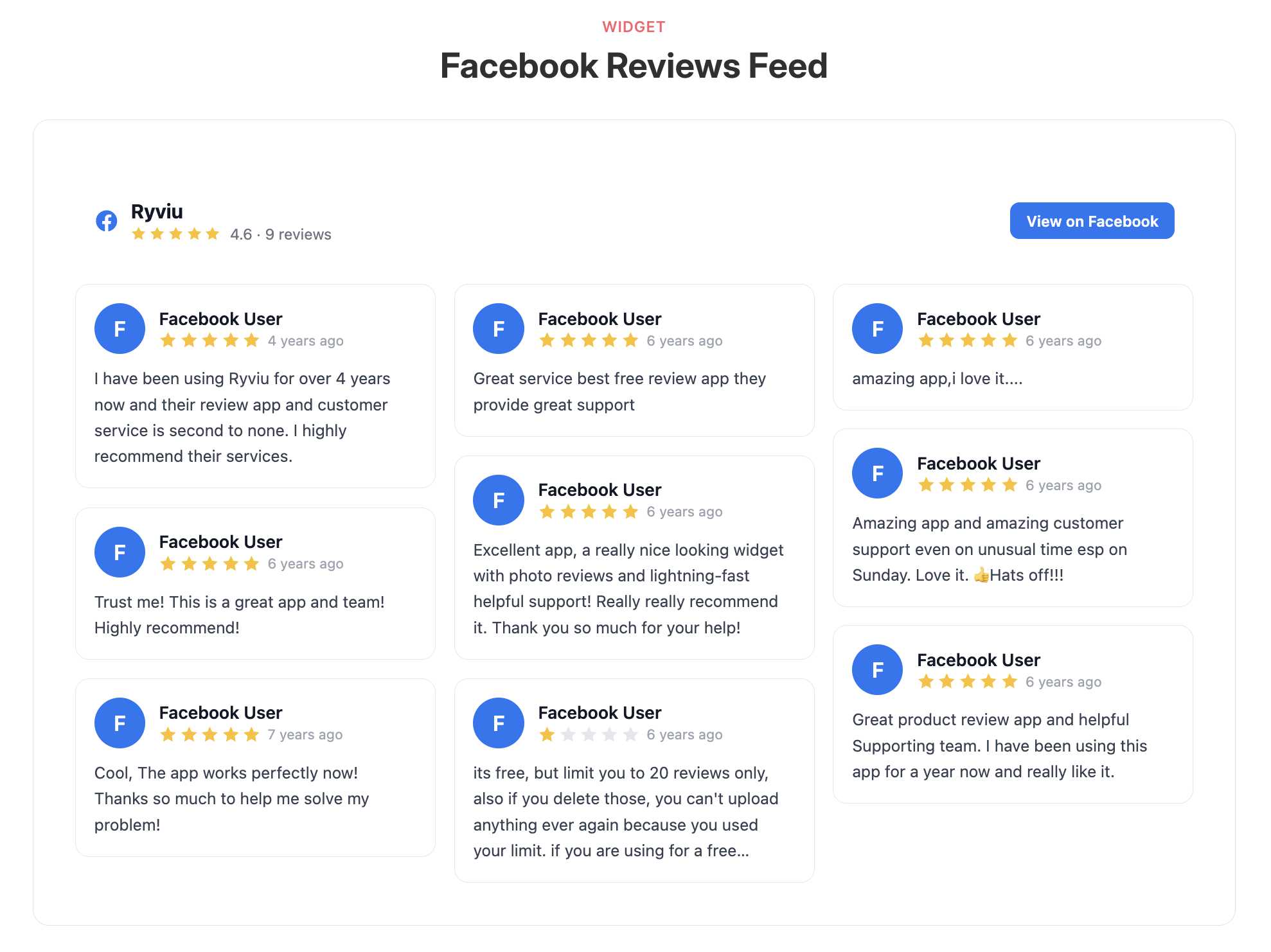
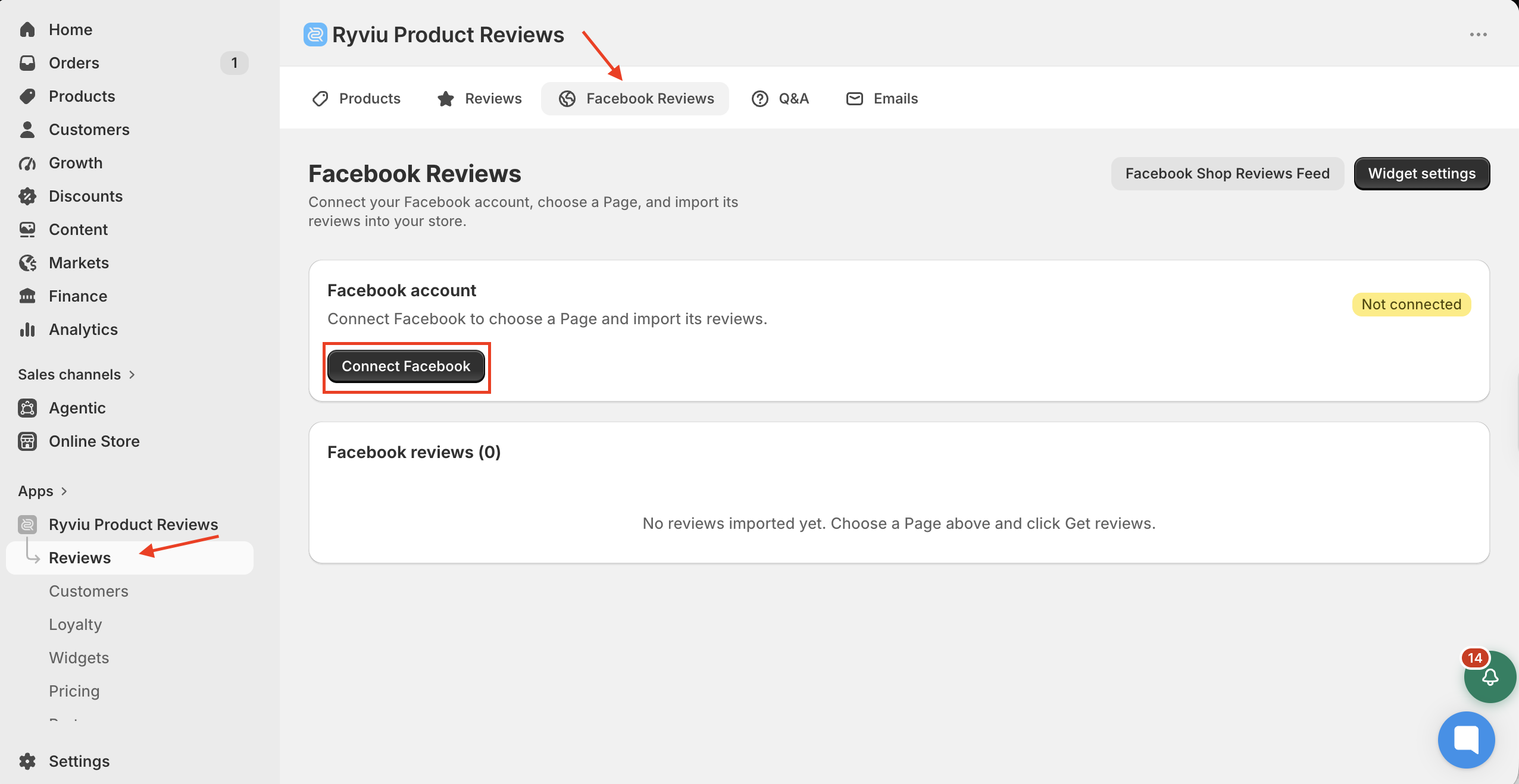
From your Ryviu dashboard, go to Reviews → Store & Social → Facebook Reviews.
Click Connect Facebook and log in to your Facebook account. Follow Facebook's instructions to grant the required permissions.
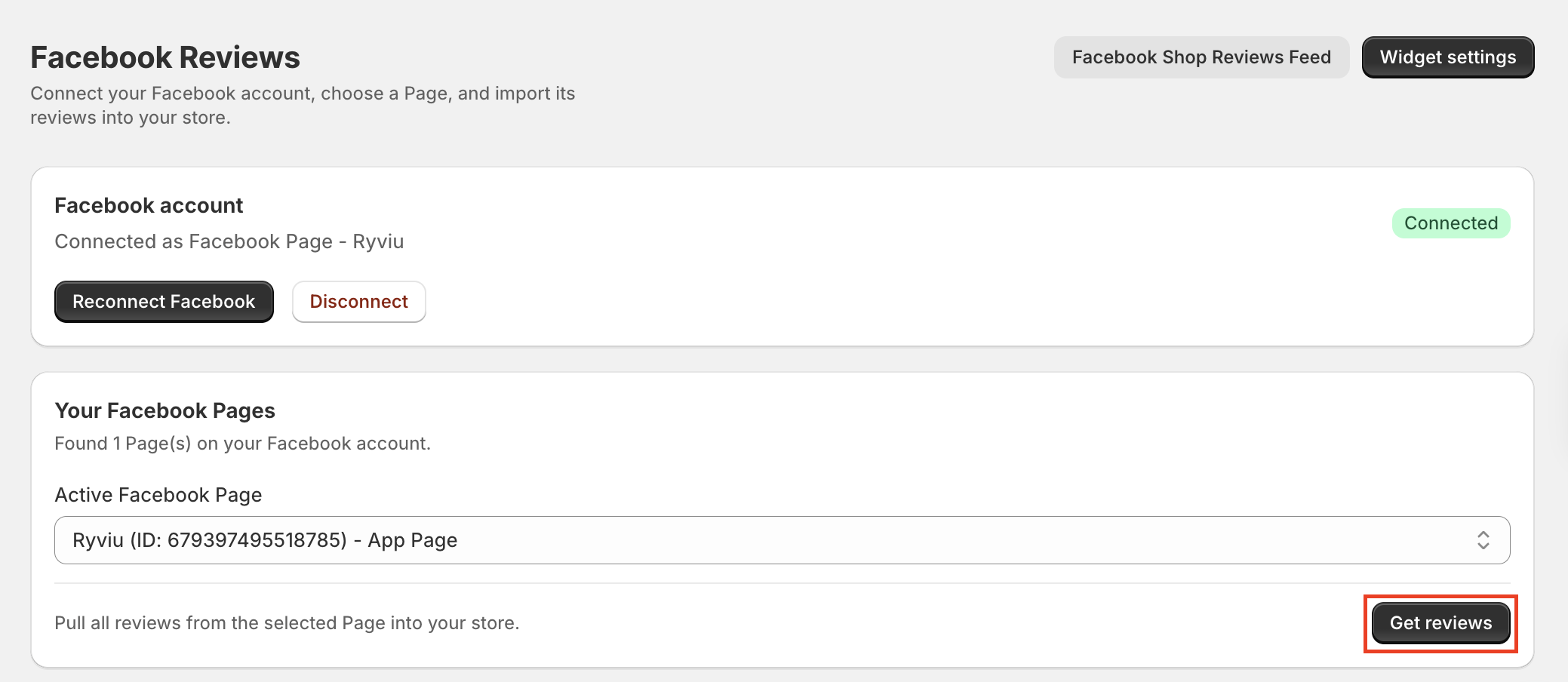
After connecting, select the Page you want to use from the Active Facebook Page dropdown, then click Get reviews to sync reviews from the selected Facebook Page.
Your Facebook reviews will appear in the table below, where you can show or hide reviews, delete individual reviews, or select multiple reviews for bulk actions.
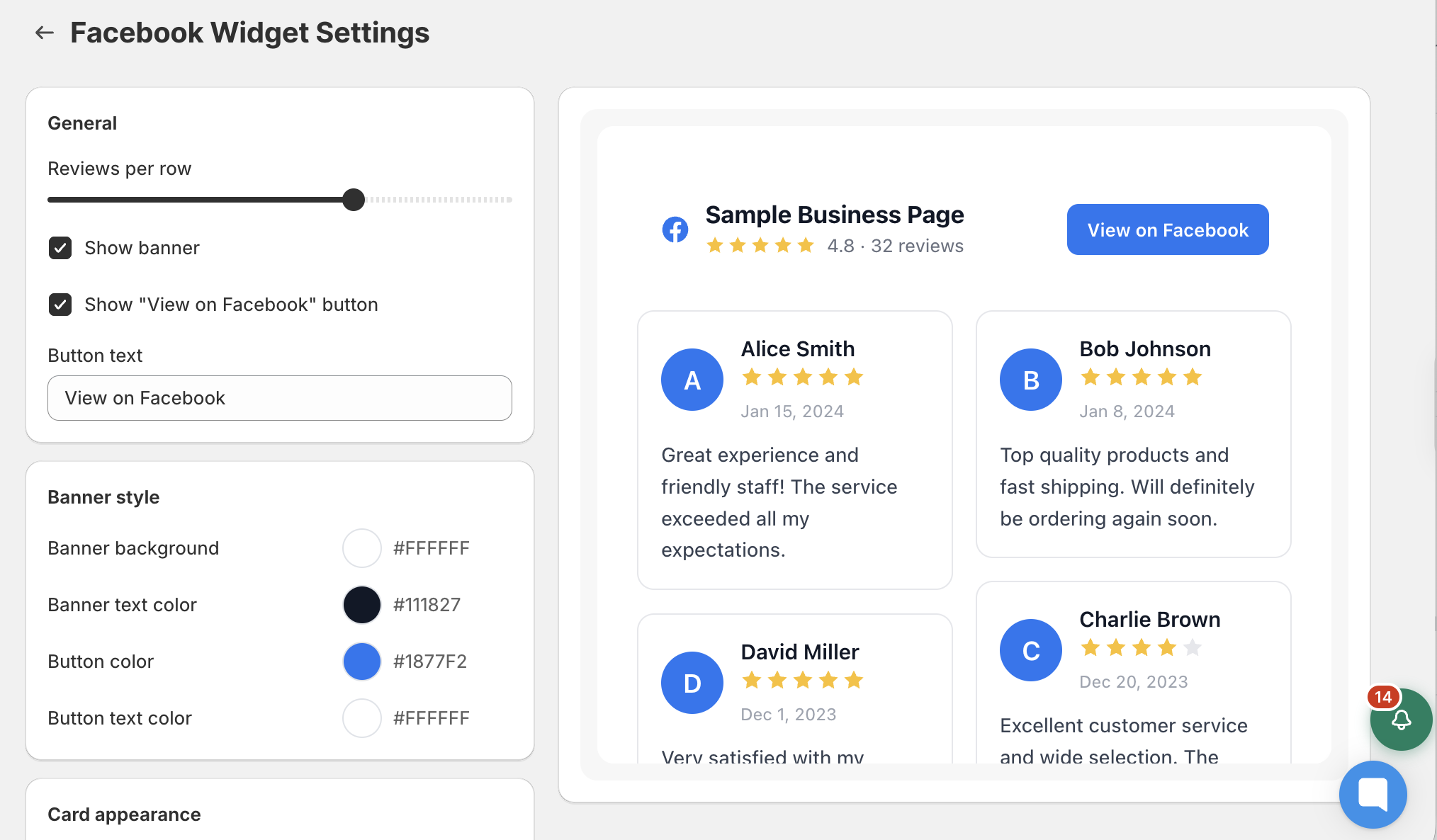
Click Widget settings to customize the widget's layout, banner, review cards, ratings, avatars, review text, and Facebook icon.
To display Facebook reviews on your storefront:
Go to Online Store, click Edit theme in your Shopify admin.
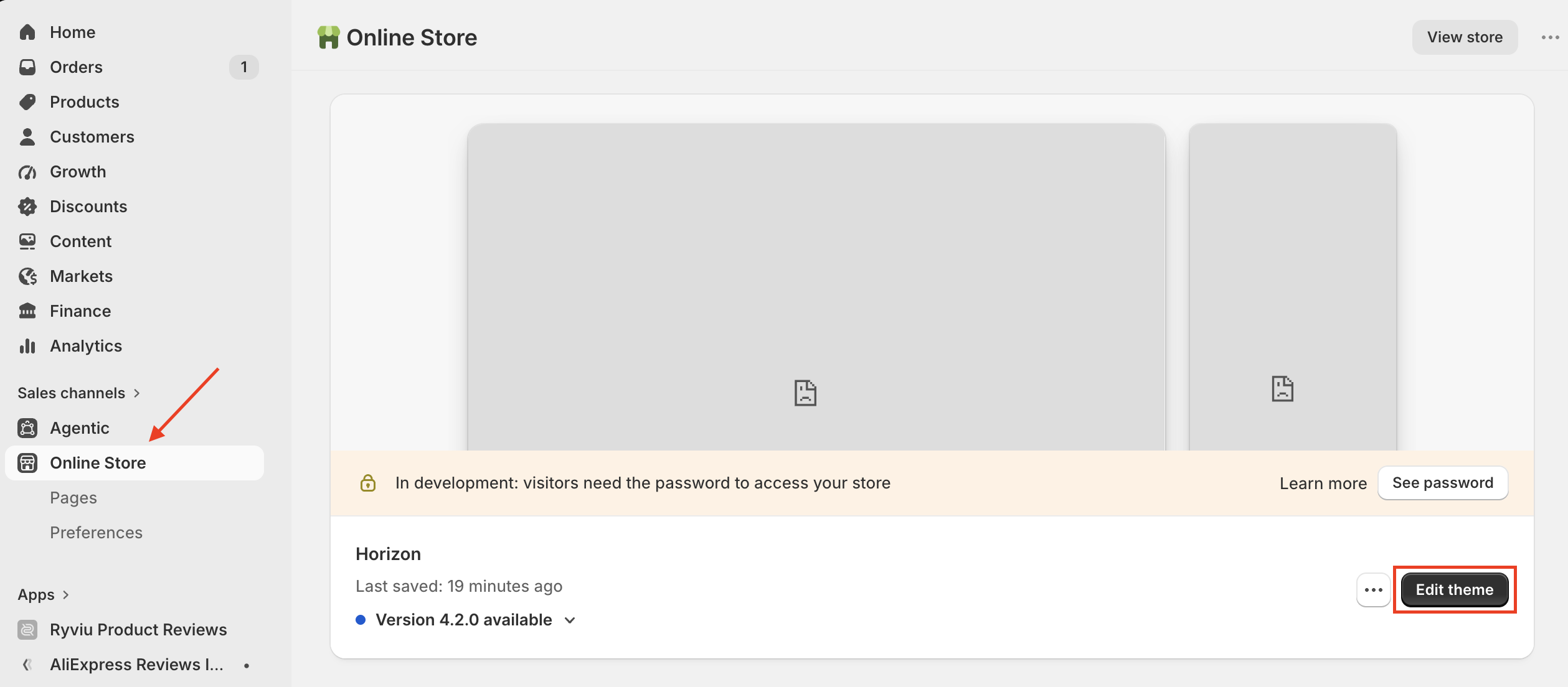
Open the page where you want to display the reviews.
Click Add section or Add block.
Select Facebook Reviews Widget.
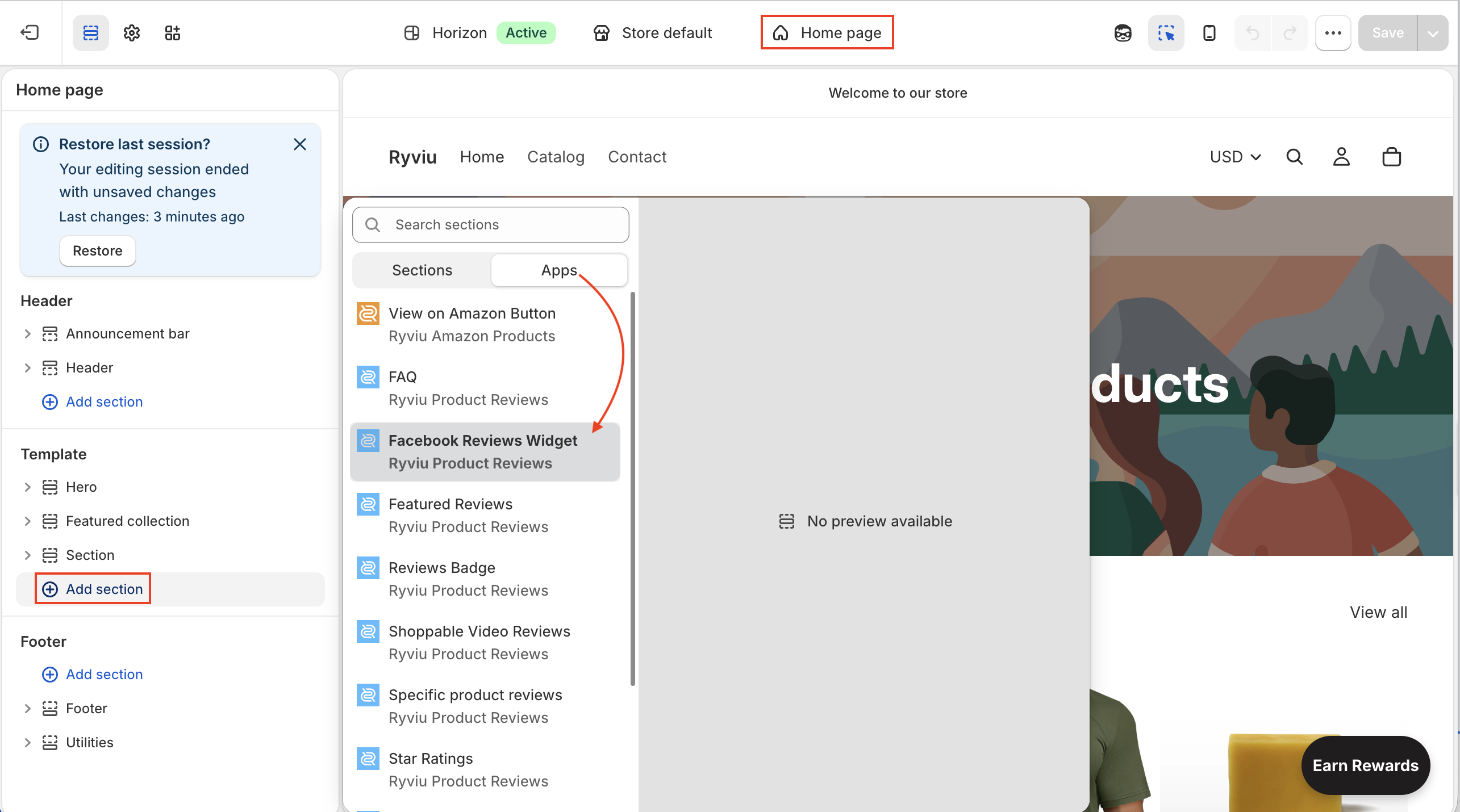
Configure its position on the page.
Click Save.
The Facebook Reviews Widget will now display the synced reviews on your storefront.
The Facebook Shop Reviews Feed allows you to provide your product ratings and reviews to Meta Commerce Manager, so they can be displayed on your Facebook and Instagram Shop.
To use the Facebook Shop Reviews Feed:
Go to Reviews → Facebook Reviews.
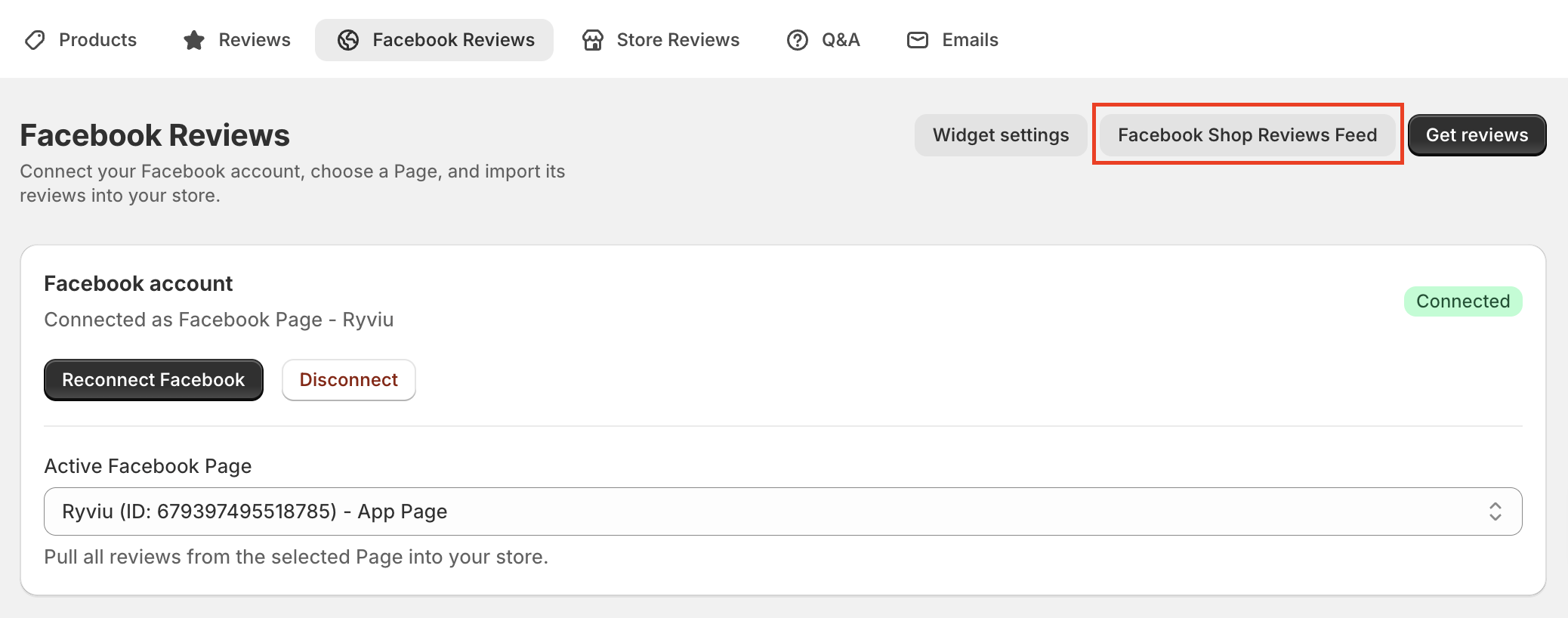
Click Facebook Shop Reviews Feed in the top-right corner.
Copy the Feed URL.
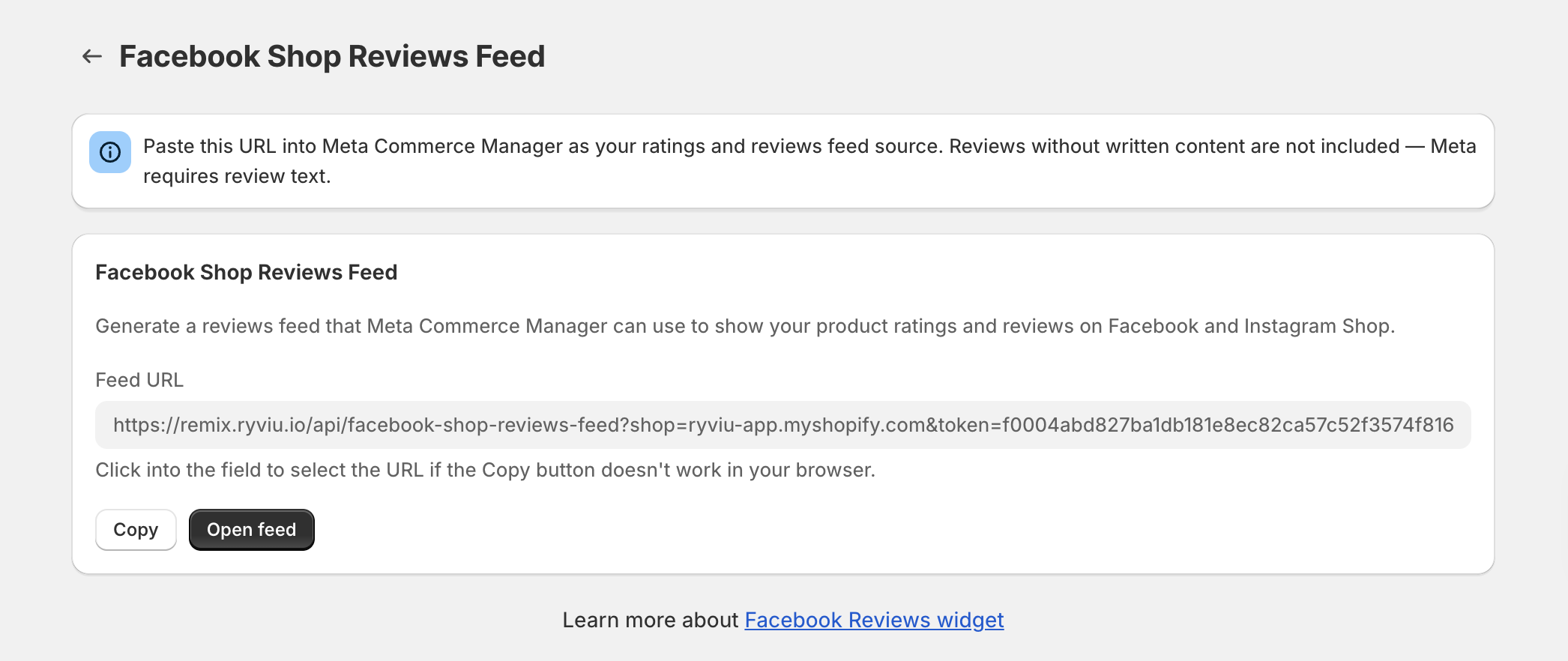
Paste the URL into Meta Commerce Manager as your ratings and reviews feed source.
Watch the video below to learn how to manage Facebook Reviews and use the Facebook Shop Reviews Feed.
Need help?
Get in touch with our support team through live chat or email at [email protected]. We're here to help!