The Store Reviews feature allows you to collect and display reviews about your store as a whole, rather than reviews linked to specific products. You can display Store Reviews on any page of your storefront, such as your homepage.
View demo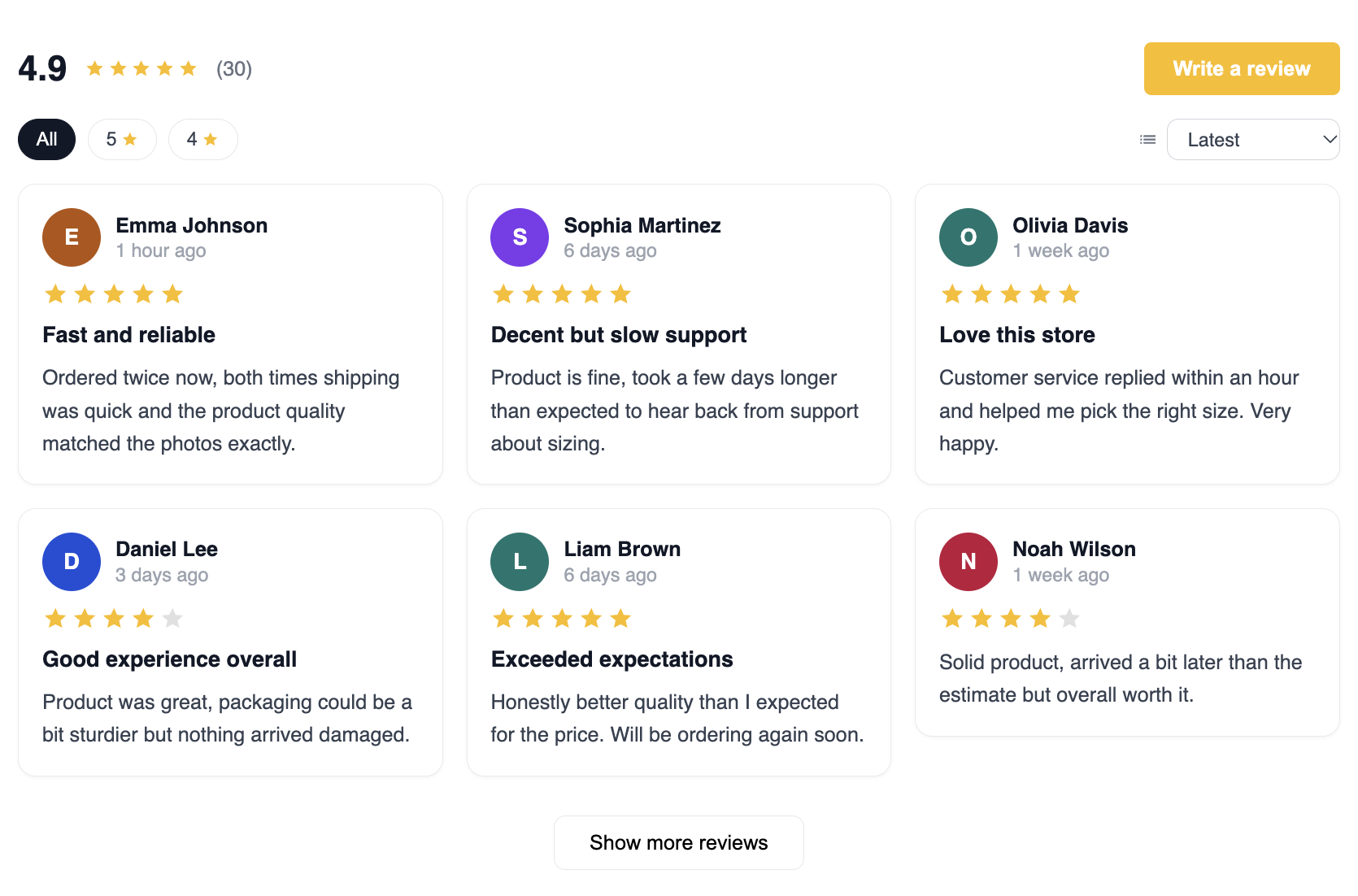
To display Store Reviews on your storefront:
Go to Online Store and click Edit theme in your Shopify admin.
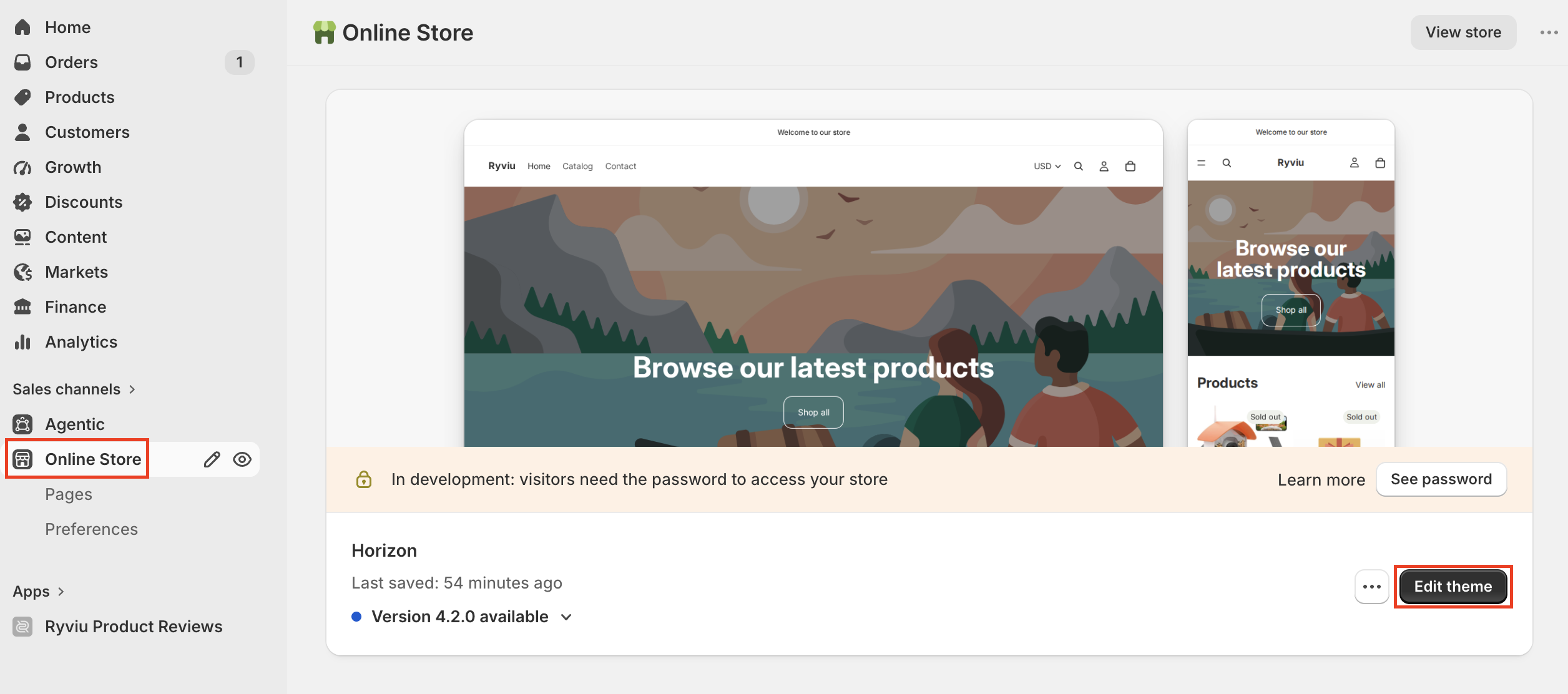
Open the page where you want to display the reviews.
Click Add section.
Select Store Reviews Widget.
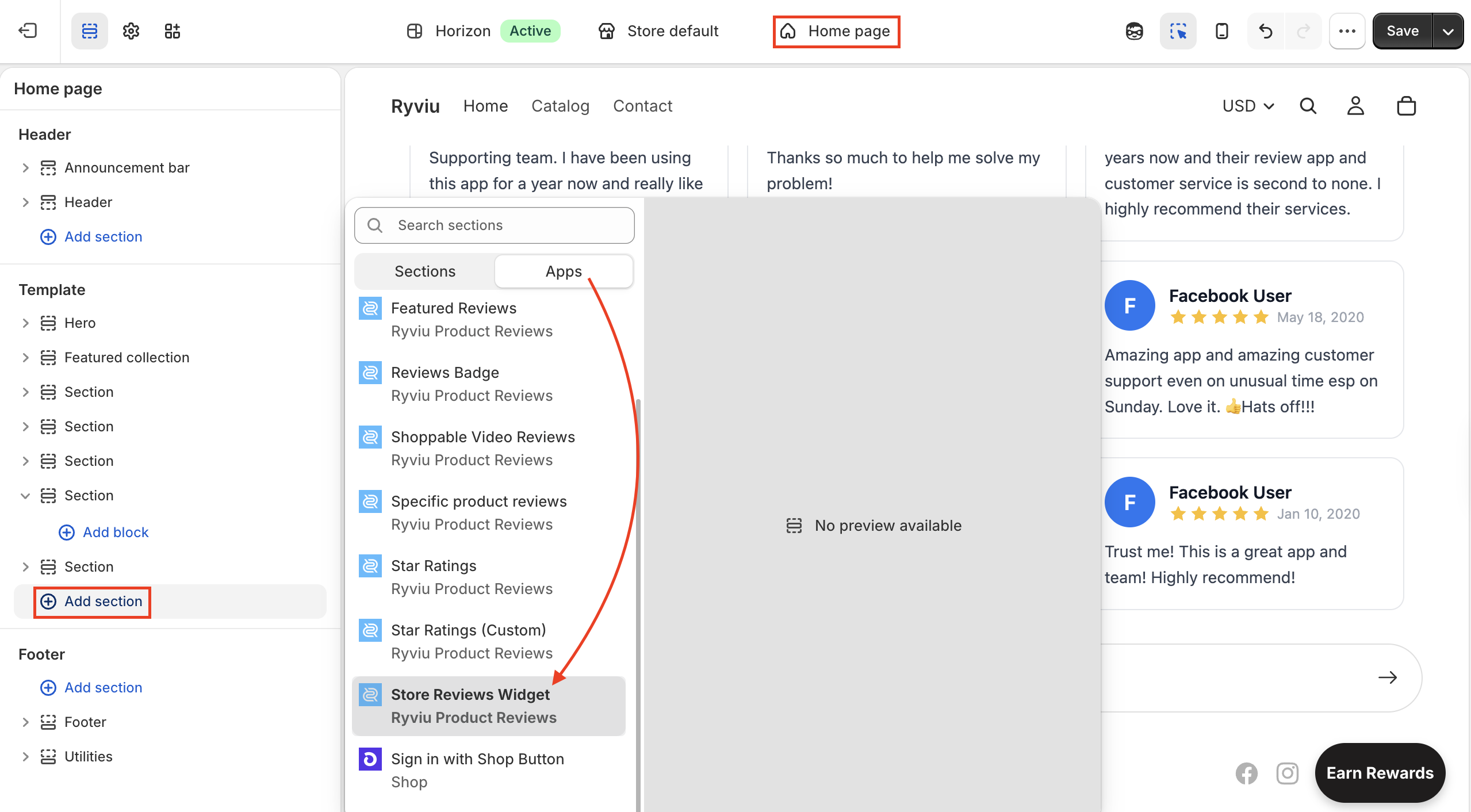
Configure the widget’s position on the page.
Click Save.
From your Ryviu dashboard, go to Reviews → Store & Social → Store Reviews.
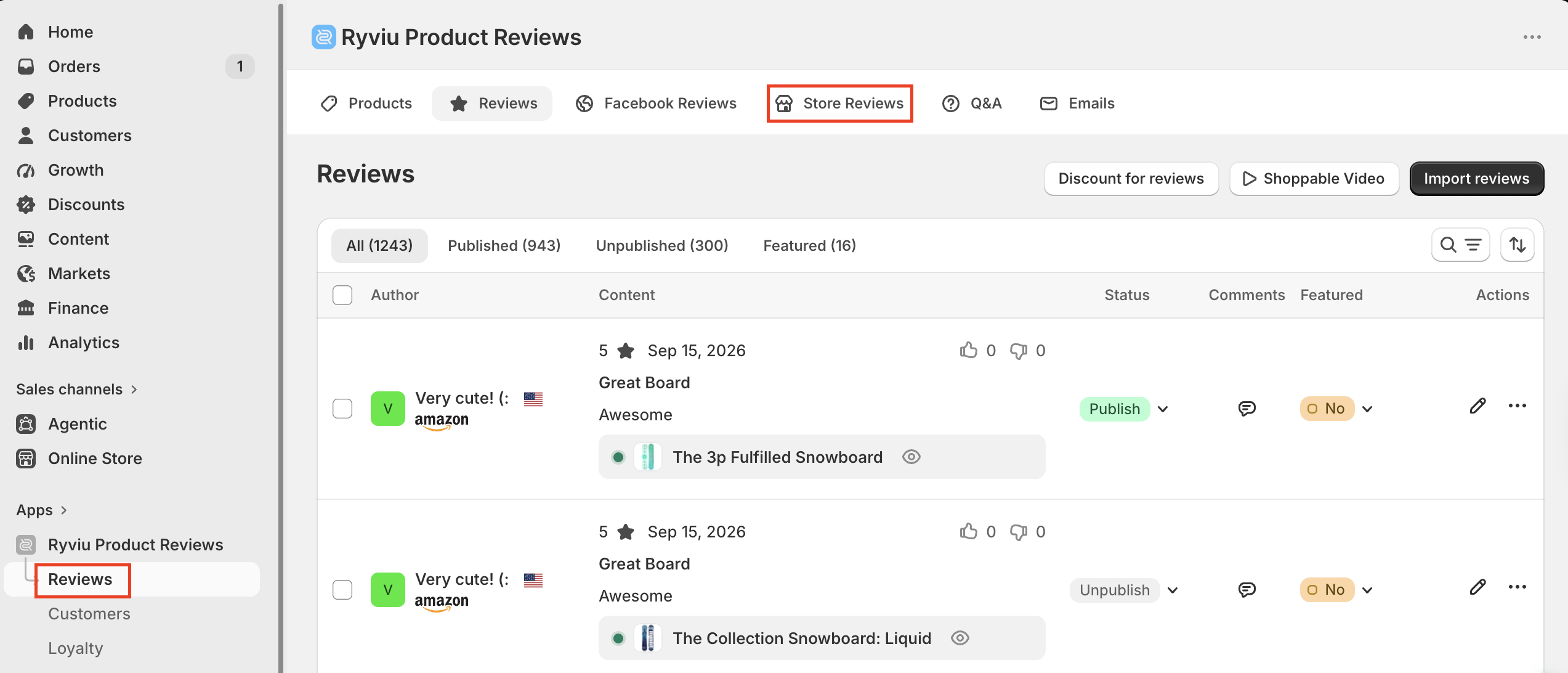
You can:
Show or hide reviews.
Delete individual reviews.
Select multiple reviews and perform bulk actions.
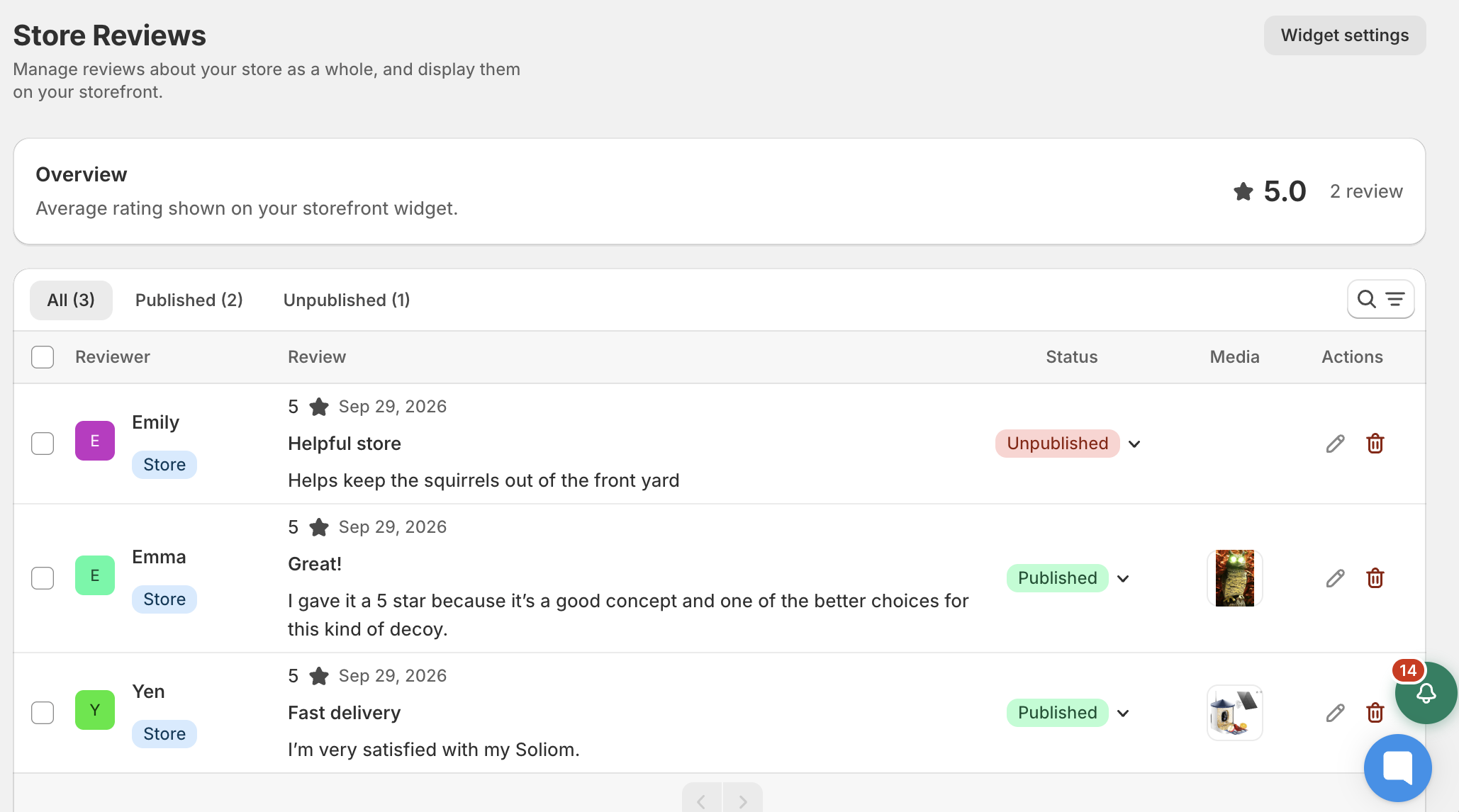
Click Widget settings in the top-right corner of the Store Reviews page. Alternatively, go to Widgets → Reviews Widgets and click Customize on the Store Reviews widget.
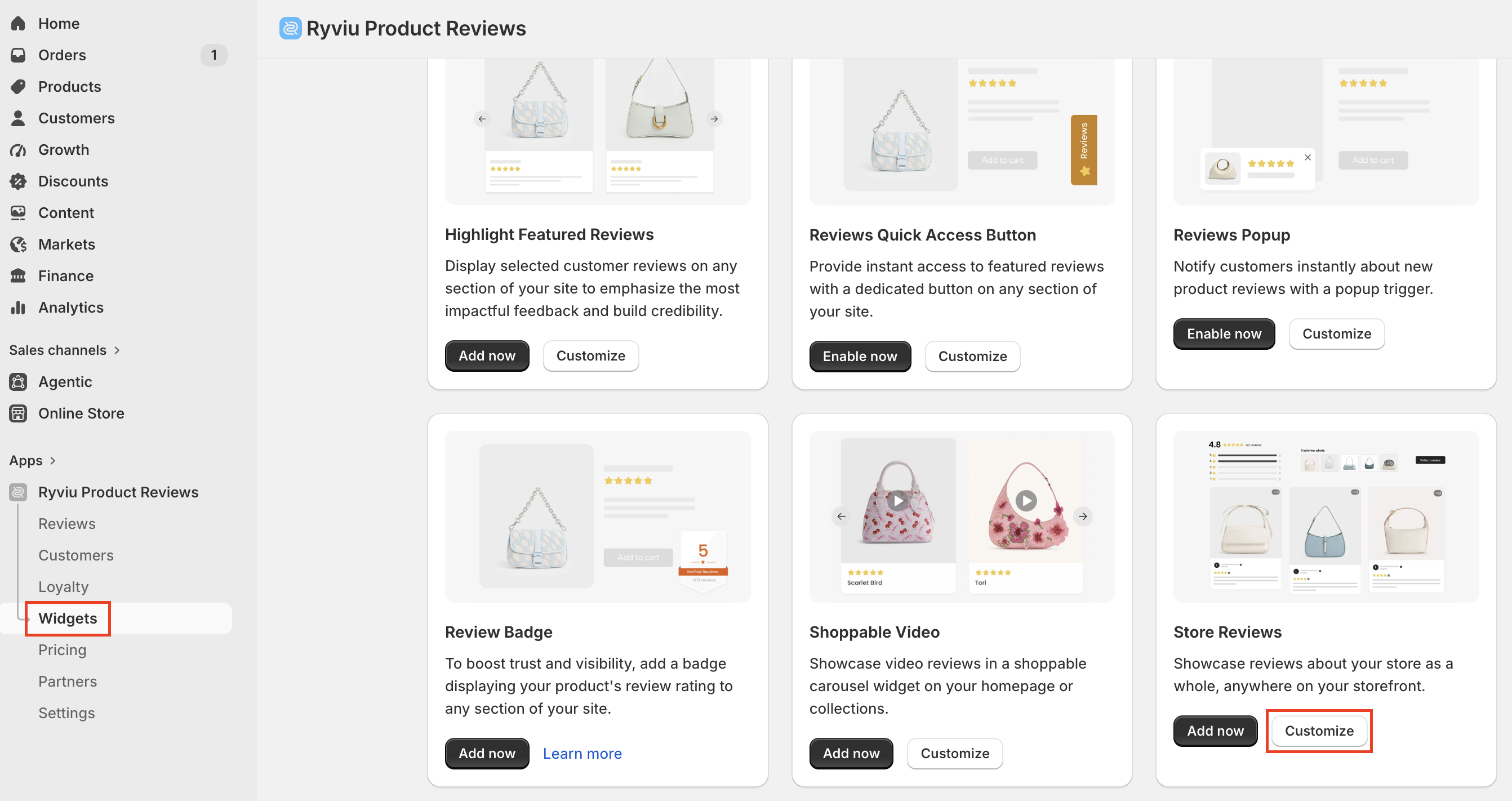
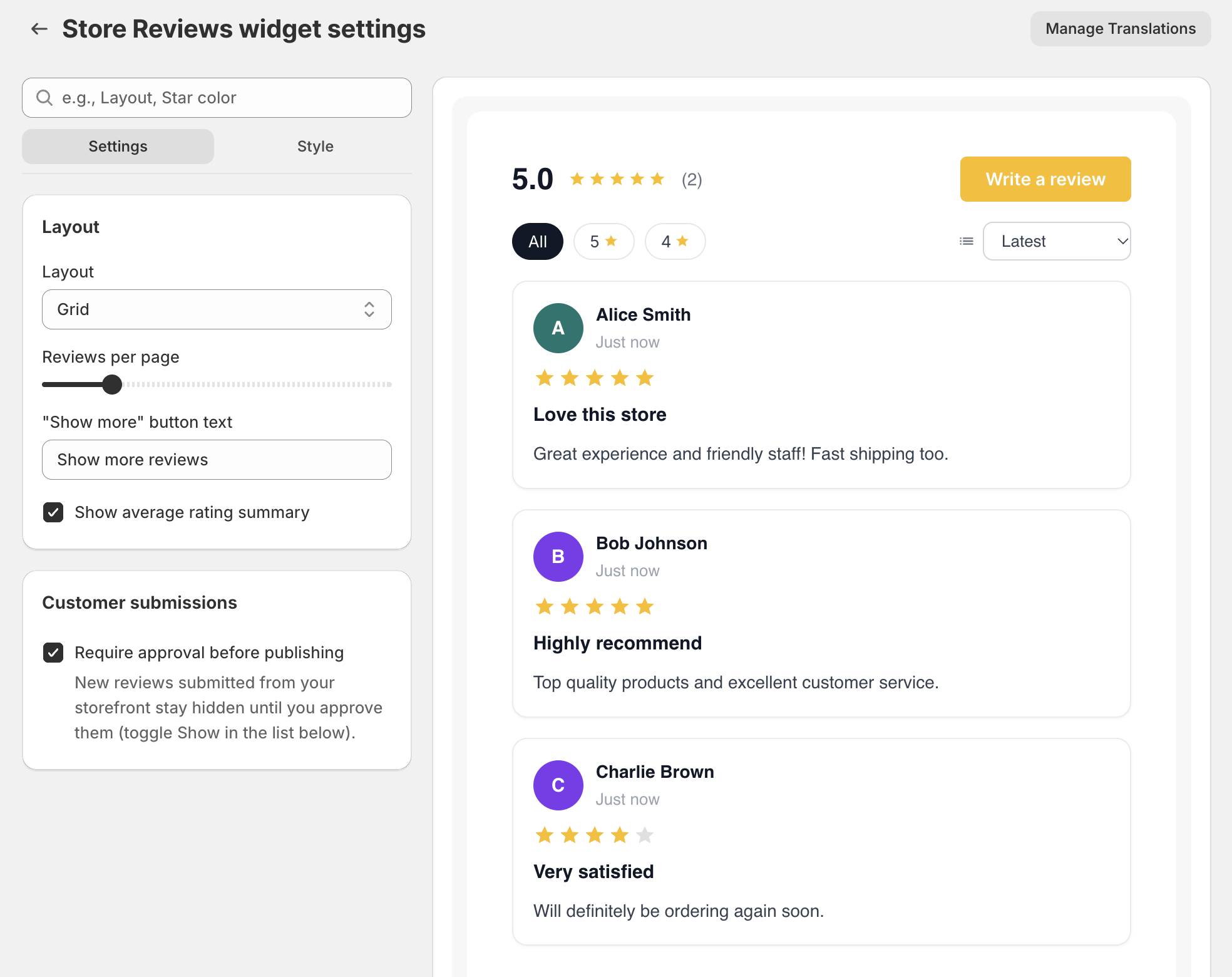
The settings are organized into two tabs:
Settings: Configure the widget layout and review display options.
Style: Customize the appearance of review cards, ratings, and other visual elements.
You can preview your changes in real time using the preview panel on the right.
Watch the video below to learn how to add and customize the Store Reviews widget with Ryviu Version 2.0
Need help?
Get in touch with our support team through live chat or email at [email protected]. We're here to help!