The Google Place Reviews feature allows you to import reviews from your Google Business Profile into Ryviu and display them on your Shopify storefront using the Google Reviews Widget.
View demo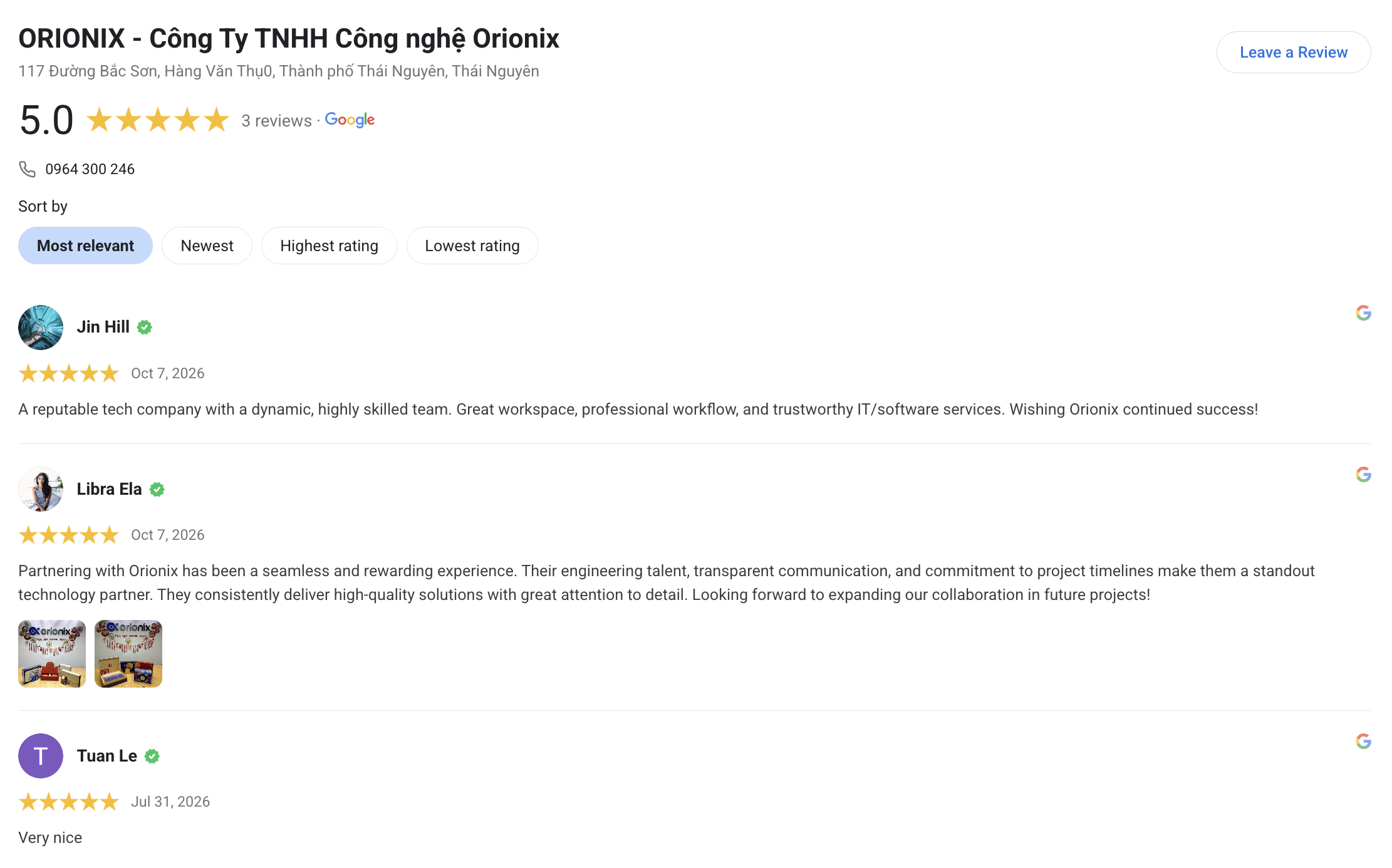
Follow the steps below to connect your Google Business Profile, manage your reviews, and display them on your store.
From your Ryviu dashboard, go to Reviews → Store & Social → Google Place Reviews.
Click Connect Google Business Account.
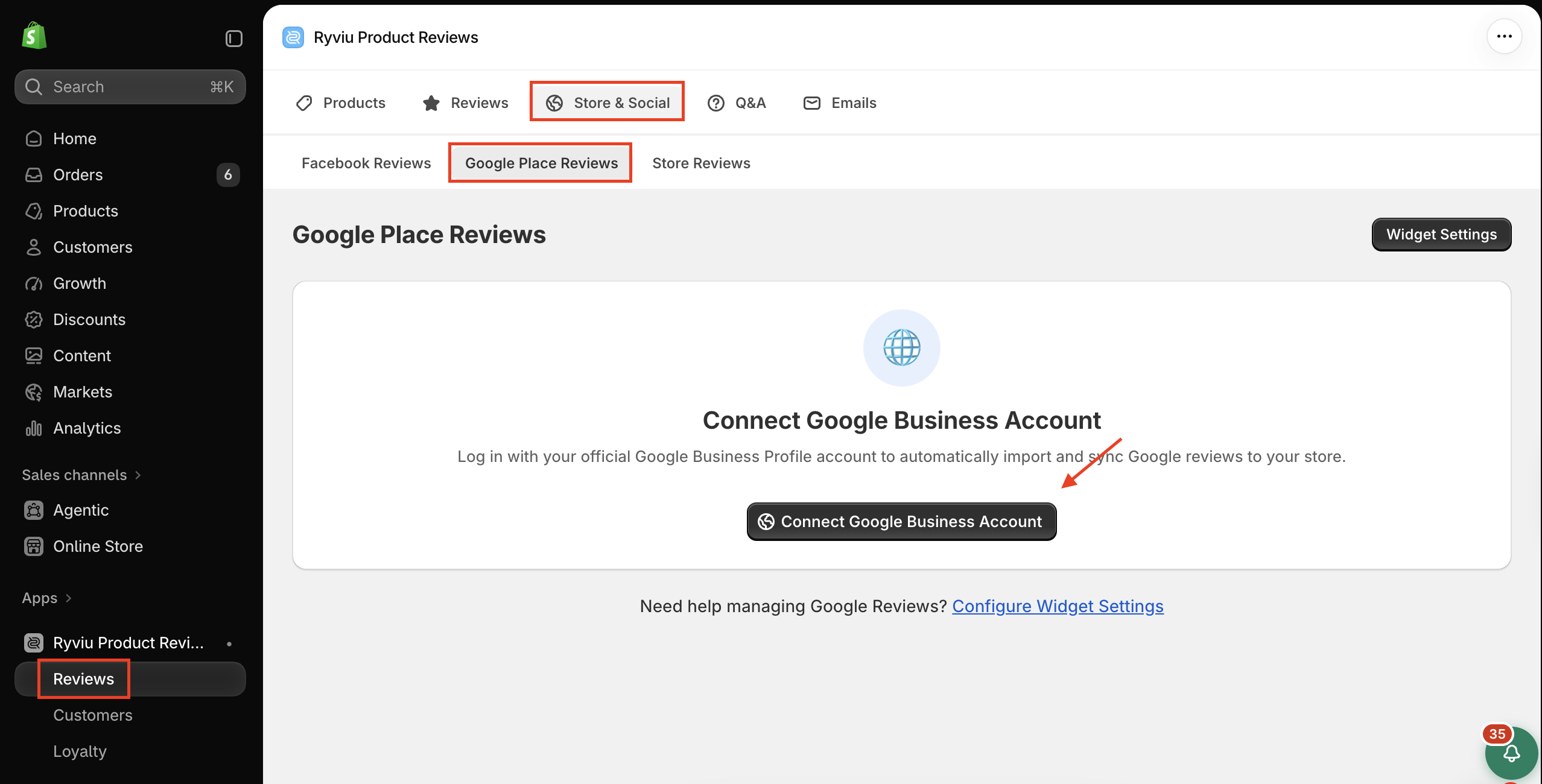
Sign in to the Google account that manages your verified Google Business Profile.
Follow the on-screen instructions to authorize the connection.
Sync your Google reviews.
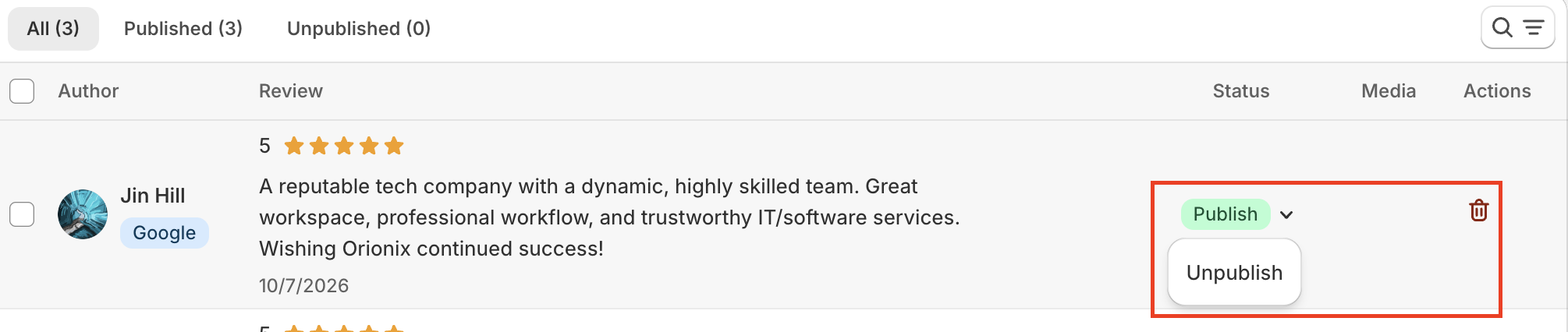
Once synced, you can publish, unpublish, or delete reviews as needed.
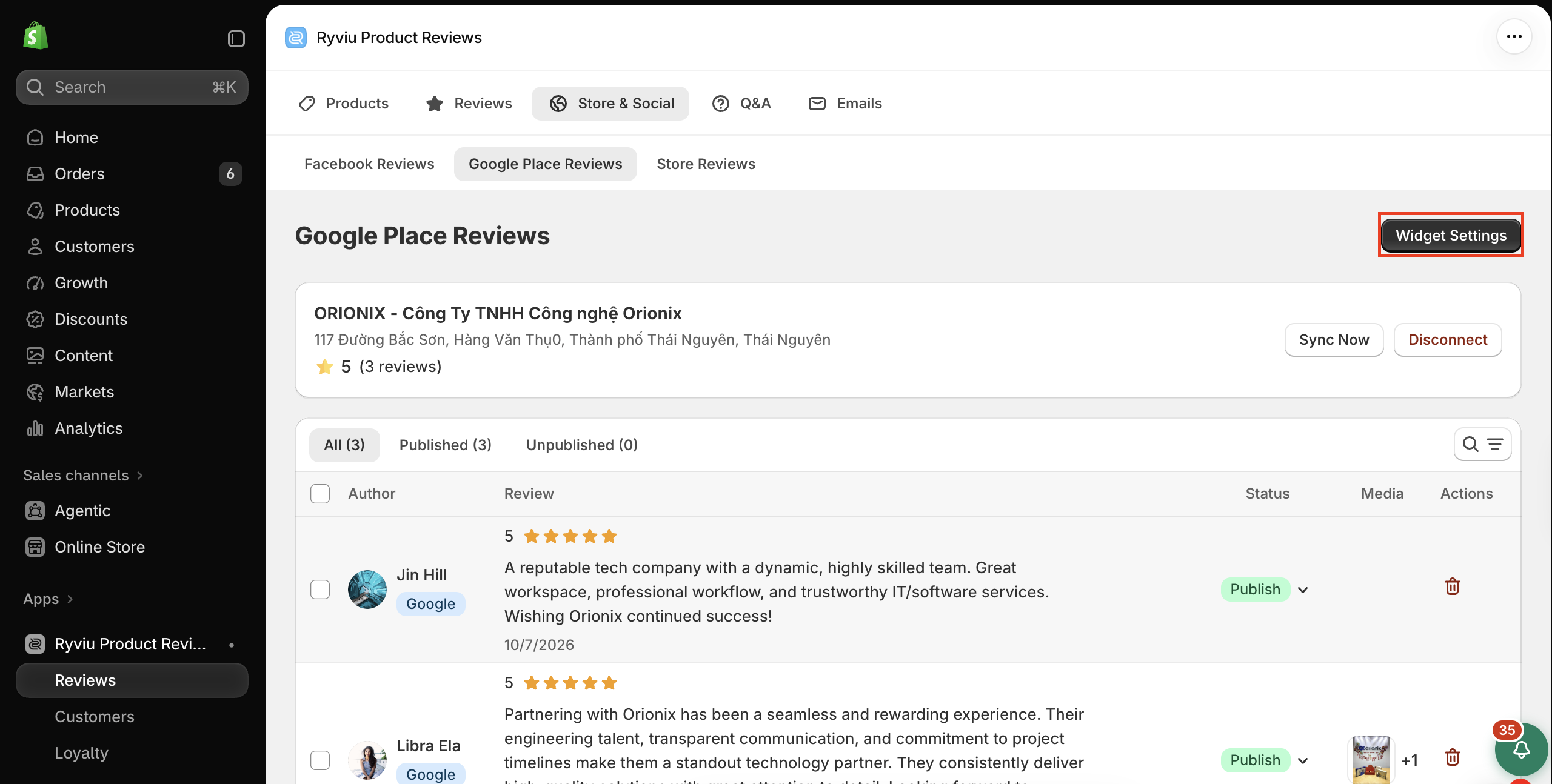
From your Ryviu dashboard, go to Store & Social → Google Place Reviews.
Click Widget Settings.
Customize the widget using the available options under Settings, Style, and Language.
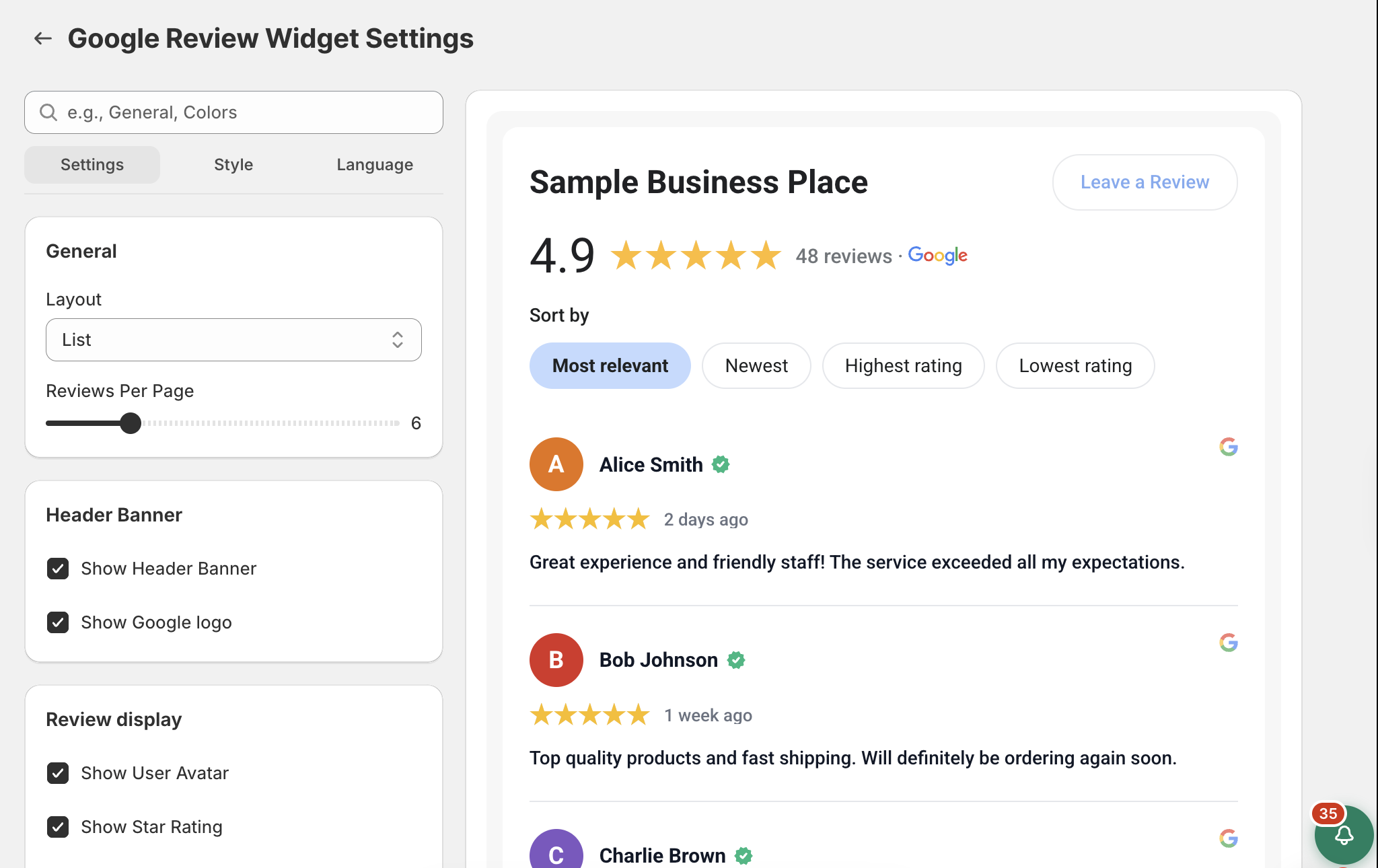
Click Save.
From your Shopify admin, go to Online Store, find the theme you want to edit and click Edit theme.
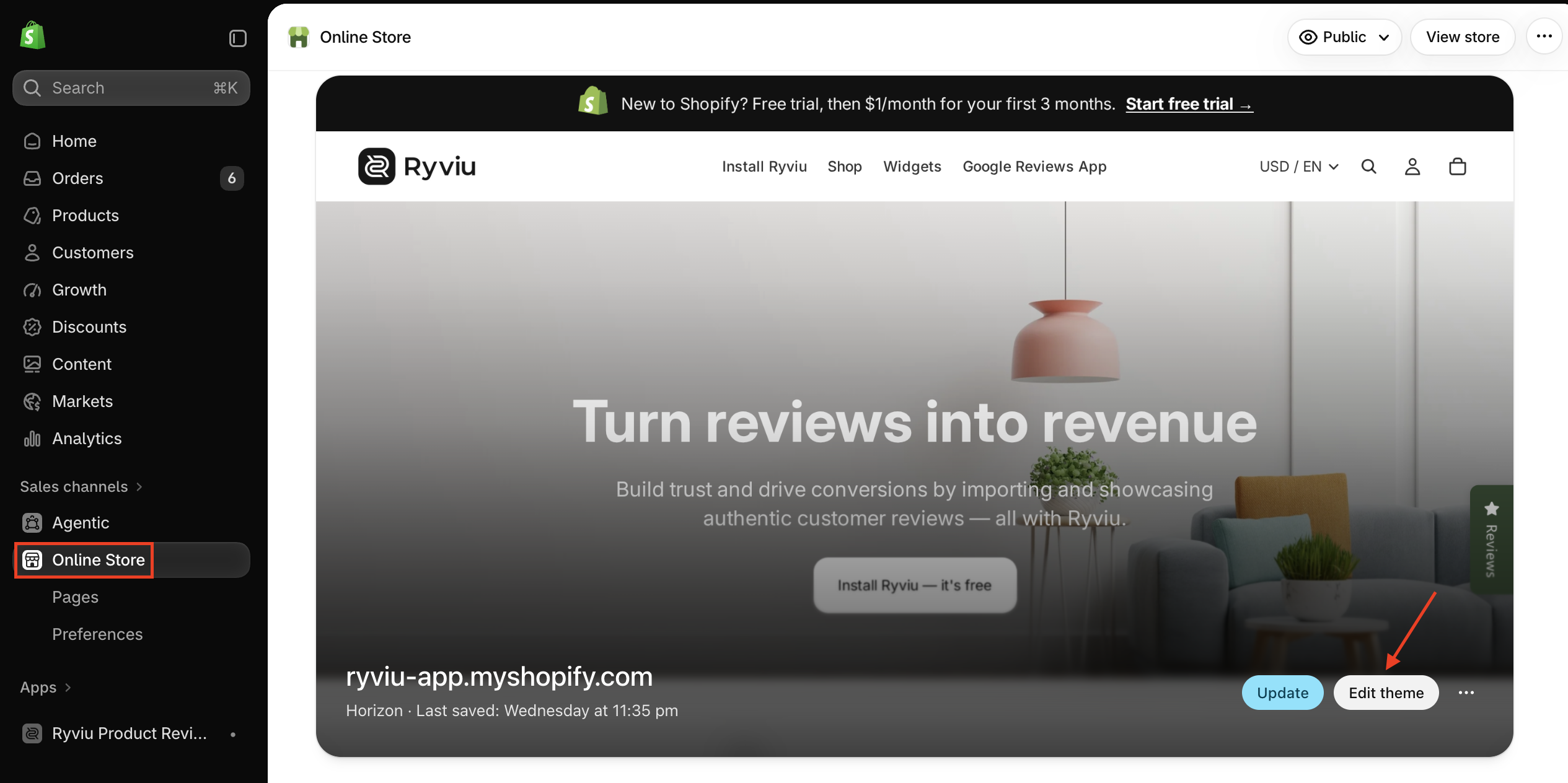
Select the page where you want to display Google reviews, such as your homepage.
Click Add section or Add block, depending on the available placement.
Open the Apps tab and select Google Reviews Widget under Ryviu Product Reviews.
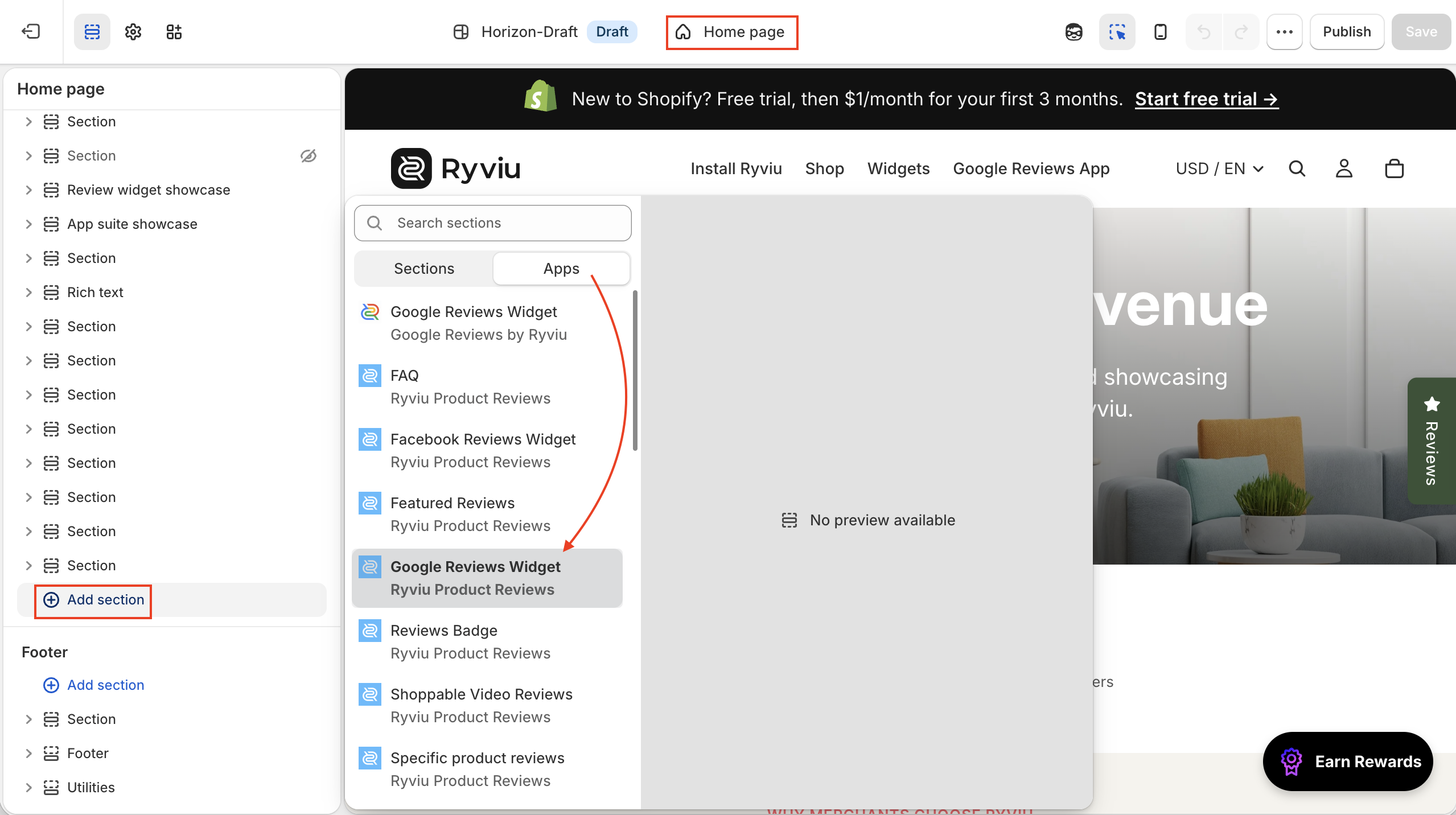
Adjust the widget's position if needed.
Click Save.
Visit your storefront to check that the Google Reviews Widget displays correctly.
Need help?
Get in touch with our support team through live chat or email at [email protected]. We're here to help!