The Pin to Top feature lets you choose up to 10 published reviews per product to display at the top of its product review widget, helping shoppers see important customer feedback first.

You can pin a review either from the product review list or from the review detail page by following these steps:
From your Ryviu dashboard, go to Reviews → Products and open the specific product whose review you want to pin.
Find the review you want to highlight, then choose one of the following methods:
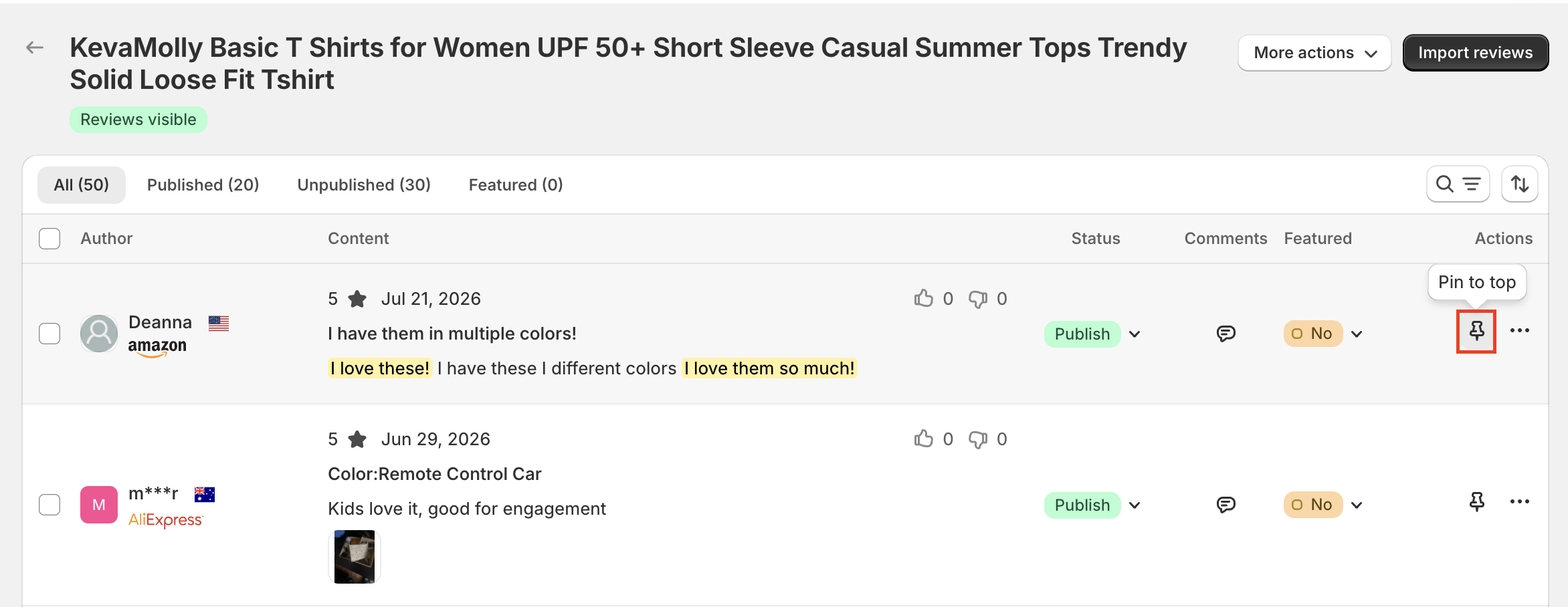
From the review list: Click the pin icon in the Actions column located right next to the three-dot menu.
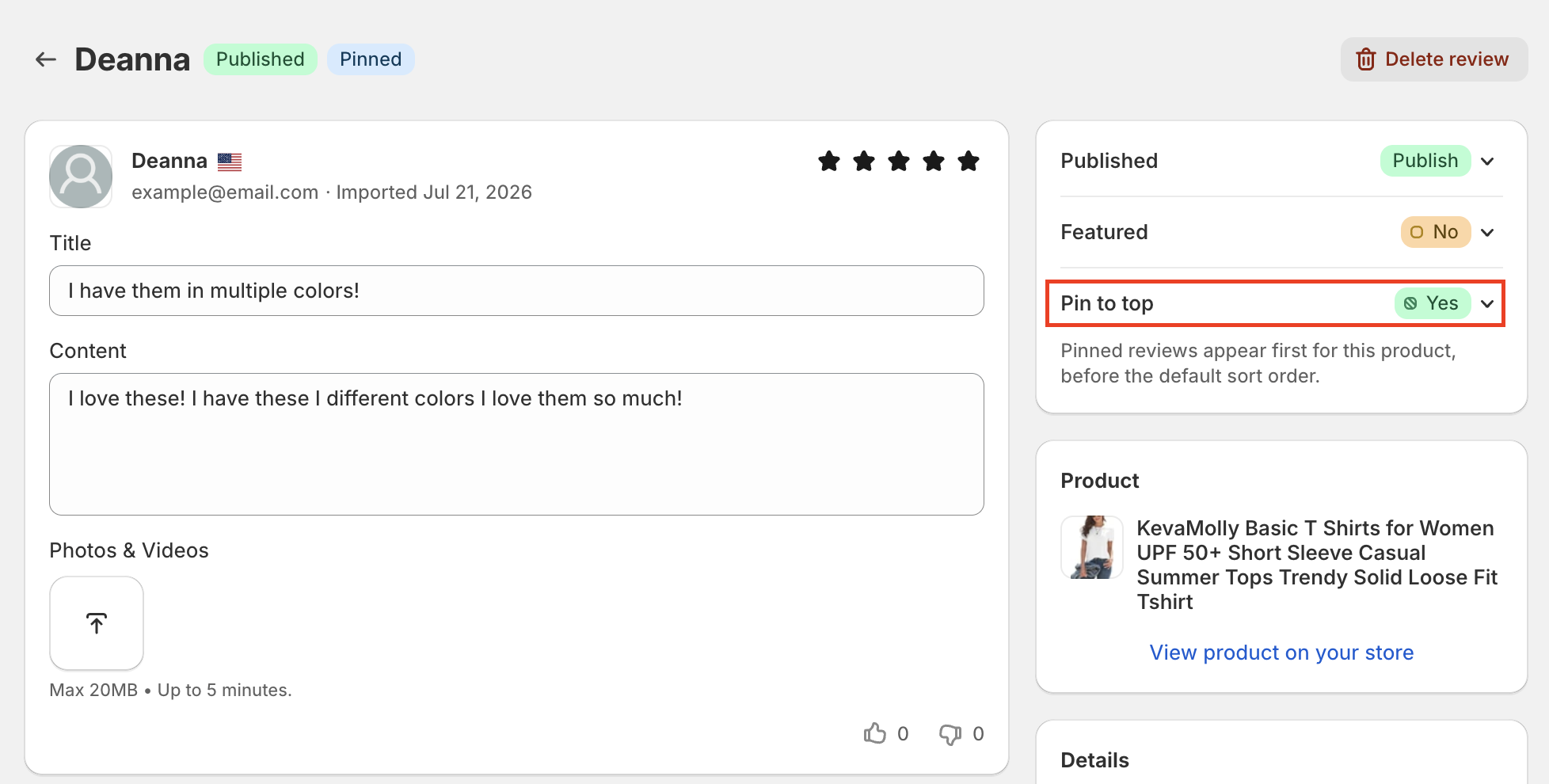
From the review detail page: Open the review, then switch Pin to top to Yes.
Once pinned, the review will instantly appear at the top of the review list in your dashboard and on your storefront's product review widget.
If you want to remove a review from the top position, you can easily unpin it using either method:
From the product review list: Click the highlighted pin icon again.
From the review detail page: Change the Pin to top toggle back to No.
The review will then return to its normal position based on your widget's standard sorting settings.
Keep these key details in mind when managing your pinned reviews:
Product Limit: You can pin up to 10 published reviews per product. Unpublished reviews that were previously pinned will still count toward this limit until you unpin them.
Widget Scope: Pinned reviews apply exclusively to that specific product's review widget and do not affect the store-wide Featured Reviews widget.
Sorting & Filters: When customers change sorting options, reviews will follow the selected order. Rating and media filters will also apply normally to pinned reviews.
Display Frequency: Pinned reviews will appear only once, on the first page of the widget.
Syncing Time: Please note that changes may take a short moment to reflect on your live storefront.
Need help?
Get in touch with our support team through live chat or email at [email protected]. We're here to help!