company logo

Help Center

Go to Ryviu
HomePricingDashboardShopify AppWoocommerce Plugin
All collectionsRyviu DashboardSetting sectionsTranslate widget

Translate widget

Learn how to quickly edit and translate text across Ryviu widgets using the centralized Widget Translation page.

Dan DยทNovember 3, 2026
info icon
This page is ideal if you only need to edit or translate widget text. If you want to customize the widget's layout, colors, or other display settings, go to Widgets โ†’ Customize for the corresponding widget.

Ryviu allows you to edit and translate widget text from one place, without opening each widget's customization settings individually.

To access this feature, go to Widgets in your Ryviu dashboard and click Translate Widget in the top-right corner.
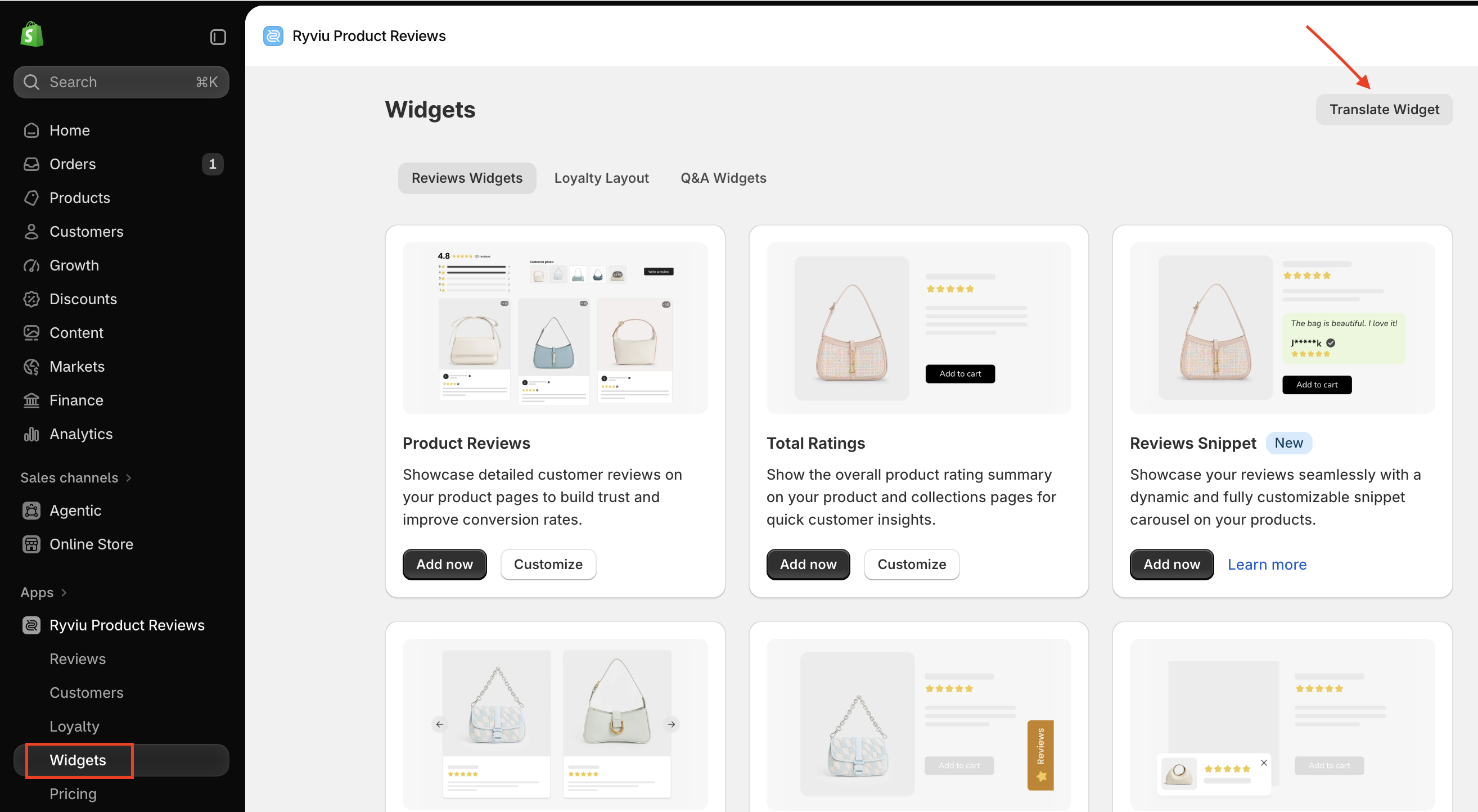
The Ryviu Product Reviews Widgets screen shows review widget cards; a red arrow points to Translate Widget, and Widgets is selected in the sidebar. Visible: Ryviu Product Reviews, Widgets, Translate Widget, Reviews Widgets, Loyalty Layout, Q&A Widgets.

Then, select a widget and language to edit its text. Once you've finished editing, click Save to apply your changes.
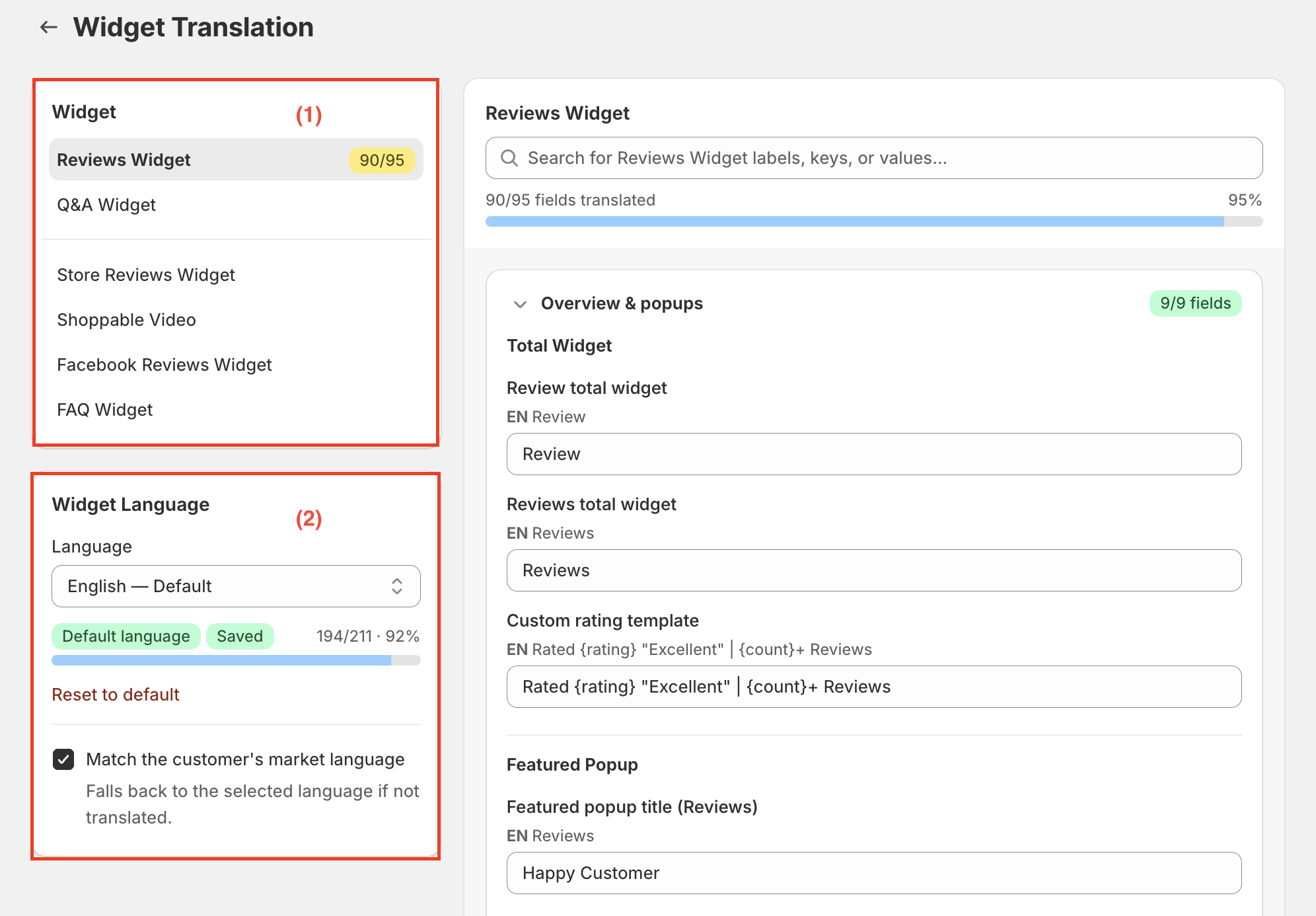
The Widget Translation screen shows Reviews Widget translation fields, with red boxes marking the widget selector (1) and widget language settings (2). Visible: Widget Translation, Widget, Reviews Widget, Q&A Widget, Store Reviews Widget, Shoppable Video.

How to translate and edit widget text

1. Select a widget

On the Widget Translation page, you can select the widget you want to translate from the left panel, including:

  • Reviews Widget

  • Q&A Widget

  • Store Reviews Widget

  • Shoppable Video

  • Facebook Reviews Widget

  • FAQ Widget

Select a widget to view and edit its text.

2. Customize widget language

Under Widget Language, choose the language you want to edit or translate.

You can also:

  • Default language: Select the default language and its translation progress.

  • Reset to default: Restore the default translations.

  • Match the customer's market language: Enable automatic translations that match the customer's market language for the widget text. If a translation is unavailable, the widget falls back to the selected language.


Need help?

Get in touch with our support team through live chat or email at [email protected]. We're here to help!

Did this answer your question?
๐Ÿ˜ž
๐Ÿ˜
๐Ÿ˜