With Ryviu, you can easily transfer reviews from one product to another in seconds without using a CSV file. Follow the tutorial below to learn how.

In the Ryviu dashboard, go to the sidebar menu.
Click on the Products Manager dashboard to view all your products.
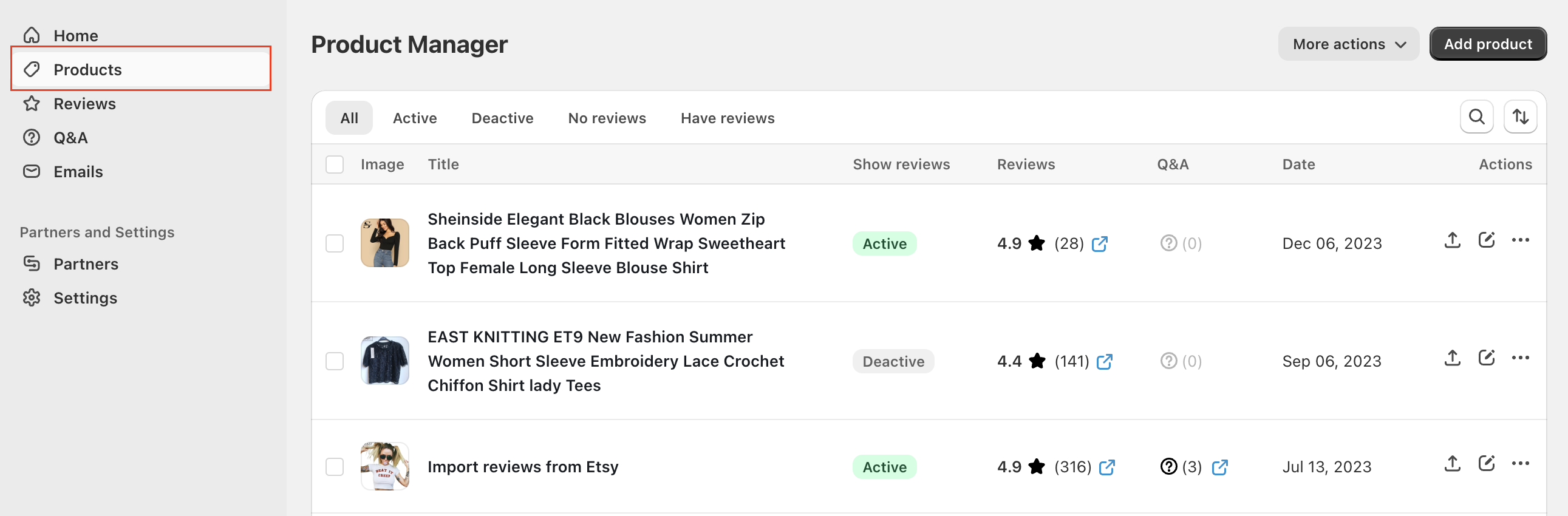
In the Product Manager list, find the product from which you want to copy reviews.
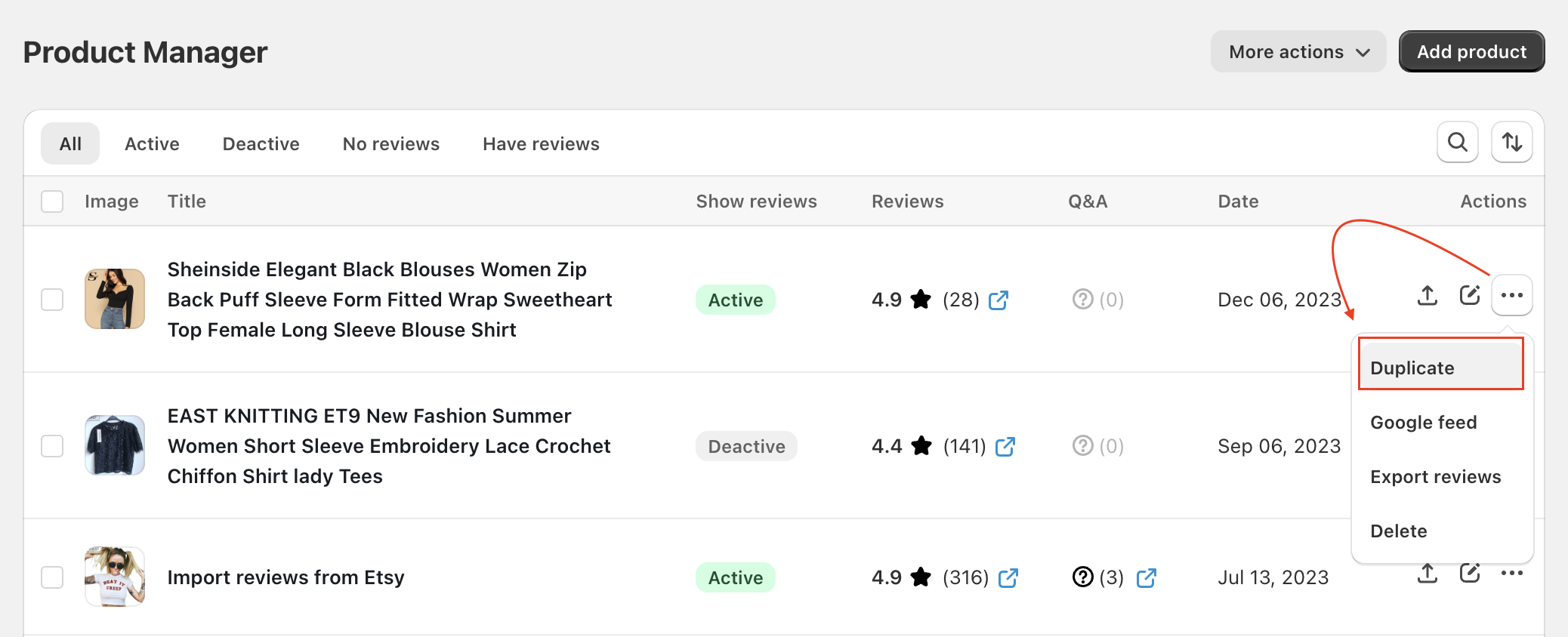
Click on "..."
Select Duplicate
A dialog box will appear, asking you to select the target product.
Search and choose the target product you want to copy the reviews, then click the Copy Reviews button.
For Shopify users: Please search and select the target product (only products on your Shopify store can be selected) and click Copy reviews button.
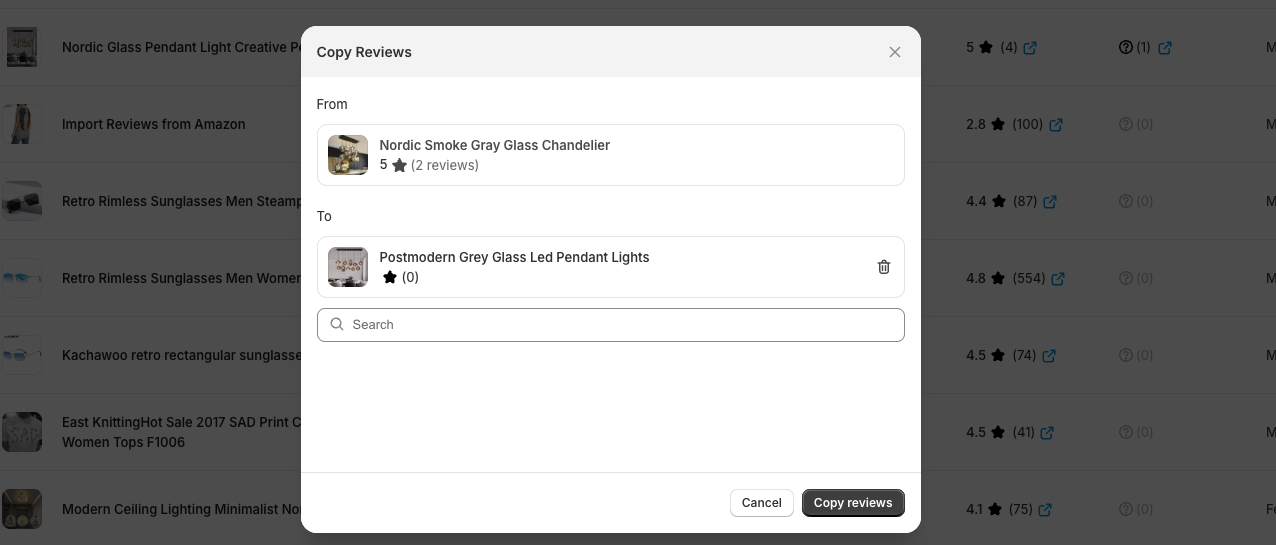
Watch this video for the detailed instructions:
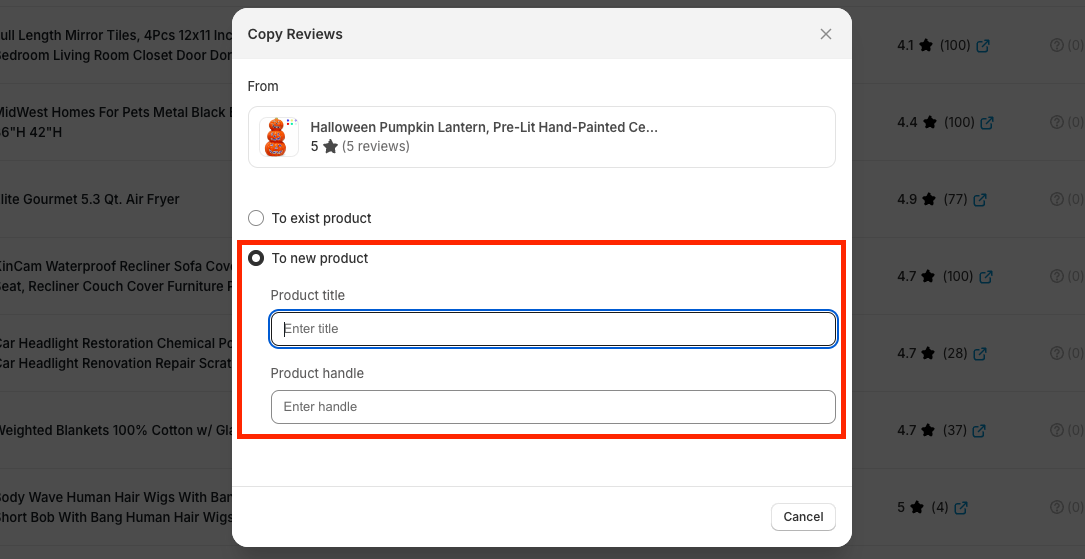
For Wordpress users: select the product in Ryviu dashboard. If the target product you want to copy reviews does not exist, please choose To new product and enter the product title and slug, and then click Copy reviews
Watch our tutorial video to get started.
Need help?
Get in touch with our support team through live chat or email at [email protected]. We're here to help!

