


Ryviu will send you notifications via email if someone leaves a review on your store. To receive email notifications for new reviews on Ryviu, follow these steps.
Log in to Ryviu Dashboard.
Navigate to Emails > Email Notification.
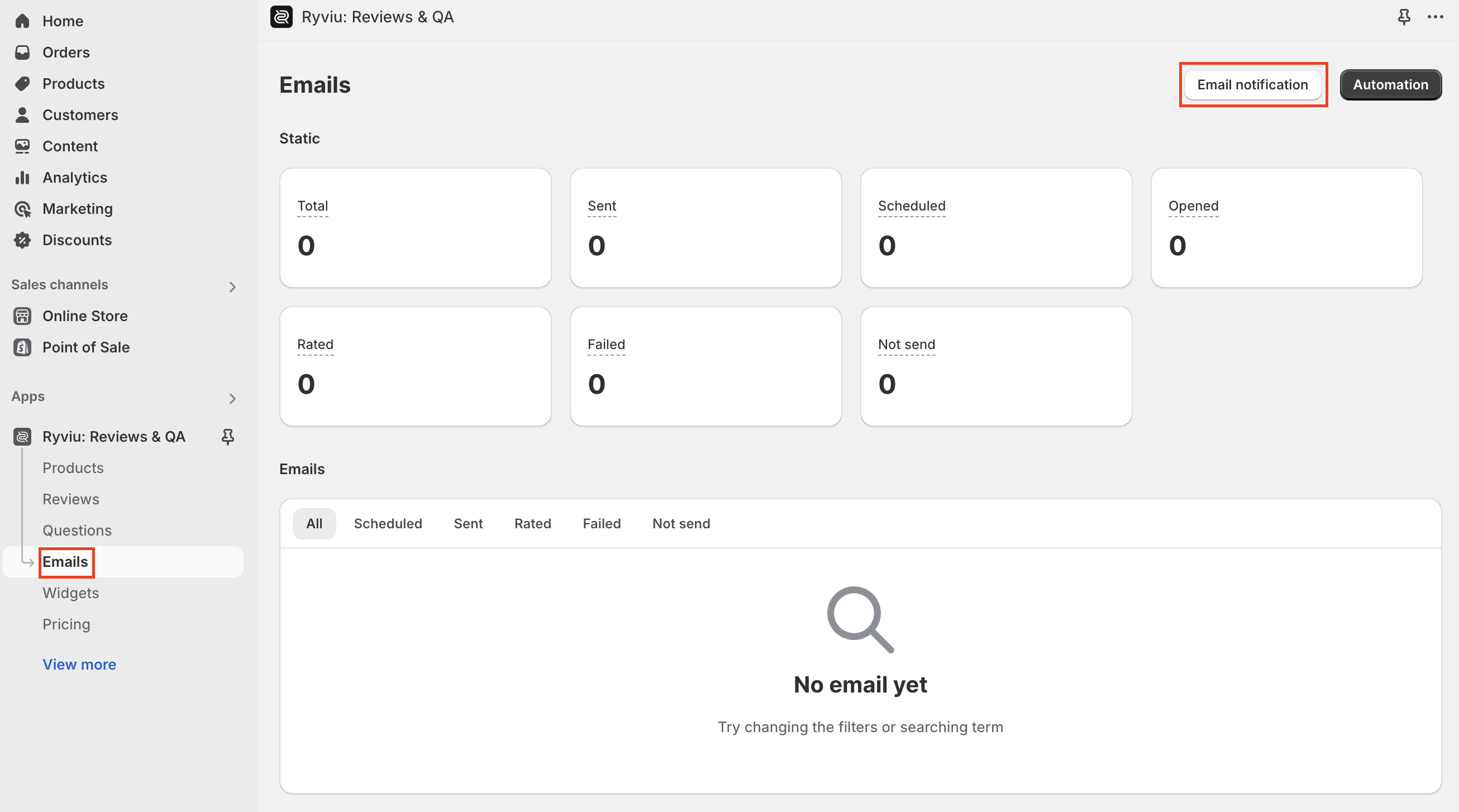
In the Sender email section, you need to fill in:
From email: the email of the store or the sender.
From domain: store’s domain
From name: store’s name or sender’s name
In the Notification section, you need to:
Precheck the option New review notification
Under Customer option, Enable or Disable to send notification to the customers when there is a reply or response.
Under Admin option, Enable or Disable to send notification to the store admin when there is a reply or response.
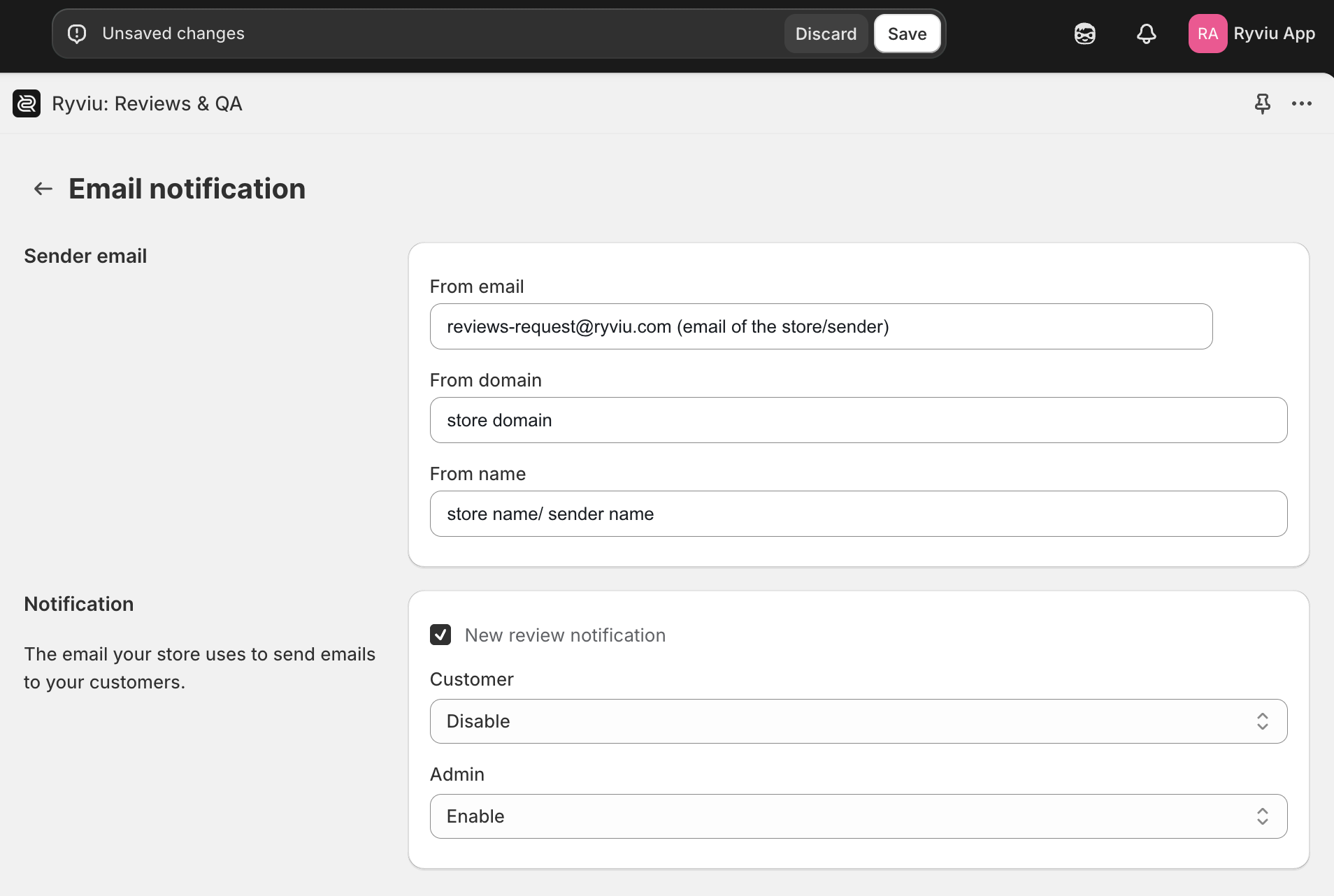
5. Click Save button.
Need help?
Get in touch with our support team through live chat or email at [email protected]. We're here to help!