

By default, Ryviu Products will only add products to its dashboard if they have reviews. So, how can I import reviews for my products? Please follow the steps below:
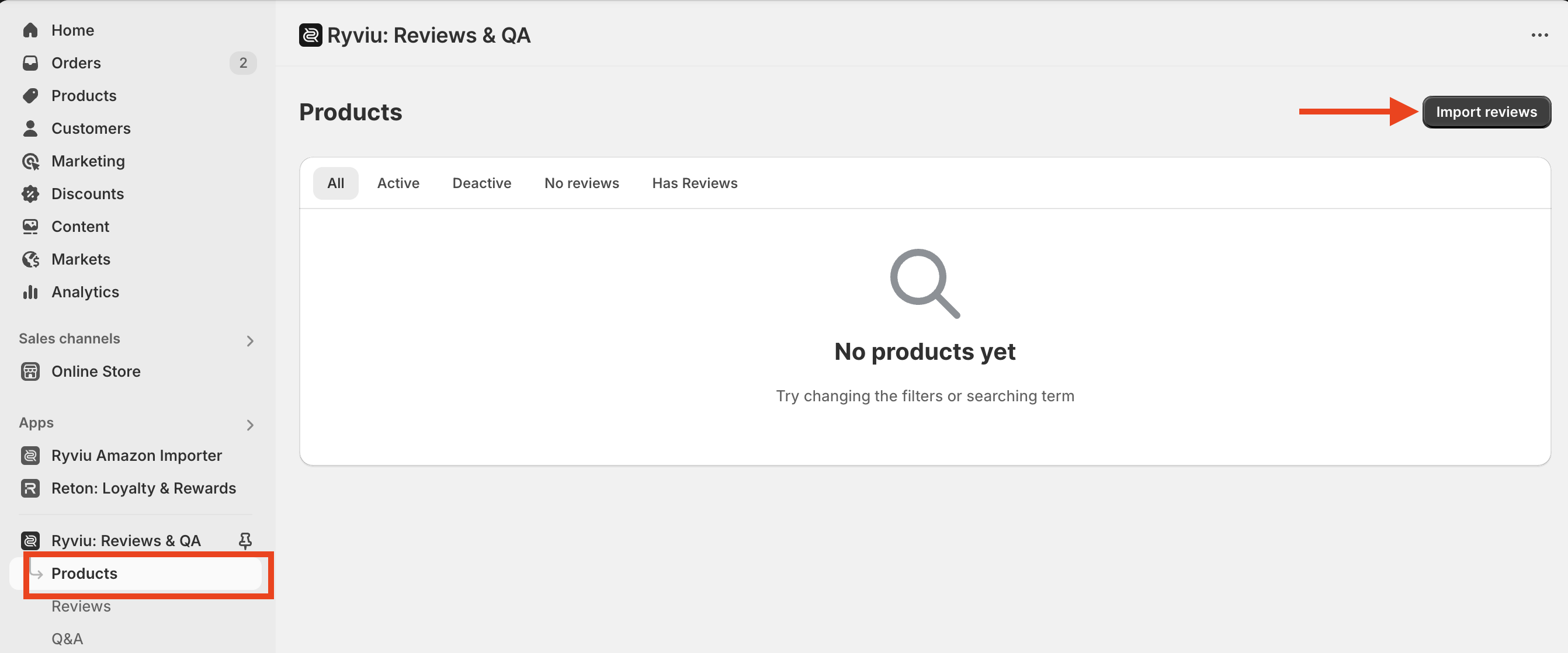
Click Import reviews button in Ryviu Products dashboard.
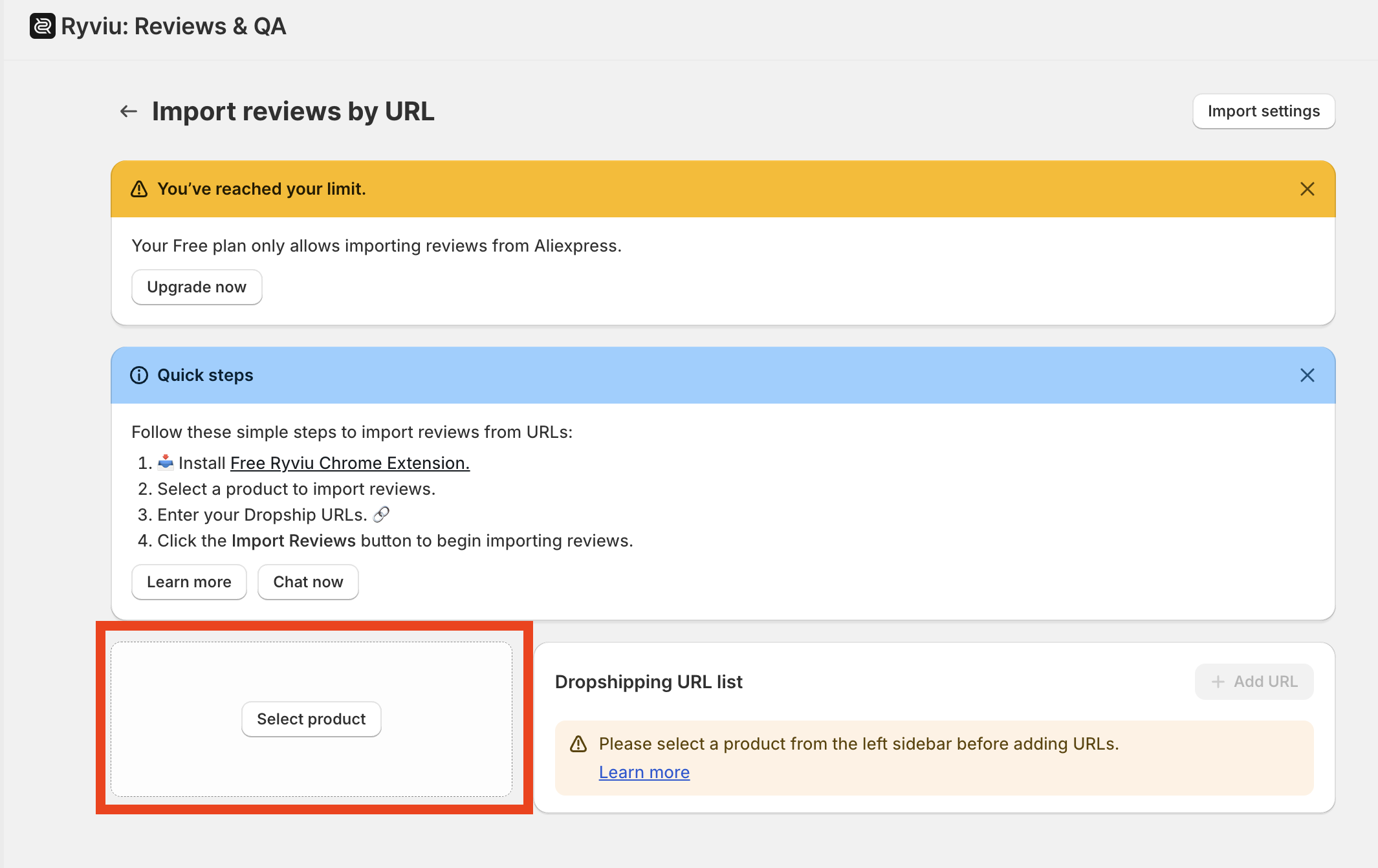
Then click the Select Product button. You can choose or search for products from your Shopify store to import reviews.
Need help?
Get in touch with our support team through live chat or email at [email protected]. We're here to help!