Please follow the steps below to install star ratings for the collection and featured collection pages of the themes listed above.
From your store admin, navigate to Sales channels.
Open Online Store, click Customize button in the current theme.
Click on Featured collection, open Product card group.
Hover under Product title, click + icon, select Custom liquid.
Add the code below to Liquid code and click Save button.
<ryviu-widget-total
    collection="1"
    reviews_data="{{ closest.product.metafields.ryviu.product_reviews_info | escape }}"
    product_id="{{ closest.product.id }}">
</ryviu-widget-total>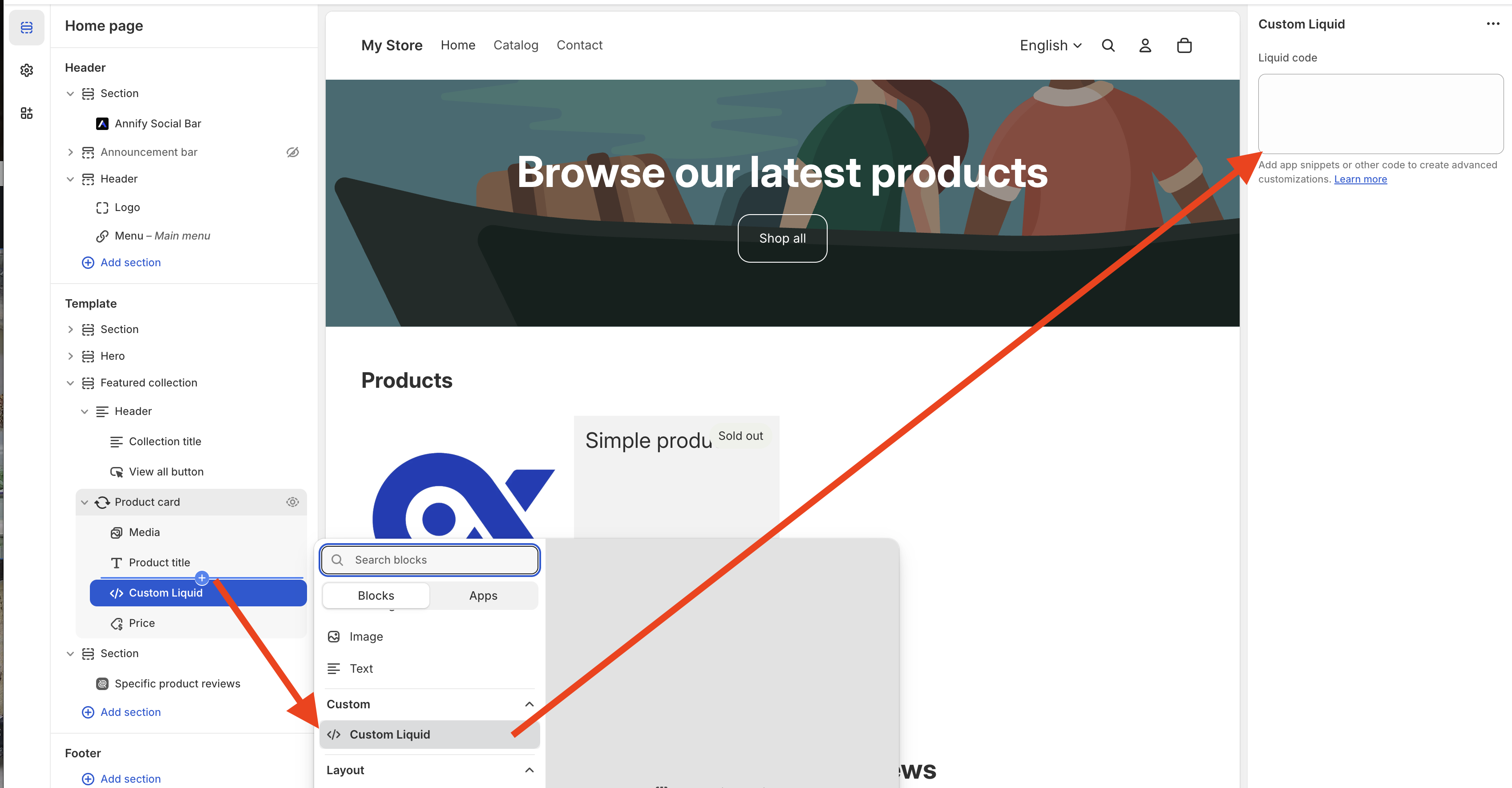
From your store admin, navigate to Sales channels.
Open Online Store, click Customize button in the current theme.
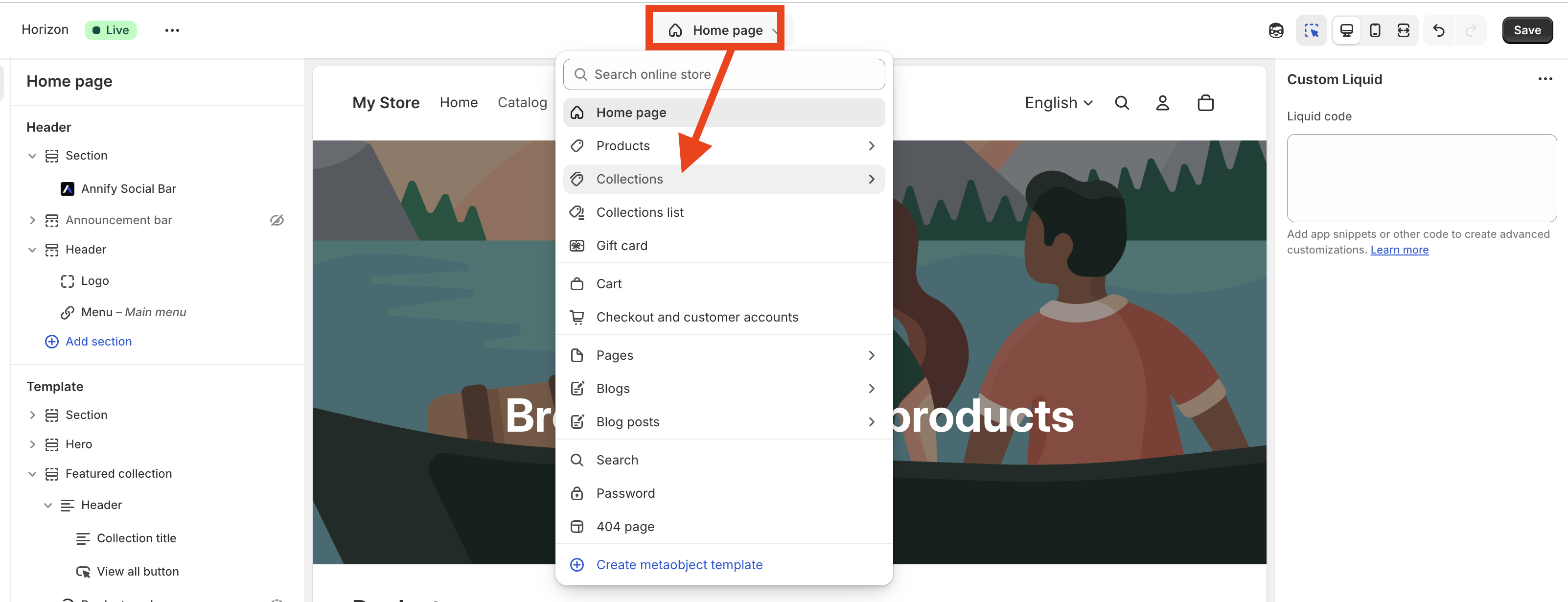
Click Homepage dropdown menu, select Collections > open the collection template your store is using.
Hover under the title of the product, click + icon, select Custom Liquid.
Paste this code below into Liquid code.
<ryviu-widget-total
    collection="1"
    reviews_data="{{ closest.product.metafields.ryviu.product_reviews_info | escape }}"
    product_id="{{ closest.product.id }}">
</ryviu-widget-total>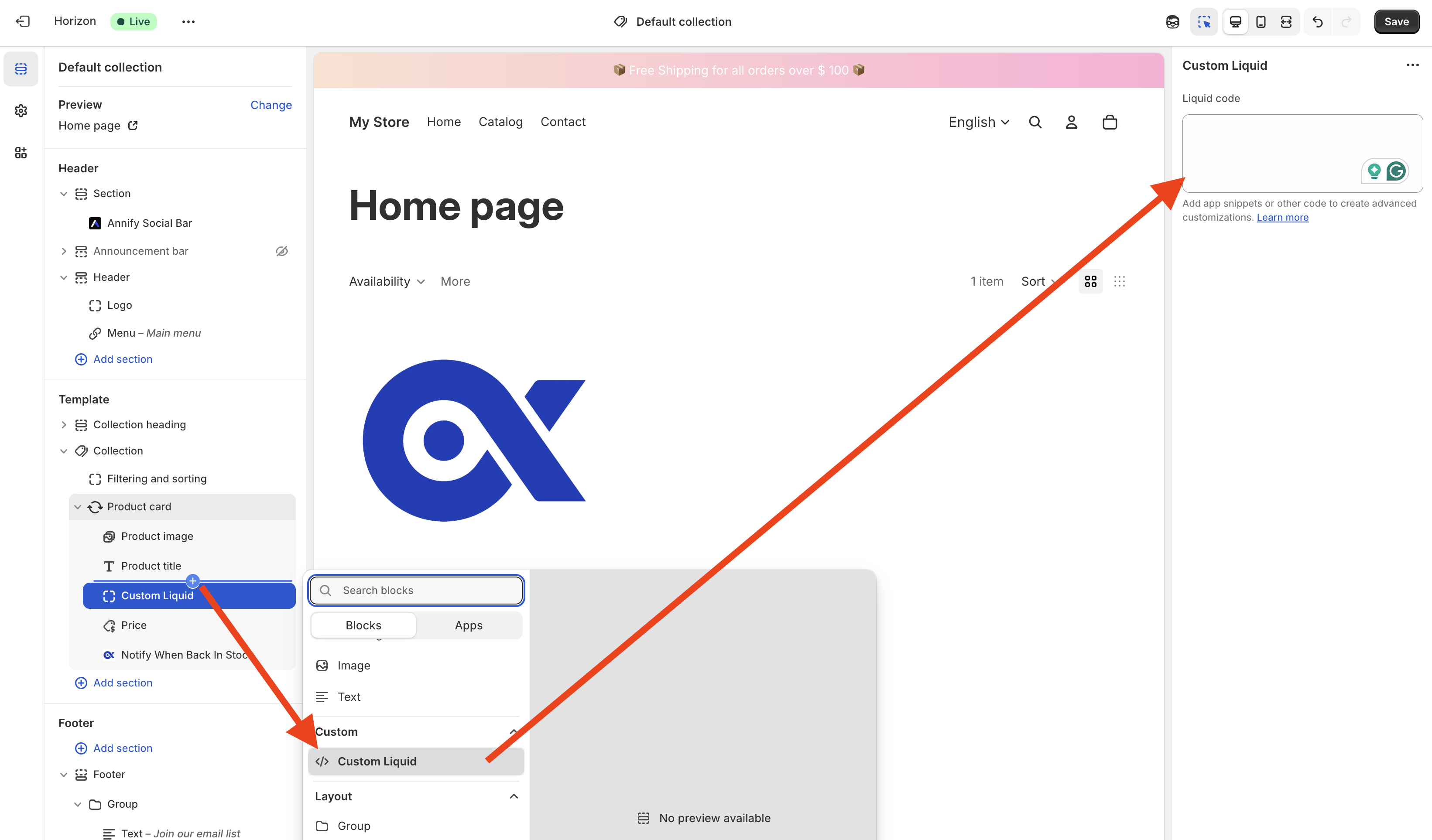
Click Save button.
Need help?
Get in touch with our support team through live chat or email at [email protected]. We're here to help!