Go to Sales channels > Online Store in your Shopify Admin.
Click Edit on your active theme.
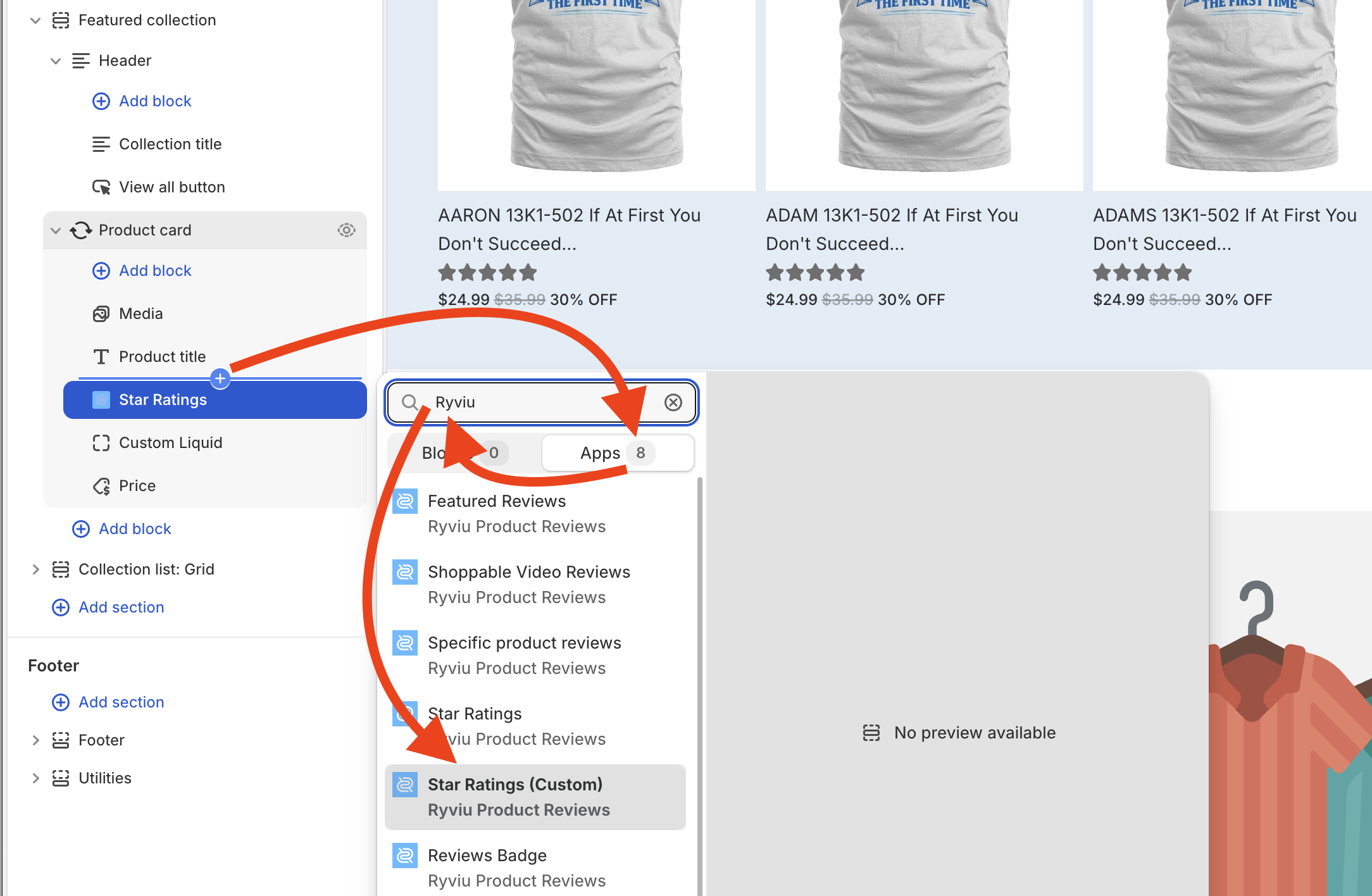
In the left sidebar, navigate to Featured collection > Product card.
Hover under Product title, click the + (Add block) icon.
Switch to the Apps tab, search for Ryviu, and select Star Ratings.
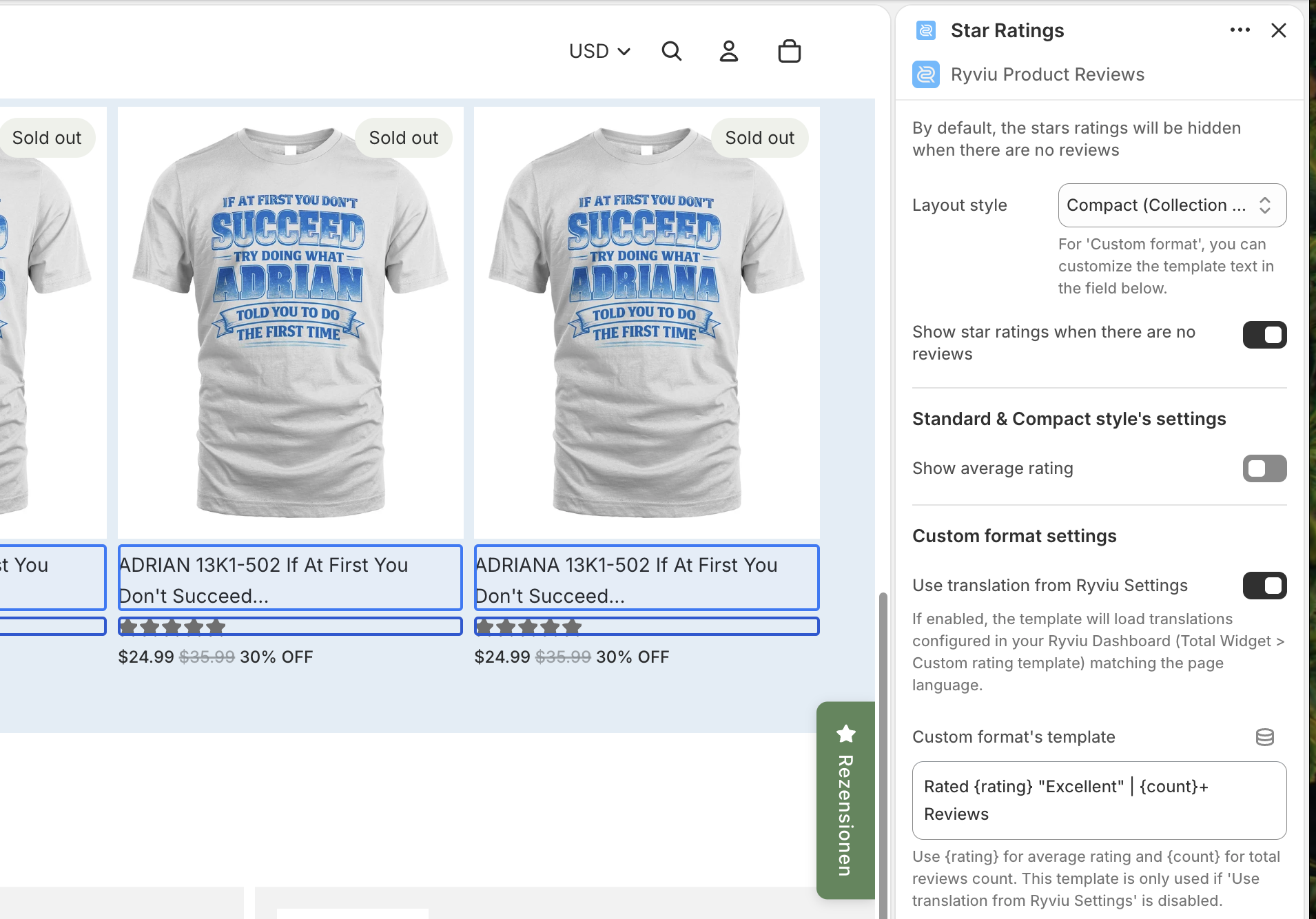
Adjust the block settings in the right panel if needed.
Click Save button
Go to Sales channels > Online Store > Edit theme.
Click the top dropdown menu (currently showing Home page), select Collections, and choose your active collection template.
In the left sidebar under the Product card layout, hover below Product title, click + (Add block).
Switch to the Apps tab, search for Ryviu, and select Star Ratings.
Click Save button.
Note: Make sure to preview your live store to confirm the star ratings appear correctly under the product titles.
Need help?
Get in touch with our support team through live chat or email at [email protected]. We're here to help!