
Use Google Sheets: We highly recommend editing your CSV files using Google Sheets rather than Microsoft Excel. Excel often alters CSV formatting (e.g., encoding and delimiters), which frequently causes import failures.
Save Format: If you must use Excel, ensure you save the file as CSV UTF-8 (comma-delimited) (*.csv).
File Limit (only version 1.0): To ensure system stability, each CSV file should contain reviews for no more than 50 products at a time. Split your files if you have more than one.
You have two options to prepare your import file:
Download the Ryviu CSV Template and fill in your review data. Please follow these formatting guidelines:
Column Name | Required? | Accepted Format & Examples |
| Yes | The product handle (Shopify) or product slug (WooCommerce). |
| Yes | A whole number from 1 to 5. Example: |
| Yes | The name of the reviewer. Example: |
| No | A short summary of the review. Example: |
| No | The detailed content of the review. |
| No | The reviewer's email. If blank, you can use dummy emails like |
| No | Direct image URLs. If a review has multiple photos, separate the URLs with commas. Example: |
| No | Format: YYYY-MM-DD HH:MM Example: (If left blank or incorrect, reviews will show the current import time) |
| No | Use |
| No | Use |
If you are switching to Ryviu, you don't need to reformat your file! We fully support direct CSV imports exported from:
Ryviu (Backups)
Loox
Product Reviews by Shopify
Rivo

Once your file is ready (and downloaded as a .csv file), follow these steps to upload it:
Log in to your Ryviu Dashboard.
Go to the Reviews manager section.
Click the Import CSV on version 1.0, or Click Import Reviews then click Import CSV on version 2.0.
Under CSV format, select the platform/app that matches your CSV file (e.g., Ryviu, Loox, Judge.me, etc.).
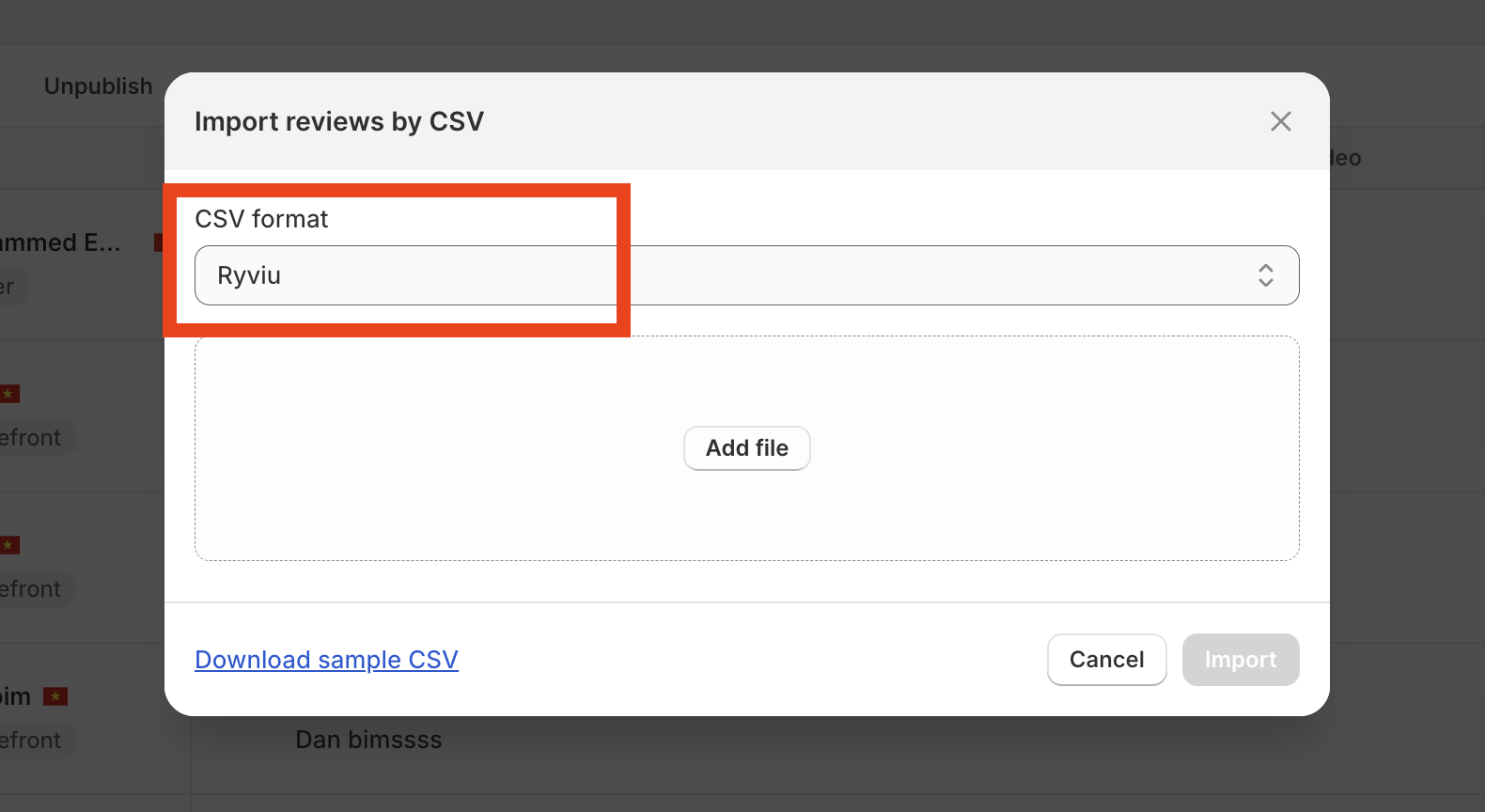
Click Add file and select your saved .csv file.
Choose Import Behavior (If your product already has existing reviews on Ryviu, choose how to handle them):
Merge items (Recommended): Keeps your current reviews and adds the new ones from the CSV.
Replace items: Deletes all existing reviews on Ryviu for these products and replaces them with the CSV reviews.
Skip items: Ignores and skips importing reviews for products that already have reviews in your dashboard.
Click Import.
Watch this video to get detailed instructions.
Need help?
Get in touch with our support team through live chat or email at [email protected]. We're here to help!

