

By default, the review text color in Ryviu follows your Shopify theme settings. If you want to customize it, you can easily override the color using custom CSS.
Steps to change the review color
Log in to your Ryviu account.
From the left menu, select Widgets.
In the Reviews widget, click the Customize button of the Product reviews.
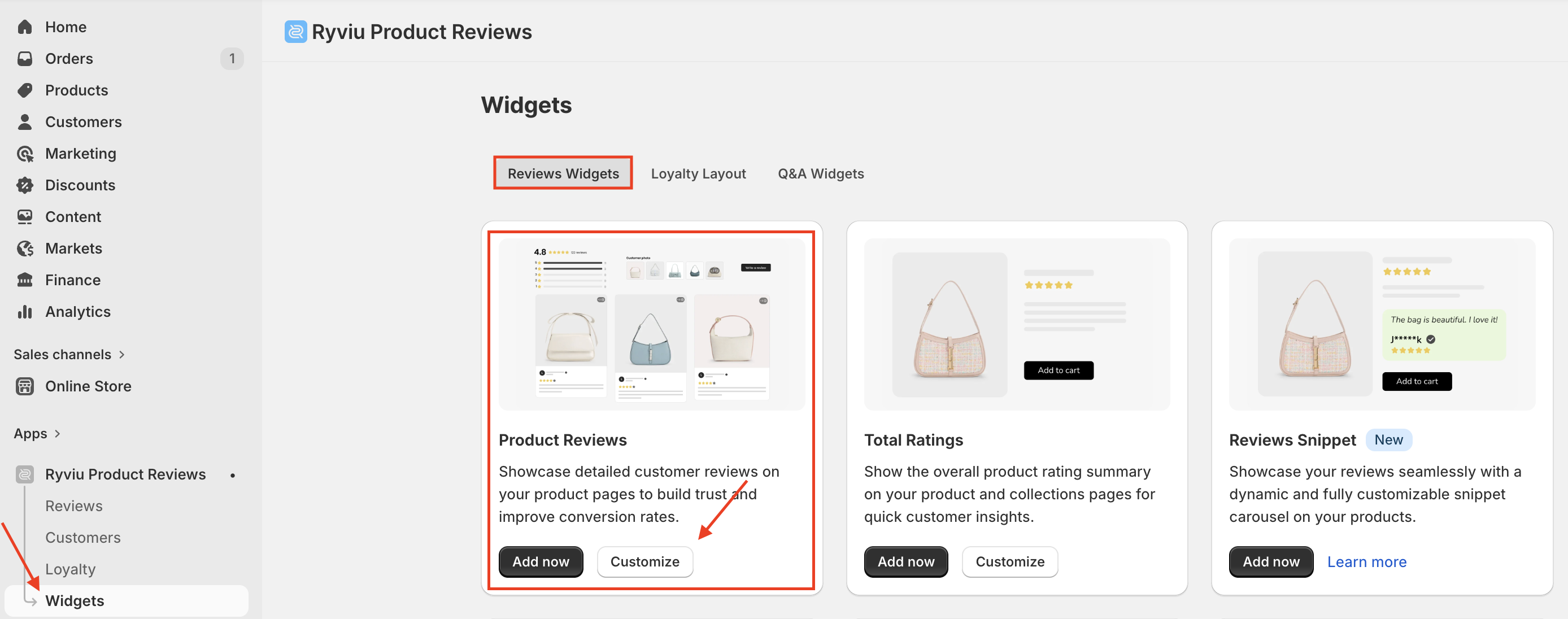
Open the Style tab.
Scroll to the Custom CSS section, paste the following code:
.ryviu-reviews-container * { color: #fff; }Replace
#fffwith your desired color code (for example:#fffffffor white,#ff0000for red).
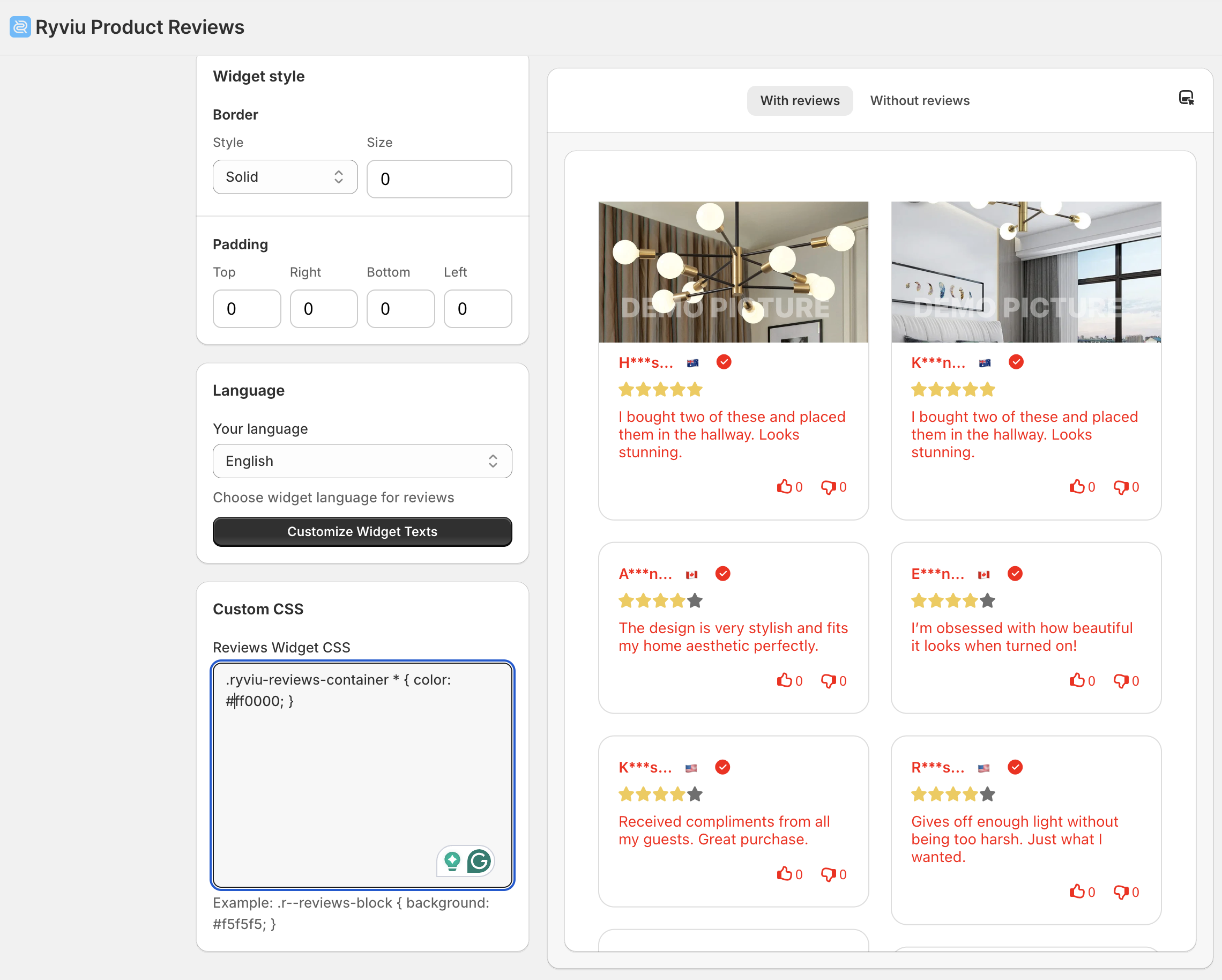
Click Save to apply the new color.
Notes
This CSS will apply to all text inside the review section.
Make sure the color you choose contrasts well with your background for readability.
Need help?
Get in touch with our support team through live chat or email at [email protected]. We're here to help!