By default, the review text color in Ryviu follows your Shopify theme settings. If you want to customize it, you can easily override the color using custom CSS.
Log in to your Ryviu account.
From the left menu, select Widgets.
In the Reviews widget, click the Customize button of the Product reviews.
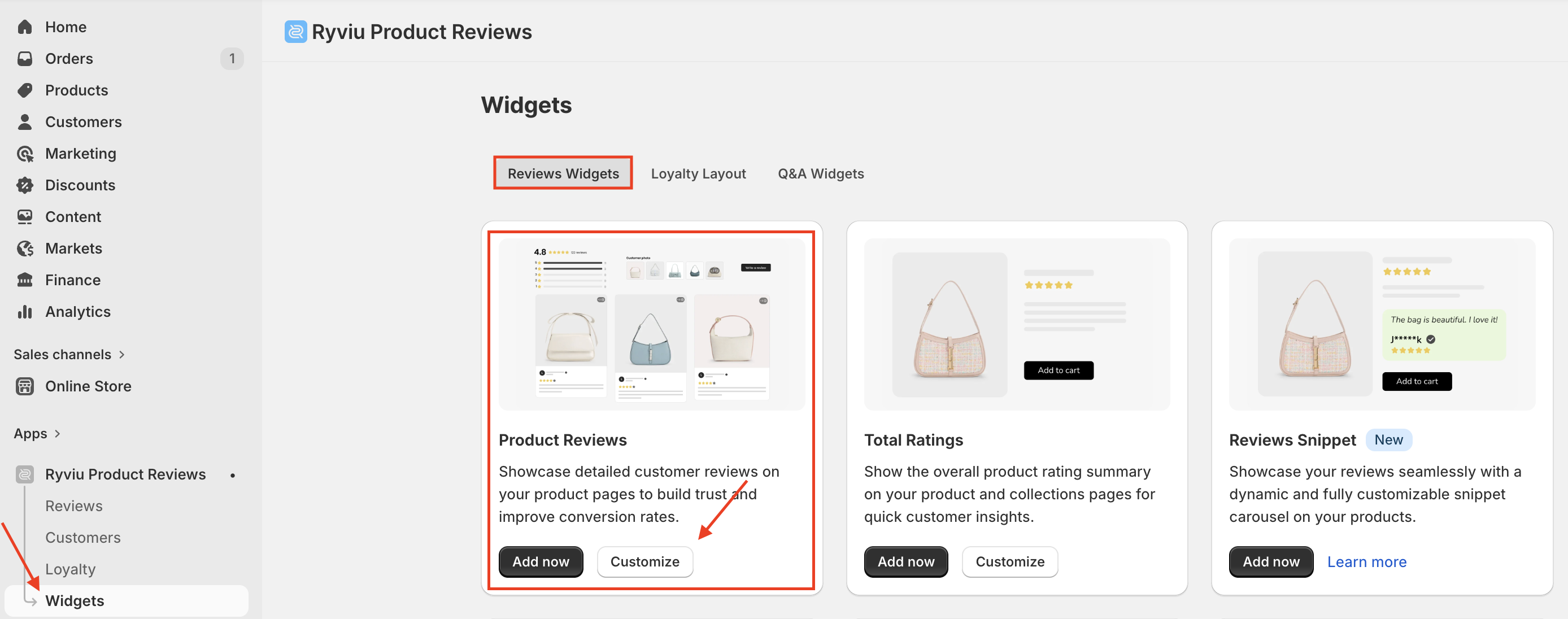
Scroll to the Custom CSS section, paste the following code:
.ryviu-reviews-container * { color: #fff; } Replace #fff with your desired color code (for example: #ffffff for white, #ff0000 for red).
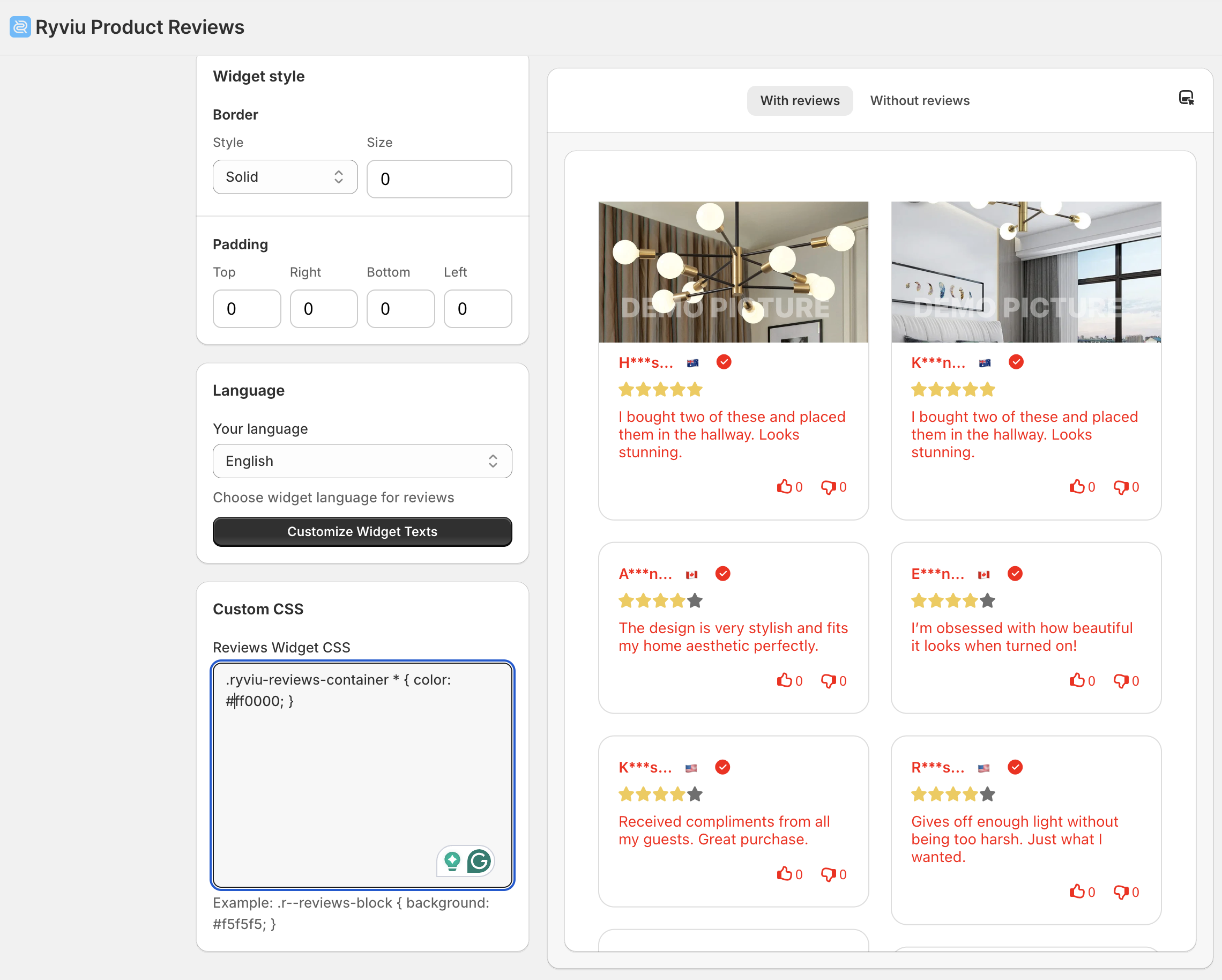
Click Save to apply the new color.
This CSS will apply to all text inside the review section.
Make sure the color you choose contrasts well with your background for readability.
Need help?
Get in touch with our support team through live chat or email at [email protected]. We're here to help!