Discover the latest Ryviu updates for Shopify, including flexible review layouts for different devices, easier Google Rich Snippet setup, and new star rating customization options.
The Product Reviews widget now includes new customization options for review layouts and Google Rich Snippets.
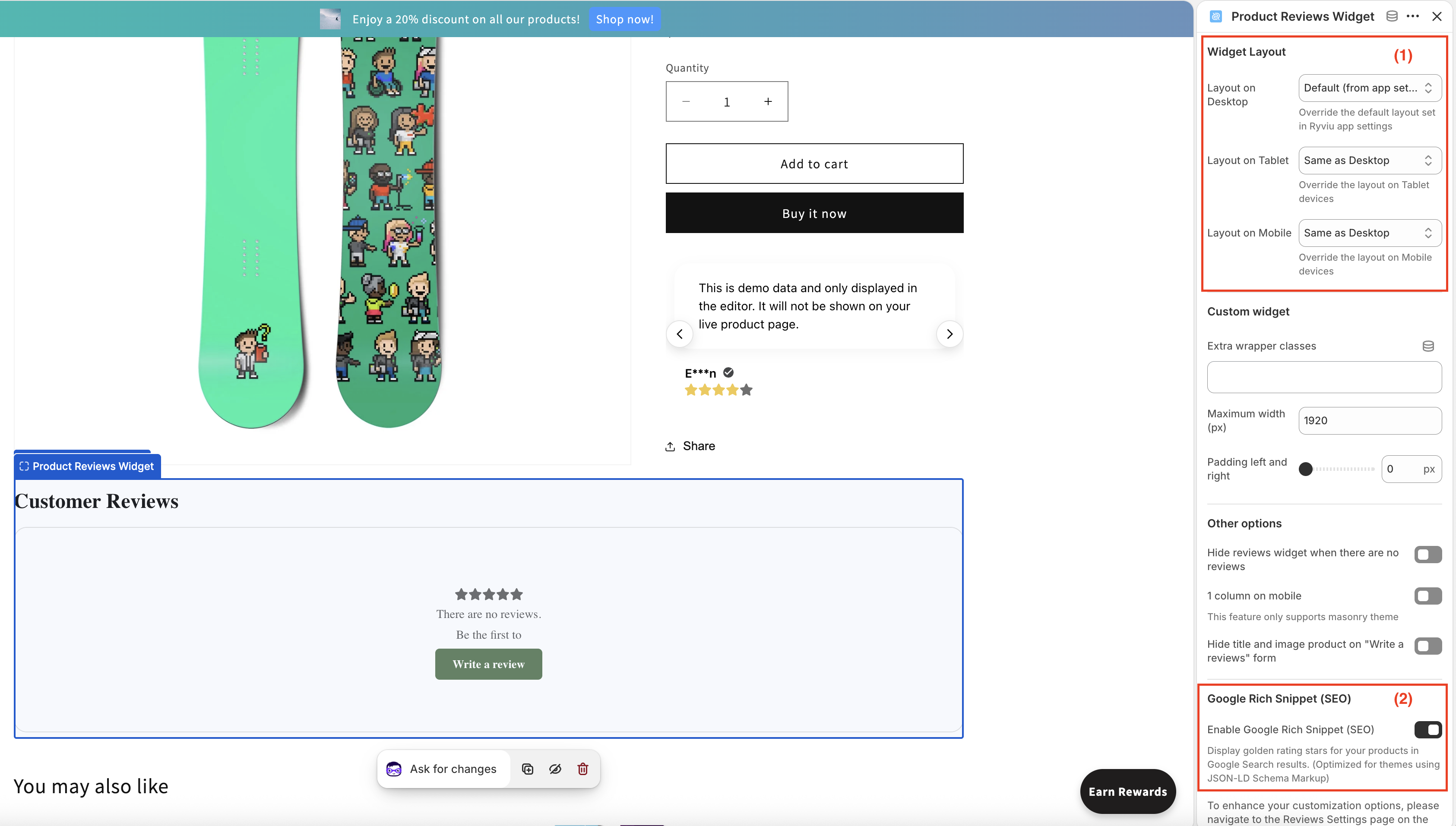
To access these settings:
Step 1: In your Shopify admin, go to Online Store > Themes > Customize.
Step 2: Open the Product template.
Step 3: Select the Product Reviews widget.
You can now choose a different review layout for desktop, tablet, and mobile devices.
Simply select the Product Reviews widget and configure the layout for each device in the settings panel.
Click Save, then preview your storefront on different devices to see the changes.
You can now enable Google Rich Snippet (SEO) directly from the Product Reviews widget settings—no additional snippet code is required.
To enable this feature:
Turn on Enable Google Rich Snippet (SEO).
Click Save.
Verify the result using Google's Rich Results Test.
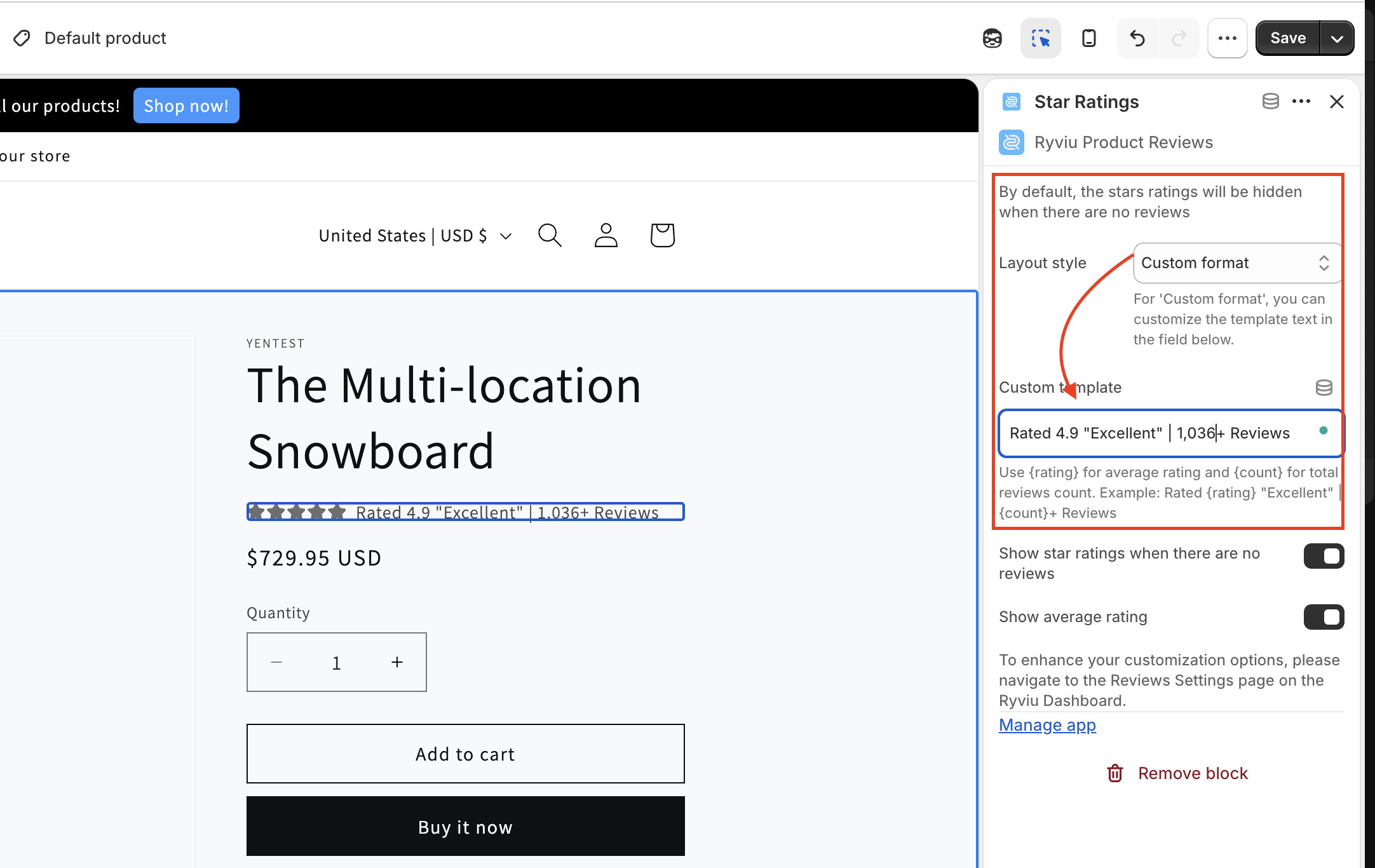
If you leave the template blank, Ryviu will display the product's actual rating and review count by default.
You can now customize how star ratings are displayed on your product page.
To configure this feature:
Step 1: In your Shopify admin, go to Online Store > Themes > Customize.
Step 2: Open the Product template and select the Star Ratings block.
Step 3: Choose Custom Format, then edit the {rating} and {count} placeholders in the template
Step 4: Click Save.
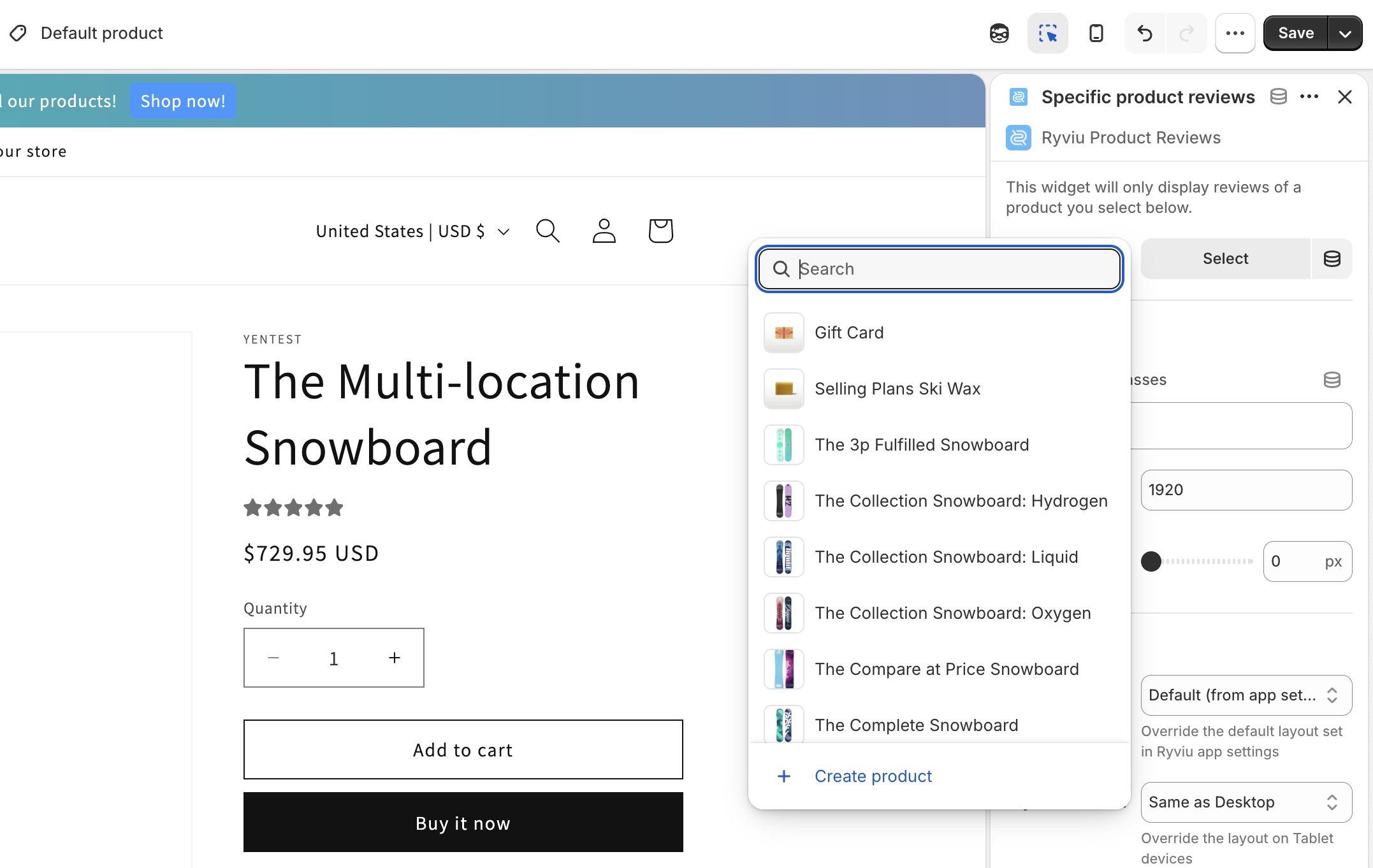
If you're using grouped products, you can choose to display the star ratings from a specific product instead of showing ratings for each individual product.
To set it up:
Step 1: In your Shopify admin, go to Online Store > Themes > Customize.
Step 2: Open the Product template and add the Specific Product section if it hasn't been added.
Step 3: Add the Star Ratings block and select the product whose ratings you want to display.
Step 4: Click Save.
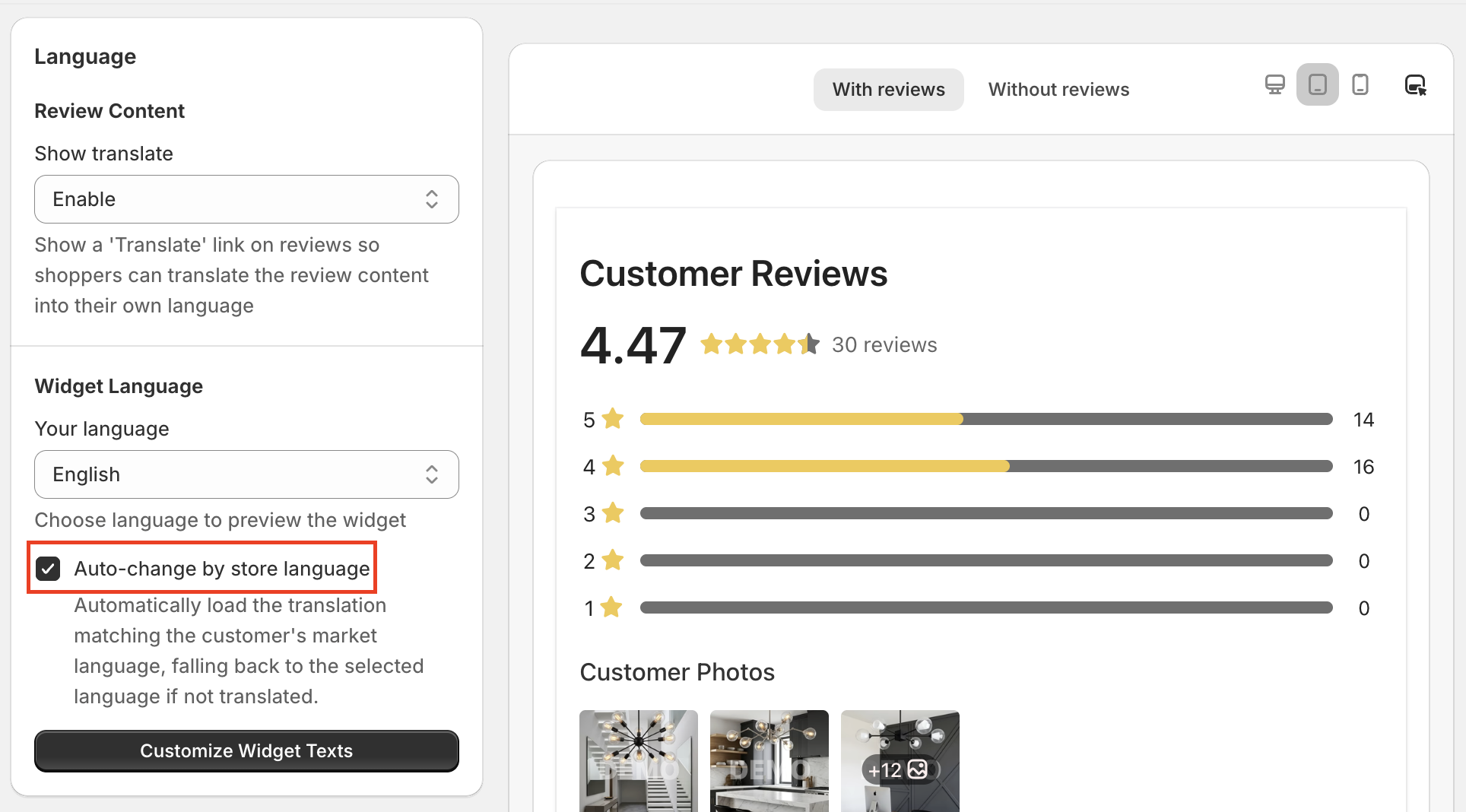
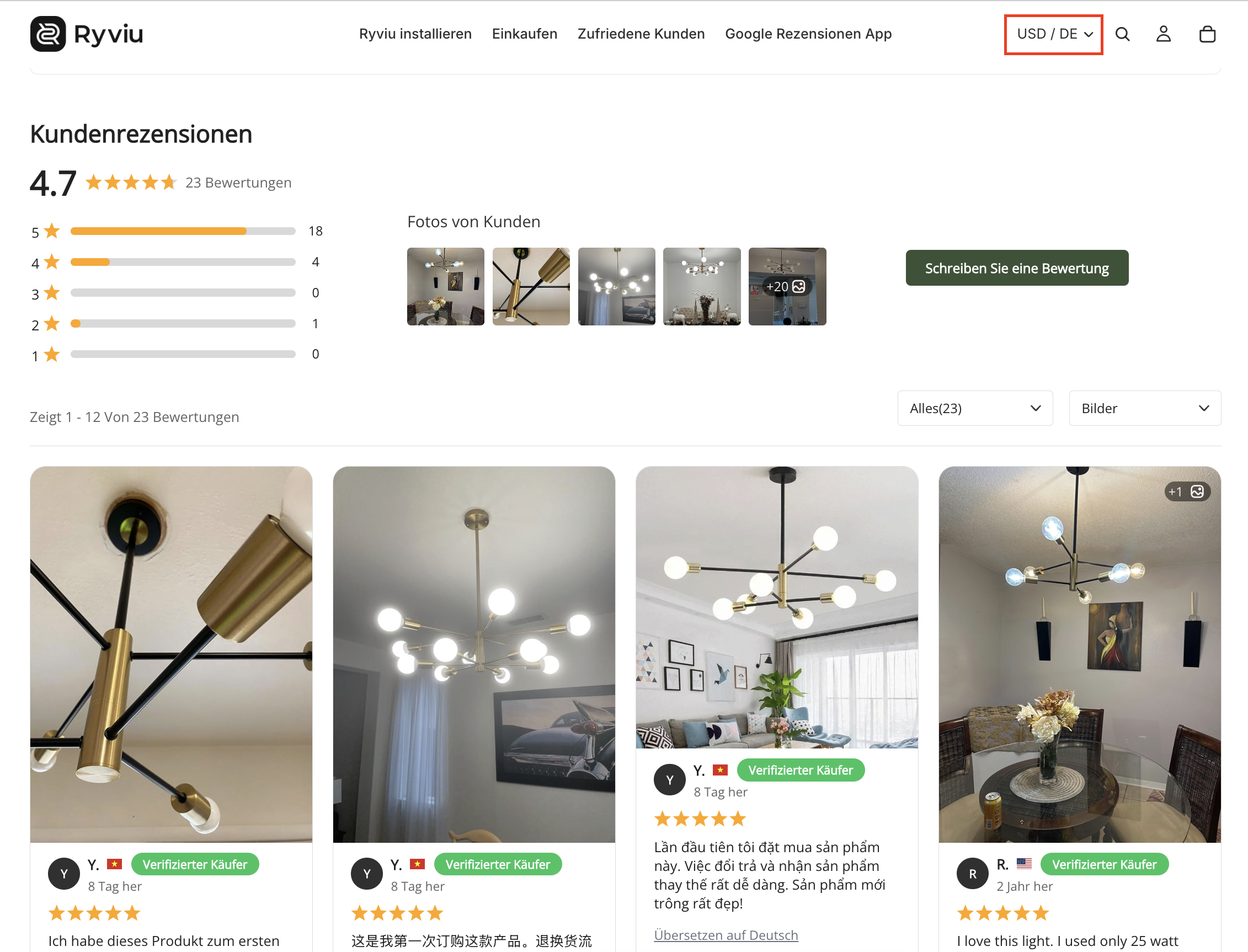
This automatic feature helps you to change the text of the review and Q&A widget based on your store's language. It provides your customers with a better experience when searching for reviews and Q&A.
To enable that feature, under the Widget language section, just tick the option Auto-change by store language, then save the changes.
Then you can change your store language to see the changes.
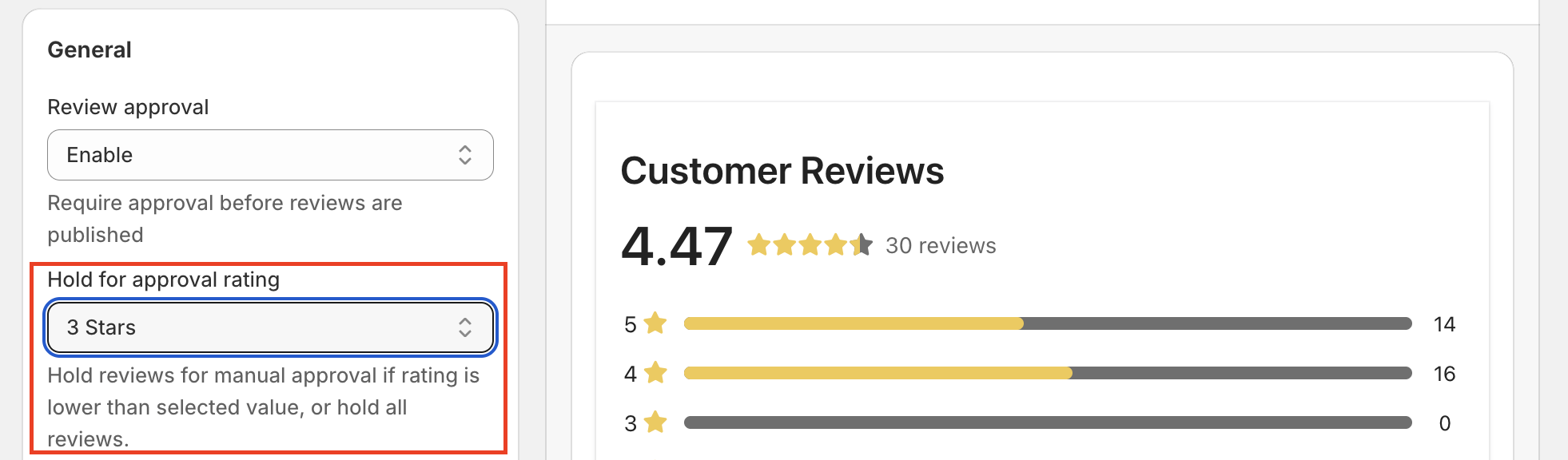
You can now choose which review ratings require manual approval before they are published, giving you more control over your review moderation process.
Under the General section, enable Review Approval, then select the desired option in Hold for Approval Rating. Finally, click Save to apply the changes.
Need help?
Get in touch with our support team through live chat or email at [email protected]. We're here to help!