

This feature enables you to manage all reviews on your store, including both positive and negative feedback. Please follow the steps below.
Step 1. Enable the option Approve reviews.
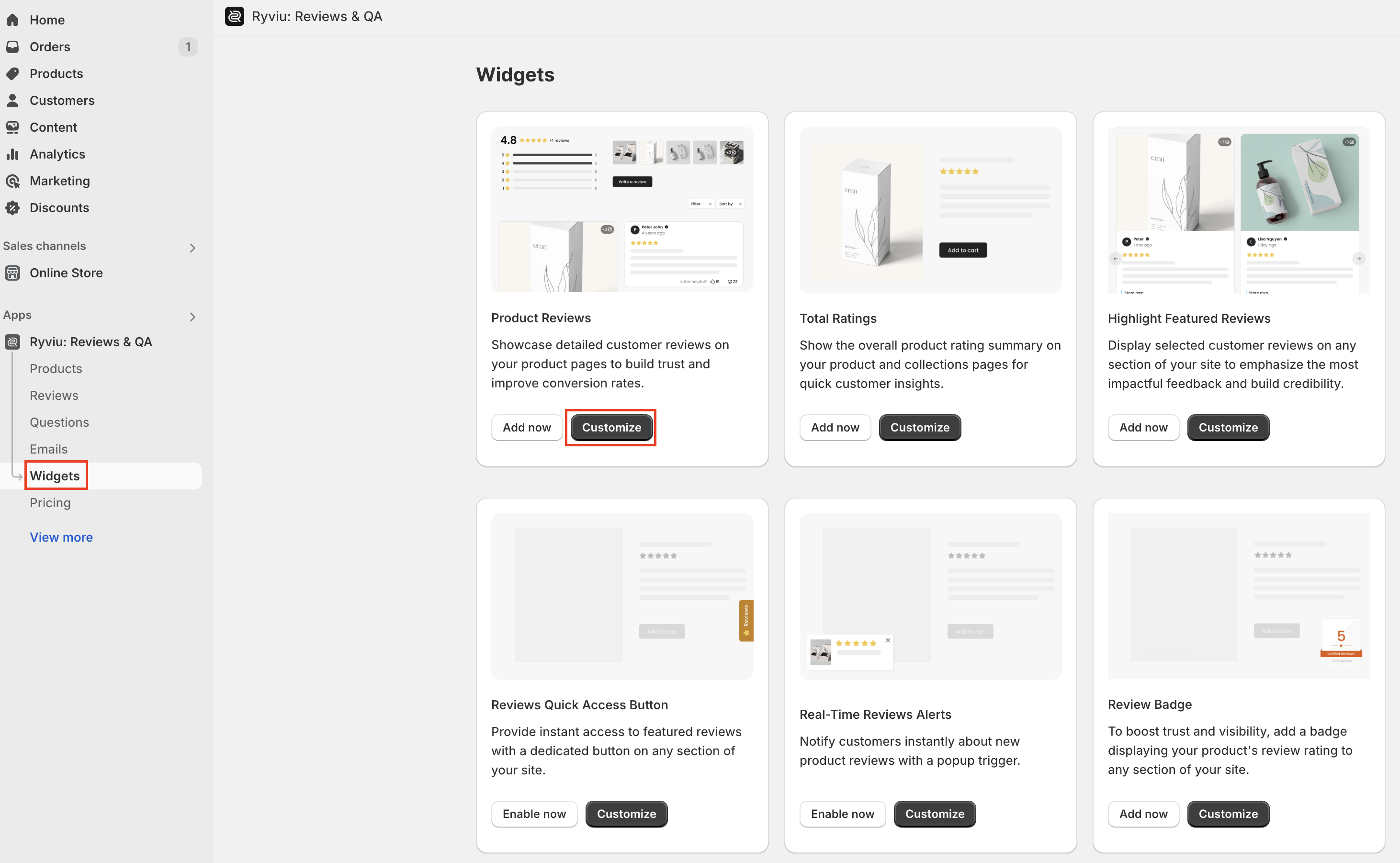
Log in to your Ryviu dashboard > Widgets.
Click on the Customize button in Product Reviews.
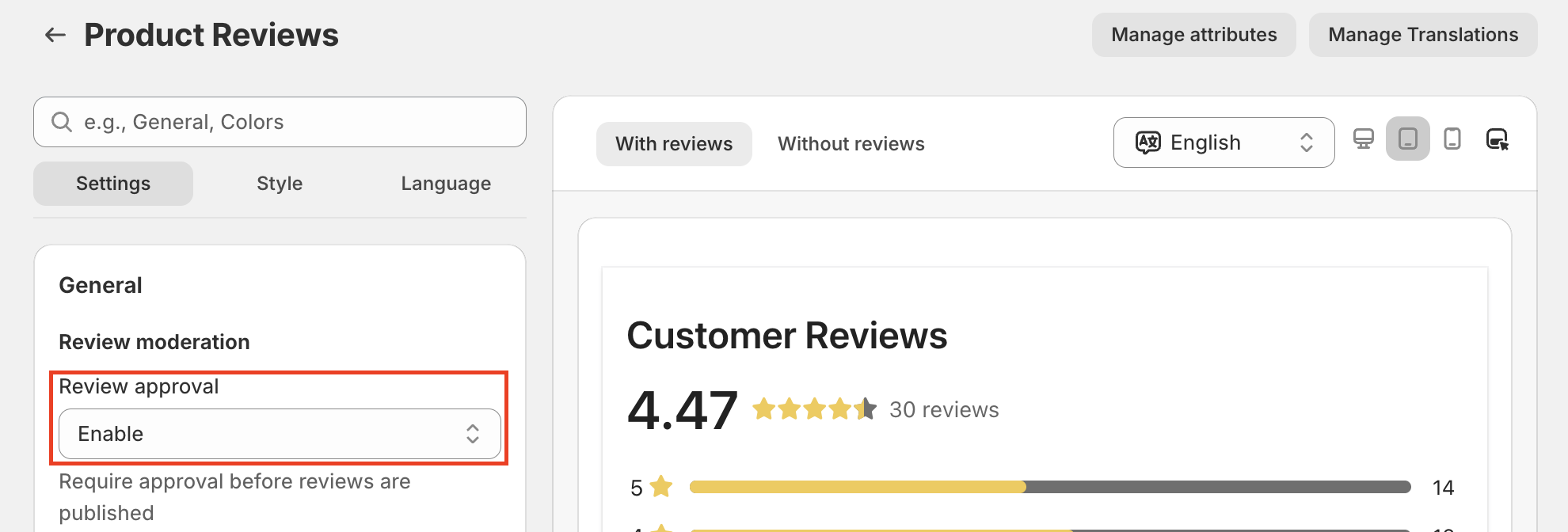
Select the Settings tab. In the General section, select Enable for the Review approval option.
Save the changes.
Step 2. Configure review moderation settings
After enabling Review approval, you can configure additional moderation settings to have more control over submitted reviews:
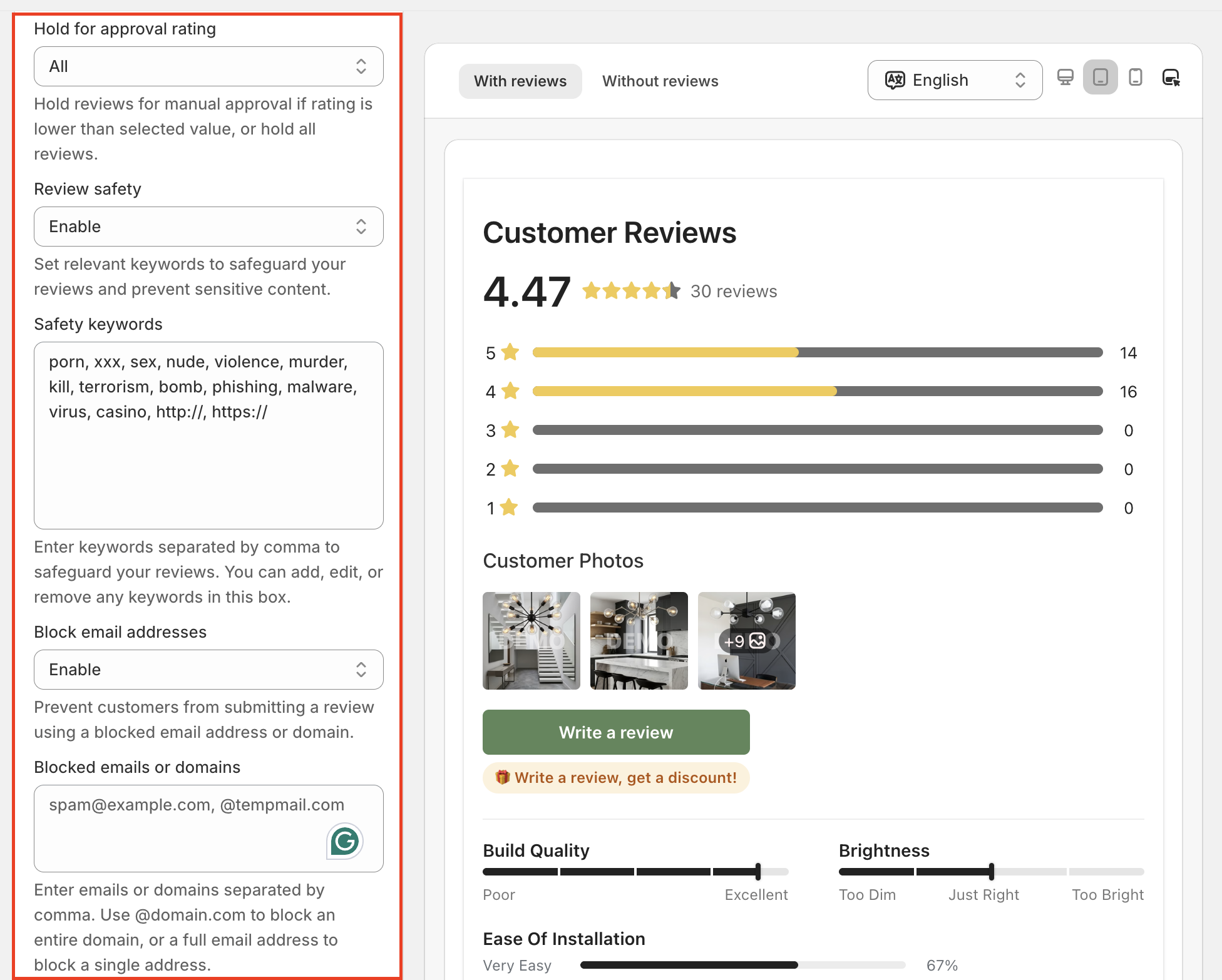
Hold for approval rating: Hold reviews below the selected rating for manual approval, or select All to hold all reviews.
Review safety: Detect and hold reviews containing sensitive or unwanted content based on your keywords.
Safety keywords: Add keywords separated by commas. You can edit or remove keywords at any time.
Block email addresses: Prevent reviews from specific email addresses or domains.
Blocked emails or domains: Add email addresses or domains separated by commas. Use
@domain.comto block all emails from a specific domain.
Step 3. Publish reviews
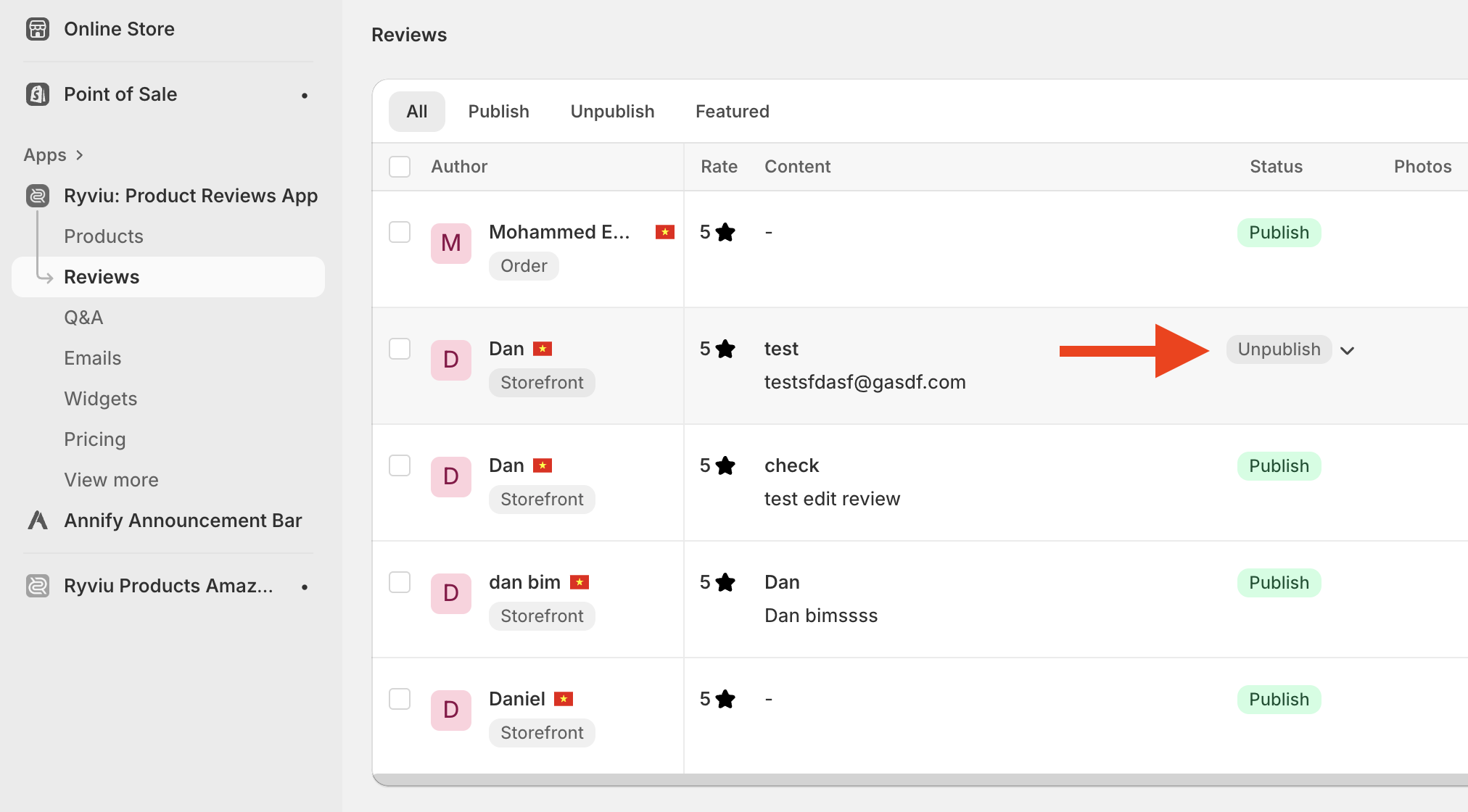
With this setting, you need to enable reviews in your Ryviu account to display them on your store after someone has left reviews for products.
Need help?
Get in touch with our support team through live chat or email at [email protected]. We're here to help!