You can create a dedicated Reviews page to display your Featured Reviews widget on your Shopify store.
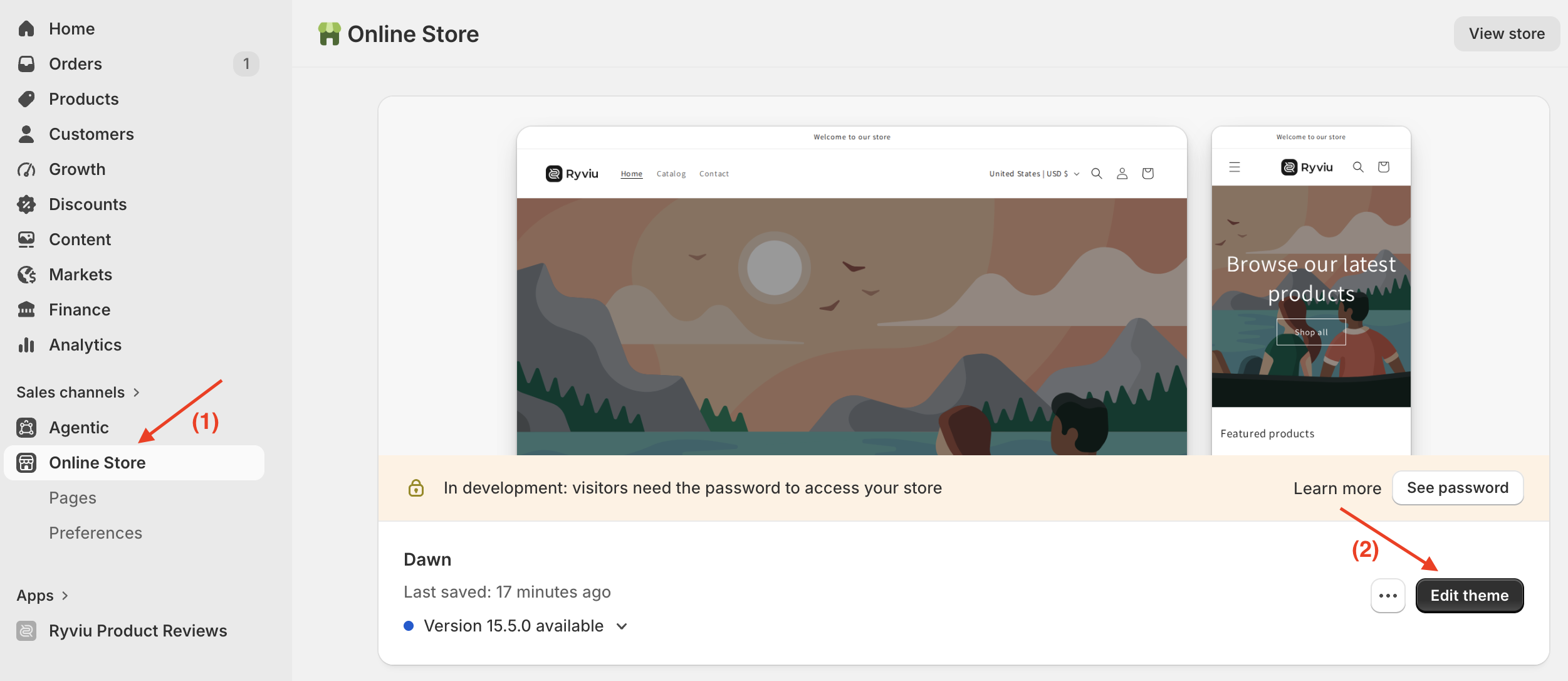
Check the Ryviu demo siteFrom your Shopify admin, go to Online Store > Themes.
Click Edit theme on your current theme.
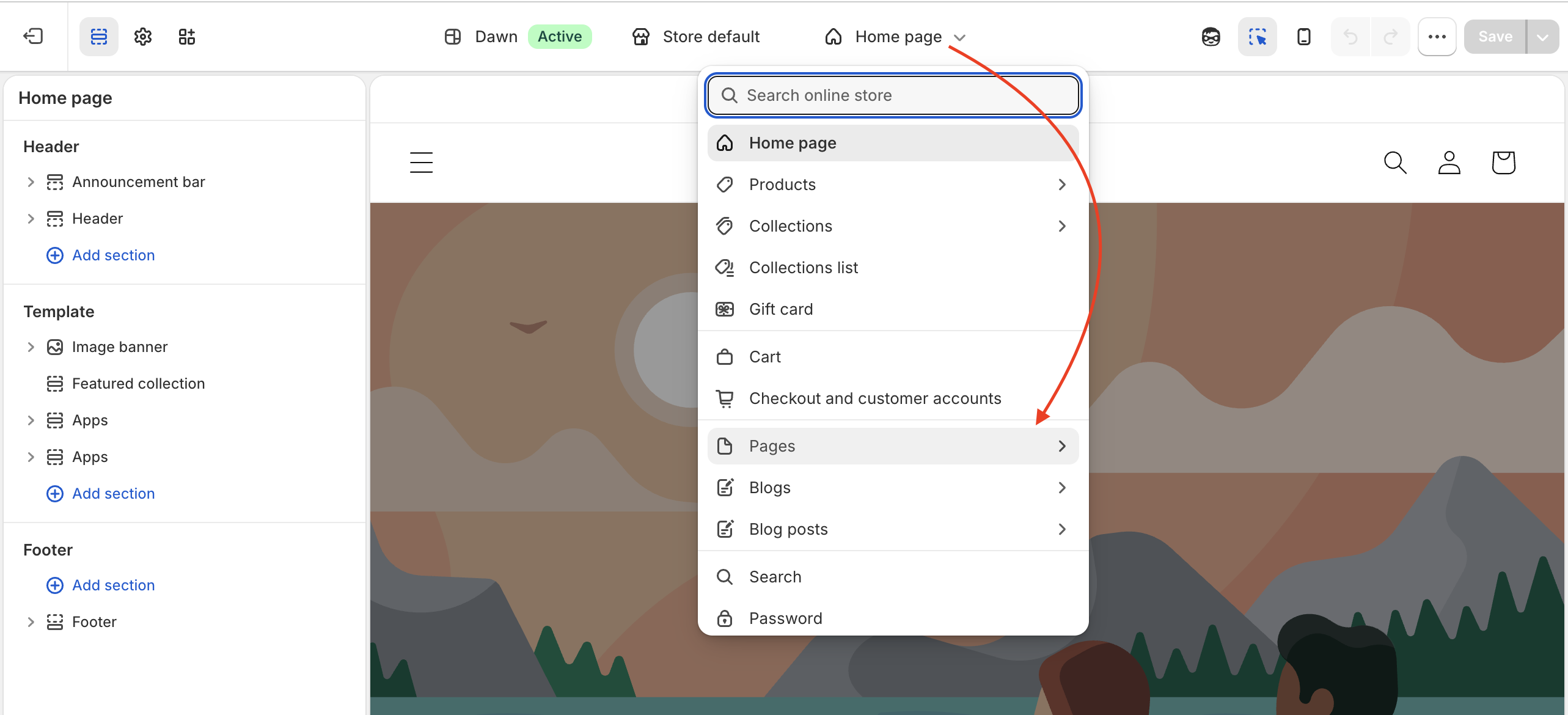
3. At the top of the theme editor, open the page selector and select Pages.
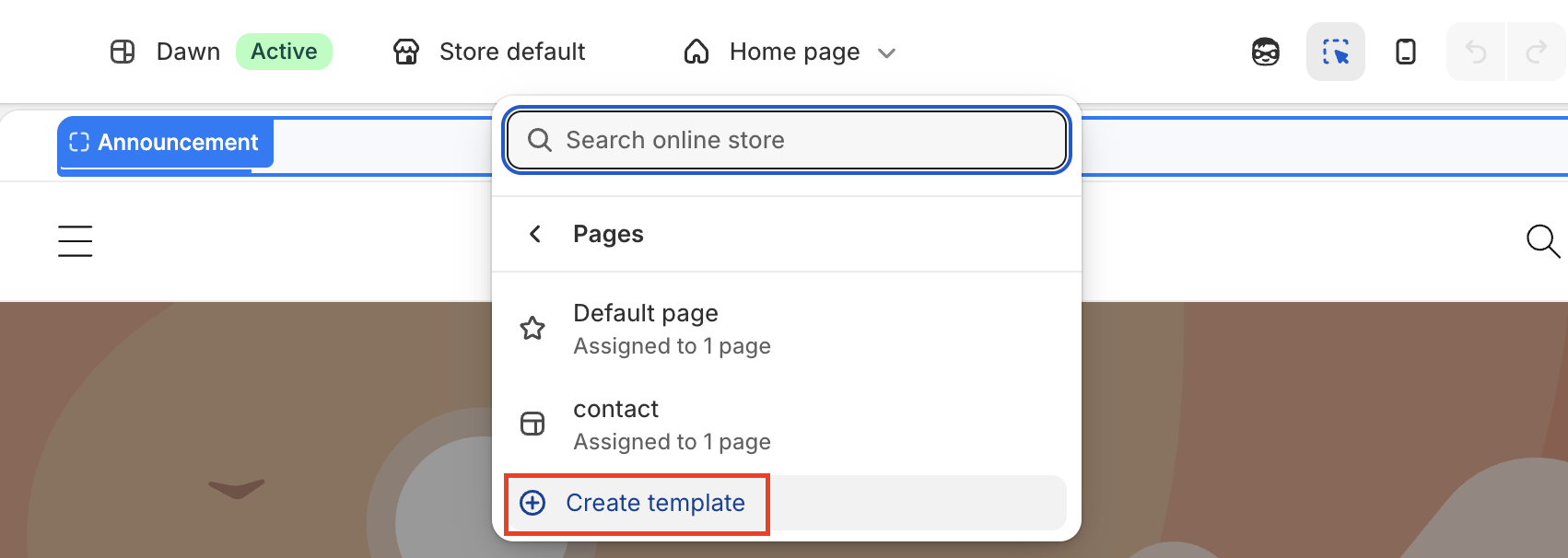
4. Click Create template.
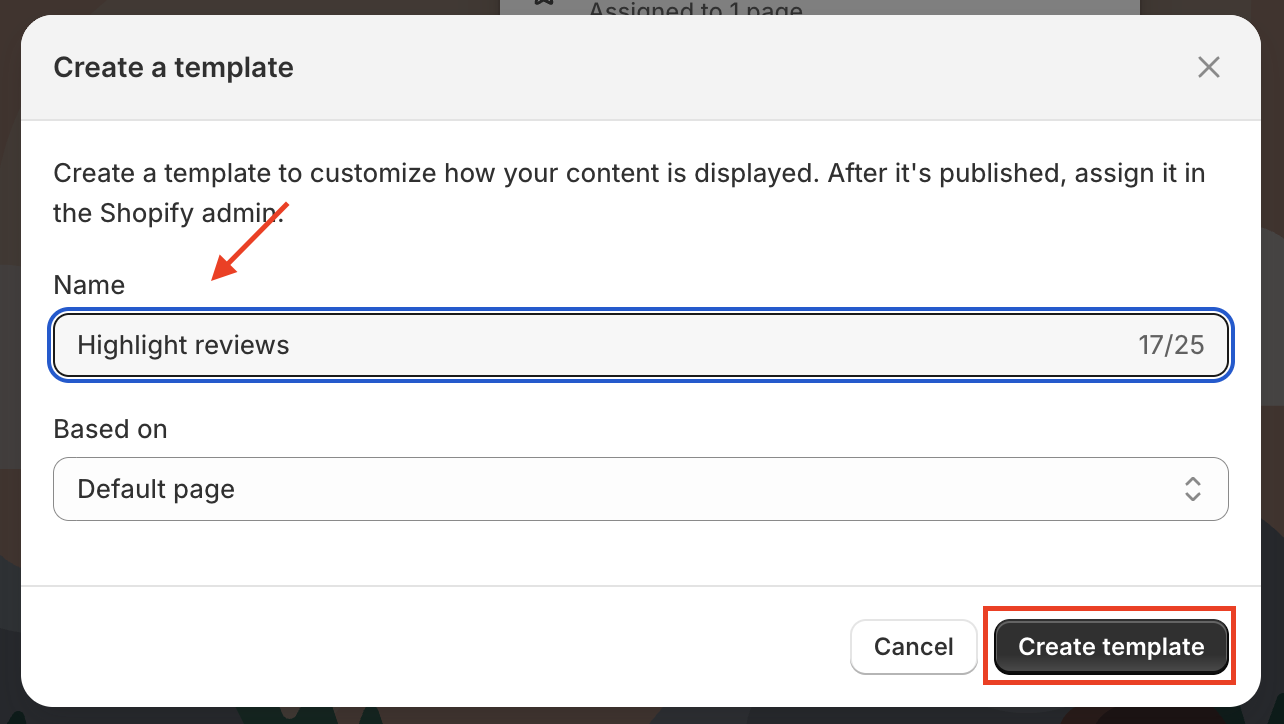
5. Enter a name for the template (for example, reviews) and click Create template.
6. In the template editor, click Add section; select Apps, then choose Featured Reviews.
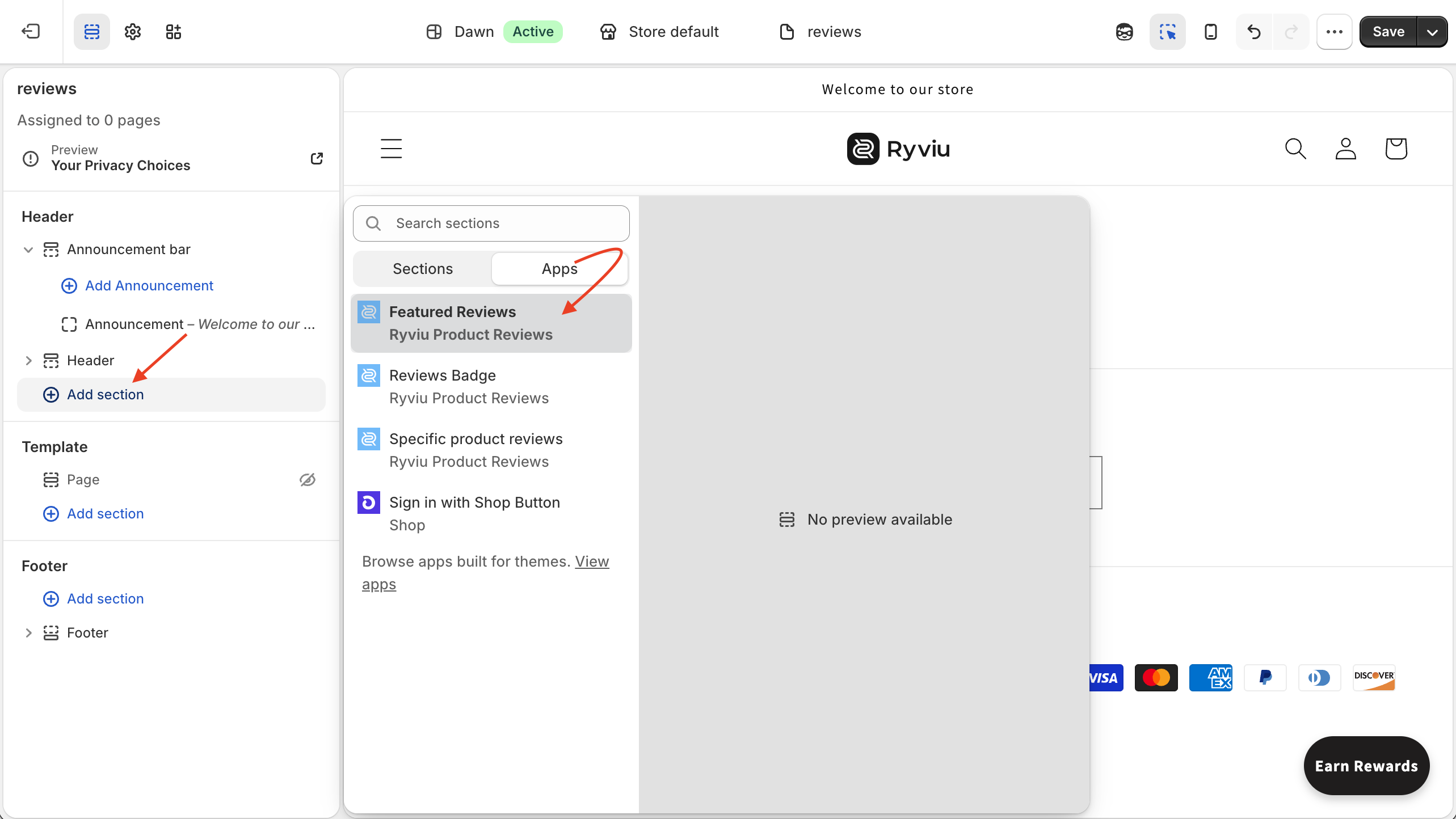
7. (Optional) Drag the section to change its position on the page.
You can also click the Featured Reviews section to customize its layout and settings.
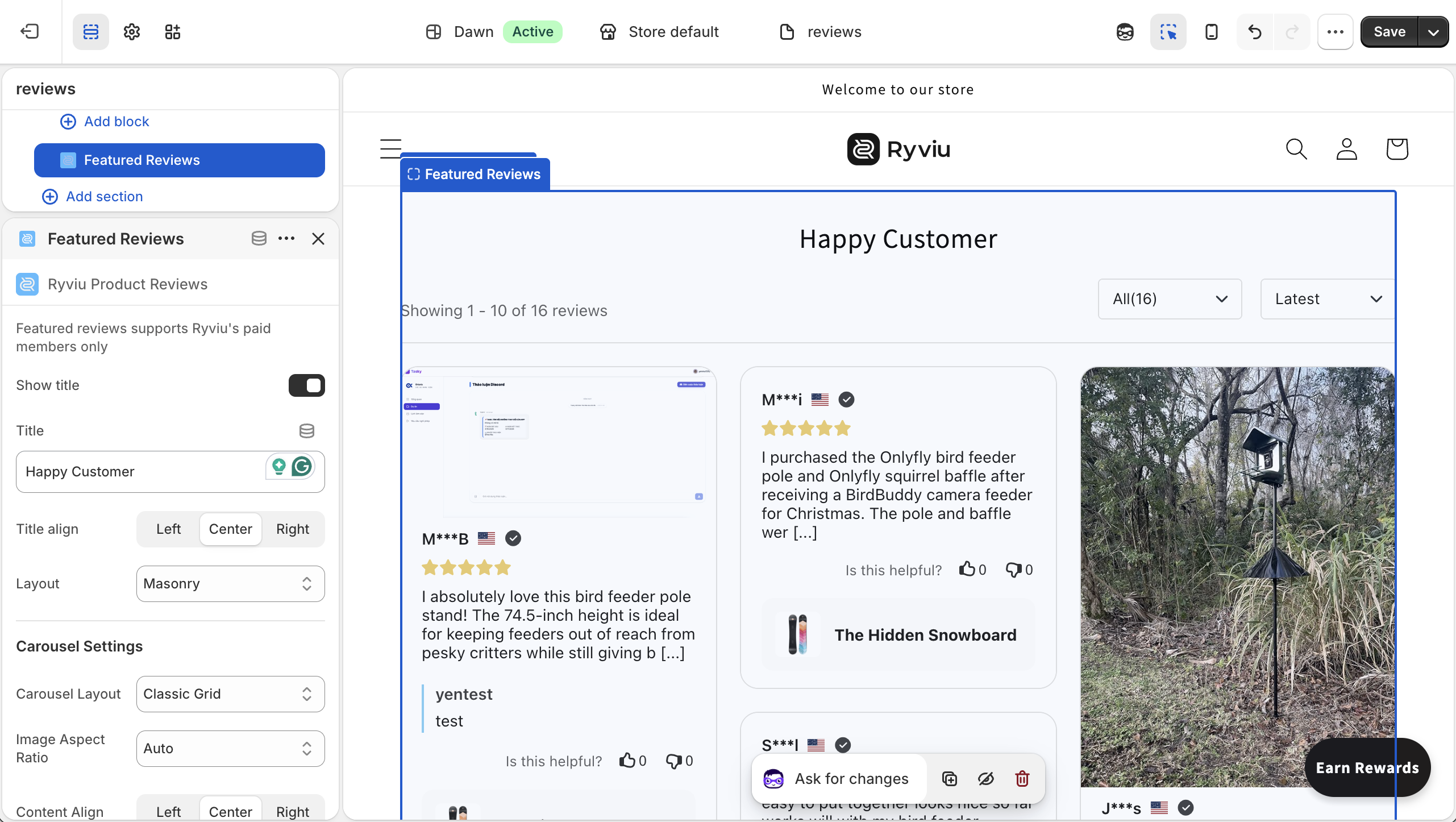
8. Click Save.
After creating the template:
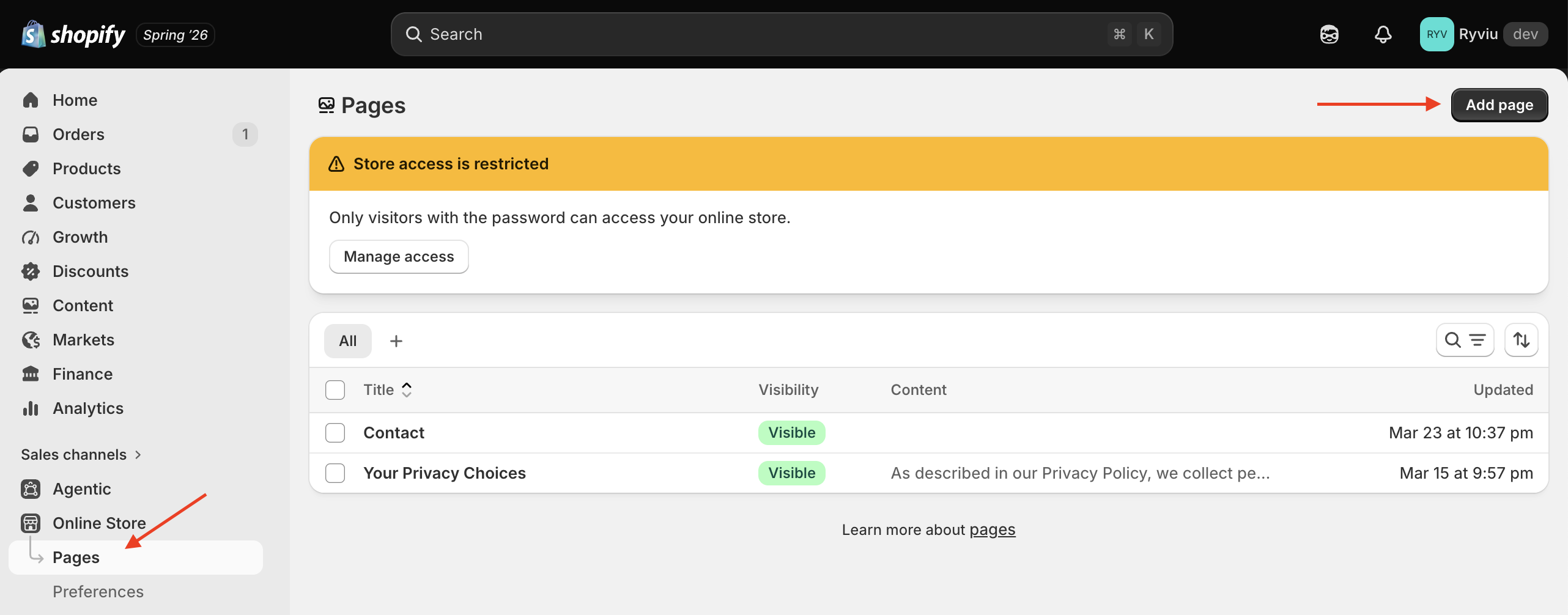
Go to Online Store > Pages.
Click Add page.
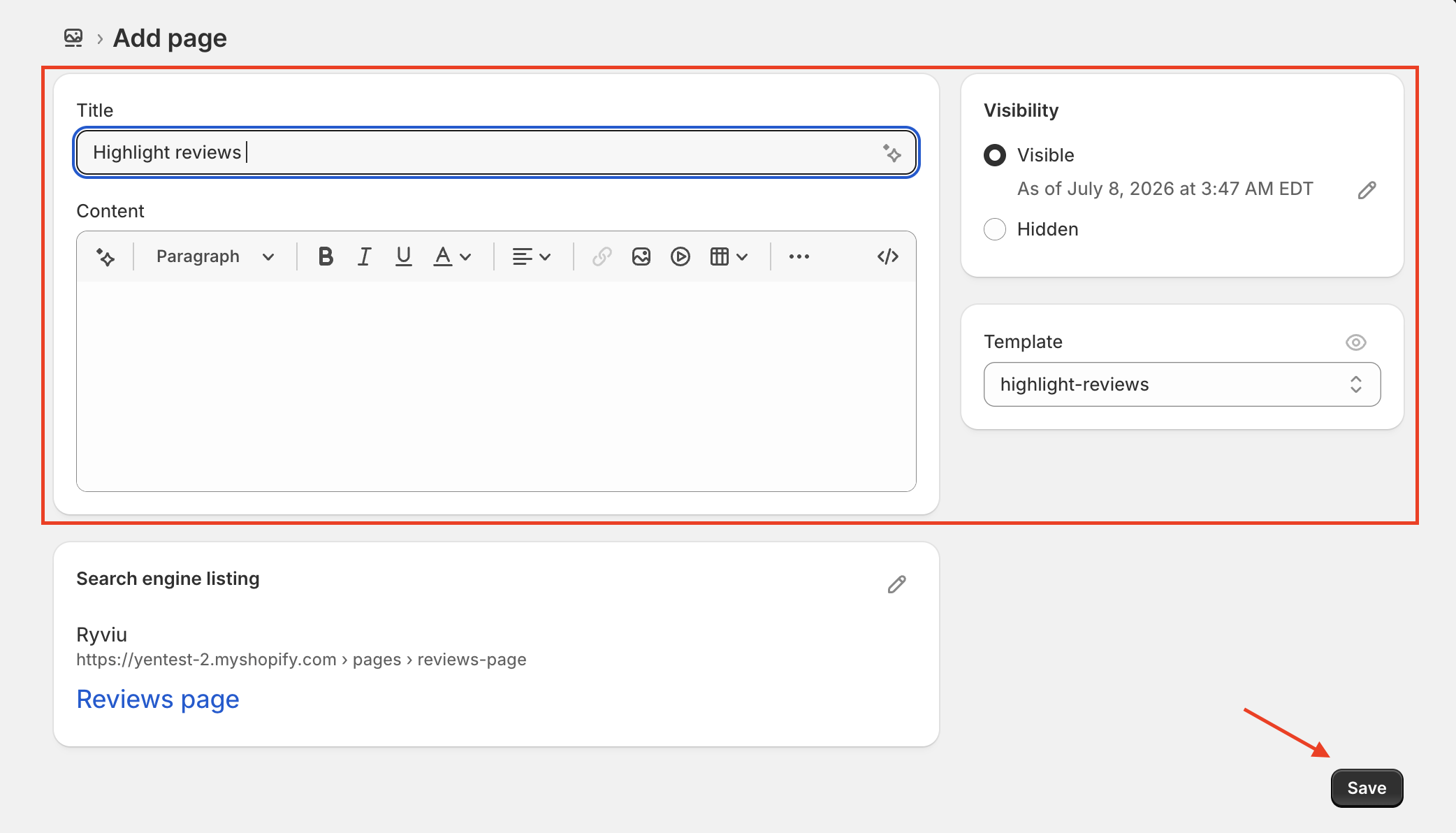
3. Enter a title for your page, such as Customer Reviews.
4. Under Theme template, select the template you created in Step 1.
5. Click Save. Your Reviews page has now been created.
Note:
If you want the Reviews page to appear in your storefront menu, go to Content > Menus, open the menu where you want the page to appear, then click Add menu item and select your Reviews page.
To display reviews on the page, you need to select which reviews to feature. The selected reviews will automatically appear on your Reviews page.
Need help?
Get in touch with our support team through live chat or email at [email protected]. We're here to help!