

Displaying featured reviews on your online store is an excellent way to build trust and boost sales. Reviews are marked as featured and will be displayed in the Featured Reviews widget.
👉 Step 1. Access the Ryviu Dashboard
Log in to your Ryviu account.
Navigate to the Reviews section.
👉 Step 2. Select Featured Reviews
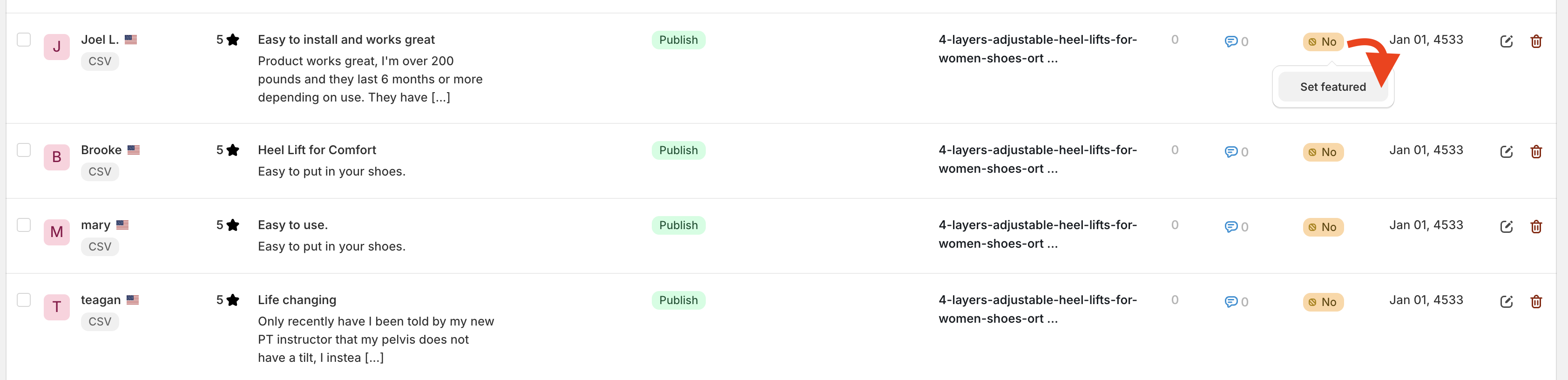
Set one by one as a featured review
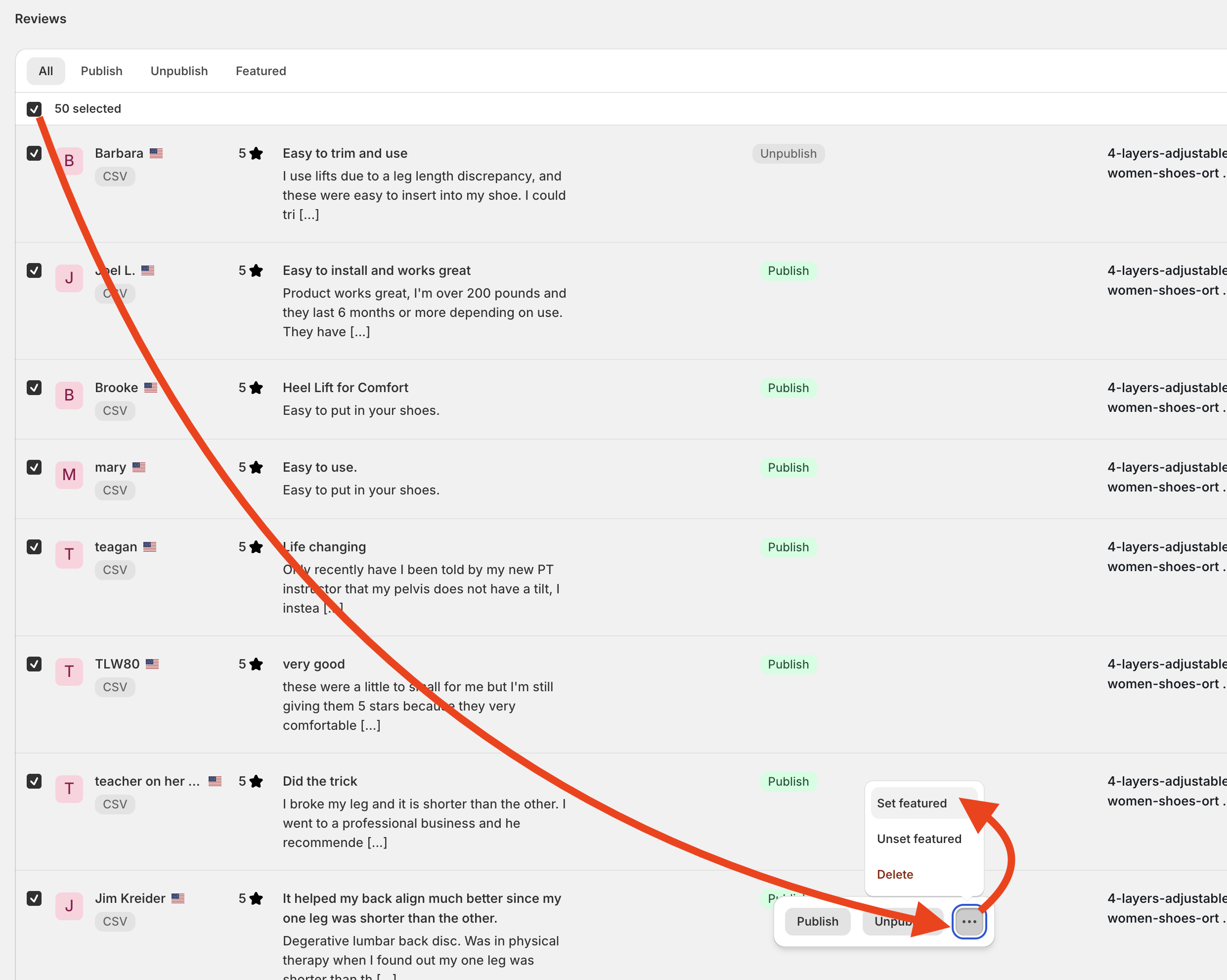
Select multiple reviews and set as featured.
Need help?
Get in touch with our support team through live chat or email at [email protected]. We're here to help.