With Discount for Reviews, you can encourage customers to leave more product reviews by rewarding them with Shopify discount codes.
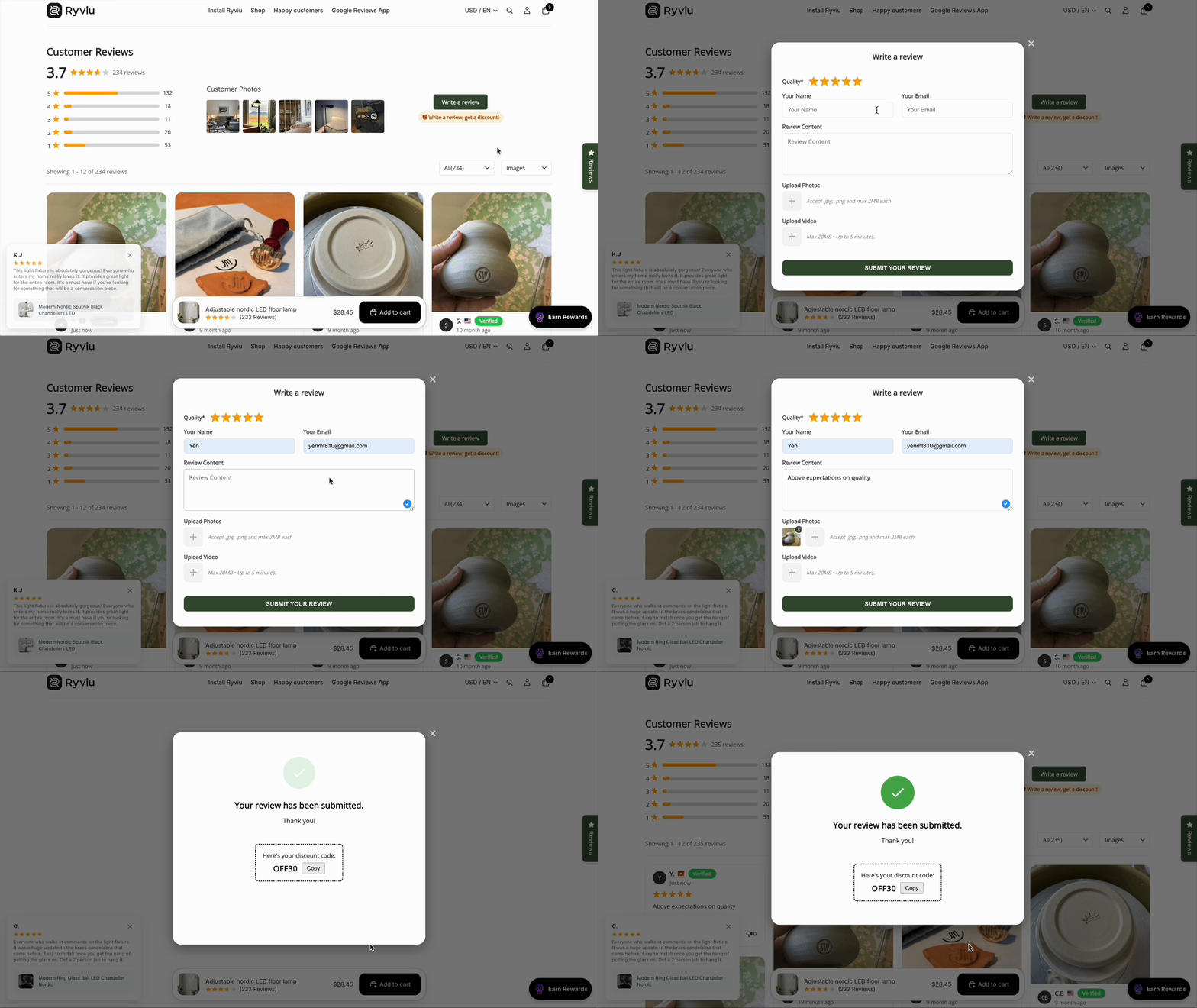
To configure Discount for Reviews, follow these steps.
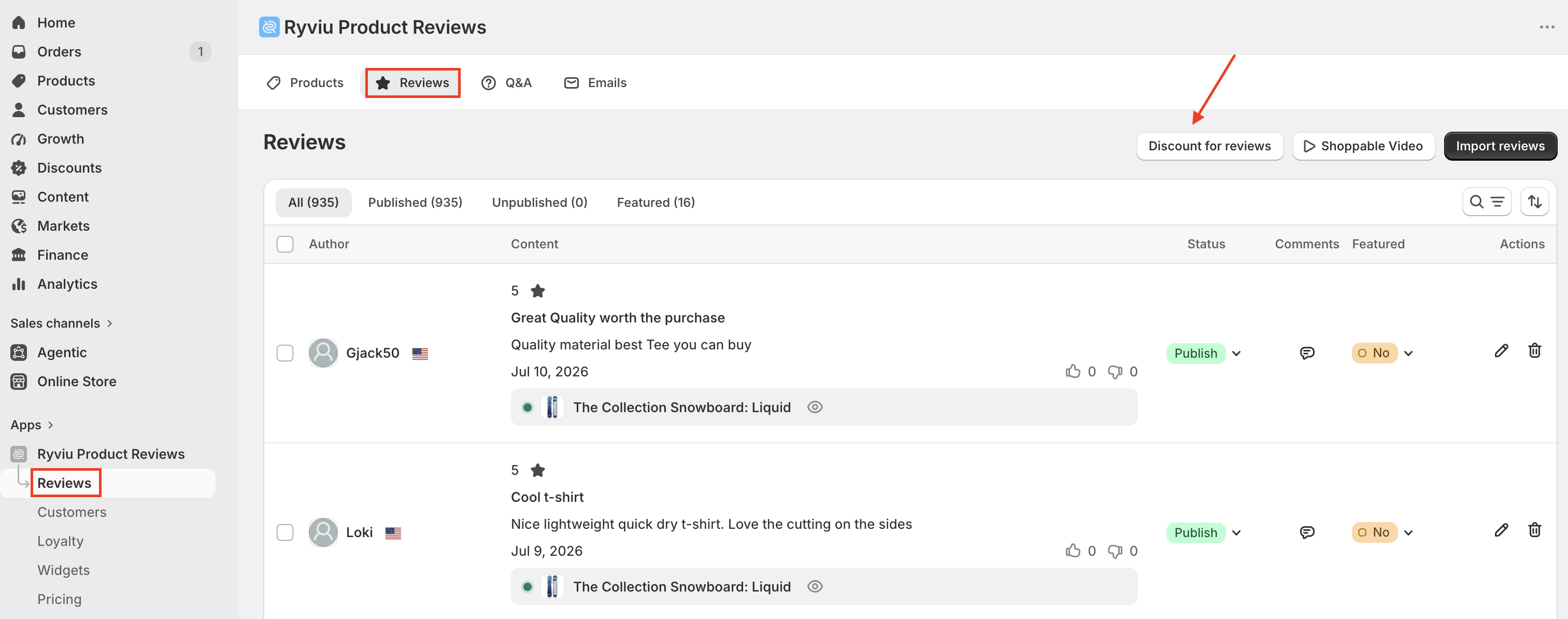
In your Ryviu account, go to the Reviews section.
On the Reviews page, click Discount for Reviews.
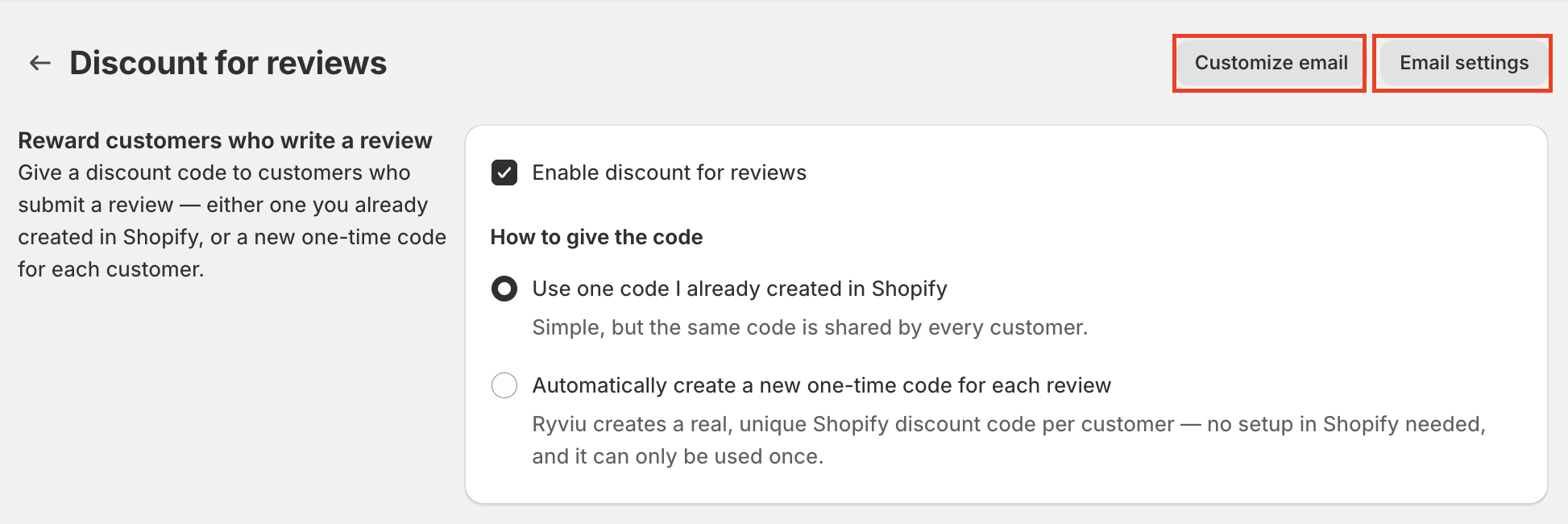
Select Enable Discount for Reviews to reward customers after they submit an eligible review.
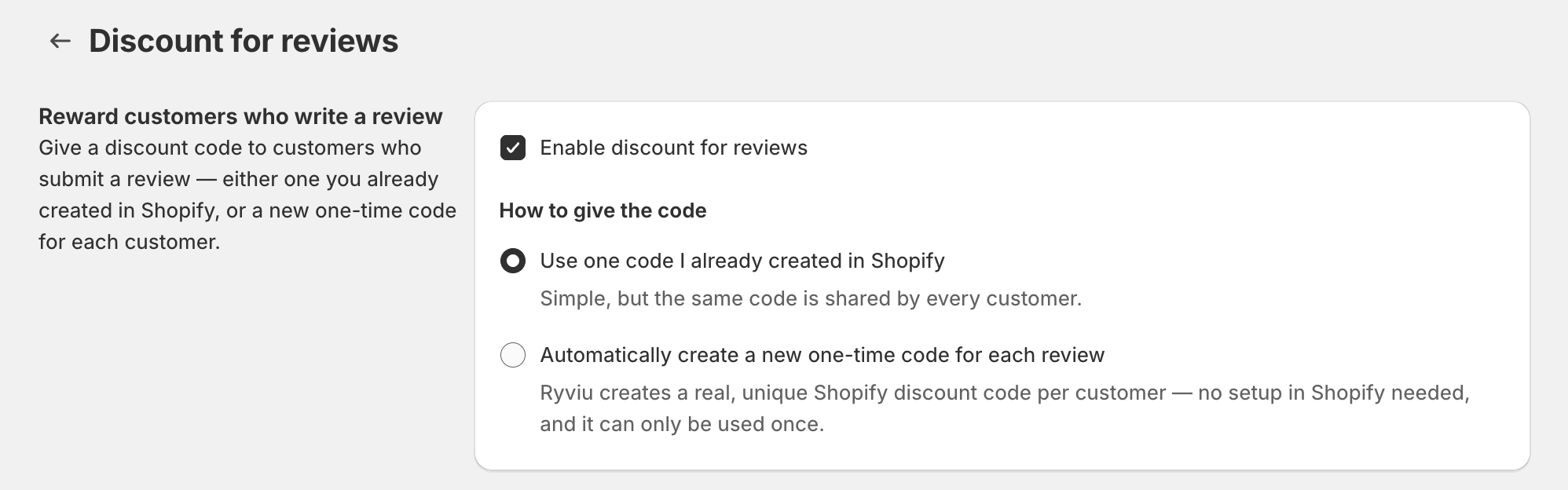
You need to choose how discount codes are generated.
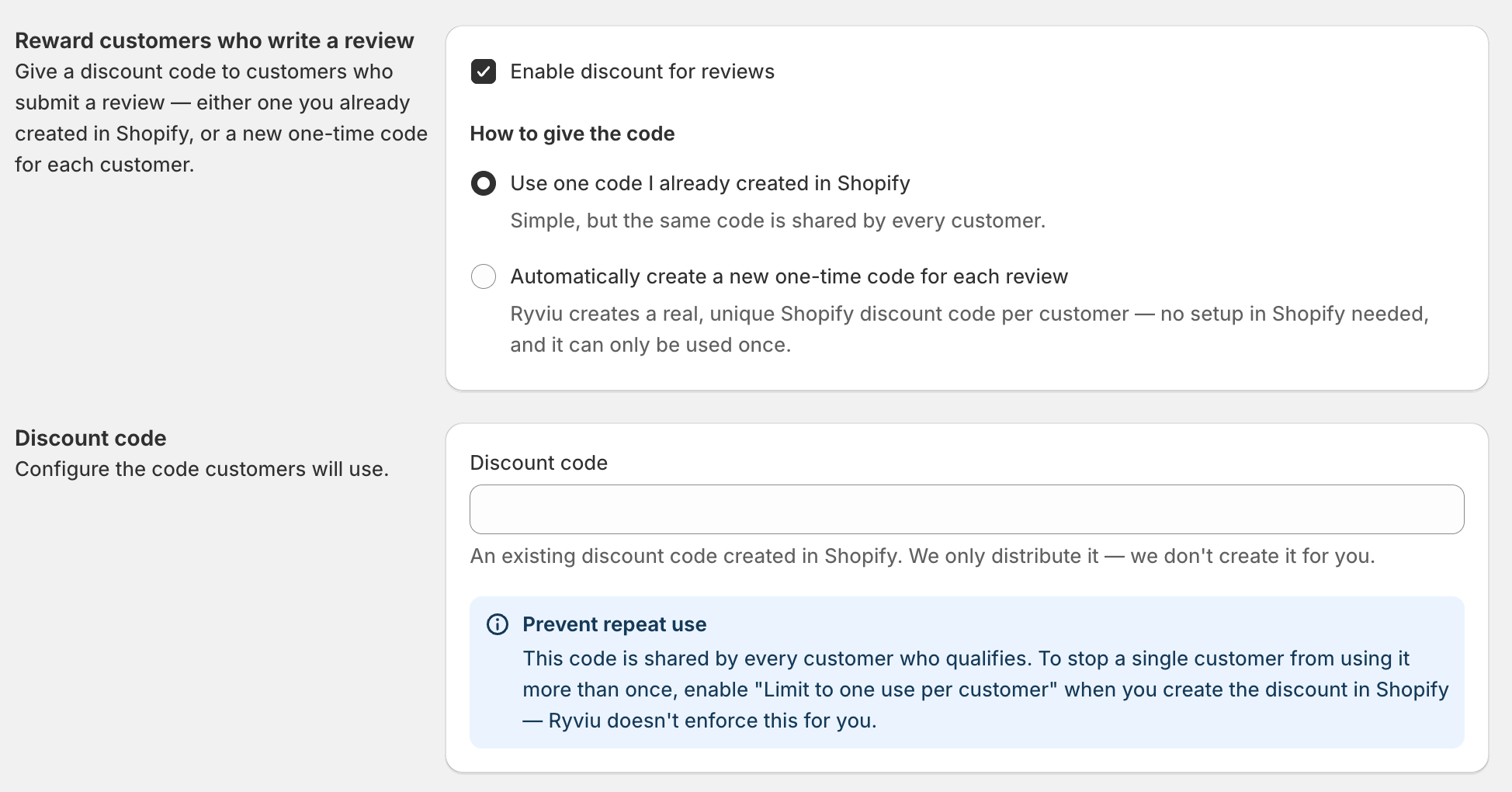
Option 1: Use one code I already created in Shopify
This selection allows you to use an existing Shopify discount code for all eligible customers. You have to enter the Shopify discount code you created in the Discount code section.
Option 2: Automatically create a new one-time code for each review
Generate a unique Shopify discount code for every eligible review.
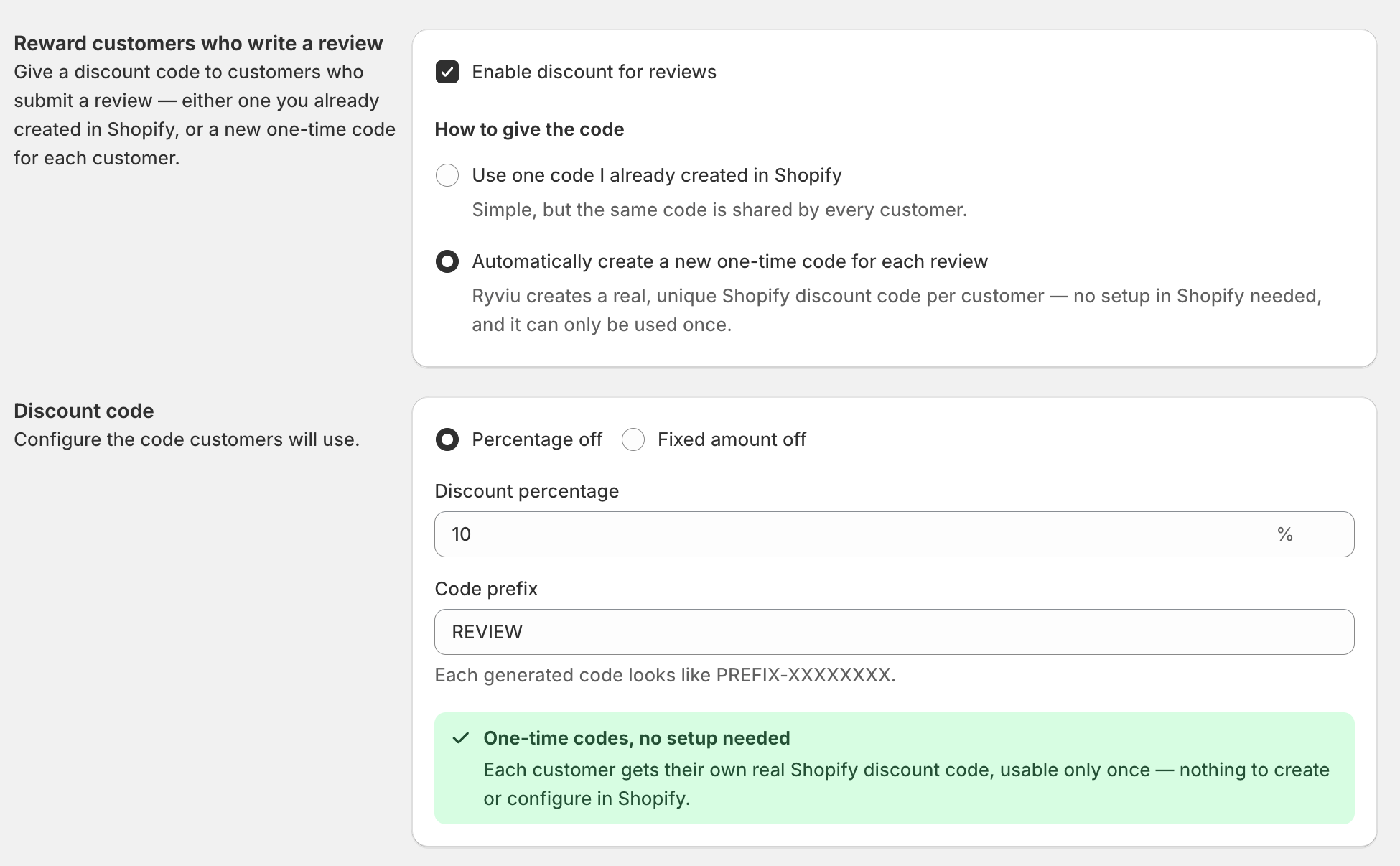
Configure the following settings:
Choose the discount type: Select Percentage off or Fixed amount off.
Enter the discount value: Fill the discount amount or percentage based on the discount type.
Enter the Code prefix: Customize the prefix for generated discount codes.
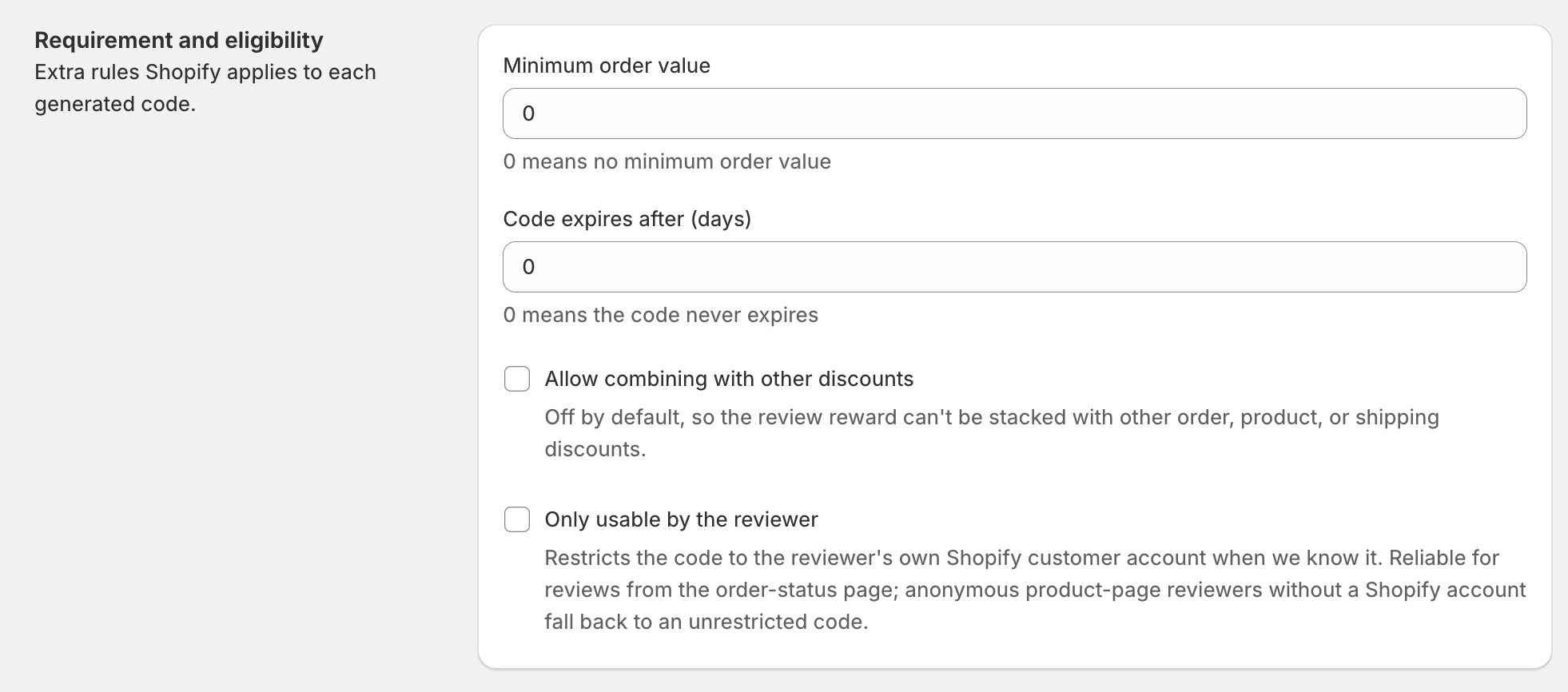
You can also configure the following settings in the Requirement and eligibility section:
Minimum order value: Set the minimum order amount required to redeem the discount.
Code expires after (days): Set how long generated discount codes remain valid.
Allow combining with other discounts: Allow customers to combine the generated discount with other Shopify discounts.
Only usable by the reviewer: Restrict the generated discount code to the reviewer whenever possible.
Choose which reviews are eligible for the reward.
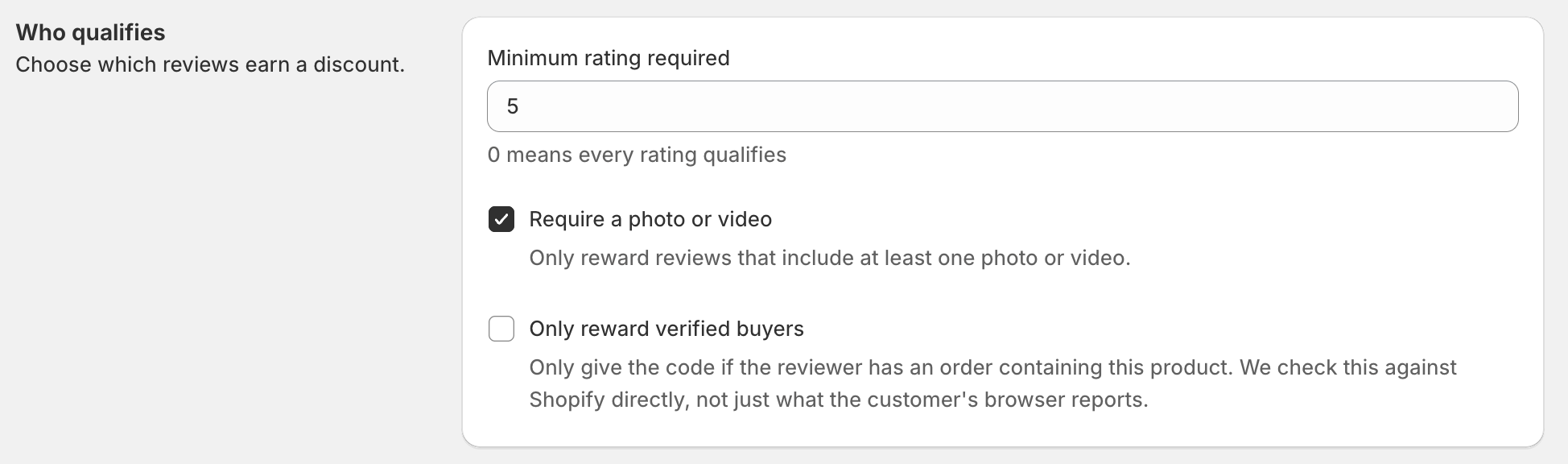
Minimum rating required: Set the minimum star rating required.
Require a photo or video: Reward only reviews that include at least one photo or video.
Only reward verified buyers: Reward only verified purchasers.
Choose when customers receive their discount code.
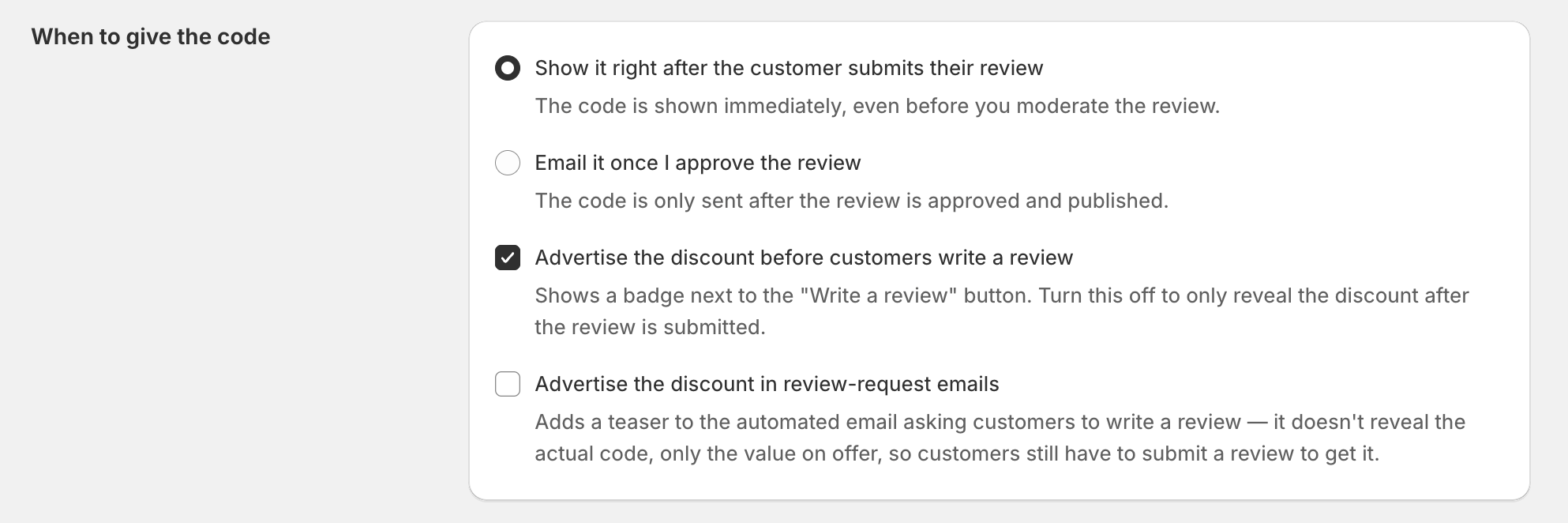
Show it right after the customer submits their review: Display the discount code immediately after an eligible review is submitted.
Email it once I approve the review: Send the discount code after the review is approved and published.
Advertise the discount before customers write a review: Display a badge next to the Write a review button to let customers know they can earn a discount.
Advertise the discount in review-request emails: Promote the reward in review request emails without revealing the actual discount code.
If you choose Email it once I approve the review, you can edit the email template and configure your email settings before sending discount codes to customers.
5.1. Customize the email template
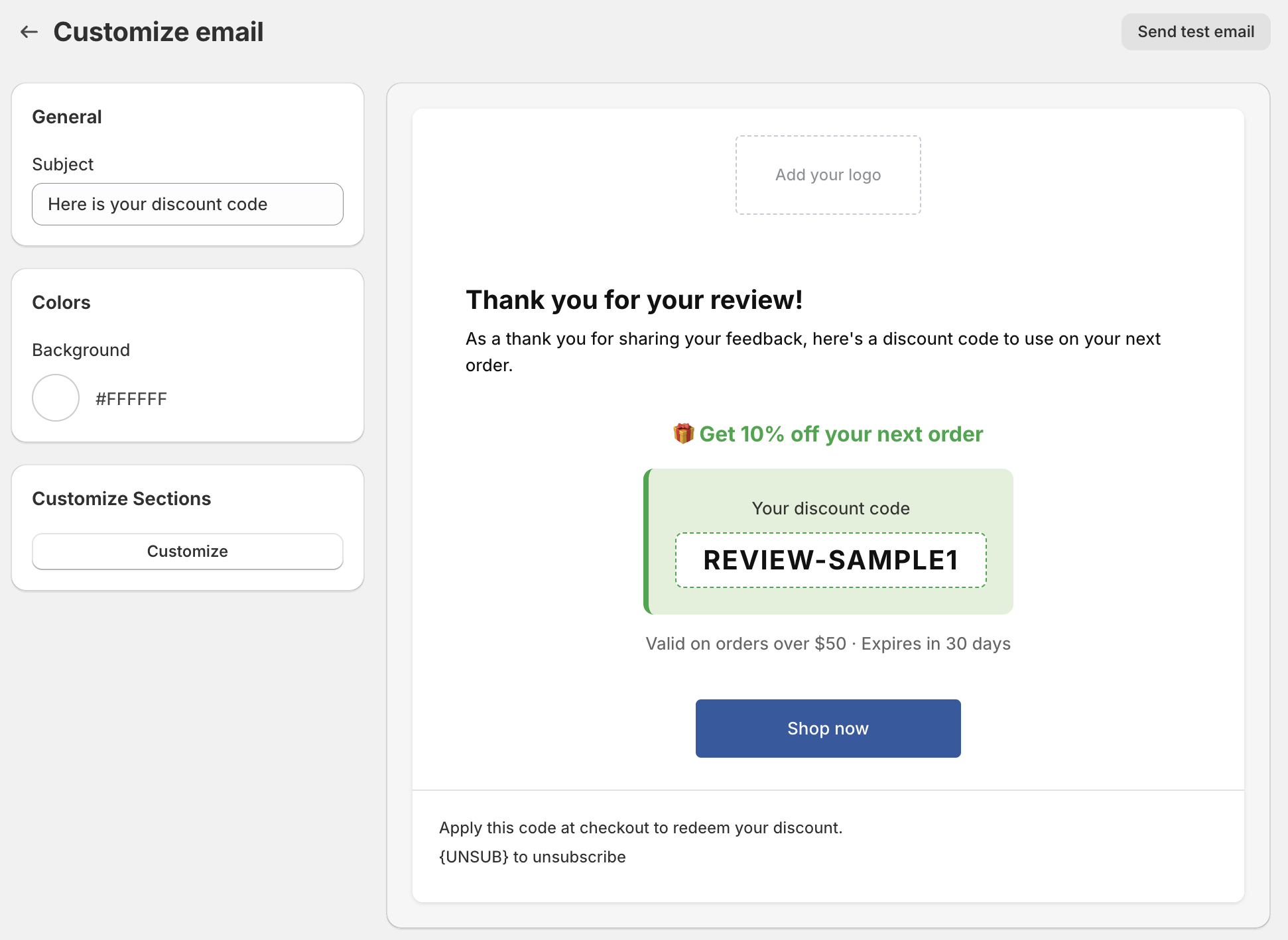
Click Customize email to personalize the email customers receive with their discount code.
You can customize:
Subject: Edit the email subject.
Colors: Change the email background color.
Customize sections: Modify the email content to match your brand.
Click Send test email to preview the email before sending it to customers.
5.2. Configure email settings
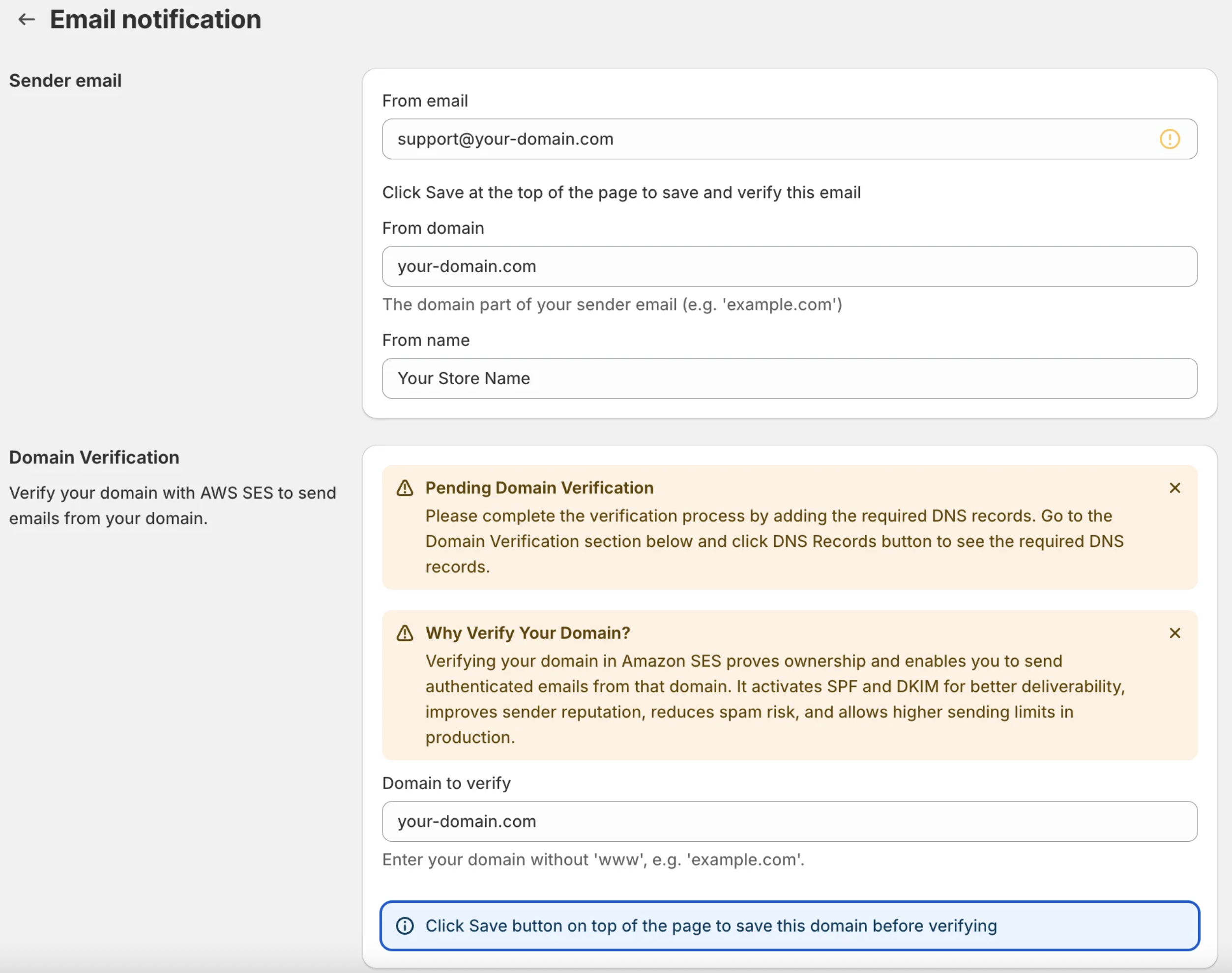
Click Email settings to configure your sender email.
Before sending discount codes by email, make sure your sender email is configured and verified.
For detailed instructions, see Configure email settings.
Click Save. The new settings apply to reviews submitted from that point on—they don't affect reviews or codes already issued.
Track the performance of your Discount for Reviews campaign.

On the discount for reviews setting page, you can view:
Total issued: total number of discount codes distributed.
Instant: number of codes shown immediately after review submission.
On approval: number of codes sent by email after review approval.
Last 30 days: number of codes issued during the last 30 days.
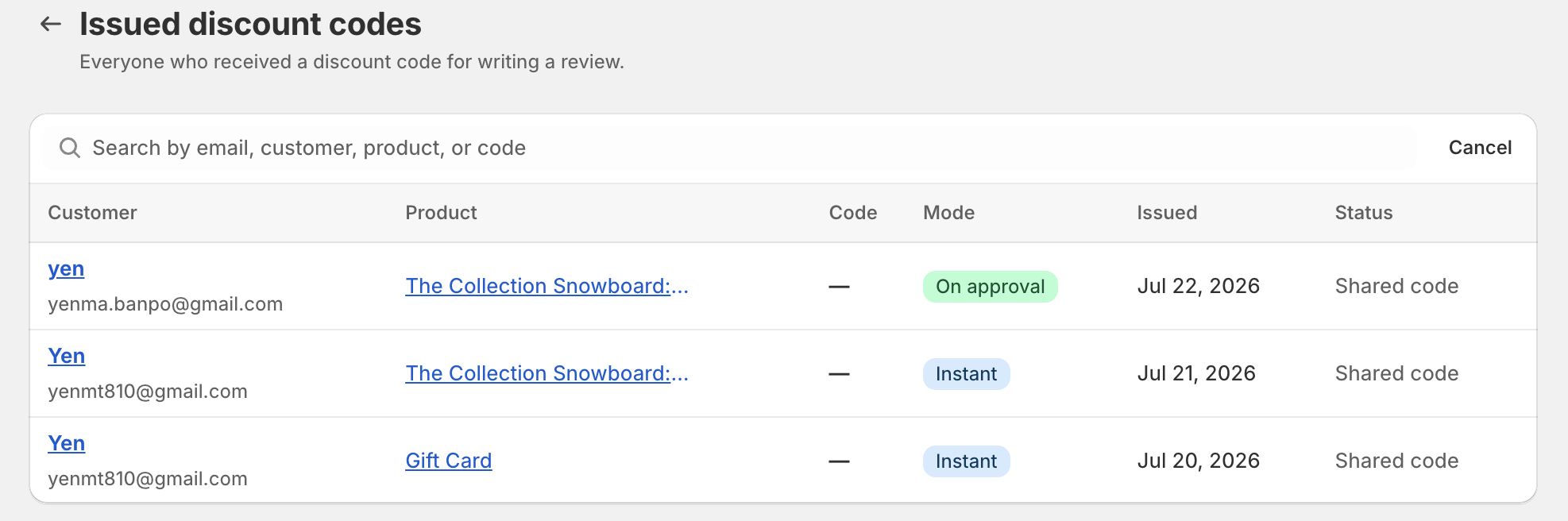
You can also click View who received a code to view issued discount codes and search by customer, product, or discount code.
Need help?
Get in touch with our support team through live chat or email at [email protected]. We're here to help!