Displaying photos in your product reviews can greatly enhance trust in your store. If you're wondering how to include images in your product reviews, you've come to the right place. This tutorial will guide you step-by-step through uploading photos, reviews, and author avatars using a CSV file.

With a Shopify store
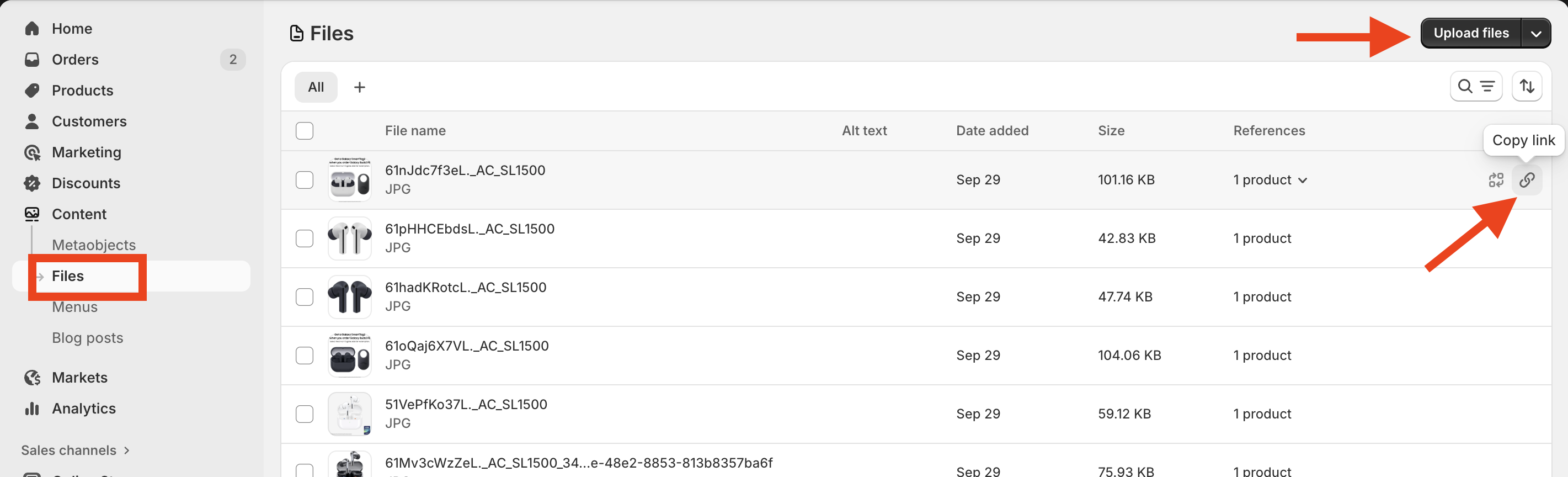
Log in to your Shopify admin.
In Content > Files.
Click Upload files.
Upload your images.
Copy image’s link.
With a Woocommerce store
Log in to your Wordpress admin.
In Media > click Add New Media File button
Select your pictures to upload.
Click Copy URL to clipboard to get the link.
In the photo_urls column, enter the URLs of the image reviews.
If you add more than one image link for a single review, separate them by a comma.
Need help?
Get in touch with our support team through live chat or email at [email protected]. We're here to help