A: You can customize your Ryviu widgets from the Widgets section in your Ryviu dashboard.
To customize your widget:
Log in to your Ryviu dashboard
Go to Widgets
Select the widget you want to edit
Click the Customize button of the product reviews widget.
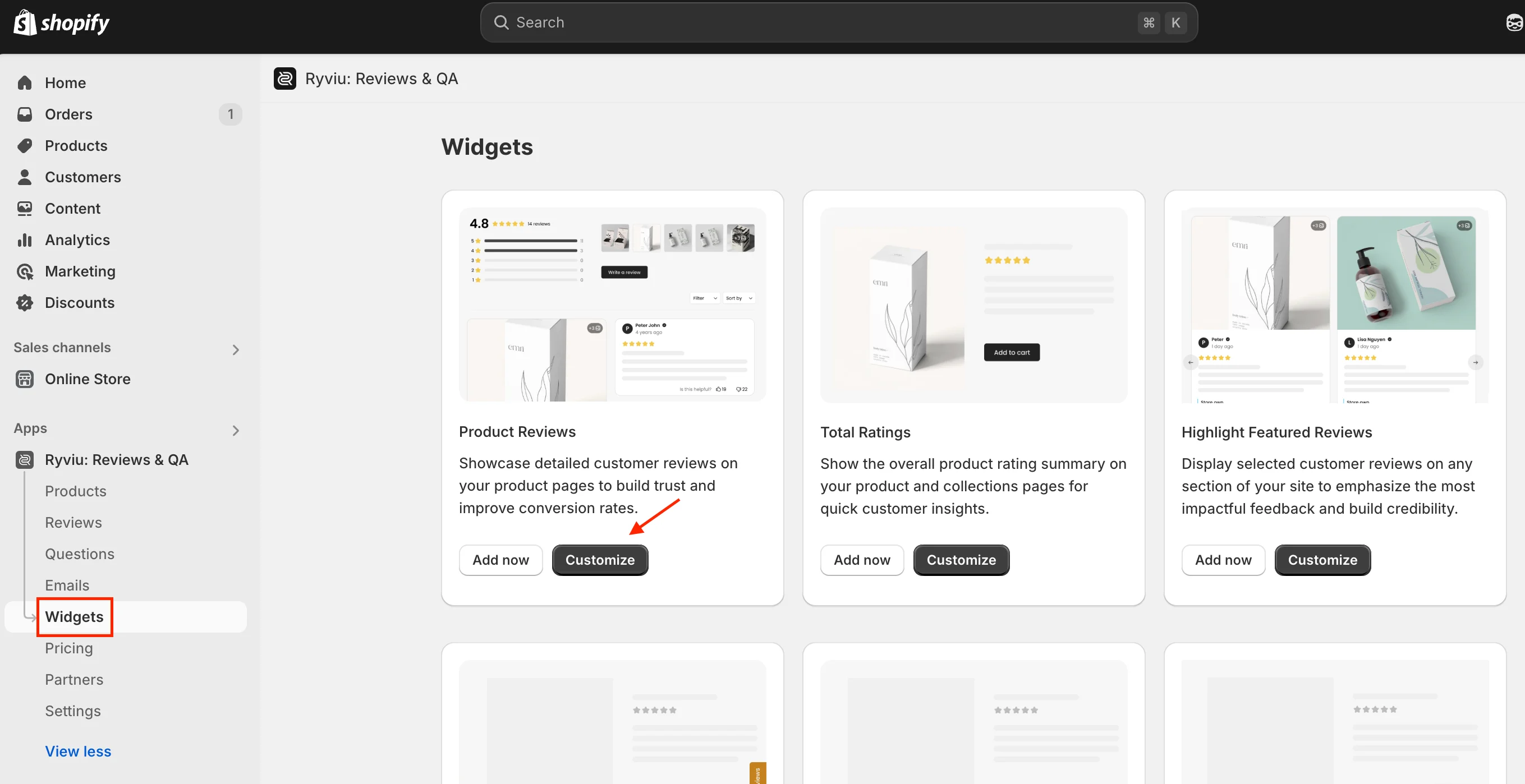
From there, you can customize settings such as fonts, colors, review sorting, review date display, widget layout, and more.
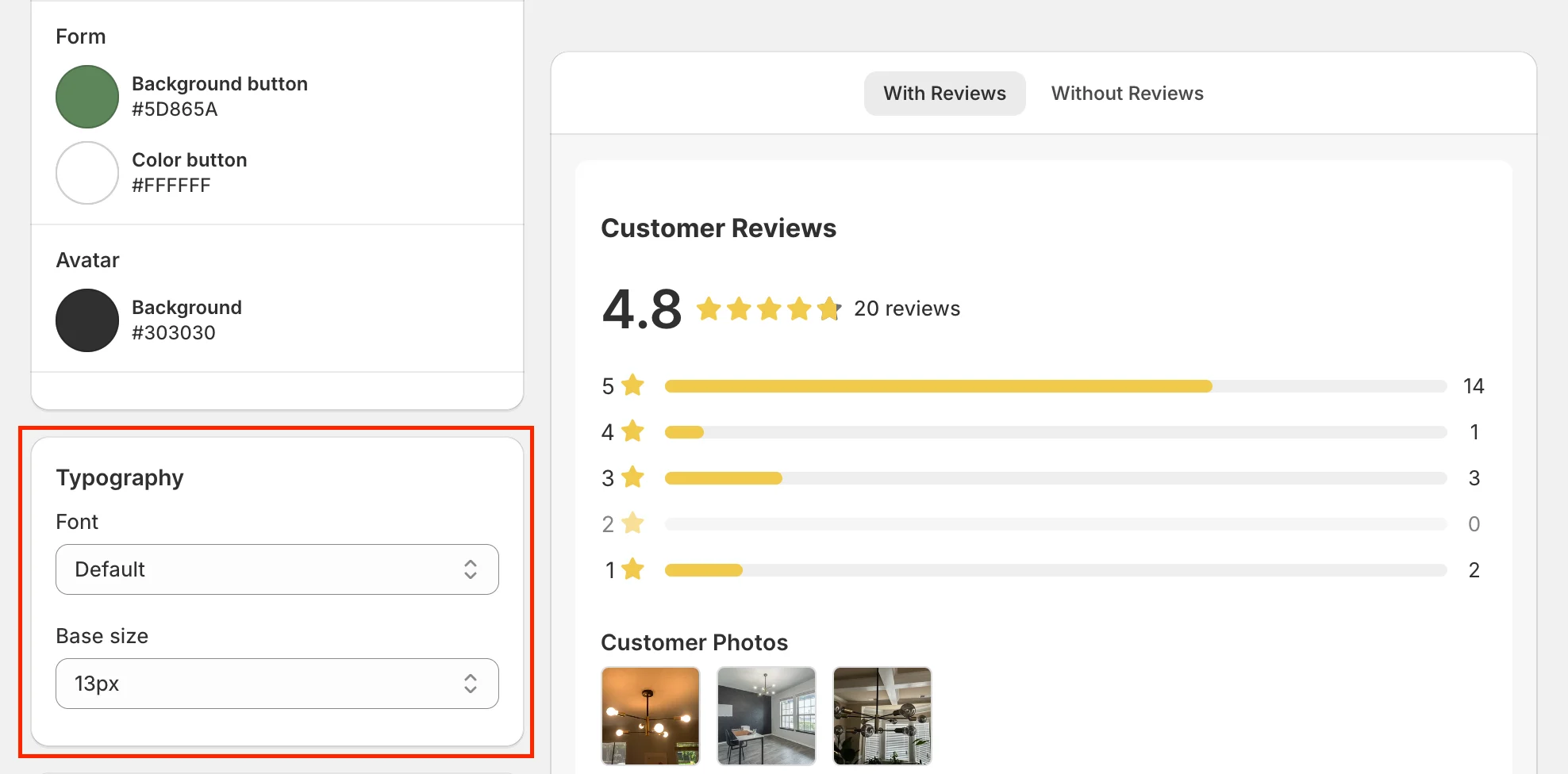
A: Yes. Please go to:
Widgets → Product Reviews → Customize → Slyle tab →Typography
From there, you can change the font style and font size of your review widget.
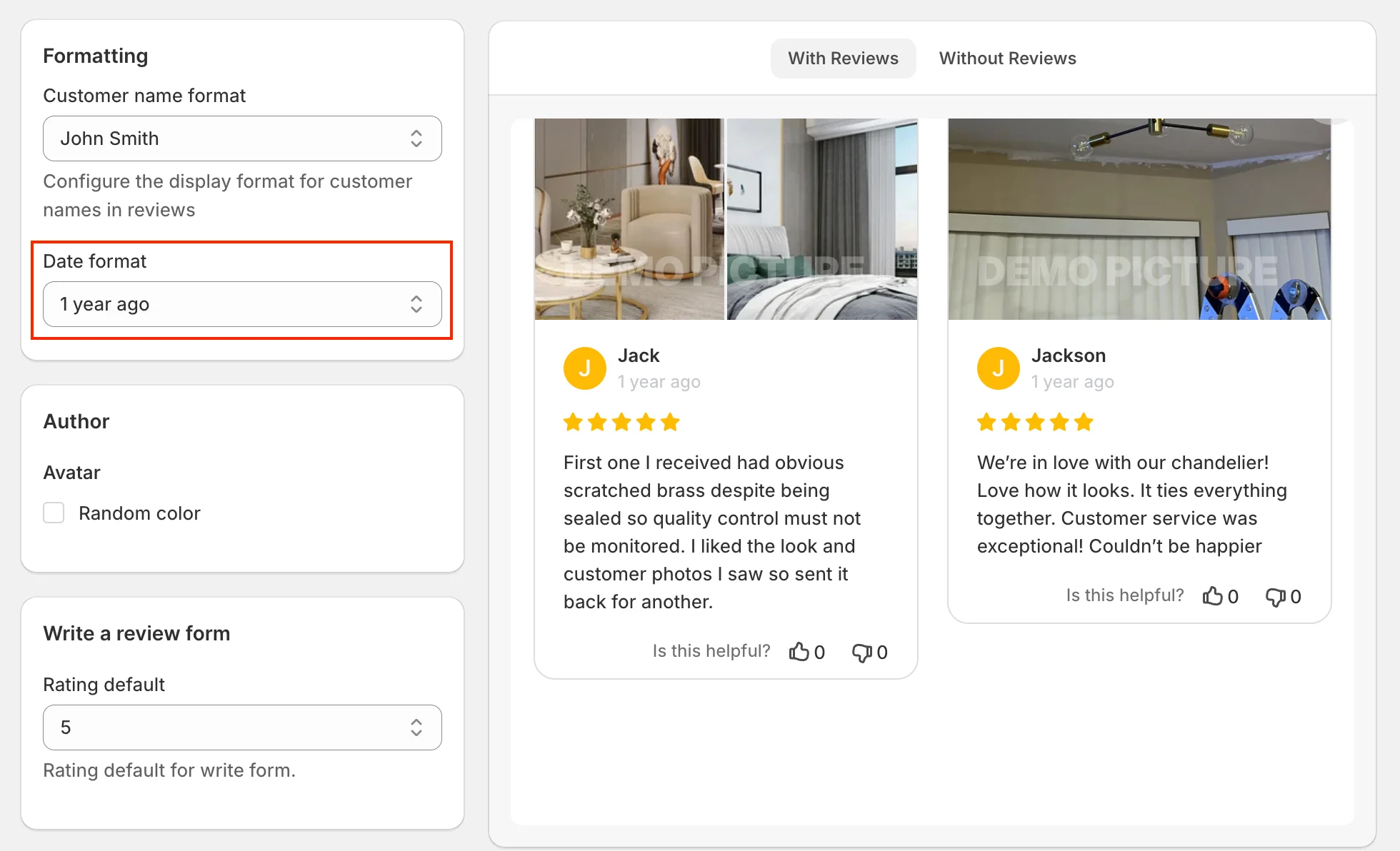
A: Yes. Please go to:
Widgets → Product Reviews → Customize → Settings tab → Formatting:
From there, you can customize the review date format.
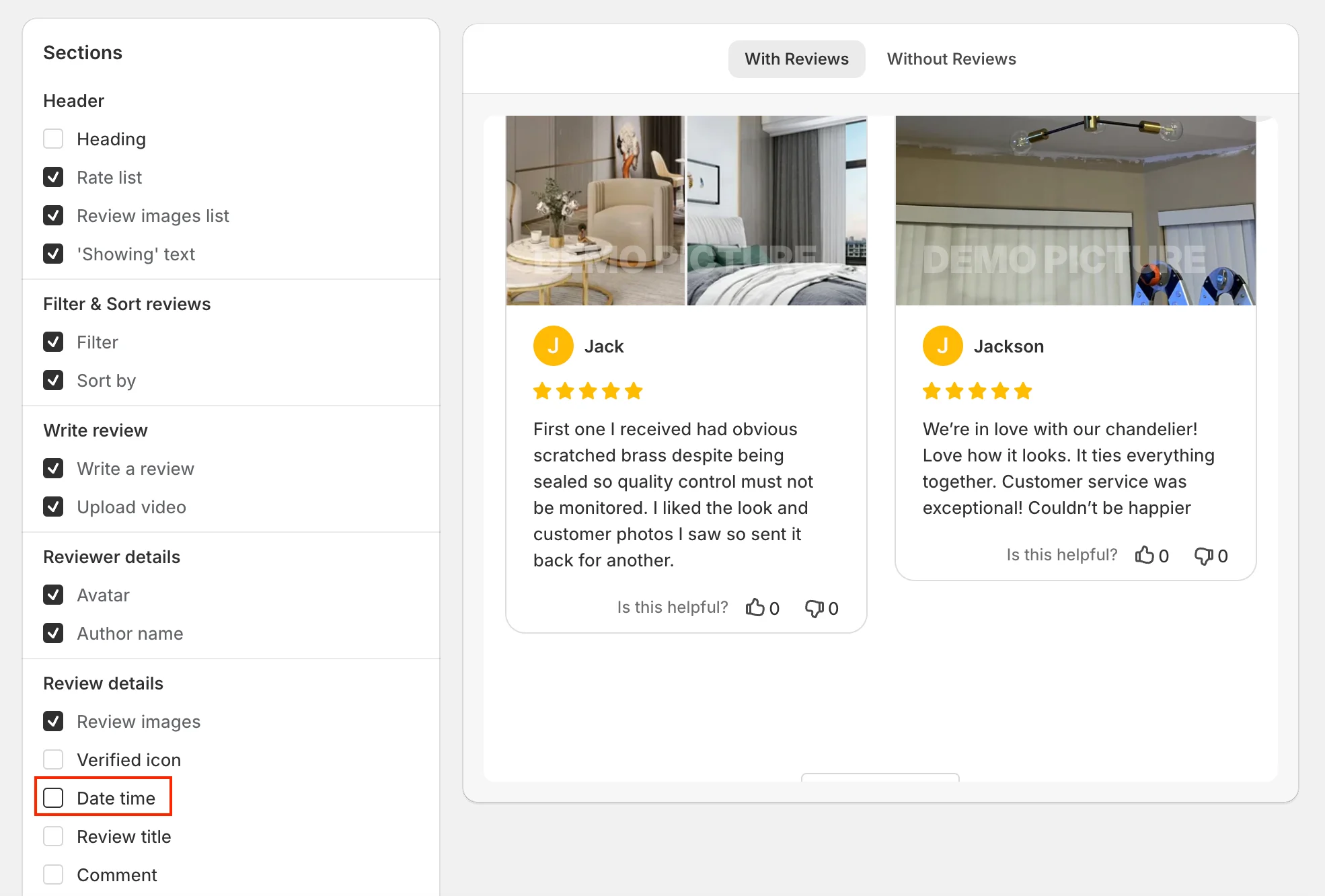
And hide the date in Sections by unchecking the Date time option.
A: Yes. Please go to:
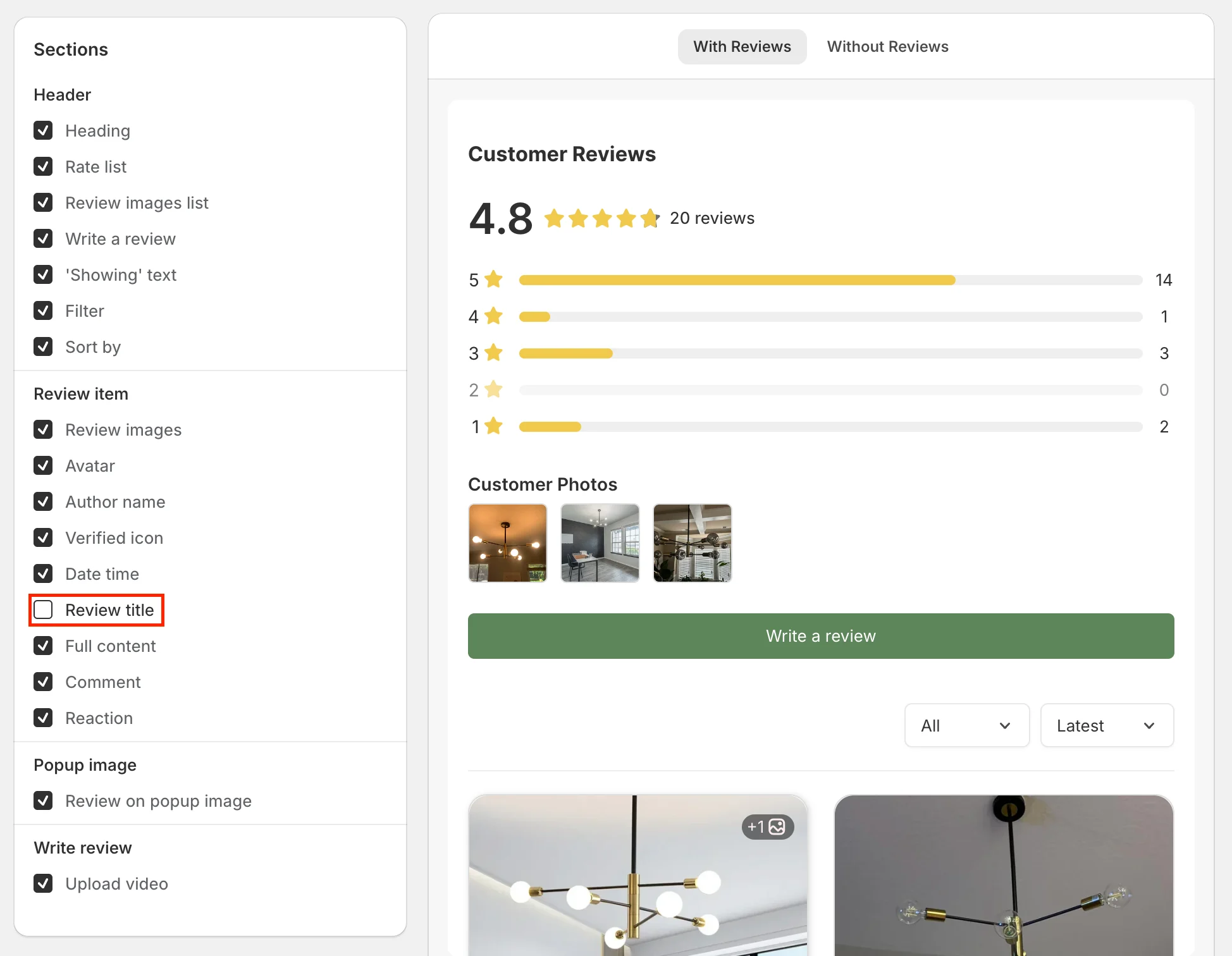
Widgets → Product Reviews → Customize → Settings tab → Sections.
Then disable the review title option.
A: Yes. English is the default language of the Ryviu widget. Ryviu also supports automatic translations for Chinese, French, Portuguese, and German.
To translate your widget, please go to:
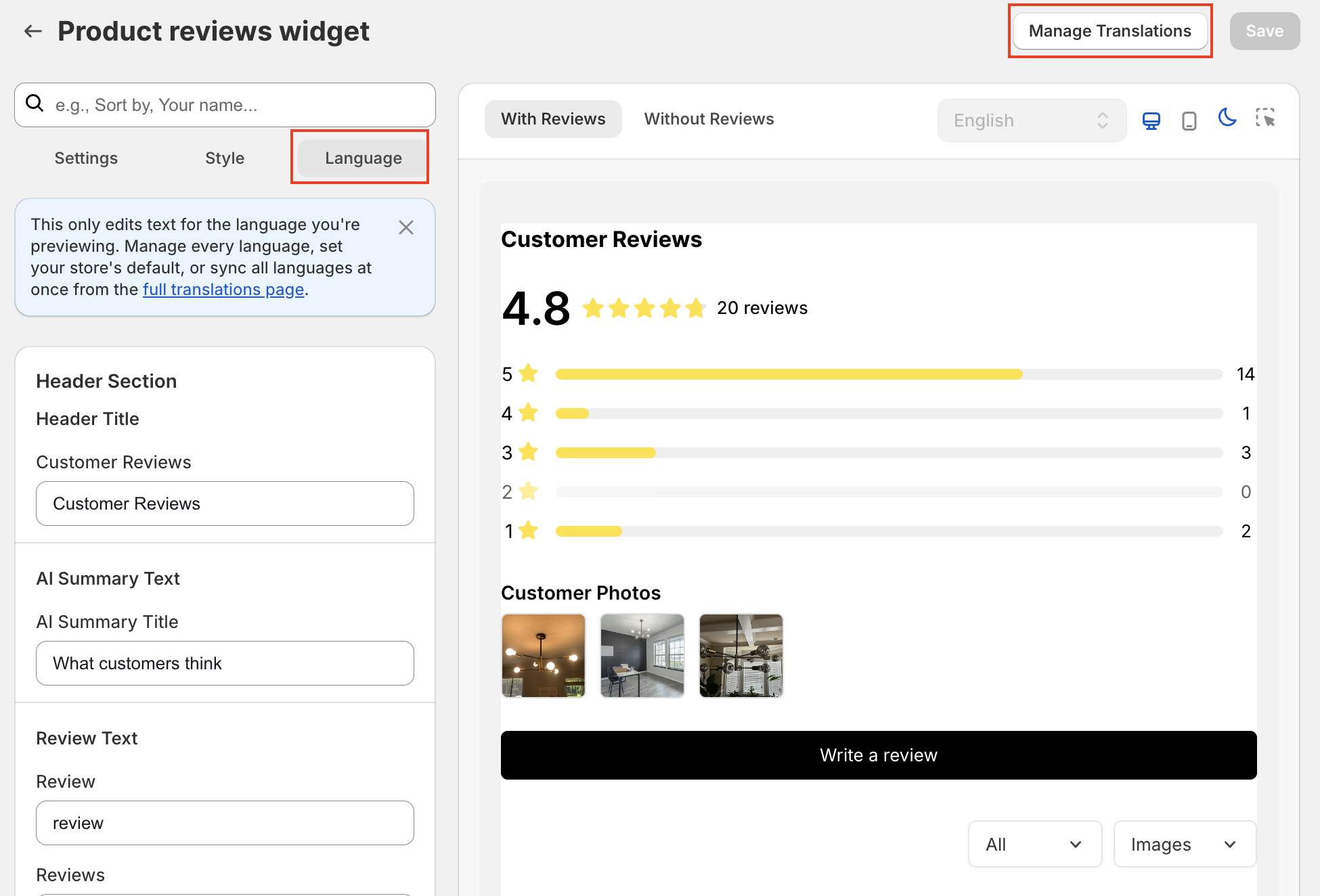
Widgets → Product Reviews → Customize → Language tab
For advanced translation settings, click Manage Translation to manage all languages, set your default language, and sync translations for all supported languages.
Need help?
Get in touch with our support team through live chat or email at [email protected]. We're here to help!