

This section provides comprehensive information about the products you have imported to your store. You can import reviews by CSV, manage products, edit product handles, and manage reviews, among other things.
Let's discover the detailed process.
Products manager page
Log in to your Ryviu account, and click on Products section on the left menu bar to open Ryviu Products manager section.
The detailed purpose of each button or icon is listed below:
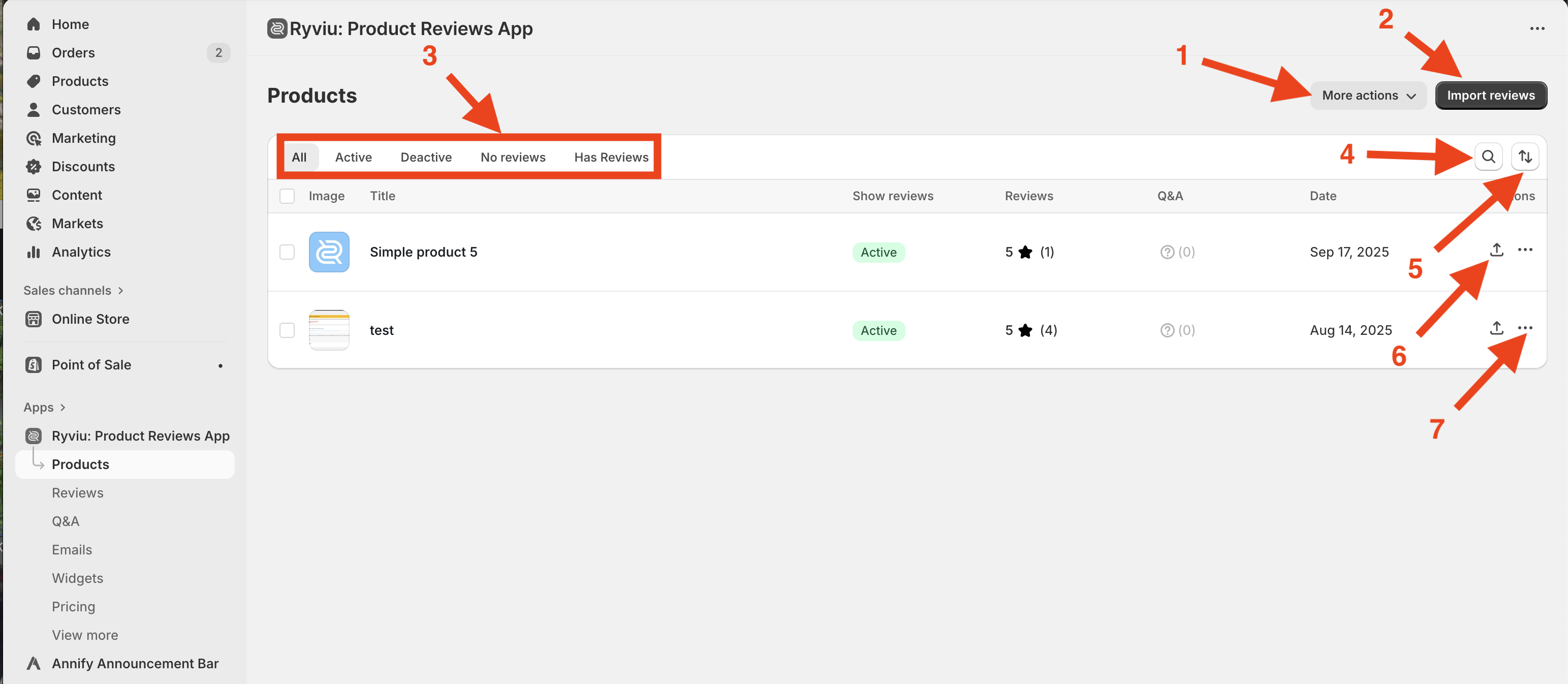
More Actions button: Export reviews in Bulk to CSV file or XML feeds.
Import Reviews Button: To import reviews from a dropship link.
Filter Reviews: Show all, enabled, or disabled product reviews.
Search Products: Enter product handle or ID to find specific products.
Sort Products: Order products by newest or oldest.
Import reviews for the selected product.
More action on selected product: Duplicate reviews, export reviews to CSV, download reviews to Google XML review, and delete product from Ryviu.
Reviews of the product page
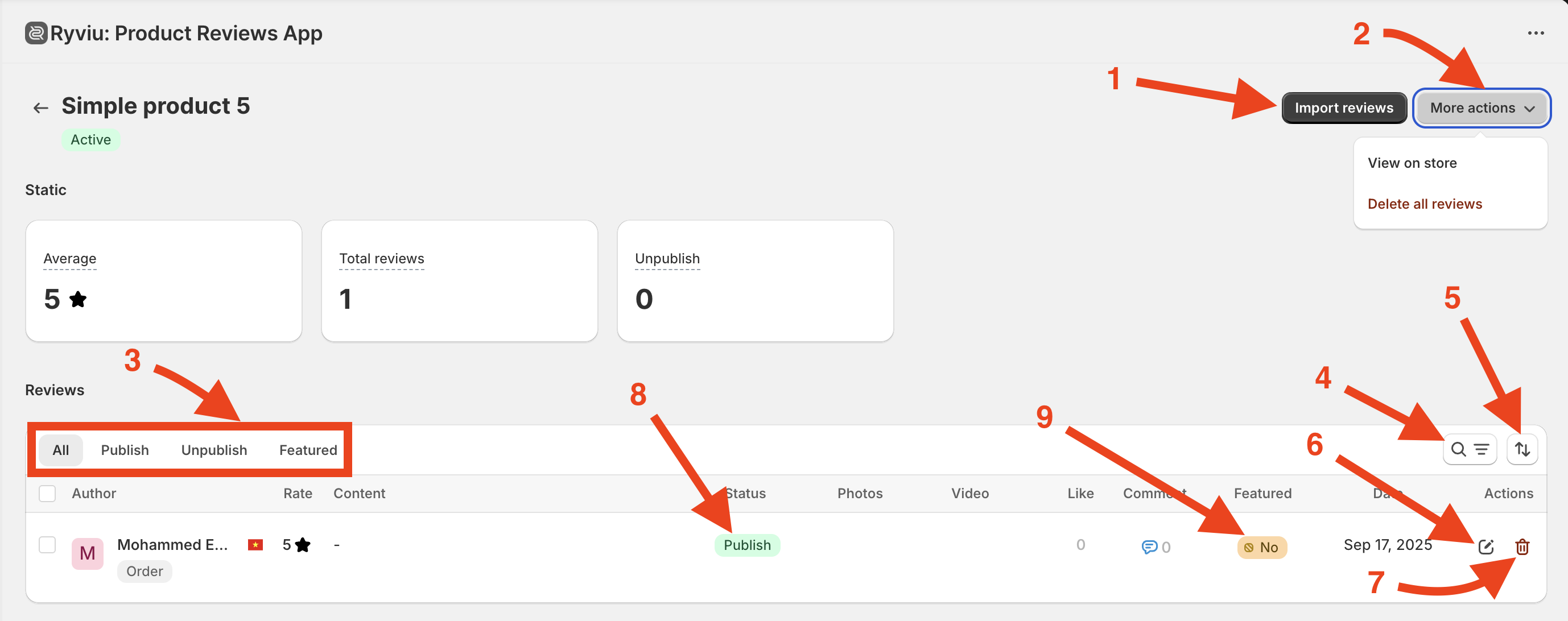
Import review button.
More actions: View button on your store and Delete all reviews.
Filter reviews.
Search for reviews.
Sort reviews.
Edit reviews
Delete review.
Publish/Unpublish review.
Set/unset reviews as featured.
Need help?
Get in touch with our support team through live chat or email at [email protected]. We're here to help!