This article provides step-by-step instructions for adding and customizing the Write a review button on Shopify order status pages.
Customers can:
Write reviews directly from the Order status page.
Review each purchased product separately.
Review different variants individually.
Upload multiple photos with preview support.
Edit previously submitted reviews.
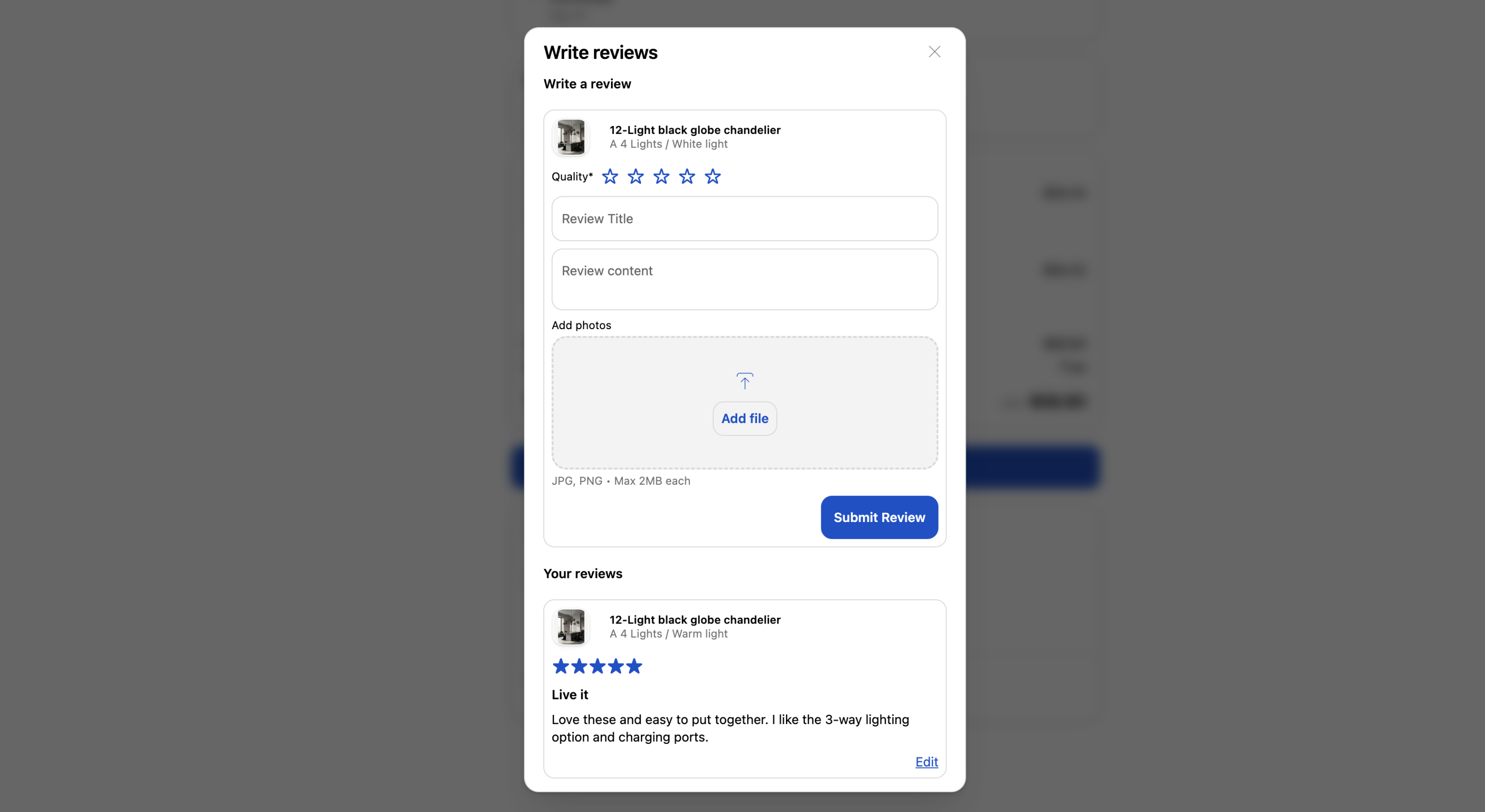
The button label changes automatically depending on the review status, for example:
Write a review – No products have been reviewed yet.
Write a review (2 left) – There are still 2 products waiting for reviews.
View your reviews – Reviews have been submitted for all products in the order.
How to add and customize the Write a review button
From your store admin, navigate to Sales Channels> Online Store.
Click the Customize button in your current theme.
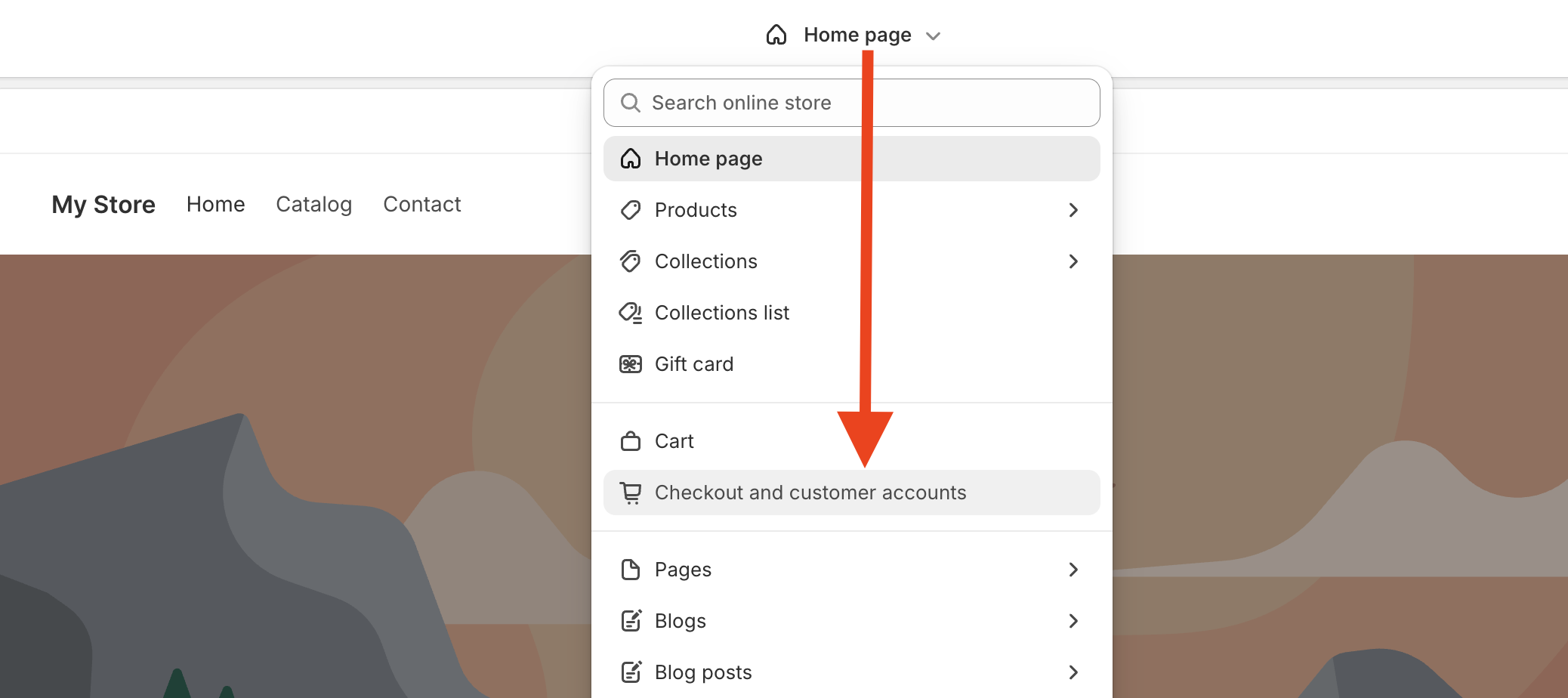
Click on the Homepage menu at the top center, select Checkout and Customer accounts.
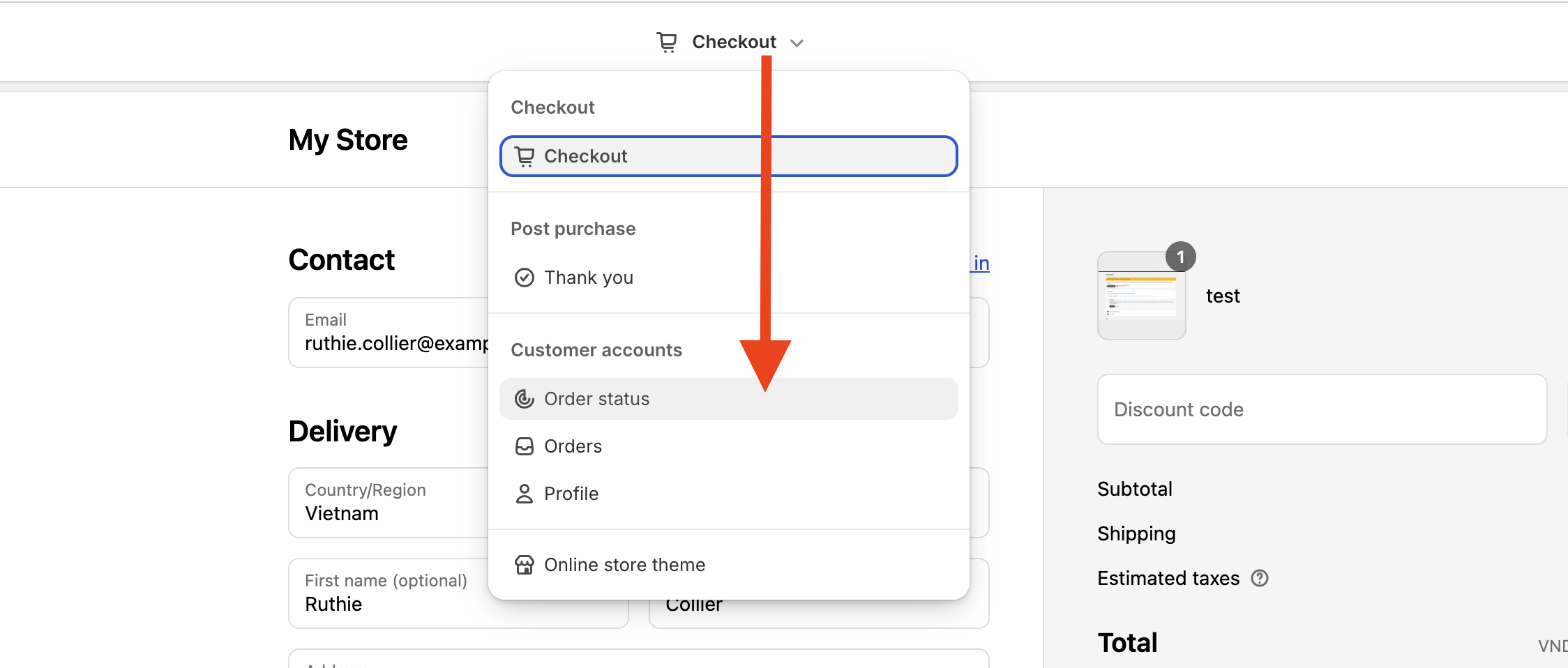
Click Checkout menu at the top center, select Order status.
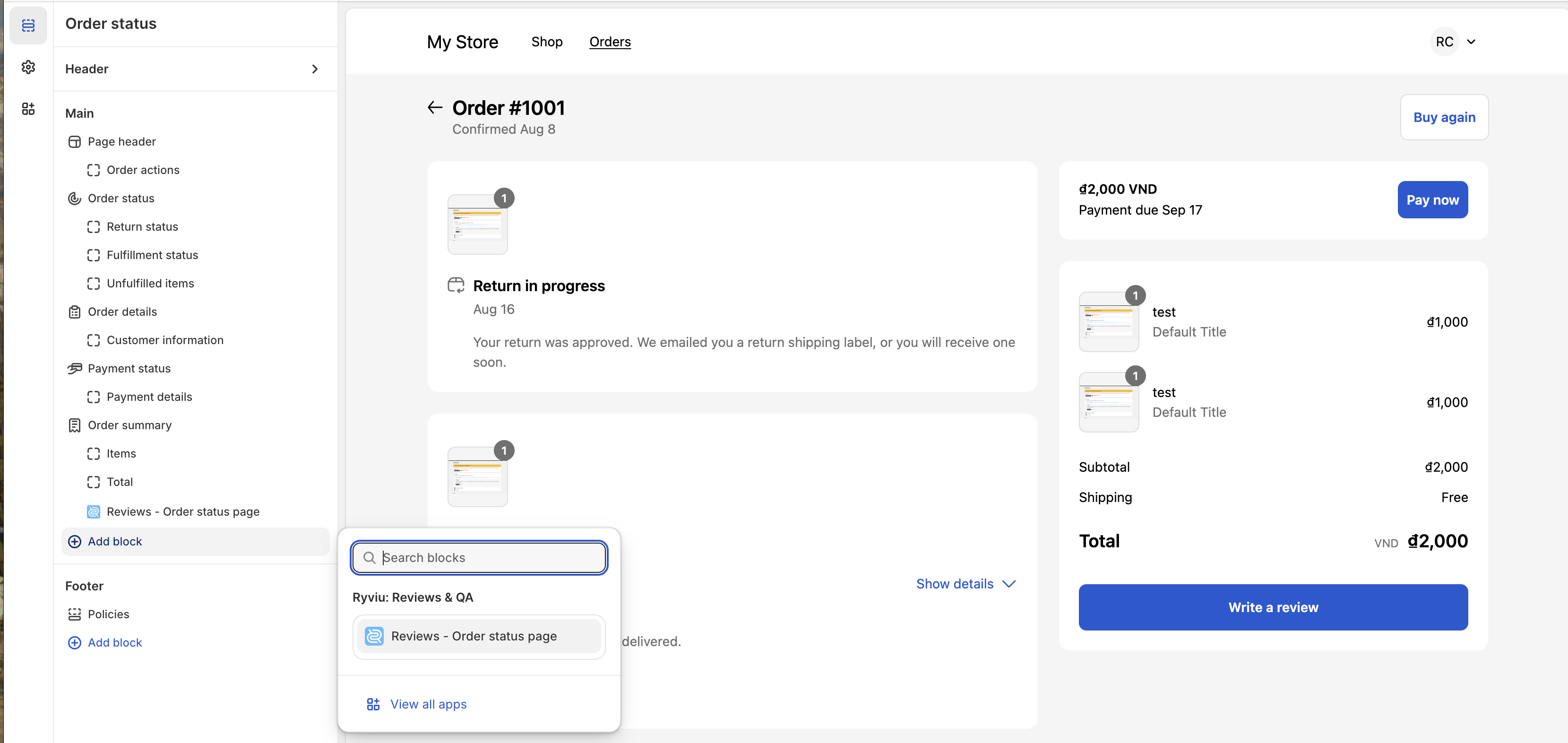
Click + Add block in the menu in the left sidebar > choose Reviews - Order status page.
Optional: Drag the block to your preferred position.
Customize the button text and other labels if needed.
Click Save.
You can customize texts such as:
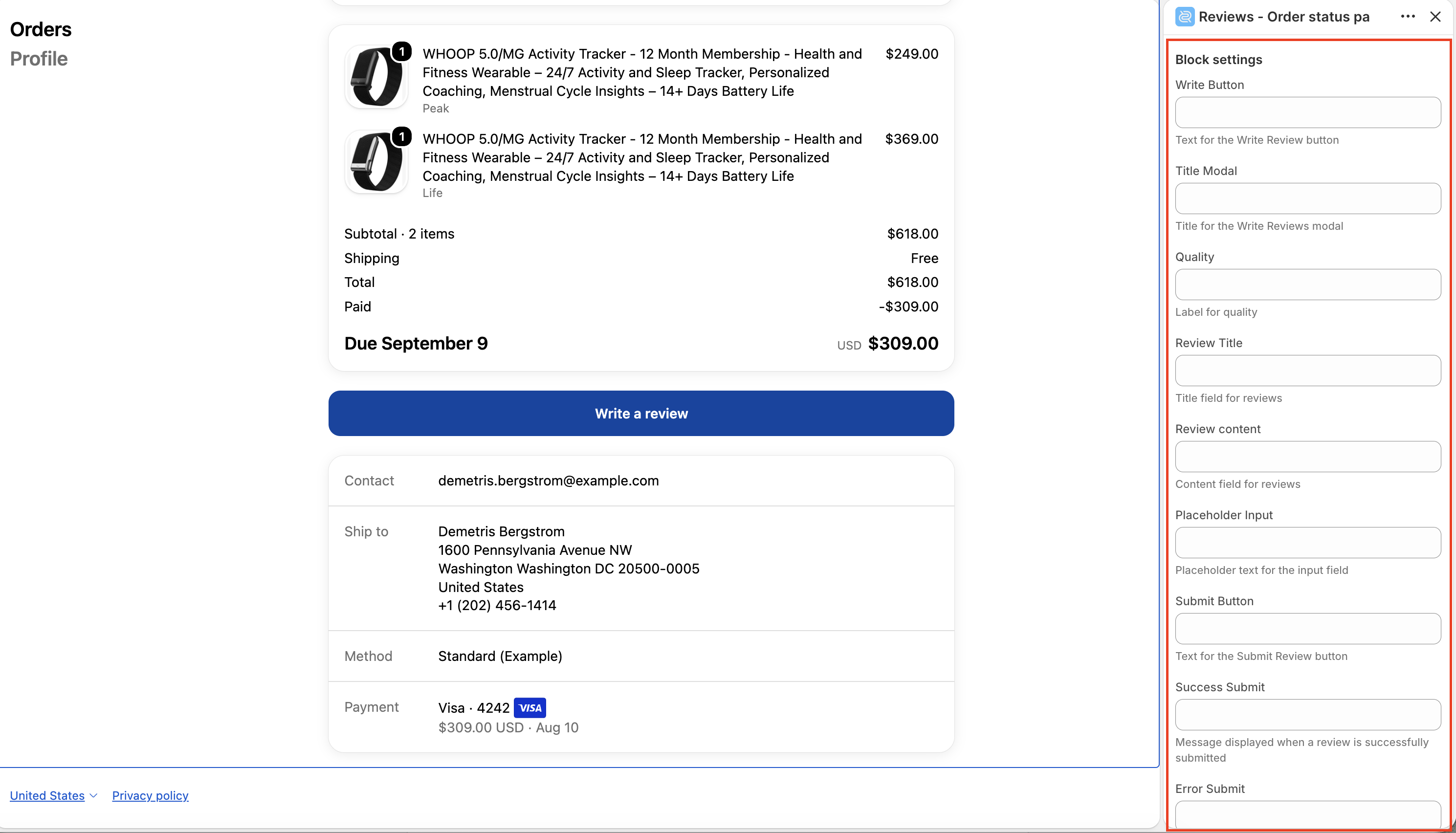
Write Button
Title Modal
Review Title
Review content
Submit Button
Success Submit
Error Submit
Customers can write reviews according to the Request review automation settings configured in Ryviu.
Fulfilled – customers can write reviews after the order has been fulfilled.
Delivered – customers can write reviews after the order has been marked as delivered.
For stores on the Free plan, the default condition is Delivered.

If Discount for Reviews or the Loyalty add-on is enabled, customers can receive rewards after submitting a verified review.
Discount for Reviews
Customers may:
receive a discount code immediately after submitting the review, or
receive the code by email after the review is approved, depending on your store settings.
Loyalty points
If the Loyalty add-on is enabled for your store and the Write a review earning method is activated, customers can earn loyalty points for submitting a review, including VIP bonus points if configured. By default, the reward is granted once per customer, unless the reward limit is set to Unlimited.
This feature supports 9 languages, including English, French, Deutsch, Spanish, Italiano, Japanese, Portuguese, Vietnamese, and Chinese.
All customer-facing texts can be edited directly from the Block settings.
After a review is submitted, Ryviu automatically:
Saves the review with Source = Order, including the purchased variant, customer country, and language;
Sends in-app notifications for new reviews and edited reviews;
Sends an admin email notification if New review notification is enabled.
Updates the product rating metafields so storefront widgets display the latest rating automatically;
Triggers the Shopify Flow – Create reviews event;
Marks the order as reviewed, so request review emails for that order are no longer sent.
Need help?
Get in touch with our support team through live chat or email at [email protected]. We're here to help!