Would you like to display the same reviews for different products, such as similar items, different colors, or bundles? Instead of copying reviews manually, use this guide to synchronize them efficiently with Shopify Product Templates and the Ryviu app.
From Shopify admin > Sales channels > Online Store.
In Themes > click Edit theme.
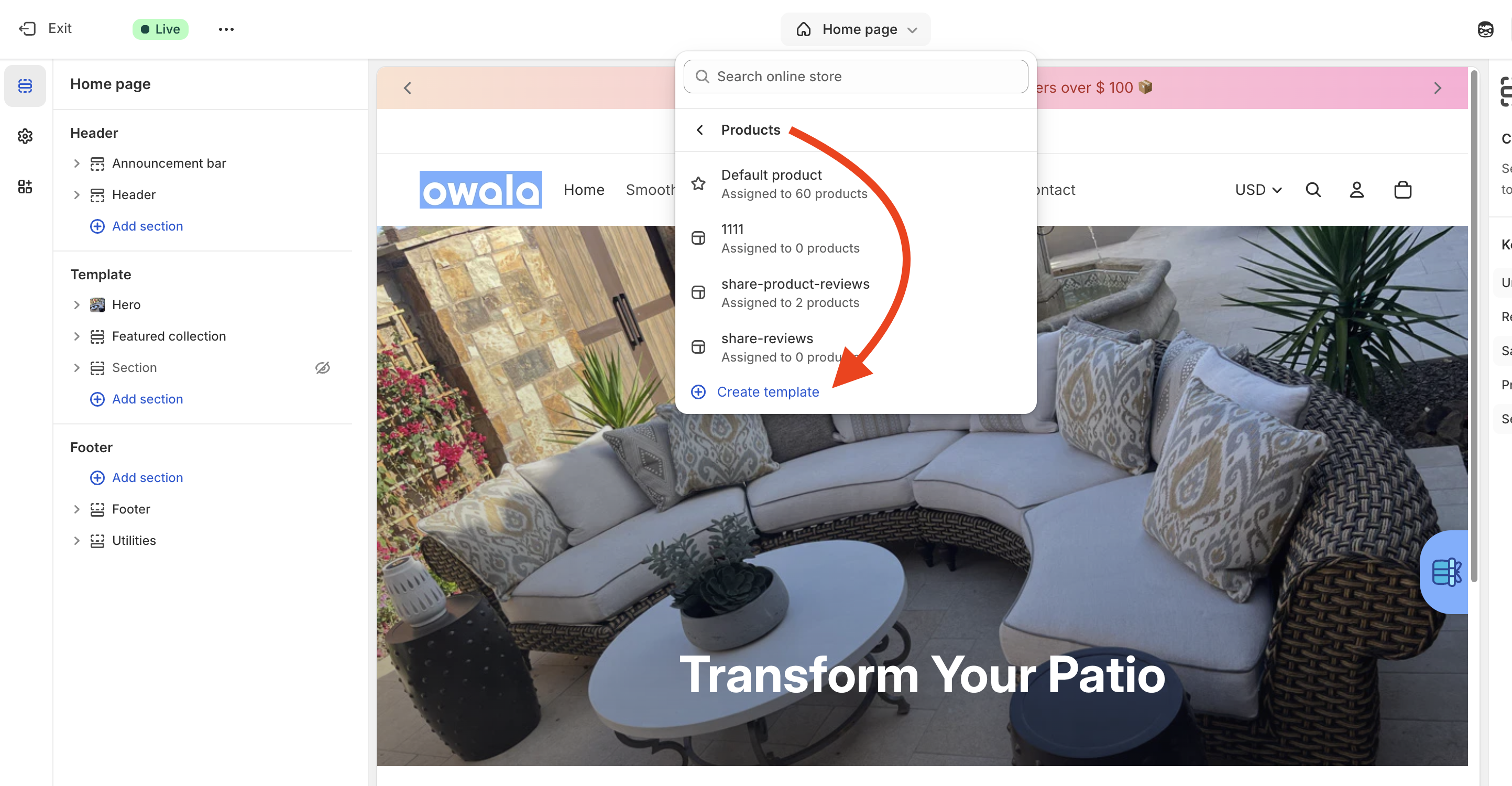
Click Homepage dropdown > Products > click Create template.
Add the template name and click Create template.
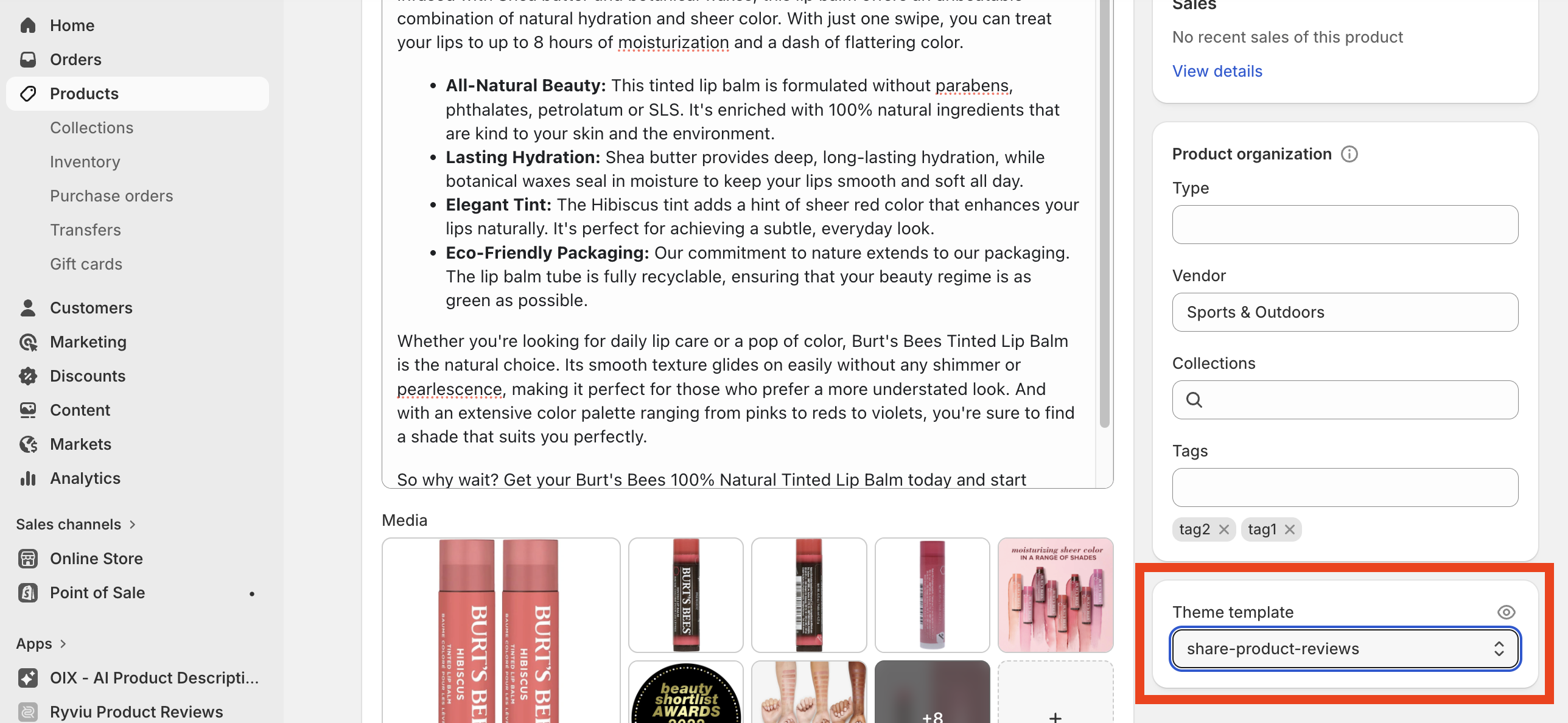
Return to your Shopify Admin > Products.
Open the products you want to share reviews for.
In the Theme template section (usually on the right sidebar), select the template you just created.
Click Save.
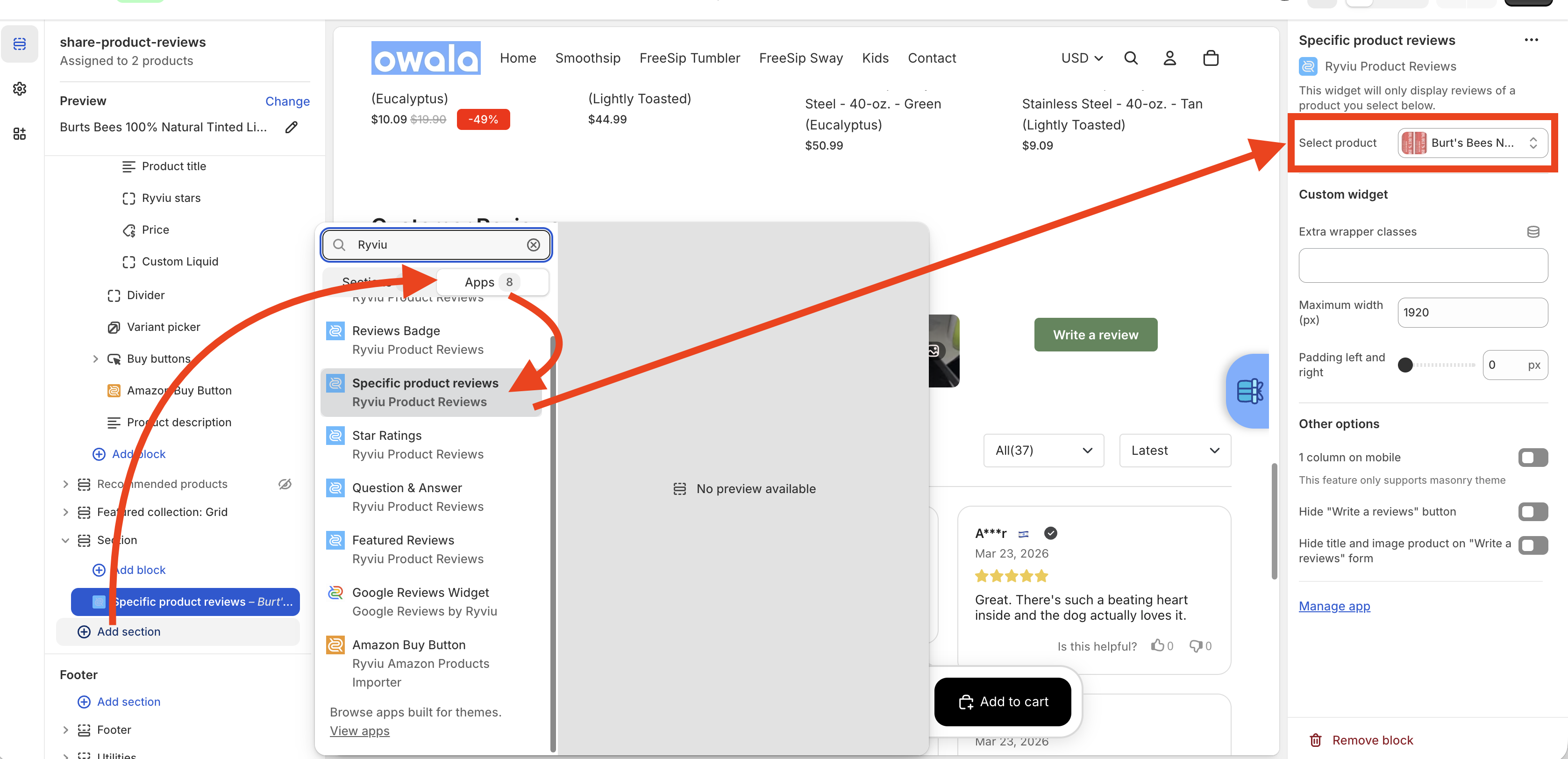
Go back to Edit theme and open the product template you created in Step 1.
Click + Add section > navigate to Apps > search for Ryviu > select Specific product reviews.
In the widget settings, click Select and choose the "Source Product" (the one that already has the reviews you want to show).
Click Save.
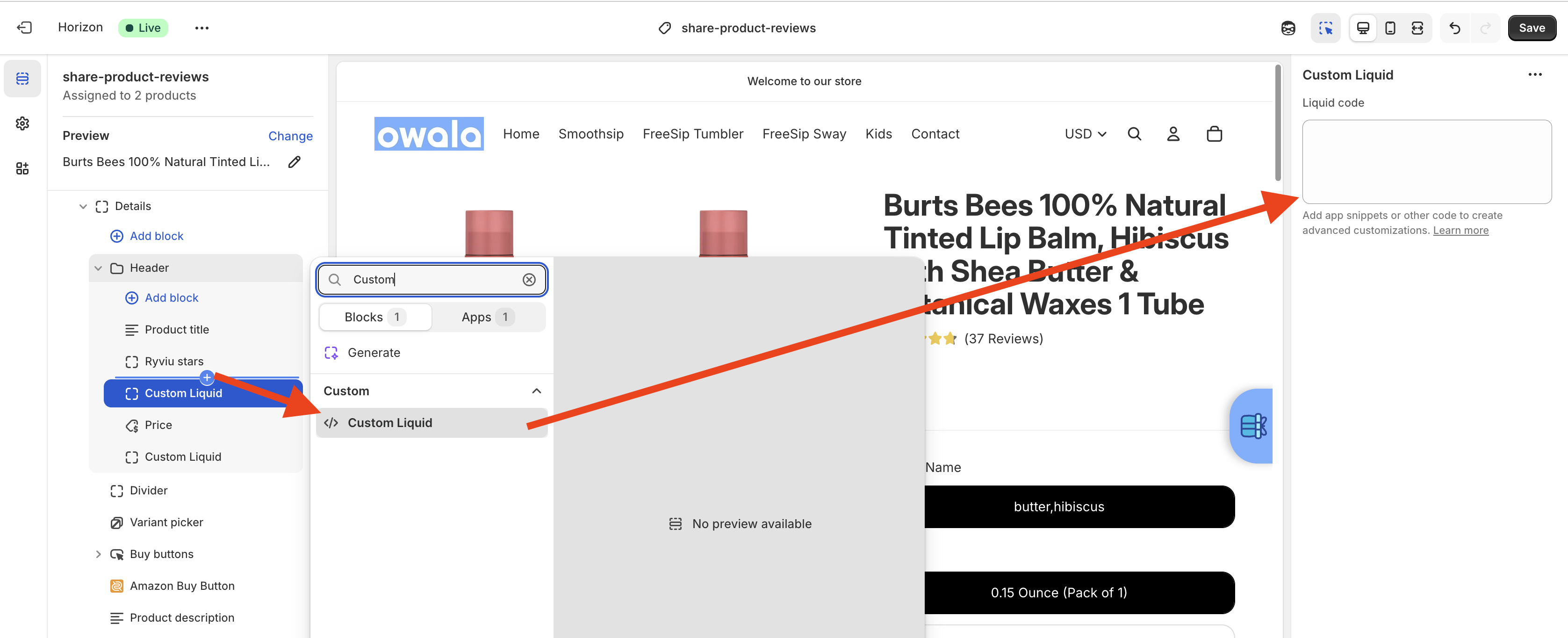
To display the star ratings under your product title, follow these steps:
In the same product template, under the Product Information section, click Add block.
Select Custom Liquid.
Paste the following code:
<ryviu-widget-total product_id="#product-id" reviews_data="{{ all_products['#product-handle'].metafields.ryviu.product_reviews_info | escape }}"></ryviu-widget-total>
#product-id and #product-handle with the actual ID and Handle of the "Source Product" you selected in Step 3. You can check this article to get the Shopify product ID and handle.Click Save.
Need help?
Get in touch with our support team through live chat or email at [email protected]. We're here to help!