Sending email request reviews is a simple way to ask for customer feedback. However, you might encounter situations where emails cannot be sent, and identifying the exact cause can be perplexing. This article will explore common issues and their solutions to ensure your review requests go smoothly.
Review request emails are only sent when the order matches your email automation settings.
For example:
If your automation is set to send emails 10 days after purchase, the email will not be sent immediately.
If the order status does not match your conditions, the email will remain in the queue.
Please review your email automation settings and wait until the conditions are met.
Ryviu can only detect the “Delivered” status from supported carriers connected with Shopify, such as:
USPS
UPS
FedEx
Canada Post
Once the shipment status changes to Delivered, Ryviu will automatically send the review request email.
If your carrier is not supported, the email may not be sent correctly.
In this case, please consider changing the sending condition in your email automation settings.
If a customer unsubscribes from your store's emails after placing an order, Ryviu will not send review request emails to them.
In some cases, the email may still appear in the queue with a processing status, but it will not be delivered.
You can send a test email to preview your review request email template. Please follow these steps:
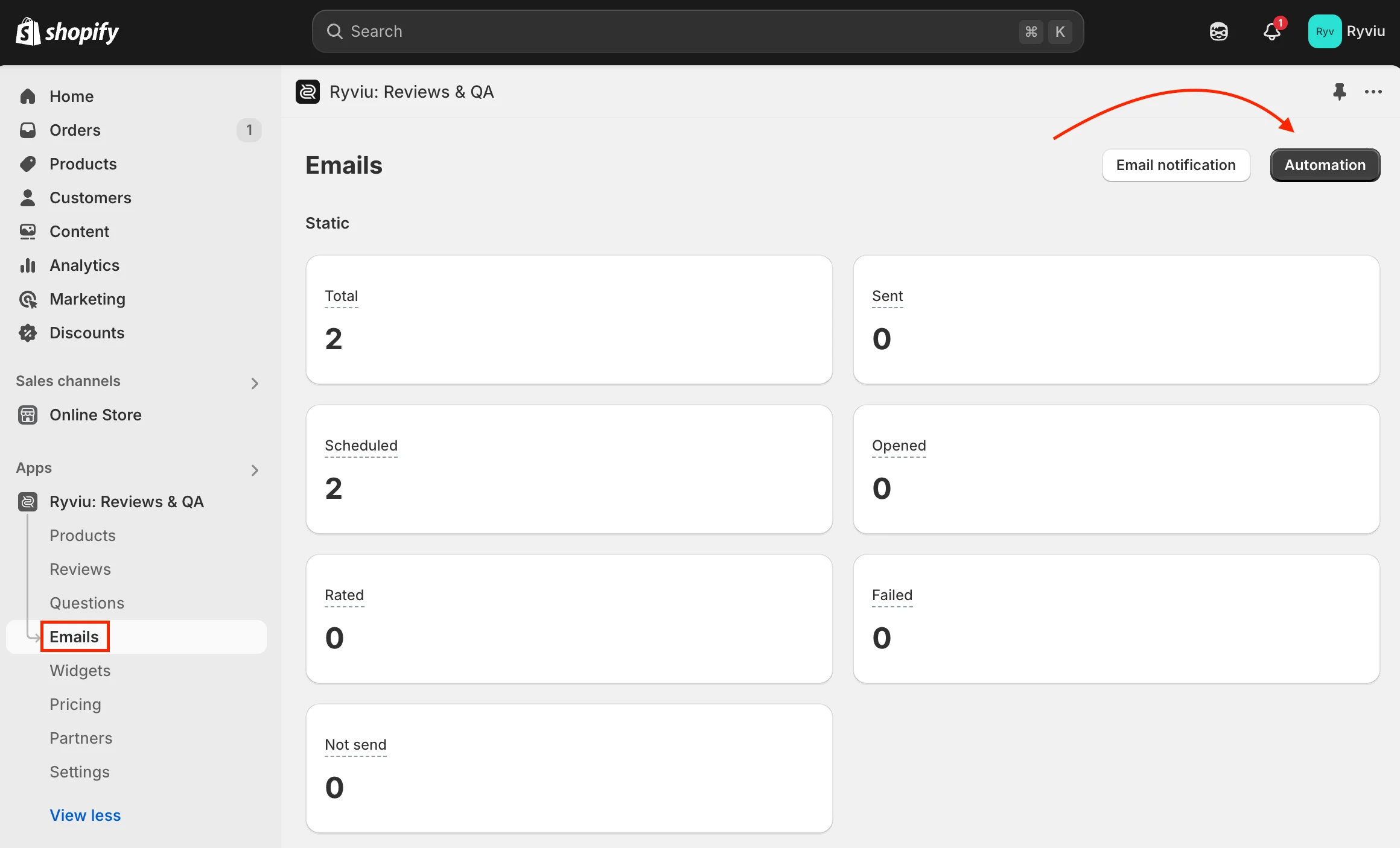
Log in to your Ryviu dashboard
Go to Emails → Email automation
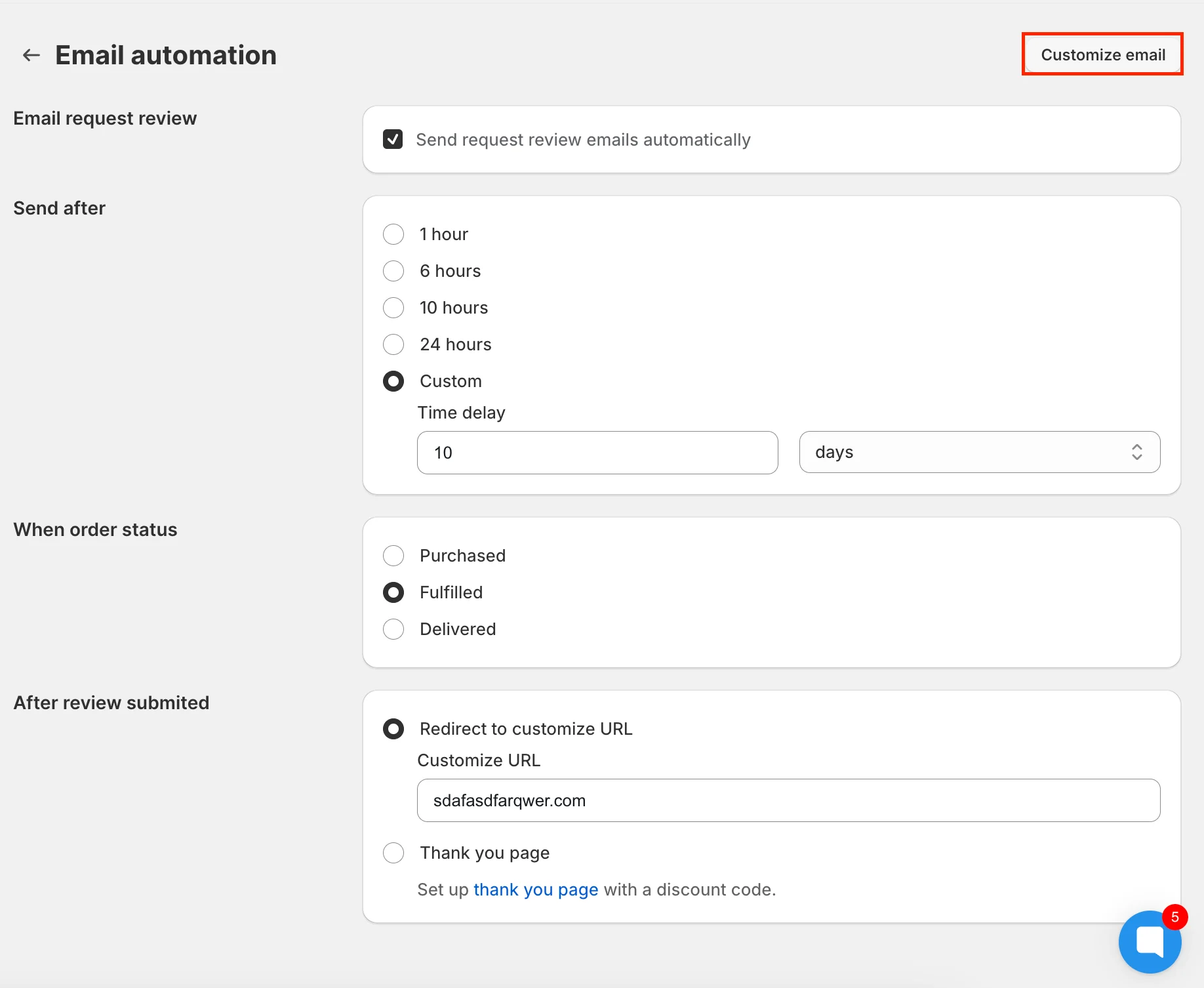
Click Customize email
Click the Send test email button at the top right corner
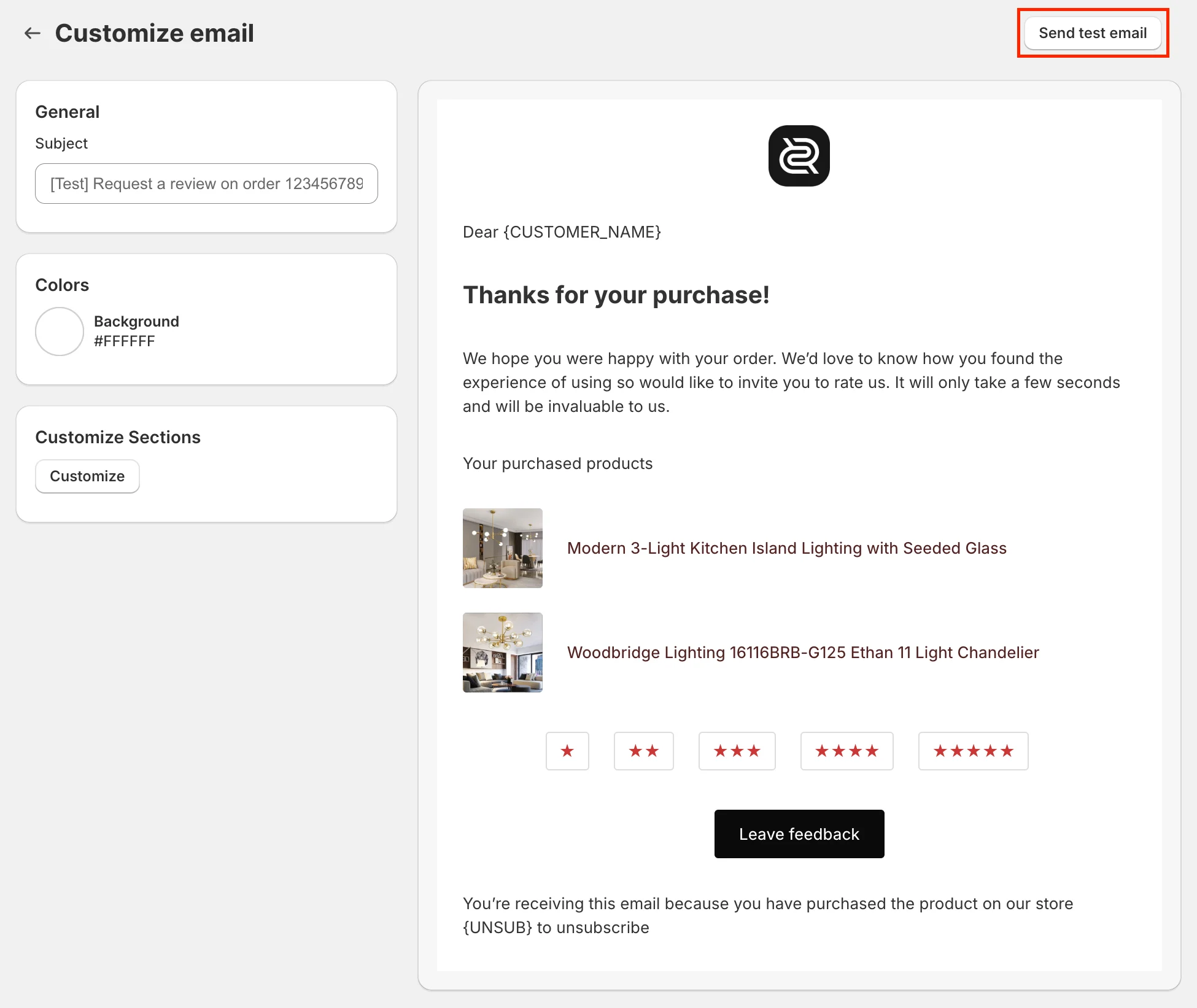
After sending the test email, please check your inbox.
If you cannot find the email, please also check your Spam or Junk folder.
Need help?
Get in touch with our support team through live chat or email at [email protected]. We're here to help!