Here are some solutions if you encounter issues when importing reviews from Amazon.
Amazon may block review loading if it cannot verify your browser session or IP address.
Please try the following steps:
Open Amazon in the same browser
Log in to your personal Amazon account
Refresh your Ryviu dashboard
Try importing reviews again
In some cases, Amazon does not load all reviews from the product page, so you may only be able to import 8 or 100 reviews.
Your Amazon account may have a temporary limit on the number of reviews you can view.
You can check this by clicking See more reviews on the Amazon product page to open the full review page.
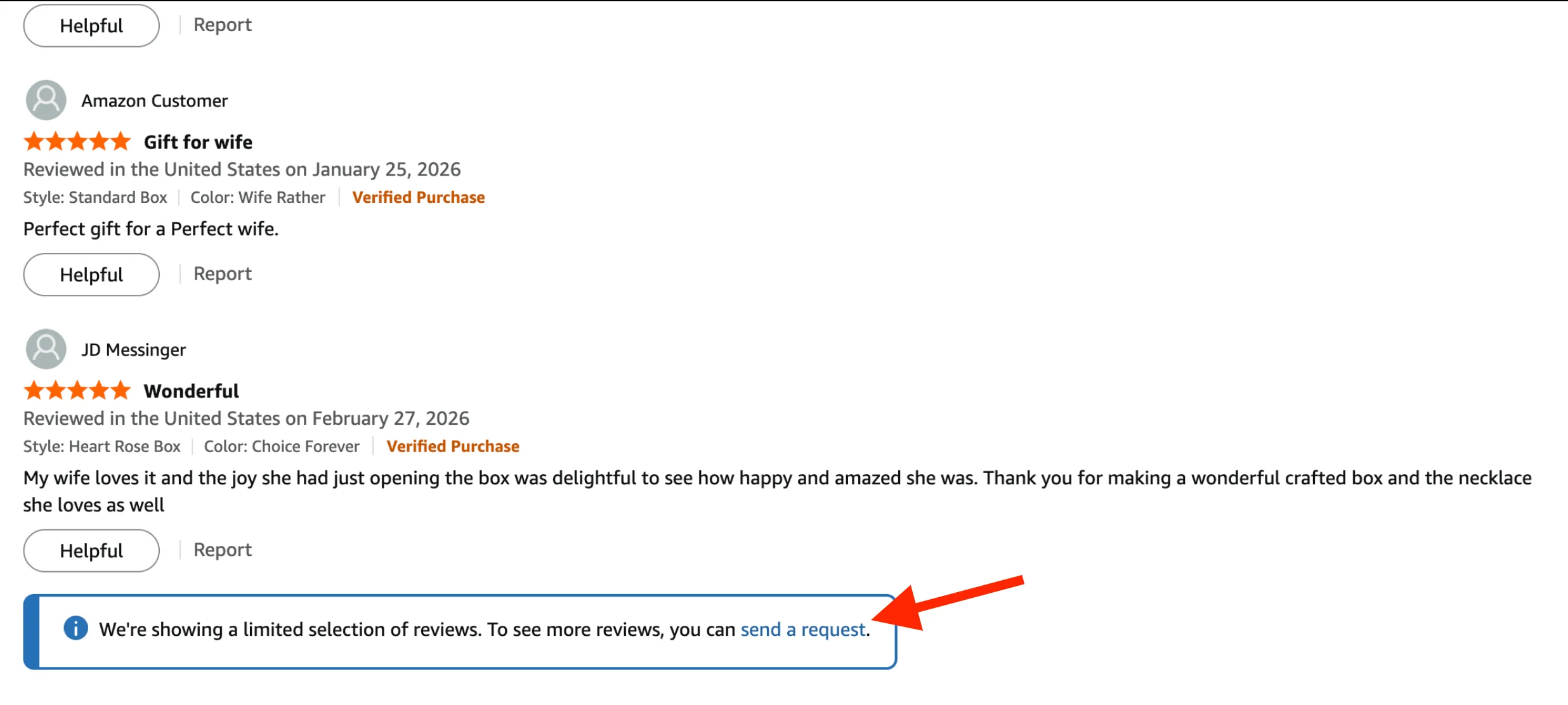
Then request Amazon to load more reviews. Once more reviews become available, you can try importing again.
If you need more reviews, you can:
Import from multiple Amazon products
Use another review source
Import reviews manually via CSV
Some import settings may limit the number of reviews that can be imported.
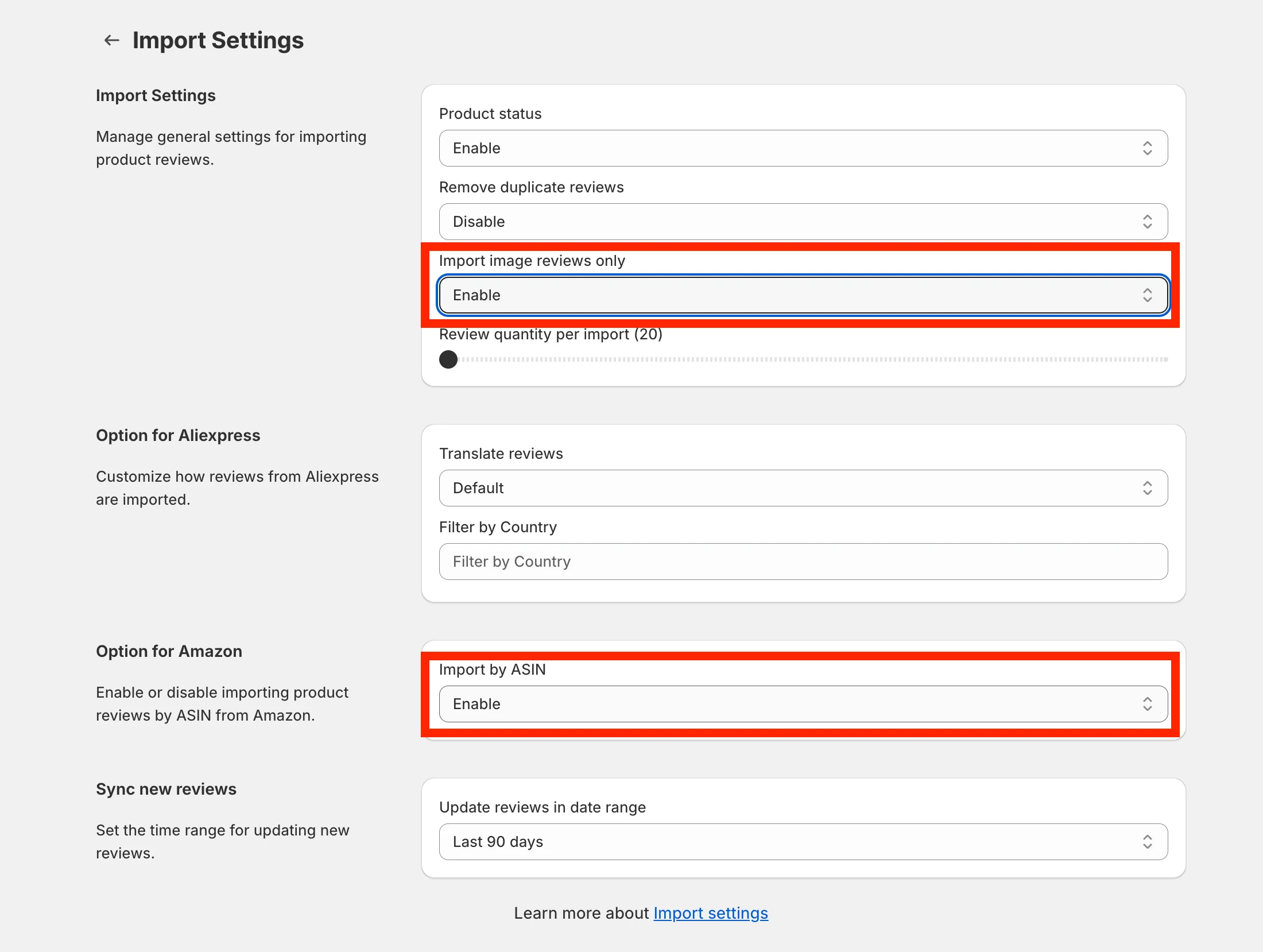
For example:
Import image reviews only
Import by ASIN
Minimum star rating
Other review filters in Ryviu
In that case, Ryviu only imports reviews that match your settings.
Please review your import settings and try reducing some filters.
For example:
Disable Import image reviews only
Lower the minimum star rating
Remove unnecessary filters
Then try importing the reviews again
Need help?
Get in touch with our support team through live chat or email at [email protected]. We're here to help!