Here are our most common questions about the Q&A widget in Ryviu
A: Ryviu supports importing Q&A via CSV files. Please learn how to import Q&A by visiting this article.
A: Yes, it can. Follow the steps below to export Q&A:
In the Assess Questions section, click on the product tile.
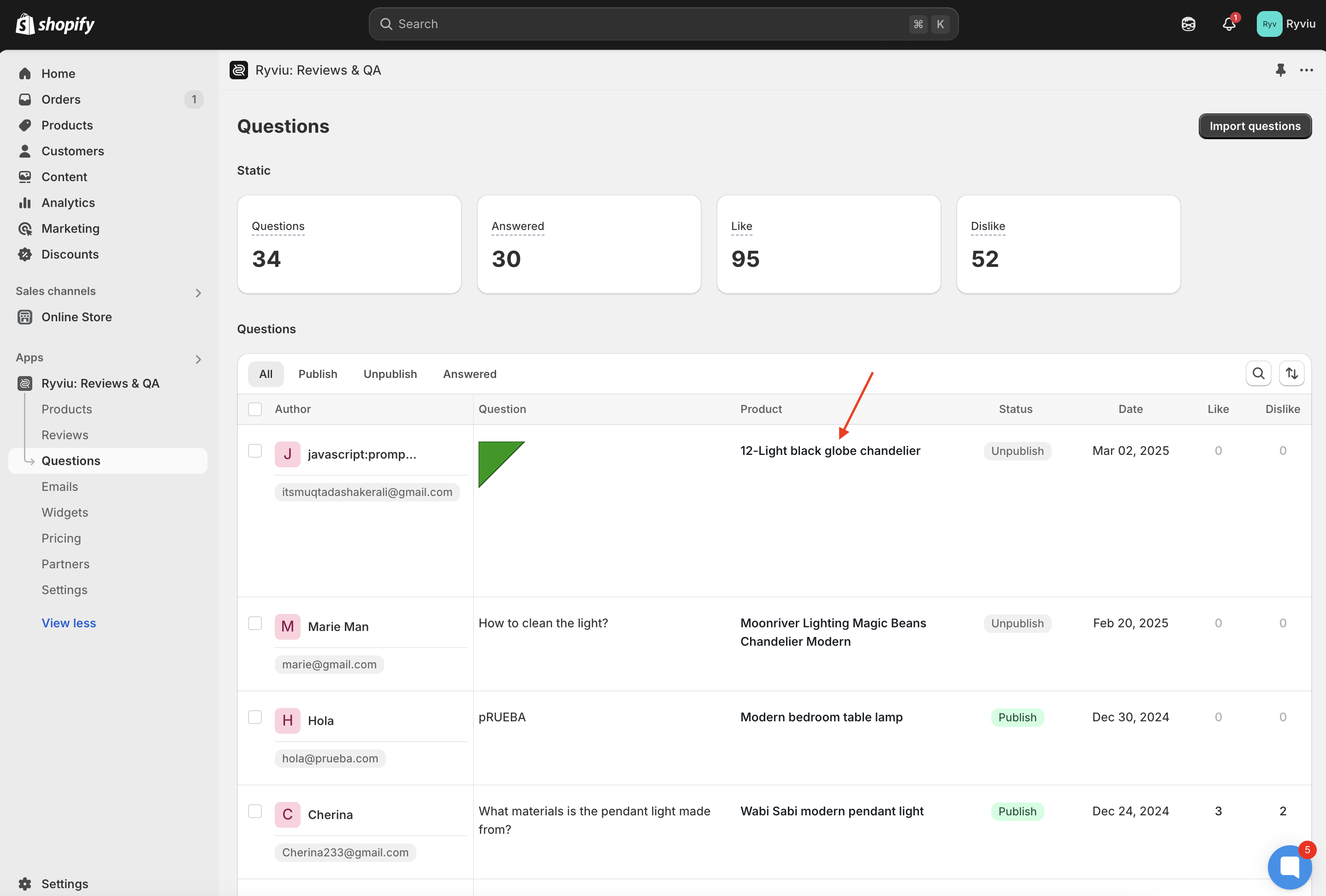
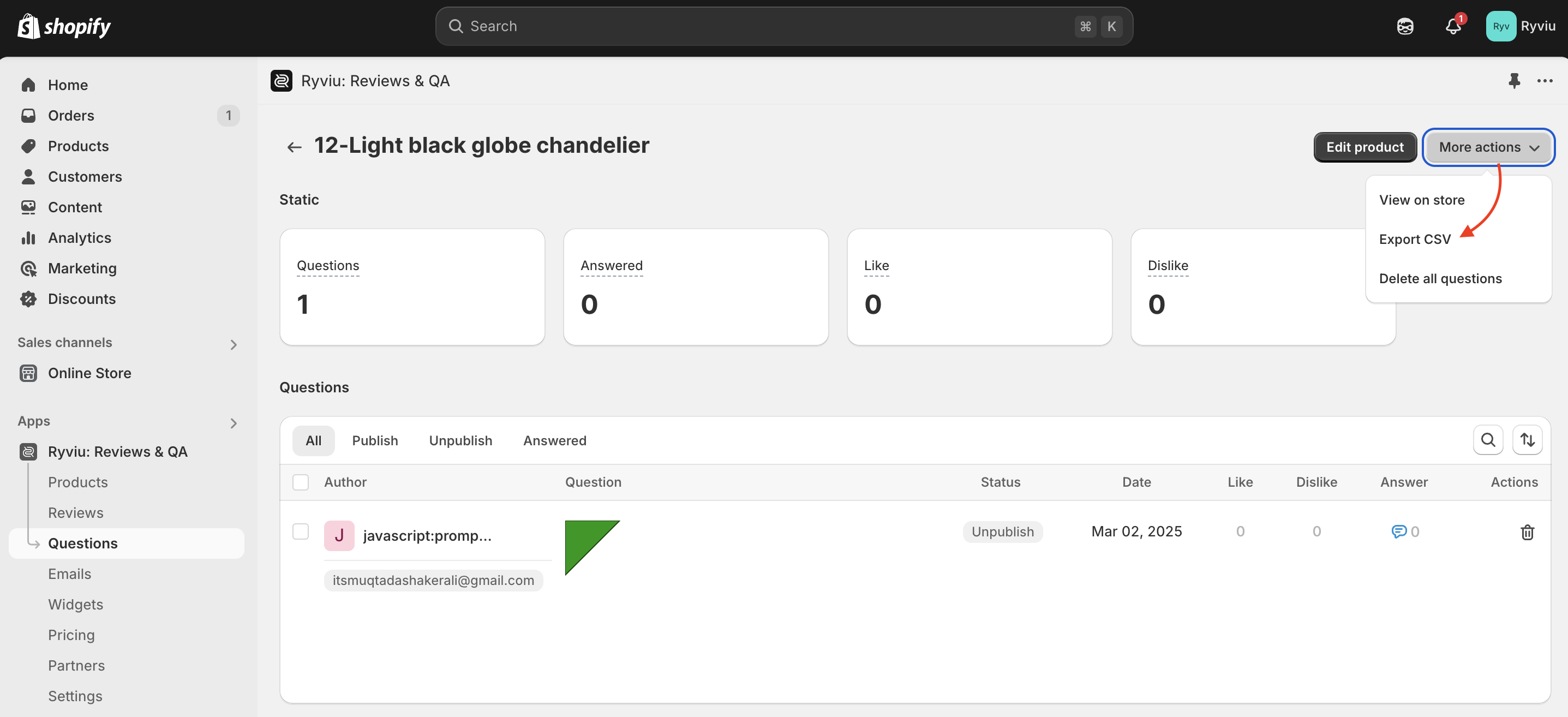
Click on ‘More action’, then click on ‘Export CSV’.
A: Ryviu does not support editing Q&A in the Ryviu account. However, you can do that task with a CSV file. Please follow the steps below to modify Q&A:
Export Q&A to CSV file.
Open the CSV file on Google Spreadsheets > Edit Q&A > Download CSV file.
Import the new CSV file to your Ryviu account by selecting Replace items.
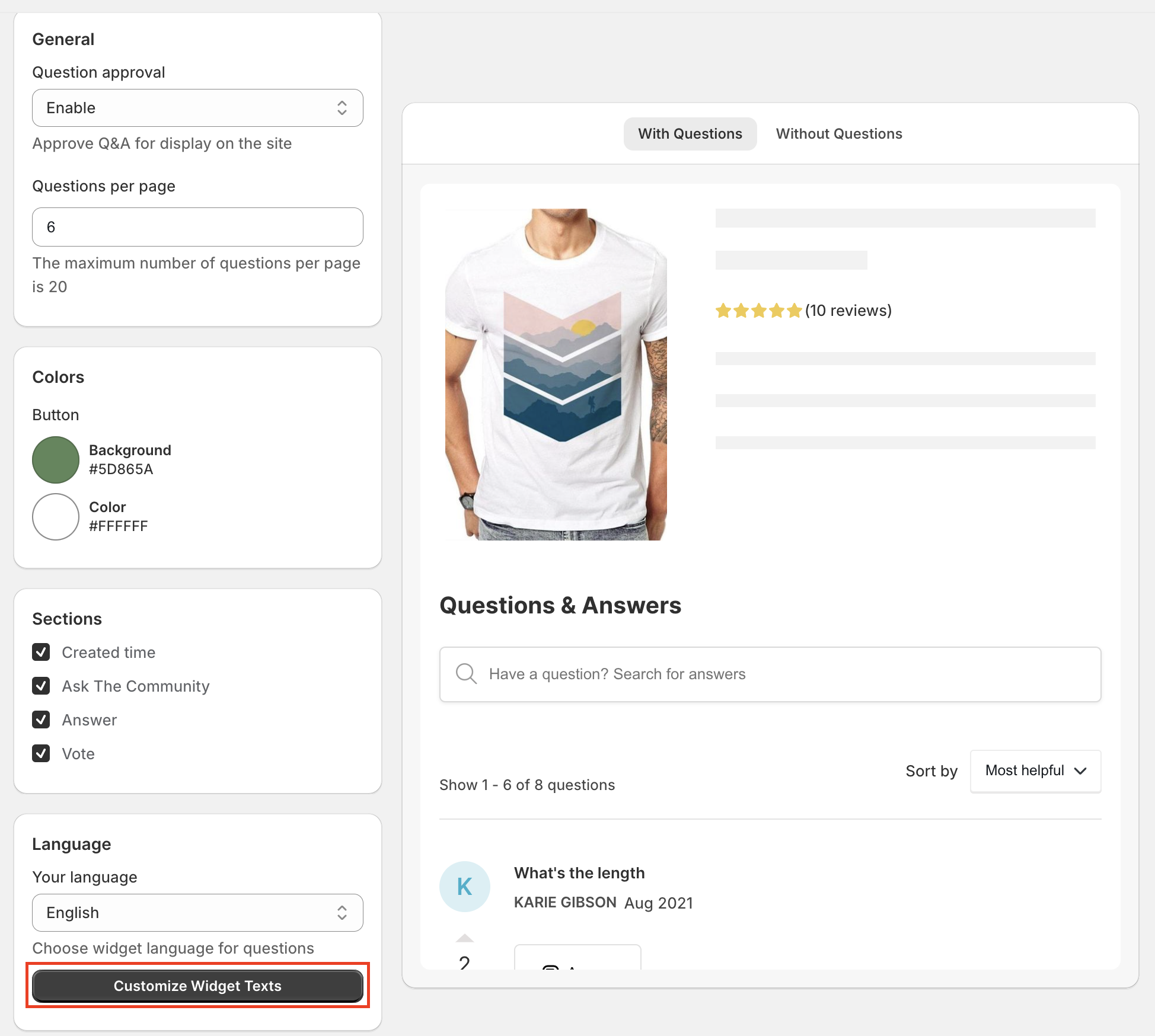
A: You can change the settings to verify questions.
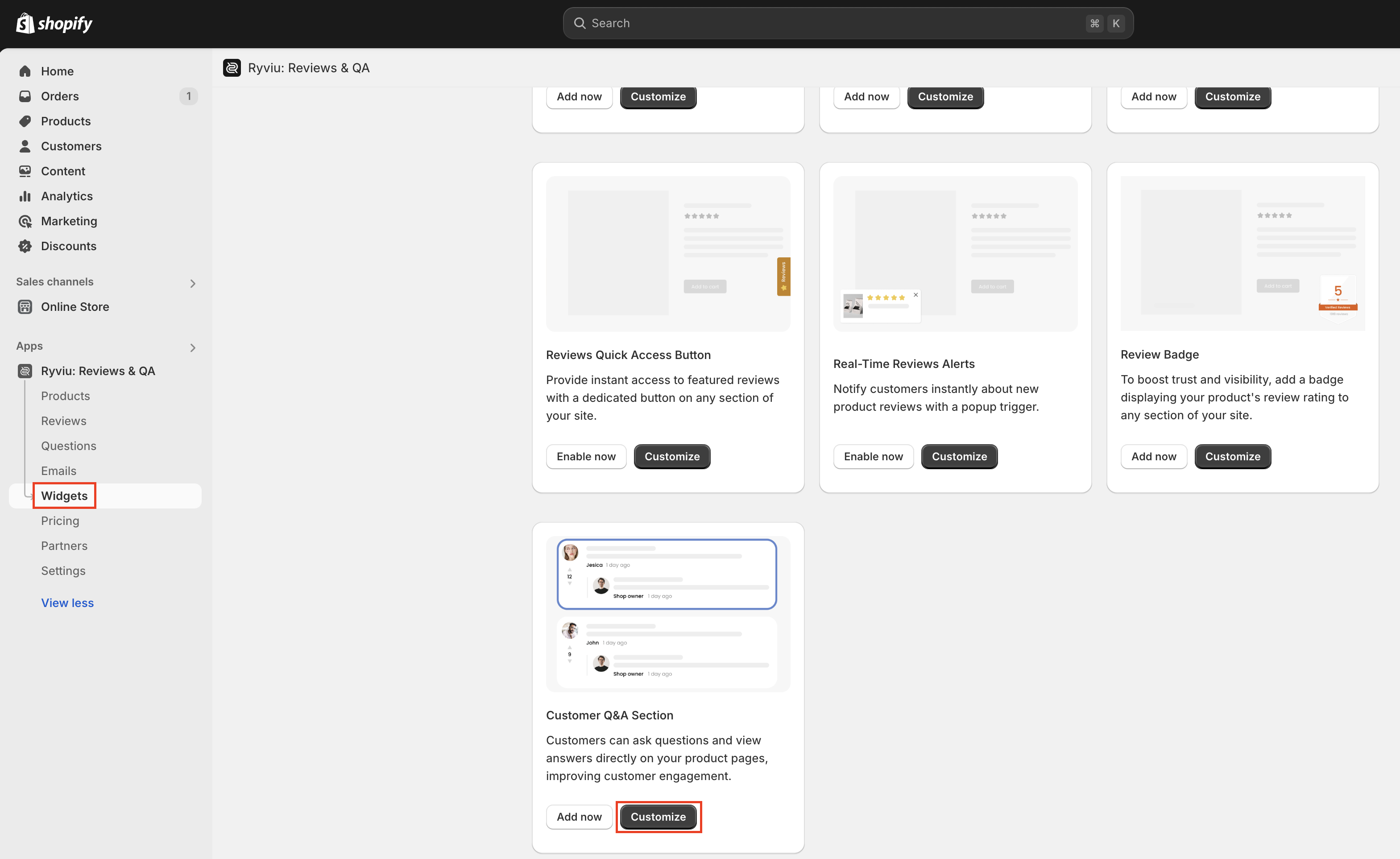
From your Ryviu dashboard, access Widgets.
Click the Customize button of the Customer Q&A section.
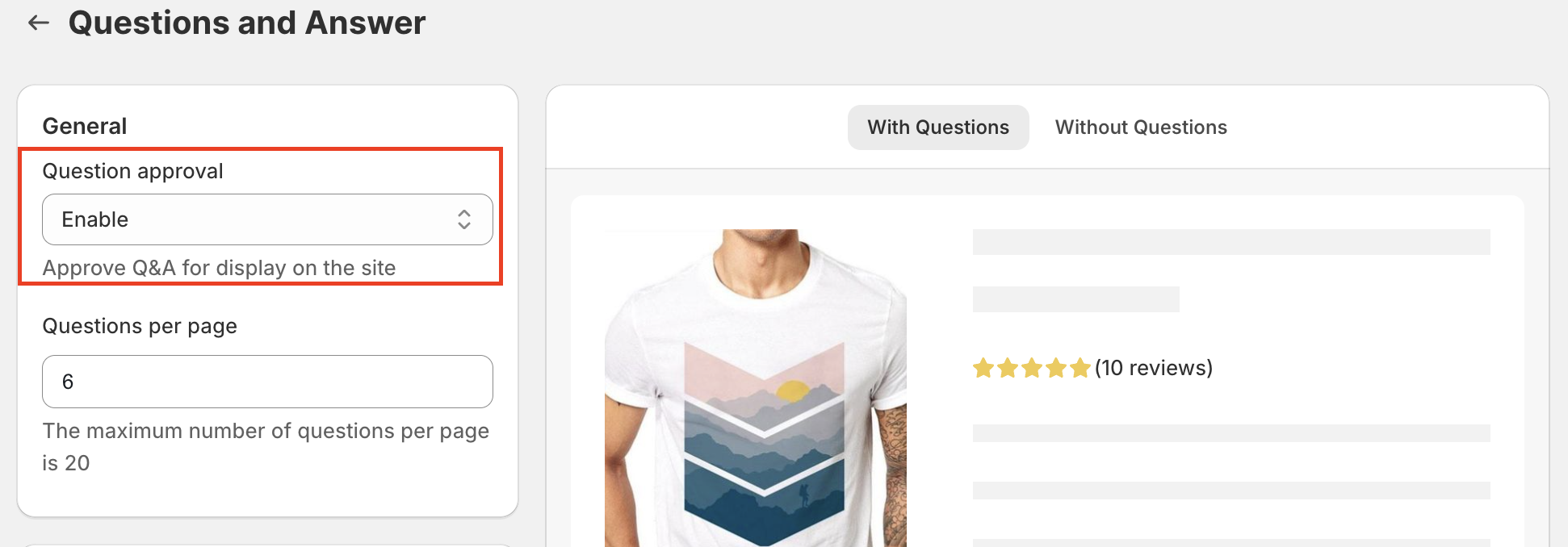
Select ‘Enable’ for the option ‘Question approval’.
Click Save button
A: Yes, you can.
From your Ryviu dashboard, access Widgets.
Click the Customize button of the Customer Q&A section.
In the Language, click on the Customize Widget Texts button. Click Save after editing text.
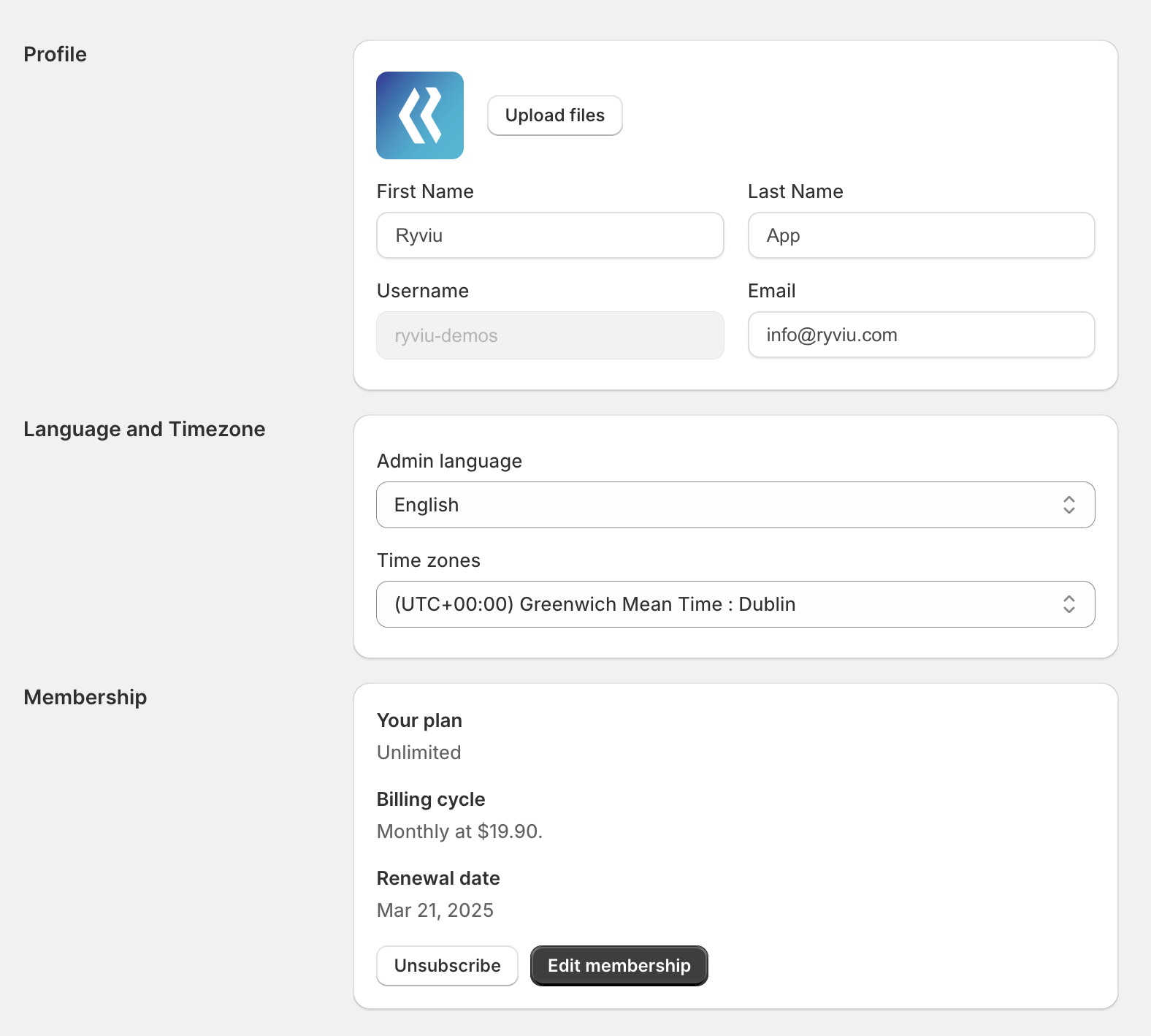
A: Yes. By default, Ryviu displays your account username when you reply to reviews or answer questions.
To change the displayed name, please go to:
Settings → Profile
Then update the First Name and Last Name fields and save the changes.
Need help?
Get in touch with our support team through live chat or email at [email protected]. We're here to help!