


Besides featured reviews, you can also prioritize image reviews, video reviews, latest reviews, or most liked reviews at the top of your review widget through the Sort by default setting.
You can highlight important reviews by displaying featured reviews at the top of your product review section.
Please follow the steps below.
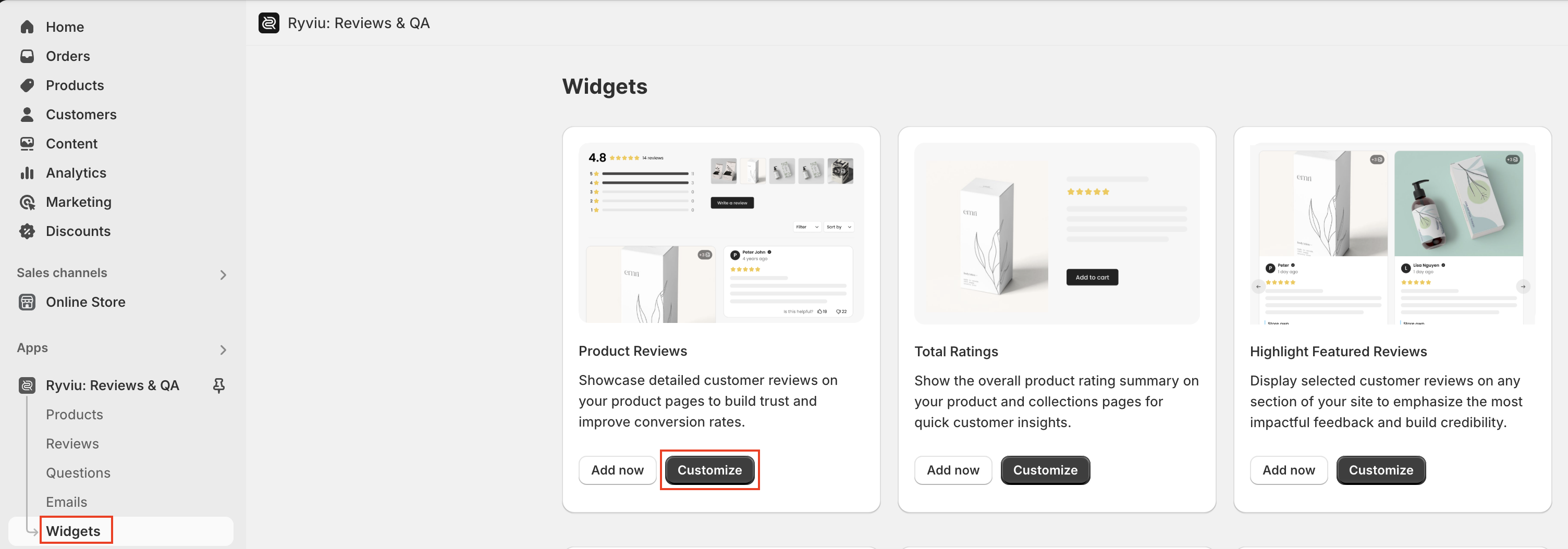
Log in to your Ryviu account, navigate to Widgets.
Click the Customize button of the Product reviews.
In General, select the option ‘Featured’ for Sort By Default.

Click the Save button.
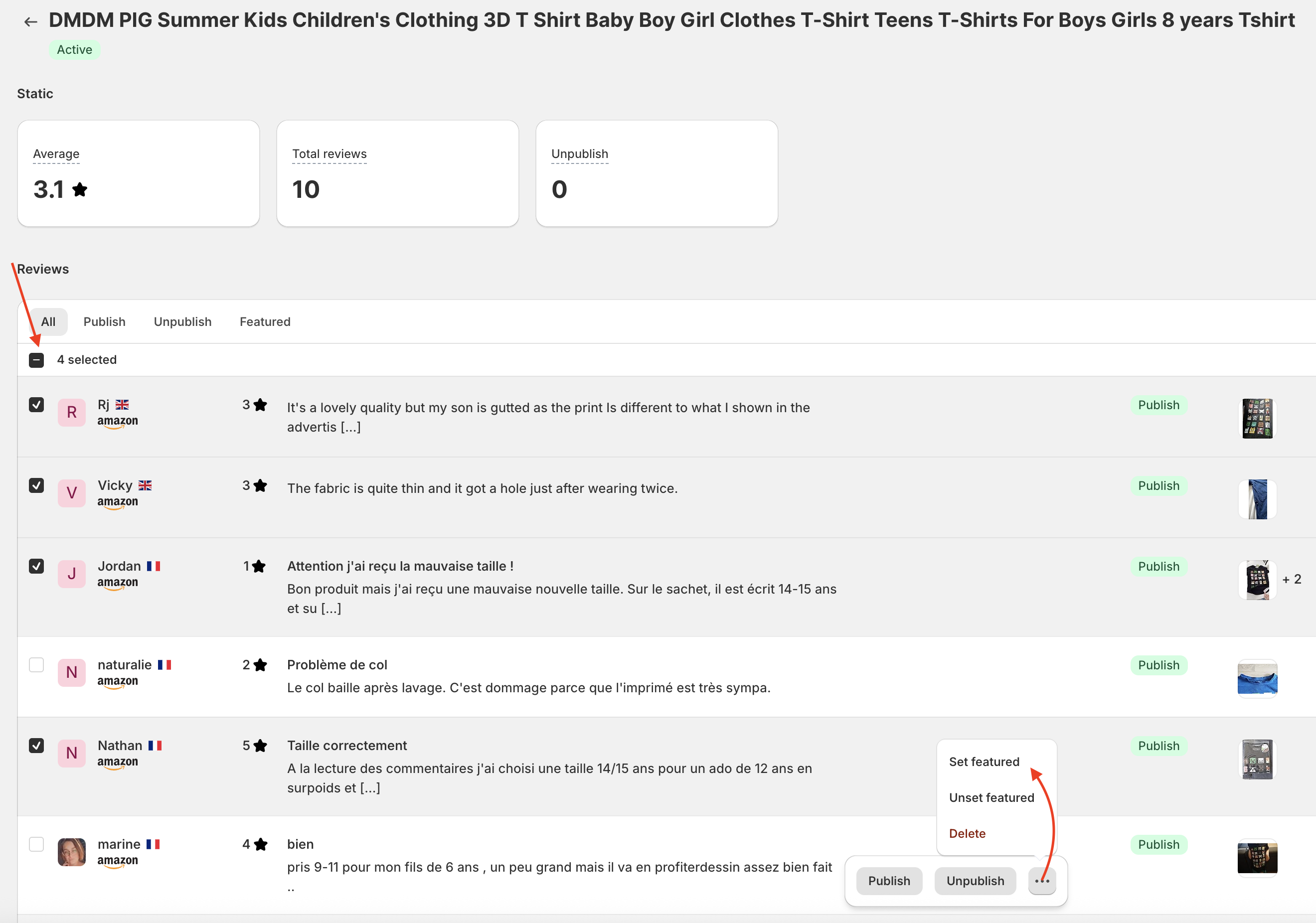
Select the reviews you want to appear at the top, then set them as featured.
Need help?
Get in touch with our support team through live chat or email at [email protected]. We're here to help!