Some issues might cause the Ryviu Chrome extension to stop working. Follow this guide to resolve them.
The Ryviu Chrome extension is required to import reviews from supported dropshipping platforms such as AliExpress, Amazon, Etsy, and DHgate.
If the extension is:
not installed
disabled
outdated
or missing permissions
Ryviu may continue asking you to install it.
Please make sure:
The Ryviu Chrome extension is installed
The extension is enabled in Chrome
You are using the latest version
Then reload your Ryviu dashboard and try importing again.
Usually, the Ryviu Chrome extension automatically updates to the latest version. But sometimes, it might be delayed for a few days. You can force Chrome to update them.
Go to the Extensions Tab to remove your current Ryviu Chrome extension.
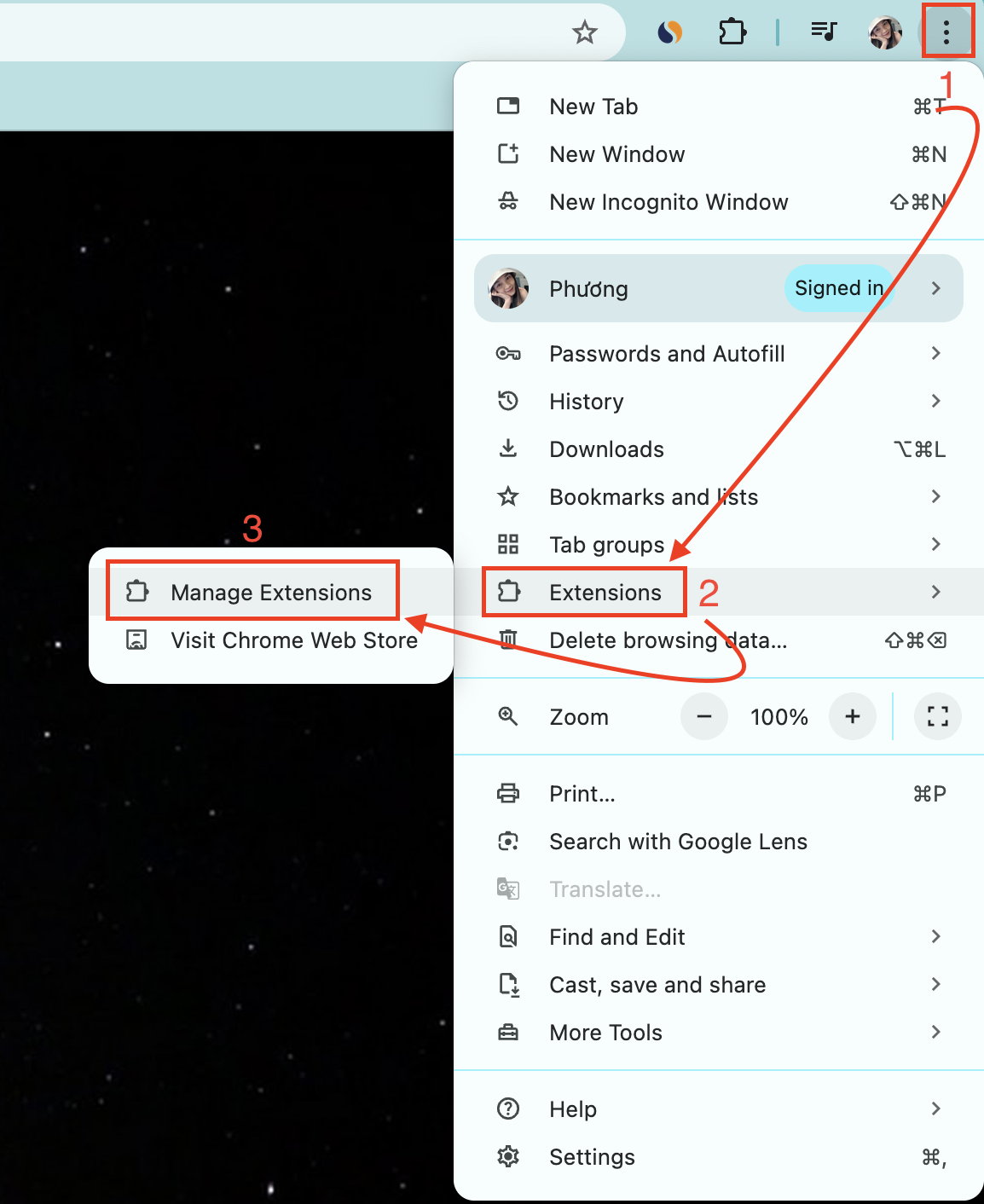
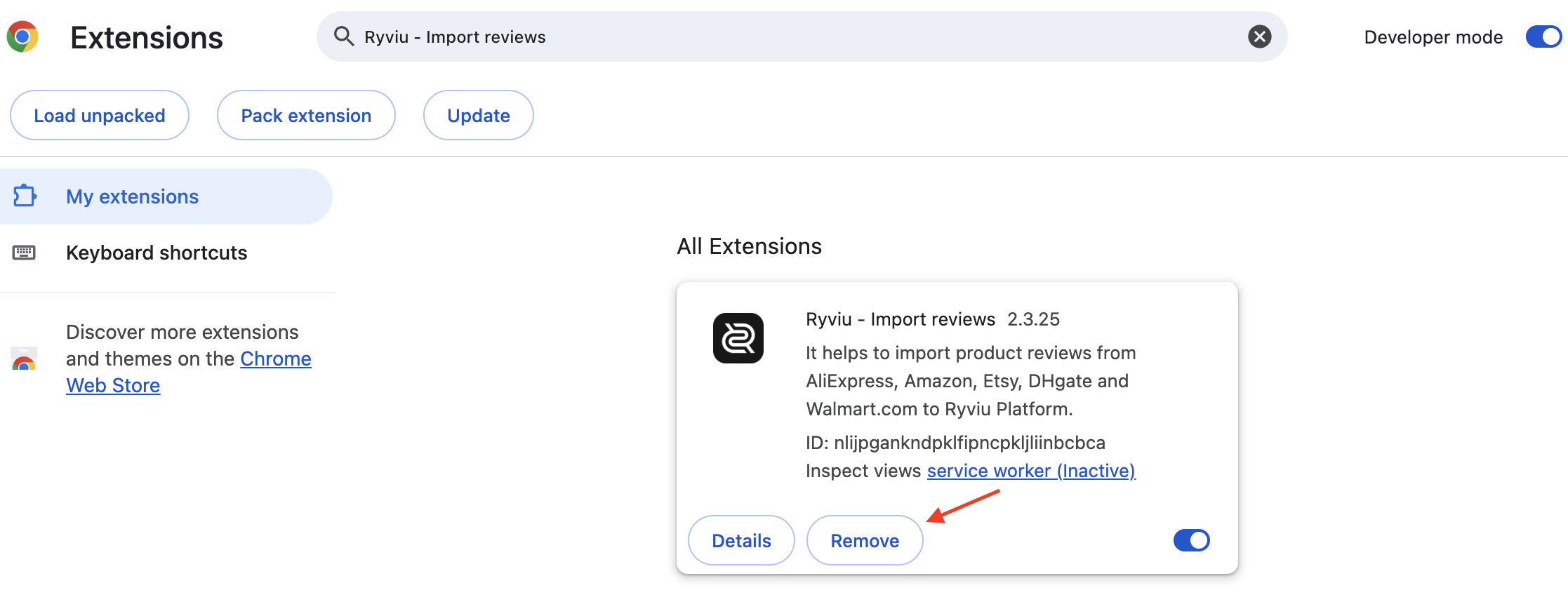
Reinstall the Ryviu Chrome extension from the Chrome Web Store.
Reload your Ryviu account, then import reviews.
Sometimes, issues with your dropshipping accounts can prevent you from importing reviews. Here's what you should do:
AliExpress Reviews: Access the reviews tab on AliExpress. If prompted, verify your account. This article provides more details.
Amazon Reviews: Log in to your Amazon account before importing. Please read our latest instructions for more details.
Etsy and DHgate Reviews: Log out of your Etsy or DHgate accounts.
If you try the above methods and the Ryviu Chrome extension does not work, please follow these steps:
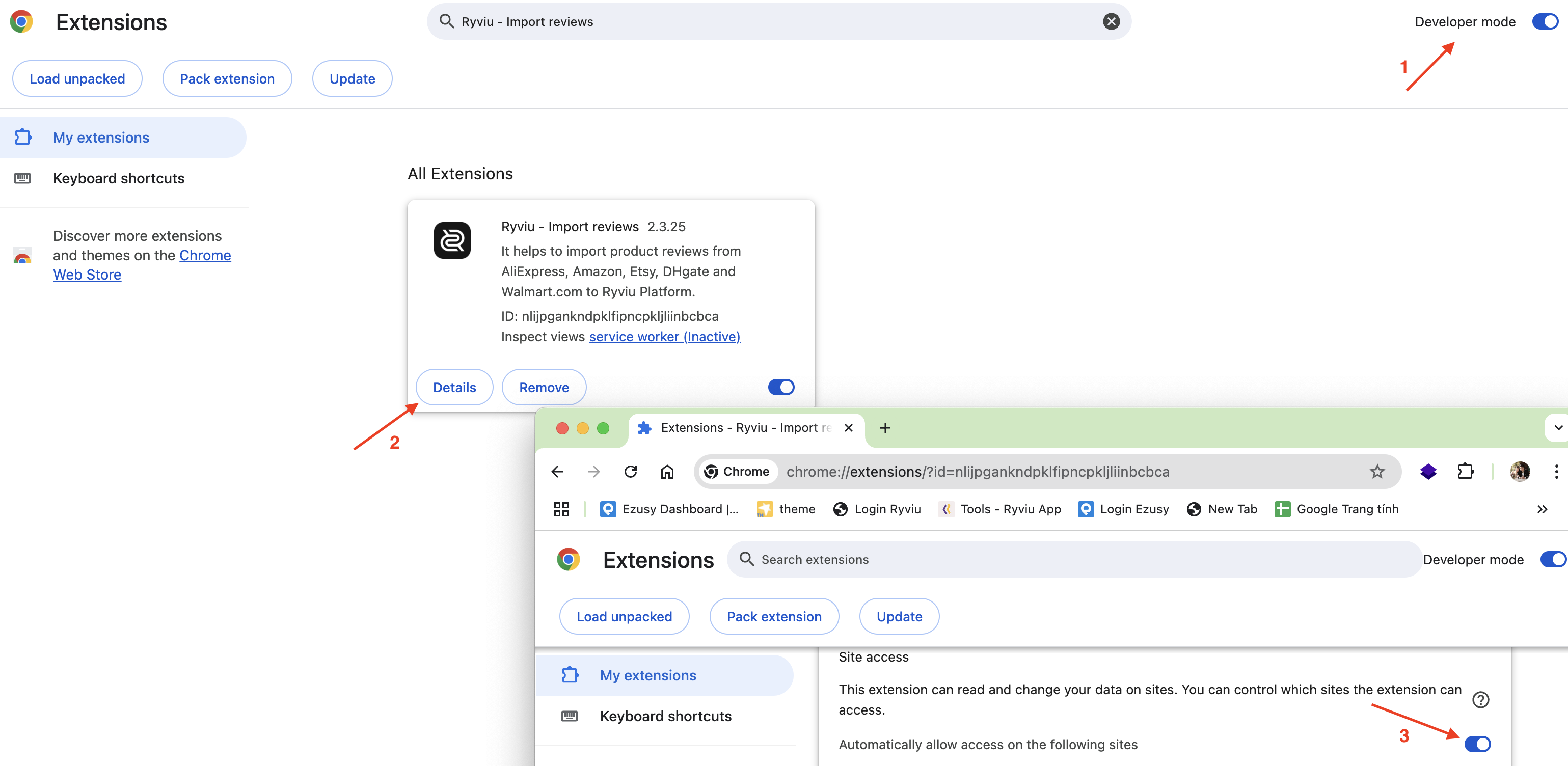
Access your "Chrome extensions" (1) > Turn on the "Developer mode" (2).
Click on the "Detail button" (3) of the Ryviu Chrome extension > Enable the option "Automatically allow access on the following sites" (4).
Need help?
Get in touch with our support team through live chat or email at [email protected]. We're here to help!