In your Ryviu account, go to the left-hand menu to access Reviews sections where you can manage product reviews, store reviews, customer questions, and emails.
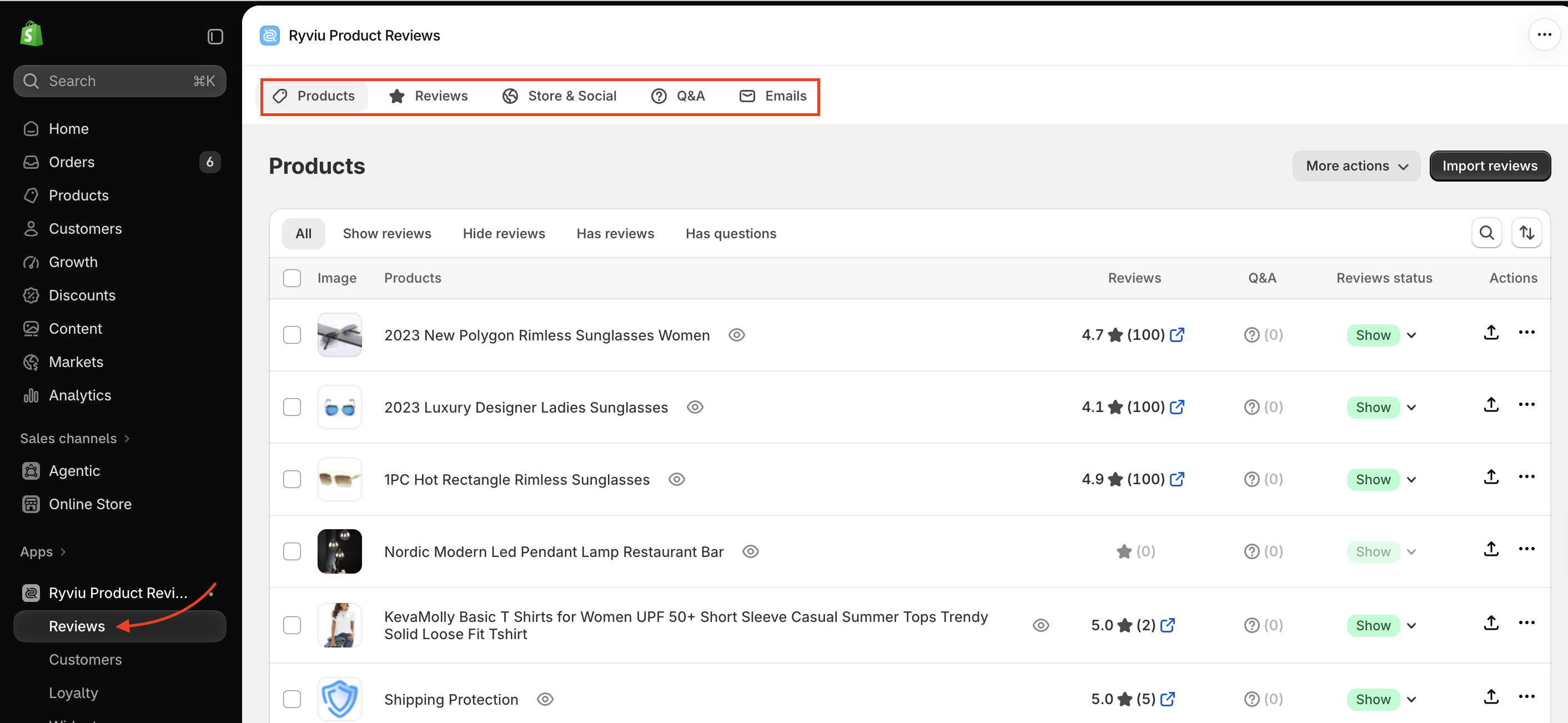
The Products section displays all products imported into your Ryviu account. You can import reviews, manage products, edit product handles, and access other product-related tools.
The detailed purpose of each button or icon is listed below:
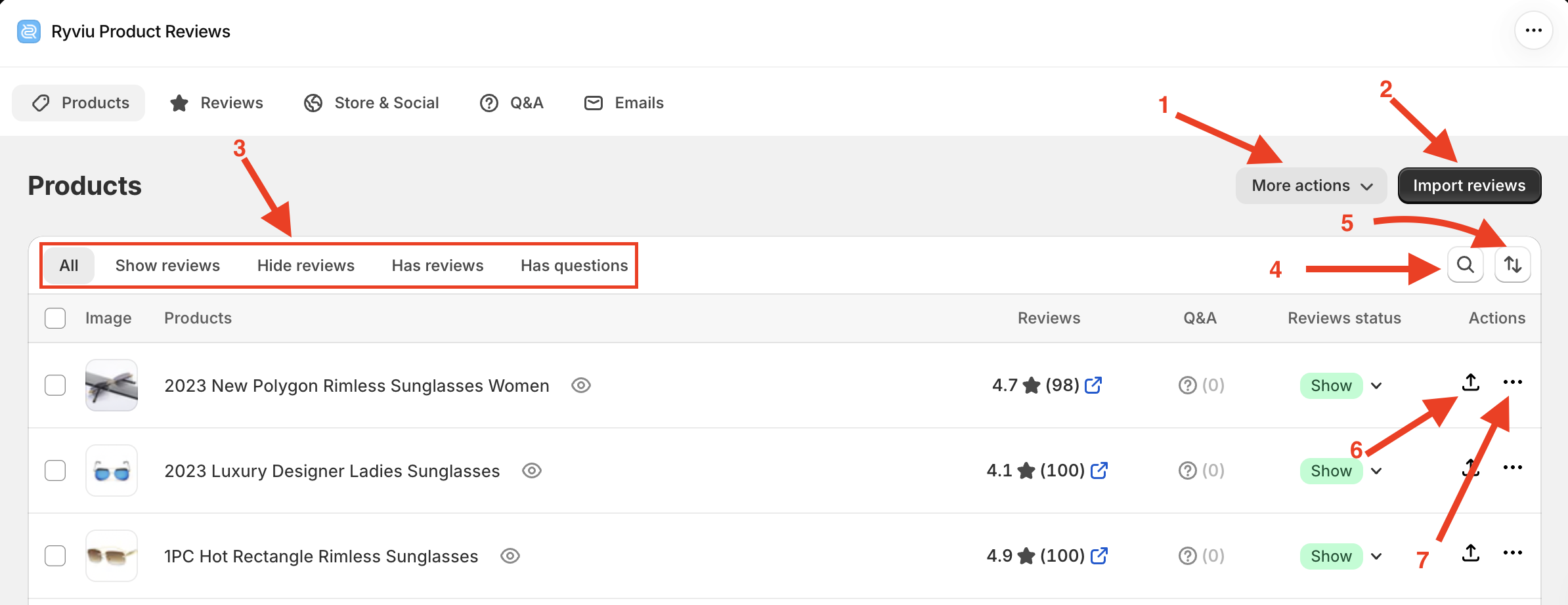
On this page, you can:
More Actions: Create product groups, export reviews, export XMP feeds, and configure Google Fetch settings. Available options depend on your plan.
Import Reviews: Import reviews from product links or other supported sources. Learn how to import reviews.
Filter: Filter products by review status.
Search: Search by product handle or ID.
Sort Products: Arrange products by newest or oldest.
Import reviews button
Product Actions: View products on Shopify, export reviews to CSV or Google XML, and delete products from Ryviu.
Click a product to view and manage its reviews.
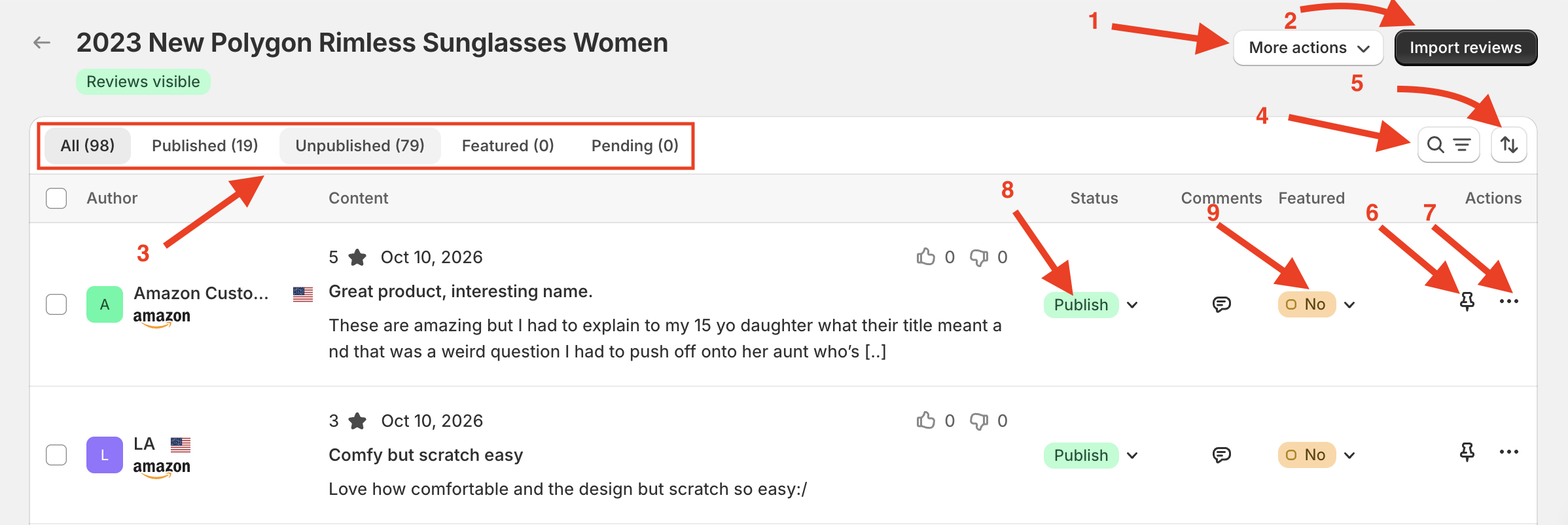
More actions: View button on your store and delete all reviews.
Import review button
Filter reviews
Search for reviews
Sort reviews
Pin reviews
Edit/Delete review
Publish/Unpublish review
Set/unset reviews as featured
The Reviews section allows you to manage all product reviews across your store in one place.
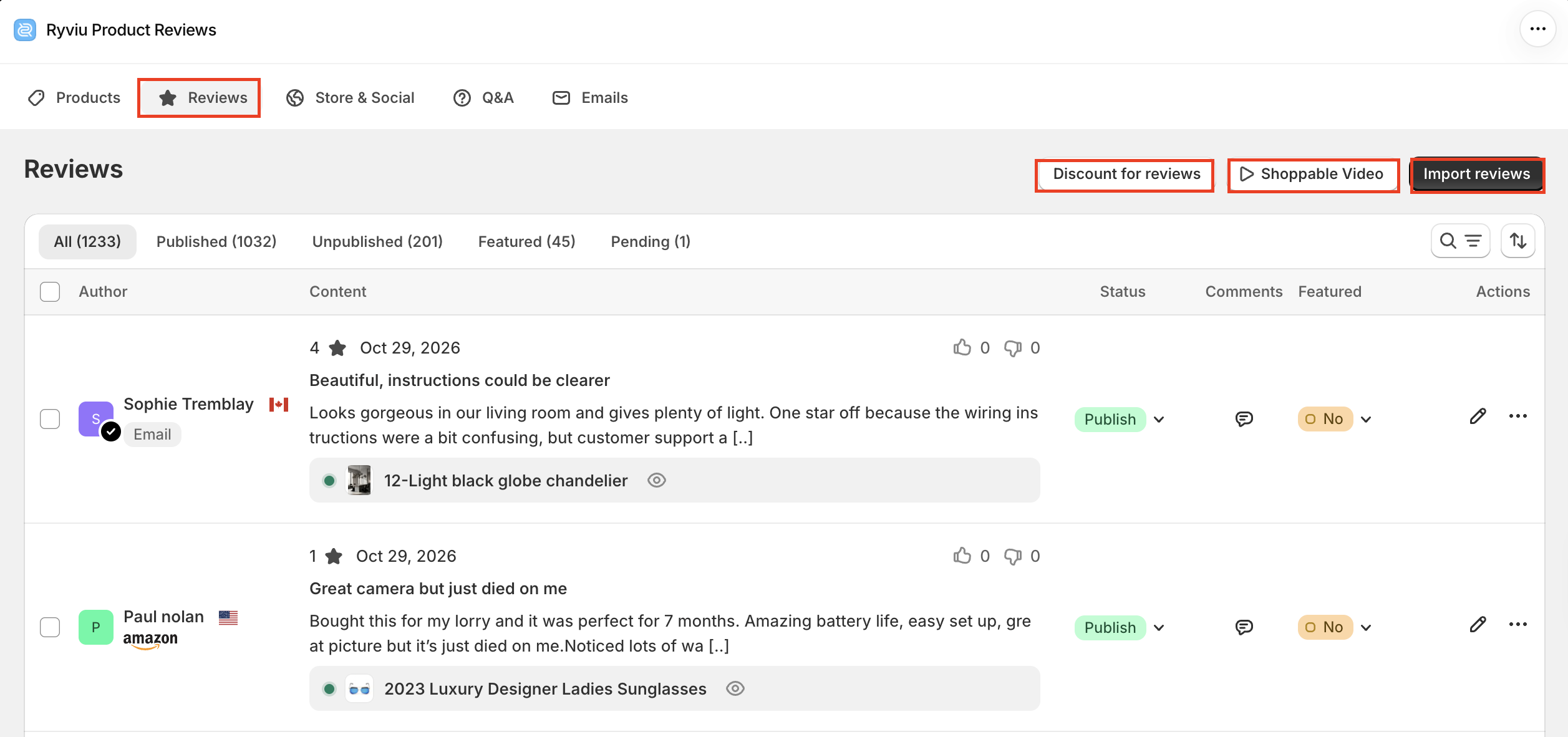
From the Reviews Manager, you can:
Import reviews and manage review-related features, such as discounts and shoppable videos.
Filter, search, and sort reviews.
Publish or unpublish reviews.
Reply to customer reviews.
Edit, delete, or mark reviews as featured.
The Store & Social section lets you manage reviews from your Facebook, Google Places, and store reviews.
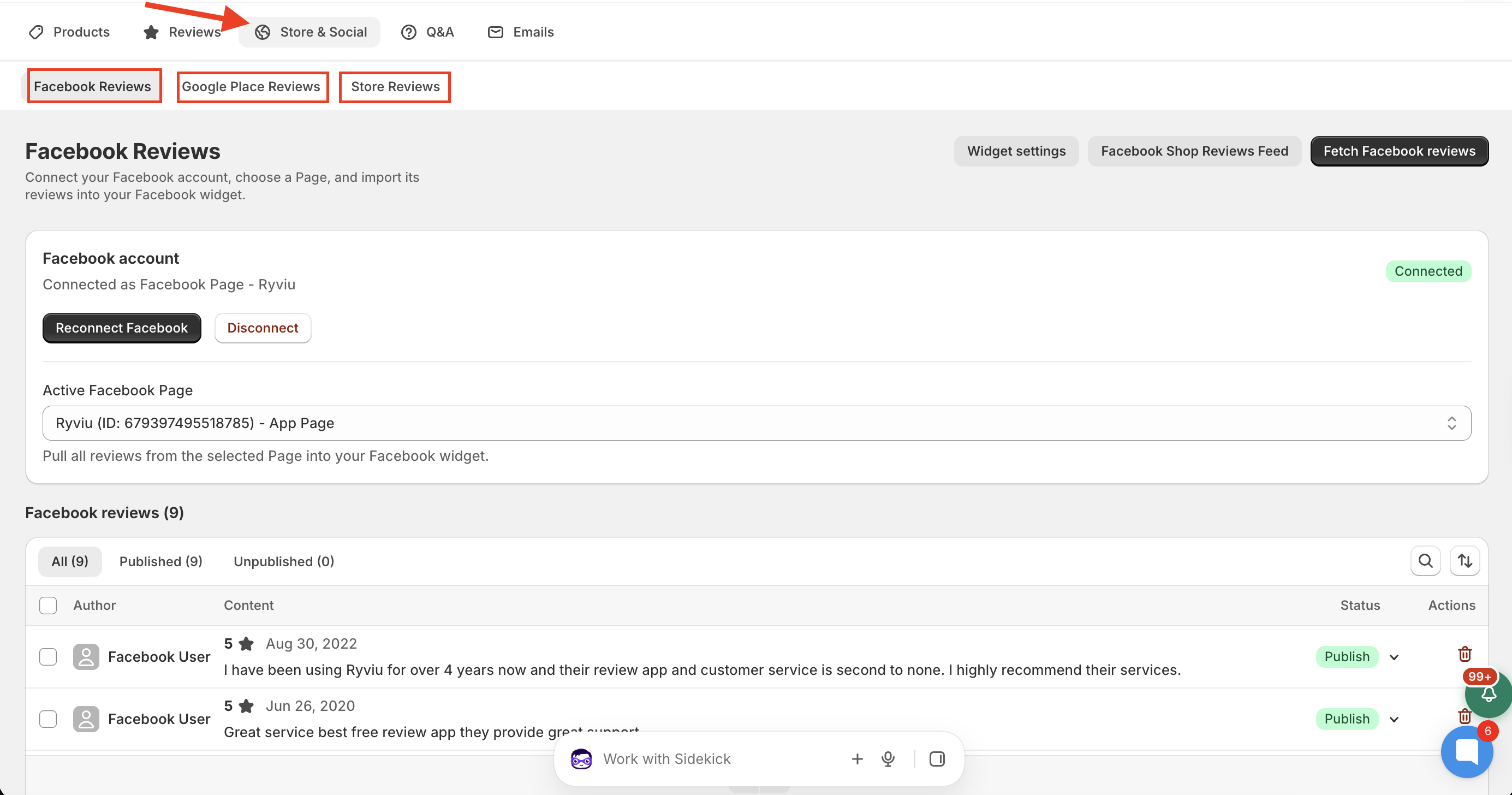
You can connect your accounts, import and manage reviews, and control how these reviews are displayed on your storefront.
The Q&A section helps you manage customer questions and answers.
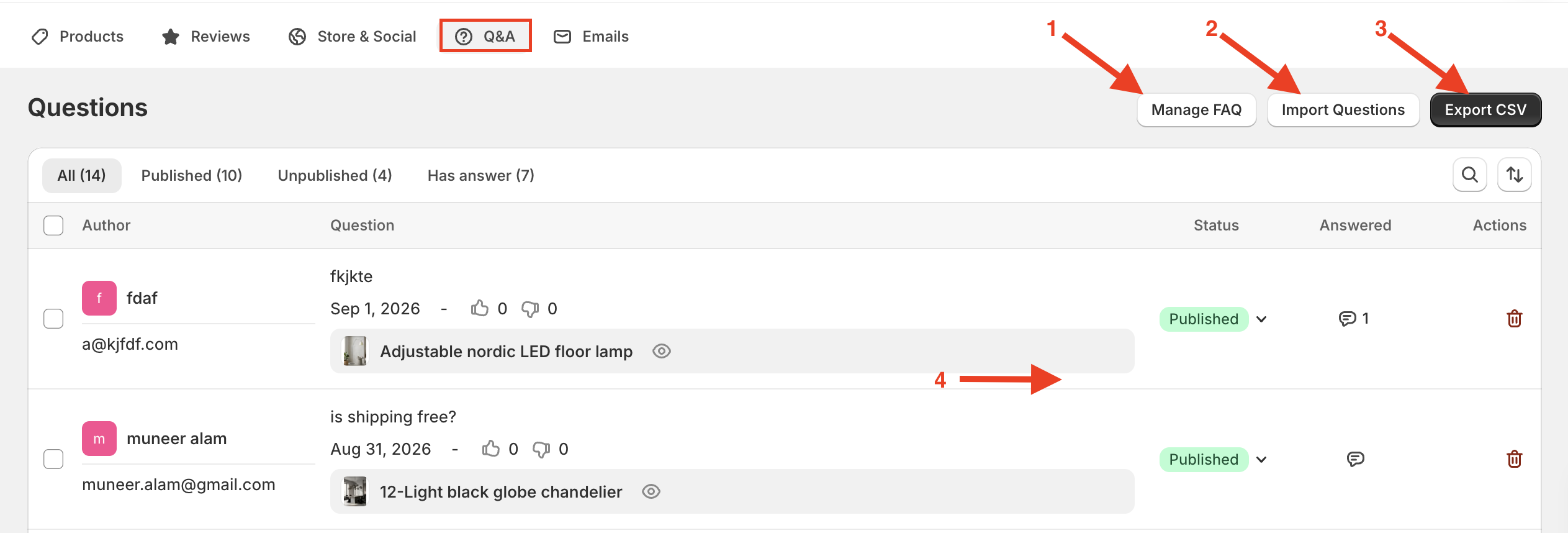
Here, you can:
Manage FAQ: Create and manage frequently asked questions.
Import/Export Questions: Import questions from a CSV file or export them for backup.
Filter Questions: Find questions based on their status.
Manage Questions: Publish or unpublish questions, reply to customers, and delete questions.
You can also view customer names, email addresses, question dates, and the products associated with each question.
The Emails section helps you manage review request emails and monitor their performance.
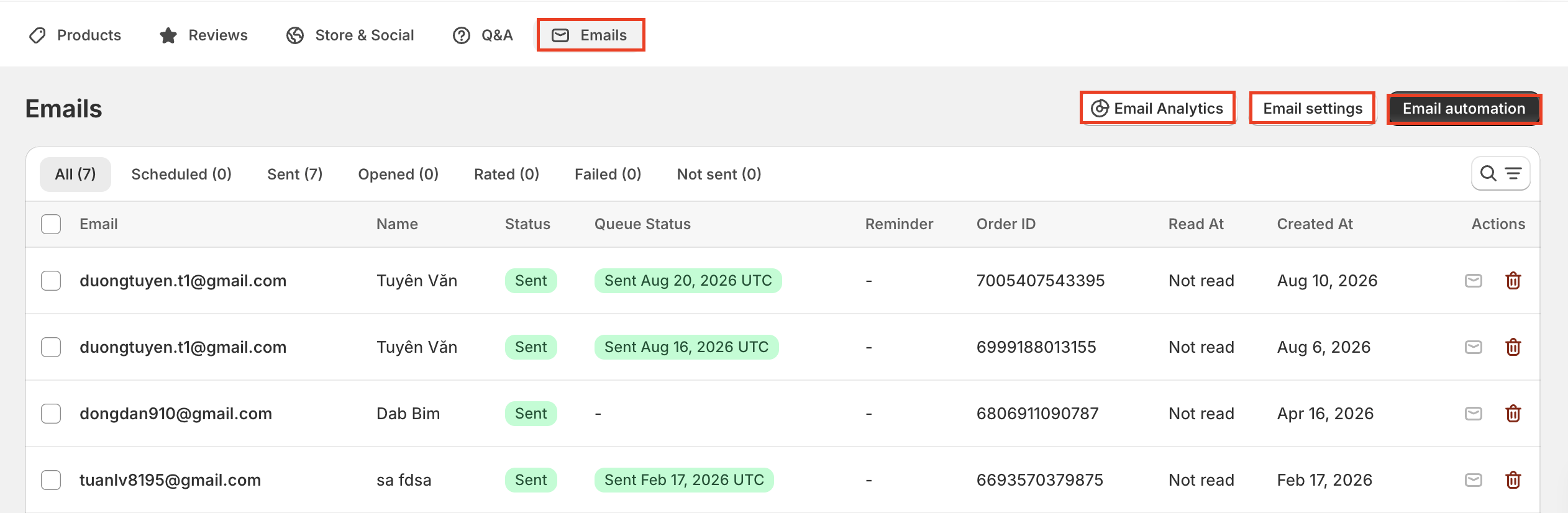
The Email Manager displays order IDs, customer email addresses, ratings, email statuses, and sending dates.
You can filter emails by status, search by order ID, and manually send or delete emails. You can also select up to 50 orders to perform bulk actions.
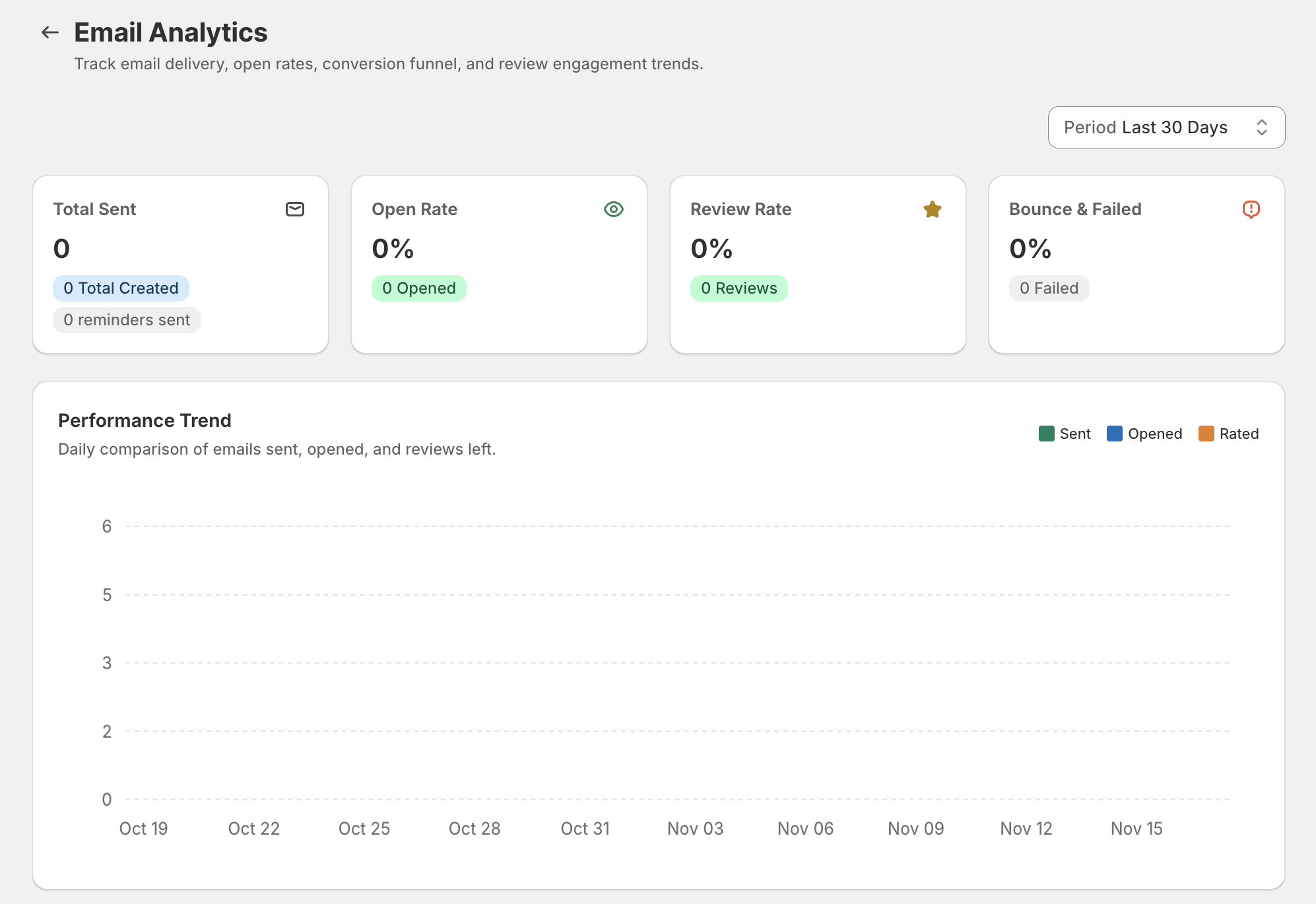
The Email Analytics dashboard provides an overview of email performance, including delivery, open rates, and review engagement trends.
Ryviu also allows you to receive email notifications about activities in the reviews and Q&A sections.
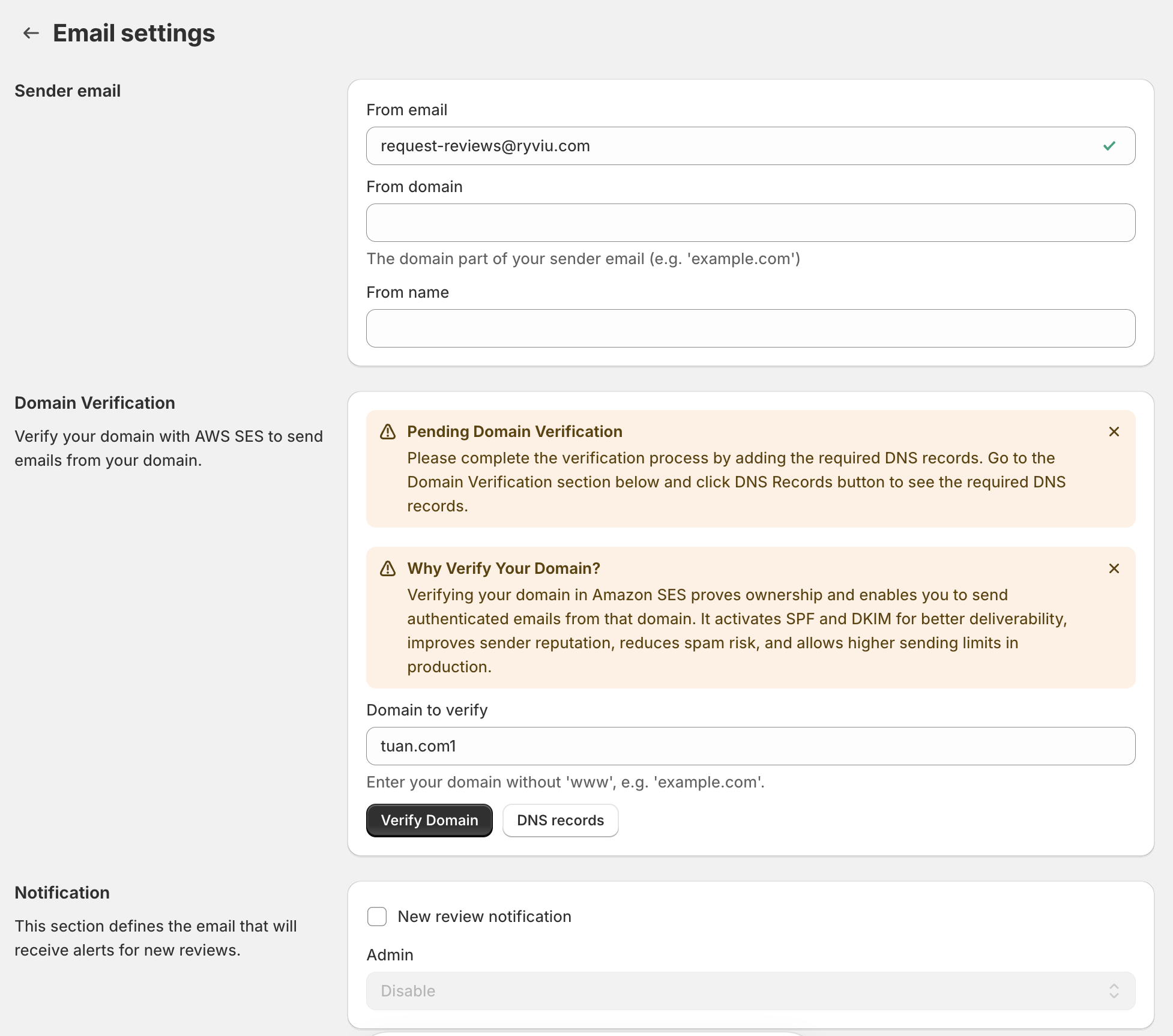
You can configure two main settings:
Sender Email: Verify your sender email address and set your sender name and domain.
Notifications: Enable alerts for new product reviews and replies to reviews or questions. You can choose whether customers, admins, or both receive notifications.
For detailed instructions, see our Email Notifications guide.
Click Email automation to access your review request email settings.
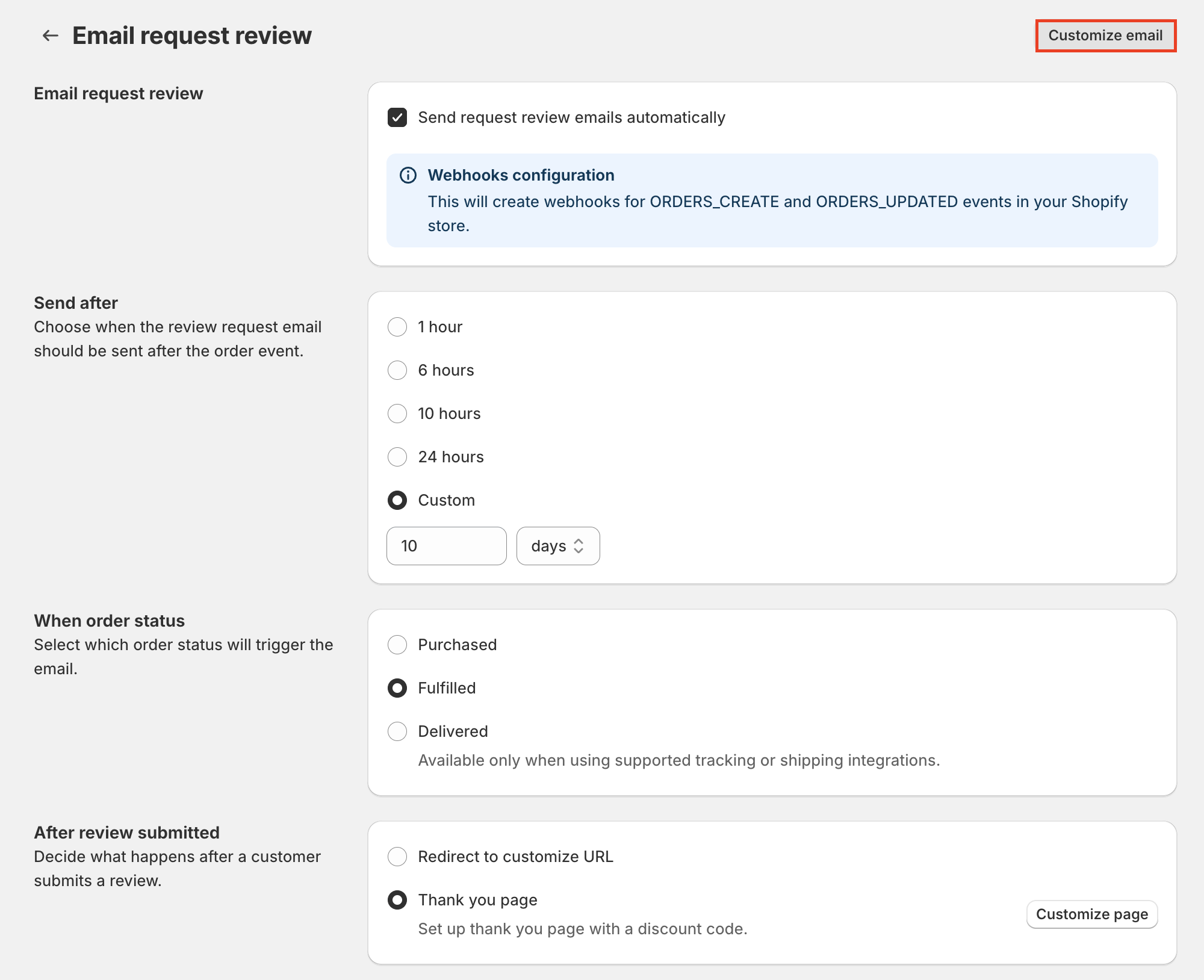
Here, you can configure when review request emails are sent and customize their content using the Customize Email button.
For more details, check our Email Automation guide.
Need help?
Get in touch with our support team through live chat or email at [email protected]. We're here to help!